MCPHub
Um servidor hub para gerenciar e escalar múltiplos servidores MCP por meio de endpoints flexíveis de HTTP Streamable (SSE).
Documentação
MCPHub
Um gateway MCP e plano de controle open-source e auto-hospedado para conectar, controlar e operar servidores MCP.






O MCPHub fornece um ponto de controle unificado entre clientes de IA e servidores MCP. Conecte servidores MCP locais e remotos uma vez, organize e roteie suas capacidades por meio de endpoints estáveis, controle o acesso com autenticação, credenciais com escopo e visibilidade por usuário, e opere tudo com logs centralizados, rastreamento de atividades e monitoramento de saúde.
Ele funciona com clientes MCP como Claude Code, Cursor, Cherry Studio, OpenWebUI e outros aplicativos compatíveis com MCP.
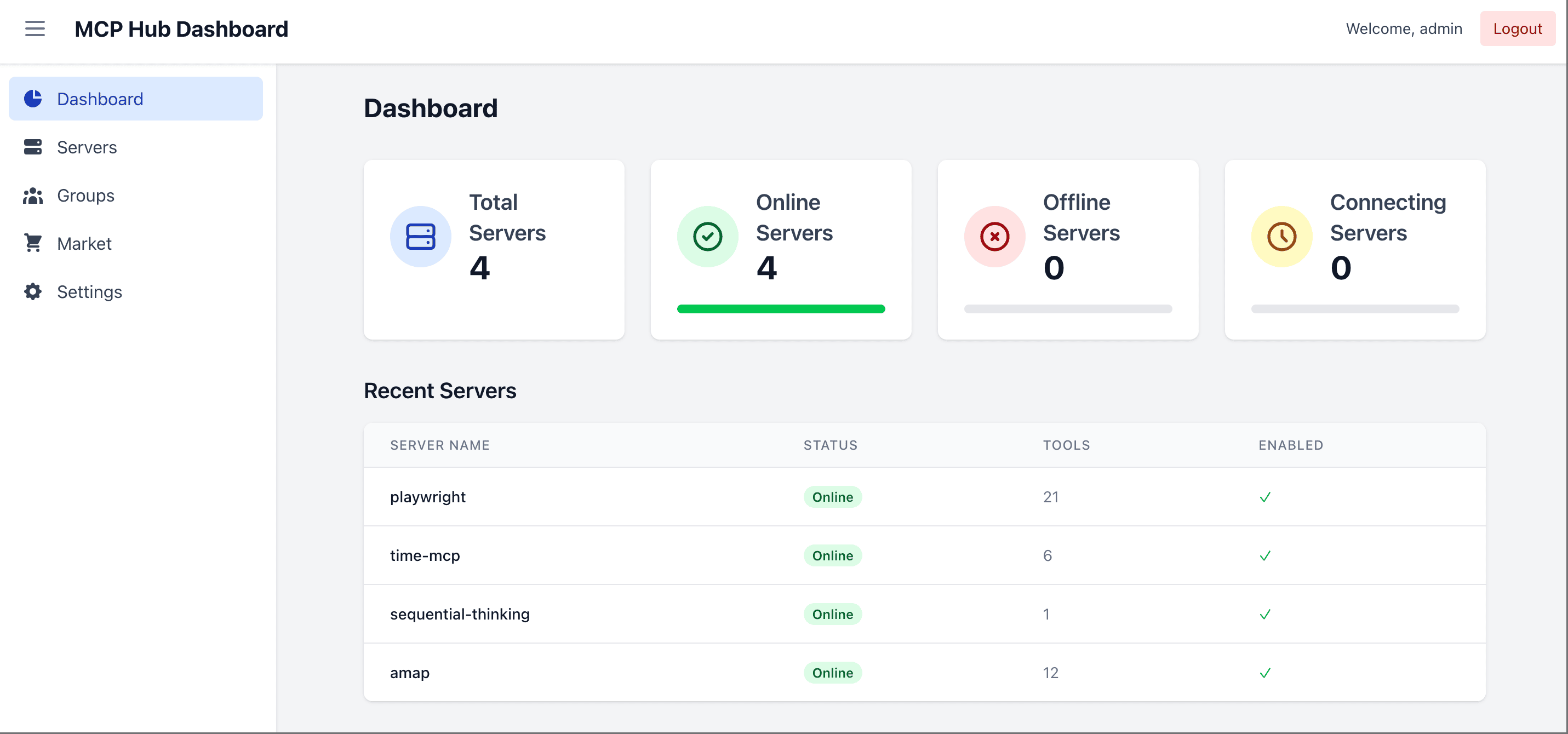
🌐 Site, Demonstração e Documentação
- Site: mcphub.app
- Documentação: docs.mcphub.app
- Ambiente de Demonstração: demo.mcphub.app
🚀 Recursos
Conecte uma vez, exponha em qualquer lugar
- Roteamento Inteligente ⭐ - Descoberta de ferramentas com tecnologia de IA usando busca semântica vetorial (Saiba mais)
- Gateway MCP Unificado - Exponha todos os servidores conectados por meio de endpoints MCP estáveis, incluindo rotas para grupos e servidores individuais
- Aliases e Roteamento de Servidores - Defina aliases e roteie clientes para todos os servidores, grupos específicos, servidores individuais ou roteamento inteligente
- Suporte a SSE / HTTP Streamable / stdio - Conecte servidores MCP locais e remotos pelos transportes suportados
- Configuração com Troca a Quente - Adicione, remova ou atualize servidores sem tempo de inatividade
Controle o acesso e as credenciais
- Credenciais por Usuário ⭐ - Vincule chaves pessoais a um servidor compartilhado, com armazenamento criptografado e runtimes stdio isolados (Saiba mais)
- Autenticação e Controle de Acesso - Use OAuth 2.0, chaves de portador e controles de visibilidade de servidor ou grupo para gerenciar o acesso
- Suporte a OAuth 2.0 ⭐ - Modos de cliente e servidor para autenticação segura (Saiba mais)
- Login Social - Suporte integrado a login com GitHub e Google via integração Better Auth (requer Modo Banco de Dados)
- Gerenciamento de Servidores e Grupos - Organize servidores em grupos, gerencie a visibilidade e controle a exposição de Ferramentas, Prompts e Recursos
Opere com confiança
- Logs e Observabilidade - Inspecione a atividade de chamadas de ferramentas, status de requisições, latência e logs de servidores
- Verificações de Saúde - Monitore a saúde da conexão e o status dos servidores em um só lugar
- Painel Web - Gerencie a configuração dos servidores e as operações de runtime pelo navegador
- Proxy de Apps MCP - Encaminhe de forma transparente Apps MCP interativos em rotas de servidor único (Saiba mais)
- Compressão de Resultados de Ferramentas - Reduza de forma transparente saídas grandes de texto de ferramentas antes que cheguem aos clientes
- Modo Banco de Dados - Armazene a configuração em PostgreSQL para ambientes de produção (Saiba mais)
- Pronto para Docker - Implante instantaneamente com configuração conteinerizada
🔧 Início Rápido
Pré-requisitos
- Docker (recomendado) — a maneira mais rápida de executar o MCPHub; todos os comandos abaixo o utilizam
- Node.js
>=20.0.0e pnpm10.12.4— necessários apenas para executar a partir do código-fonte ou desenvolver localmente (veja Desenvolvimento Local)
Inicie com Docker
docker run -p 3000:3000 -v ./data:/app/data samanhappy/mcphub
Abra http://localhost:3000 e faça login com o nome de usuário admin. Na primeira inicialização, se nenhuma variável de ambiente ADMIN_PASSWORD estiver definida, uma senha aleatória é gerada e exibida nos logs do servidor.
Configurações, usuários e vínculos de credenciais são persistidos em ./data por padrão.
Quer seus próprios servidores? Antes da primeira inicialização, crie data/mcp_settings.json (veja Configuração). Após a inicialização, adicione servidores no painel ou edite o arquivo existente e reinicie o MCPHub.
Configuração
Crie data/mcp_settings.json antes da primeira inicialização:
{
  "mcpServers": {
    "time": {
      "command": "npx",
      "args": ["-y", "time-mcp"]
    },
    "fetch": {
      "command": "uvx",
      "args": ["mcp-server-fetch"]
    }
  }
}
📖 Veja o Guia de Configuração para todas as opções, incluindo OAuth, variáveis de ambiente e mais.
Implantação com Docker
Veja Inicie com Docker para o comando de copiar e colar. Mantenha ./data montado para que configurações, usuários e vínculos de credenciais sobrevivam à recriação do contêiner.
Duas variantes de imagem são publicadas sob samanhappy/mcphub:
latest— a imagem padrão. Inclui Node.js/pnpm, Python, uv/uvx, Git e ferramentas de build. Cobre a maioria dos servidores MCP.latest-full— a imagem estendida. Adiciona o toolchain Rust (Cargo/rustc), Docker Engine e navegadores Playwright (Chrome + Firefox, somente amd64). Use esta para servidores baseados em Rust ou fluxos de trabalho de contêiner dentro de contêiner. Download maior.
Veja Configuração do Docker para opções de build e configuração de Docker-in-Docker.
Acesse o Painel
Abra http://localhost:3000 (veja Inicie com Docker para detalhes de login). Você também pode predefinir a senha:
# Docker: set admin password via environment variable
docker run -p 3000:3000 -v ./data:/app/data -e ADMIN_PASSWORD=your-secure-password samanhappy/mcphub
Dica: Altere a senha do administrador após o primeiro login por segurança.
Modo headless: Defina
DISABLE_WEB=truepara pular a exibição da interface do painel incluída e executar o MCPHub apenas com o backend/API e endpoints MCP. Isso é útil quando você deseja gerenciar servidores diretamente demcp_settings.json.
Conecte Clientes de IA
Conecte clientes de IA (Claude Desktop, Cursor, etc.) via:
http://localhost:3000/mcp           # All servers
http://localhost:3000/mcp/{group}   # Specific group
http://localhost:3000/mcp/{server}  # Specific server
http://localhost:3000/mcp/$smart    # Smart routing
http://localhost:3000/mcp/$smart/{group}  # Smart routing within group
Nota de segurança: Os endpoints MCP exigem autenticação por padrão para evitar exposição acidental. Para permitir acesso MCP não autenticado, desative Habilitar Autenticação de Portador na seção Chaves. Pular Autenticação afeta apenas o login do painel. Use somente em ambientes confiáveis.
📖 Veja a Referência da API para documentação detalhada dos endpoints.
📚 Documentação
| Tópico | Descrição |
|---|---|
| Início Rápido | Comece em 5 minutos |
| Configuração | Opções de configuração de servidores MCP |
| Modo Banco de Dados | Configuração de PostgreSQL para produção |
| OAuth | Configuração de cliente e servidor OAuth 2.0 |
| Roteamento Inteligente | Descoberta de ferramentas com tecnologia de IA |
| Apps MCP | Proxy transparente de Apps interativos |
| Guia de CLI | Gerencie e chame o hub a partir de um terminal |
| Configuração do Docker | Guia de implantação com Docker |
🧑💻 Desenvolvimento Local
git clone https://github.com/samanhappy/mcphub.git
cd mcphub
pnpm install
pnpm dev
O desenvolvimento local usa admin / admin123 e armazena sua cópia gravável de configurações em data/mcp_settings.dev.json, para que o repositório mcp_settings.json permaneça livre de credenciais.
Para usuários de Windows, inicie o backend e o frontend separadamente:
pnpm backend:dev,pnpm frontend:dev
📖 Veja o Guia de Desenvolvimento para instruções detalhadas de configuração.
🔍 Pilha Tecnológica
- Backend: Node.js, Express, TypeScript (ESM)
- Frontend: React, Vite, Tailwind CSS
- Armazenamento:
mcp_settings.jsonbaseado em arquivos por padrão; PostgreSQL via TypeORM com pgvector para Roteamento Inteligente - Autenticação: JWT + bcrypt para contas locais; chaves de portador; servidor OAuth 2.0 integrado (
@node-oauth/oauth2-server); Better Auth opcional para login com GitHub/Google - Protocolo: SDK do Model Context Protocol
🏢 Suporte a Produção
Executando o MCPHub em produção?
Trabalhe diretamente com o mantenedor em arquitetura de produção, OAuth/OIDC, identidade e controle de acesso, gerenciamento de credenciais, auditoria, Kubernetes e prontidão para alta disponibilidade.
Discuta um piloto de produção →
👥 Contribuindo
Contribuições são bem-vindas! Veja nossa comunidade no Discord para discussões e suporte.
❤️ Patrocínio

Usuários chineses também podem apoiar via WeChat Pay — veja 中文版.
🌟 Histórico de Estrelas
📄 Licença
Licenciado sob a Licença Apache 2.0.