Quady3D MCP
Gere assets 3D a partir de texto ou de uma imagem, consulte as cotações de créditos, recupere tarefas originais e salve arquivos de modelo em um projeto. Requer uma conta Quady3D; a geração na nuvem usa créditos.
Documentação
Connect your agent
[!note] Note You’ll need Node.js 22+, a Quady3D account and an existing project folder. Create an access key ↗
Install the server
npm install --global --ignore-scripts \
  @quady3d/mcp@0.1.2

quady3d-mcp --version
The version should print 0.1.2. Prefer a local installation?
Connect your Quady3D account
Create a key with Generate and download permissions, then paste it into the hidden terminal prompt.
quady3d-mcp connect
Your key is stored in ~/.config/quady3d/connection.json with private permissions on macOS and Linux. It is not encrypted keychain storage. Keep it out of chat and project files.
3
Add the server to Codex
Run command -v quady3d-mcp to find your executable. Add the configuration below to ~/.codex/config.toml, replacing the two paths. Keep your existing settings.
Personalize the two paths
[mcp_servers.quady3d]
command = "/absolute/path/to/quady3d-mcp"
args = ["--root", "/absolute/path/to/project"]
tool_timeout_sec = 180
default_tools_approval_mode = "writes"
Start a new Codex session or restart its MCP connection. Codex MCP reference ↗
Check the connection
Check my Quady3D account, available models and project folder.
Do not generate anything yet.
This check does not spend generation credits. Approve host permission prompts when you choose to upload, generate or save files.
Create your first asset
Add the Quady3D Agent Skill to give Codex the complete workflow, then describe what you need.
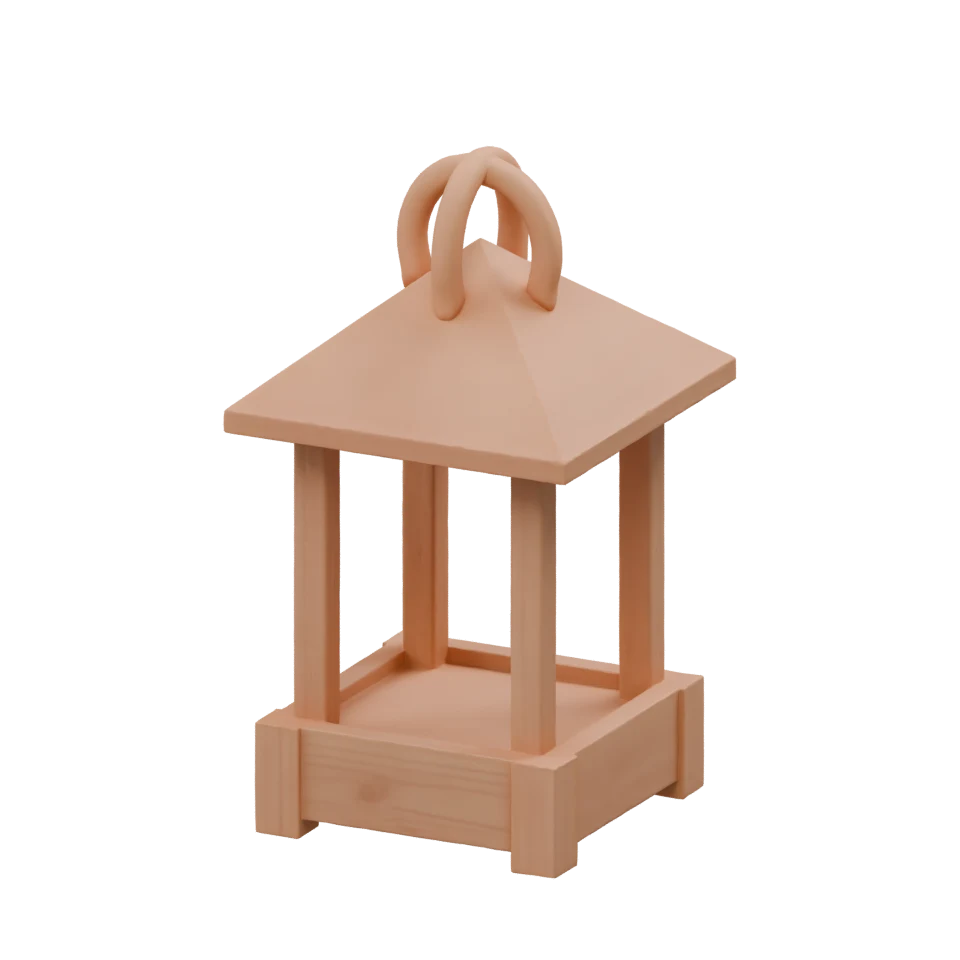
The model shown was generated and saved through Quady3D MCP. Views are rendered from the delivered model.
Use $quady3d to create a wooden chest for this project.
Check models, download access and the quote first.
Ask me to authorize the credit limit before generating.
Save a new GLB inside the project’s assets folder.
Eight tools, from input to file
| Tool | What it does |
|---|---|
quady3d_list_models | Available models, inputs and parameters |
quady3d_get_account | Balance, download access, key limits and project readiness |
quady3d_upload_file | One selected PNG, JPEG or WebP image |
quady3d_quote | Price an input without starting generation |
quady3d_create_job | Submit within your authorized credit limit |
quady3d_get_job | Check or wait on the original task |
quady3d_list_jobs | Find your account’s API tasks |
quady3d_download_asset | Save an owned result without replacing files |
Other connection options
Install locally instead of globally
In a separate tools directory, run npm install --ignore-scripts with the same package name and version. Set Codex’s command to node and pass the absolute node_modules/@quady3d/mcp/dist/cli.mjs path before the root arguments. This avoids a global npm prefix that is not writable.
Environment settings and changing keys
You can provide QUADY3D_API_KEY through the MCP host environment instead of saving a connection. QUADY3D_API_KEY_FILE selects a different absolute connection file. The API defaults to https://quady3d.com/api/v1; change QUADY3D_API_URL only for another trusted API.
A saved key is preserved unless you explicitly run quady3d-mcp connect --replace. QUADY3D_ALLOWED_ROOTS accepts a JSON array of absolute project directories. Remove the MCP configuration and run npm uninstall --global @quady3d/mcp to remove the global installation; revoke its key separately.
Good to know
Credits, permissions and downloads
Create a Generate and download key with small per-job and daily limits and an expiry. Read-only keys can inspect models and tasks but cannot generate or download files.
Key limits cap usage; they do not add credits or unlock model downloads. Check your balance and download access before generating. Uploads and quotes do not start a paid task. Plans and credits →
Recover after an interruption
Keep the original action, quote, request and authorized credit limit when a submission has an uncertain outcome. Once the job ID is known, query that same job. A wait or download failure does not authorize another generation.
One PNG, JPEG or WebP image up to 8 MiB is supported. Uploaded inputs expire after 30 minutes, quotes after five minutes. Accepted cloud tasks continue when you close your client.
Project folders and recovery records
Use existing project folders and create the destination directory before downloading. Repeat --root to allow more folders; relative paths require exactly one root. Downloads stay inside these folders, preserve existing files and require hard-link support.
Private recovery records stay outside the project. They contain prompts and task identifiers, never access keys. Confirmed completed and delivery records expire after seven days during use; unresolved requests are retained. Use QUADY3D_STATE_DIR to choose another absolute state directory.
Compatibility, updates and removal
Standalone MCP plus Skill has been verified with Codex CLI 0.163.0-alpha.11 on macOS. Claude Code, Claude Desktop and other host versions remain unverified. SDKs have been installed and used against the production API on macOS; other runtime and system combinations require compatibility verification.
Install a chosen newer official version to update. Remove the package or Skill directory to uninstall, and revoke its key in Connected apps to disconnect. Accepted tasks and saved files are retained. The MIT client license does not cover the hosted service, models or generated assets.
For help, retain the error code, request ID and original job ID. Contact support@quady3d.com without sending your key.
Official MIT clients from Quady3D AI. Install MCP and the TypeScript SDK from npm, and the Python SDK from PyPI. Versioned archives are also available.
Quady3D AI · Developer documentation Agent Skill