android-mcp-toolkit
Uma coleção crescente de ferramentas MCP para desenvolvimento Android. Atualmente conta com um conversor determinístico de Figma-SVG para Android-XML, com planos para análise de Gradle, gerenciamento de Recursos e ferramentas de integração ADB.
Documentação
Android MCP Toolkit para Agentes de IA
Servidor MCP pequeno com três ferramentas:
- Conversão rápida de SVG → Android VectorDrawable (com cache, arquivo ou inline).
- Leitor de logcat do adb com filtros por pacote/pid/tag para triagem rápida de crashes.
- Estimador de diferença de comprimento de tradução para sinalizar deltas de comprimento arriscados antes de quebrar layouts.
Por que isso existe
A Missão: Trazendo Android Nativo para a Era dos Agentes de IA
Enquanto o ecossistema de IA floresce com ferramentas voltadas para a web, o desenvolvimento Android muitas vezes parece ficar para trás. Este servidor MCP é minha resposta para essa lacuna—uma ponte dedicada conectando Agentes de IA diretamente ao toolchain Android.
⚡ Conversão de Assets sem Fricção: Converta SVGs em VectorDrawables instantaneamente sem a sobrecarga de abrir o Android Studio.
🔍 Acesso Diagnóstico Direto: Capacite agentes a puxar, filtrar e analisar streams de logcat do adb (por pacote, PID ou tag) em tempo real.
🤖 Arquitetura Nativa para Agentes: Entregue saídas estruturadas e scriptáveis que LLMs possam analisar e agir de forma eficiente.
🚀 Construído para Extensibilidade: Uma base sólida projetada para crescer, abrindo caminho para utilitários futuros como helpers de bitmap e validação de assets.
Ideias de combinação
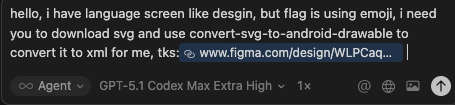
- Figma MCP: pegue SVGs de designs, envie para
convert-svg-to-android-drawablepara obter XML para recursos Android. - Depuração: enquanto executa o app, chame
read-adb-logcatcom nome do pacote ou tag para capturar crashes e logs filtrados sem sair do cliente MCP.
Pré-visualizações
SVG para VectorDrawable
- Requisição Figma → Extração de SVG
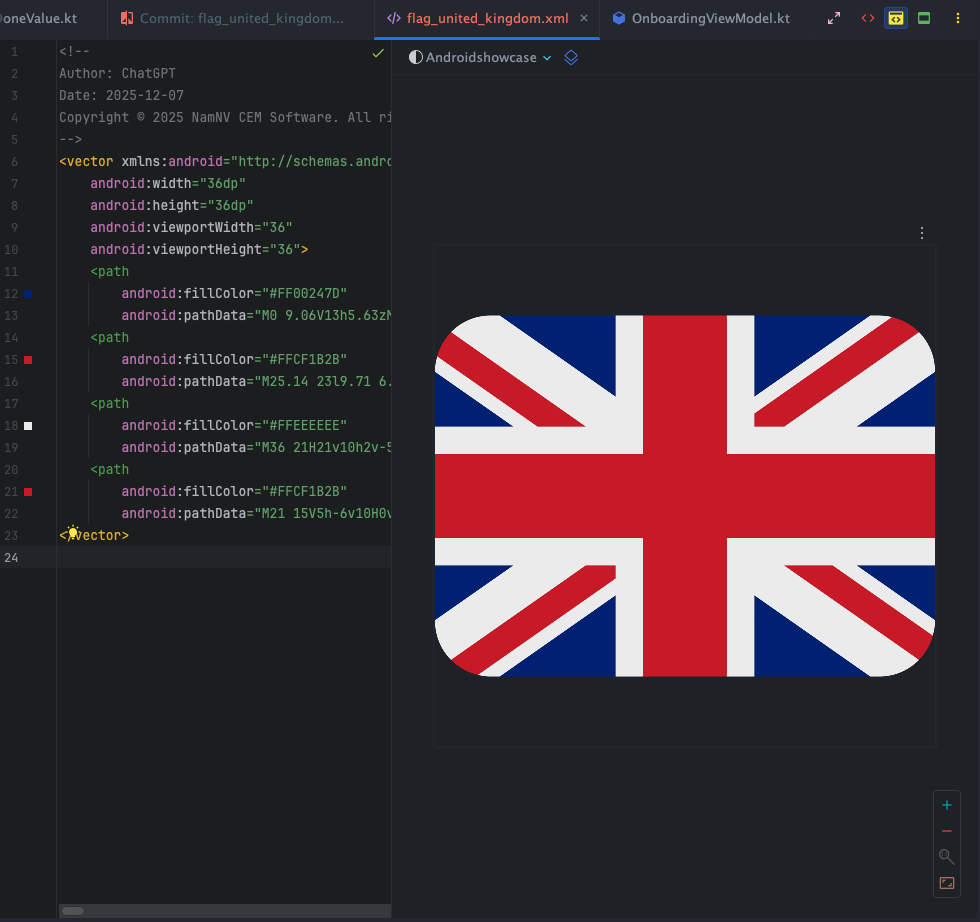
- Pré-visualização de conversão única (flag)
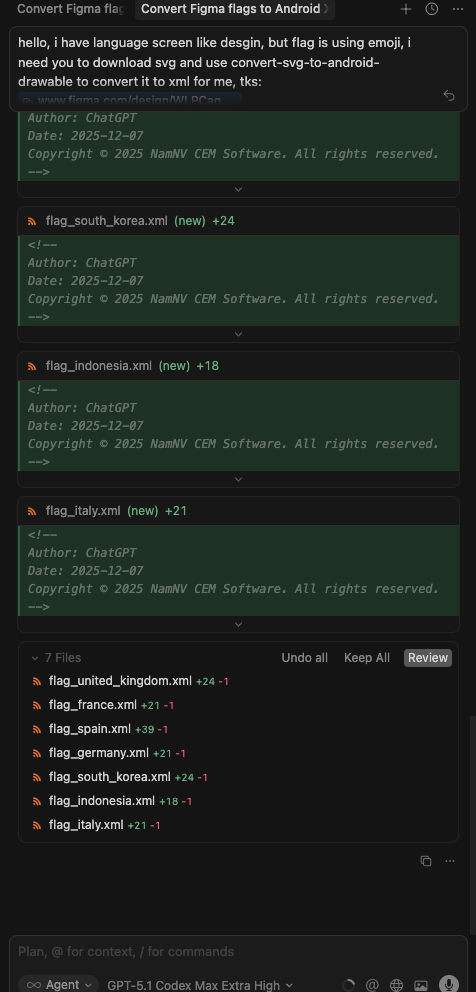
- Revisão de flags em lote (lado a lado)
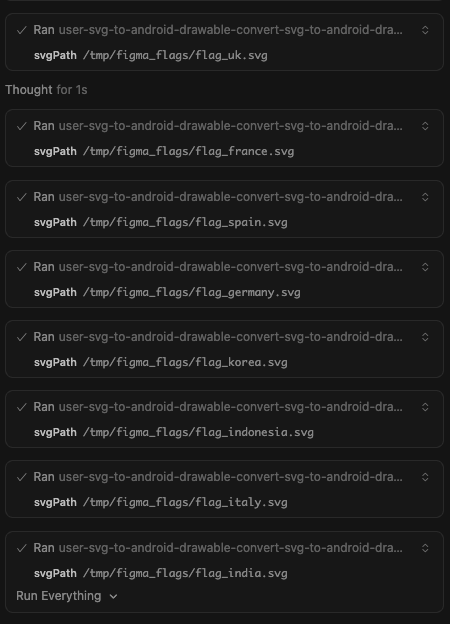
- Execução em lote via MCP (console)
Ferramenta ADB logcat
- Prompt de captura de crash (entradas + filtros)
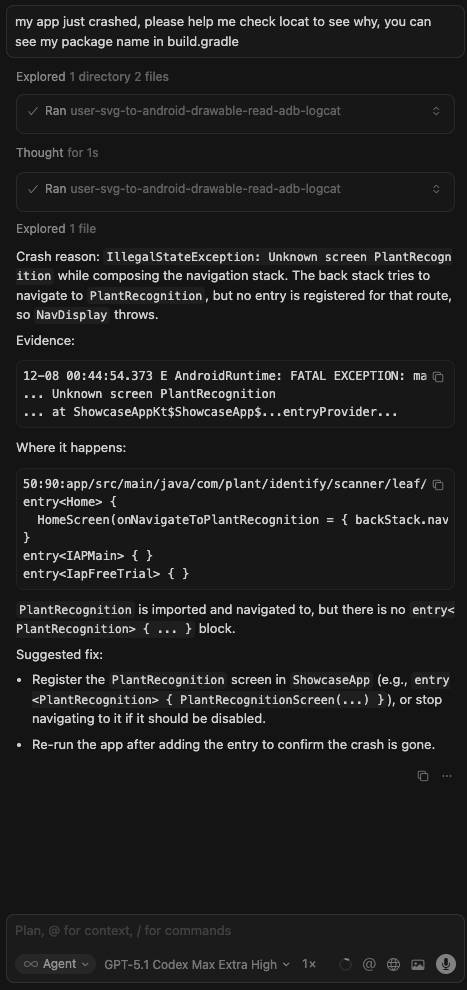
- Pré-visualização de resposta (logcat resumido)

Ferramentas atuais
-
convert-svg-to-android-drawable- Entradas:
svg(inline) ousvgPath(caminho do arquivo). Opcional:outputPath,floatPrecision(padrão 2),fillBlack(padrão false),xmlTag(padrão false),tint,cache(padrão true). - Saída: texto XML VectorDrawable; também grava em disco quando
outputPathé fornecido. - Performance: cache LRU (32 entradas) chaveado por SVG + opções, além de reutilização rápida na sessão.
- Conversor: fork vendido em
vendor/svg2vectordrawablecom correções parargb()/rgba(),hsl()/hsla()e cores nomeadas. Licença upstream:vendor/svg2vectordrawable/LICENSE(MIT).
- Entradas:
-
manage-logcat- Entradas:
action:read(padrão),crash,anrouclear.packageName: Opcional. Resolve PID viaadb shell pidof.pid: Opcional. PID explícito.tag: Opcional. Filtro por tag (ex.:MyApp).priority:V,D,I,W,E,F,S(padrãoV).maxLines: Contagem de tail (padrão 200, máximo 2000).timeoutMs: Padrão 5000.
- Comportamento:
read: Busca o tail do logcat.crash: Buscalogcat -b crash.anr: Busca logs recentes de ANR do ActivityManager + tail de/data/anr/traces.txt.clear: limpa os buffers do logcat.
- Entradas:
-
get-current-activity- Entradas:
timeoutMs(padrão5000, máximo15000). - Comportamento: Inspeciona
dumpsys windowpara encontrar o app/janela atualmente em foco. Útil para verificar estado.
- Entradas:
-
dump-ui-hierarchy- Entradas:
timeoutMs(padrão 10000). - Comportamento: Captura a hierarquia atual da UI como XML via
uiautomator.
- Entradas:
-
take-screenshot- Entradas:
outputPath(obrigatório),timeoutMs. - Comportamento: Salva screenshot do dispositivo em arquivo local.
- Entradas:
-
inject-input- Entradas:
command(tap,text,swipe,keyevent,back,home),args(array),timeoutMs. - Opcional:
elementIdouelementText(encontra o centro do elemento e toca nele). - Comportamento: Simula interação do usuário adequada para testar fluxos.
- Entradas:
-
estimate-text-length-difference- Entradas:
sourceText(original),translatedText(para comparar),tolerancePercent(padrão30, máximo500). - Comportamento: Mede o comprimento de grafemas de ambas as strings, calcula a variação percentual e informa se excede a tolerância (útil para detectar aumentos de comprimento de tradução que podem quebrar layouts).
- Entradas:
Roadmap (planejado)
- Ferramentas MCP adicionais para assets Android (ex.: conversões em lote, validações, otimizadores).
- Prompts de recursos opcionais para drawables/templates Android comuns.
Início rápido
npm installnpm run buildnode dist/index.js(servidor MCP stdio)
Executar via npx
- Global:
npx android-mcp-toolkit
Usar no Cursor (config MCP)
Adicione ao seu JSON de configurações do Cursor:
{
  "mcpServers": {
    "android-mcp-toolkit": {
      "command": "npx",
      "args": [
        "-y",
        "android-mcp-toolkit"
      ]
    }
  }
}
A chamada npx baixa o pacote publicado; nenhum caminho local é necessário.
Instalação rápida via deep link do Cursor:
cursor://anysphere.cursor-deeplink/mcp/install?name=android-mcp-toolkit&config=eyJjb21tYW5kIjoibnB4IC15IGFuZHJvaWQtbWNwLXRvb2xraXQifQ%3D%3D
Exemplos
- SVG de entrada:
sample_svg.svg - VectorDrawable de saída:
examples/sample_svg.xml
Notas
- Transporte: stdio via
@modelcontextprotocol/sdk. - Dependências base mantidas mínimas; tudo o que é necessário para converter SVGs está vendido/incluído.