DIY MCP
Uma implementação do zero do Model Context Protocol (MCP) para construir servidores e clientes, usando uma coleção de chá chinês como exemplo.
Documentação
DIY MCP
Uma implementação simples do Model Context Protocol (MCP) feita do zero para construir servidores e clientes MCP usando stdio. Este exemplo usa uma coleção simples de chás chineses com descrições, origens, etc.
Para aplicações em produção, confira os SDKs oficiais do MCP.
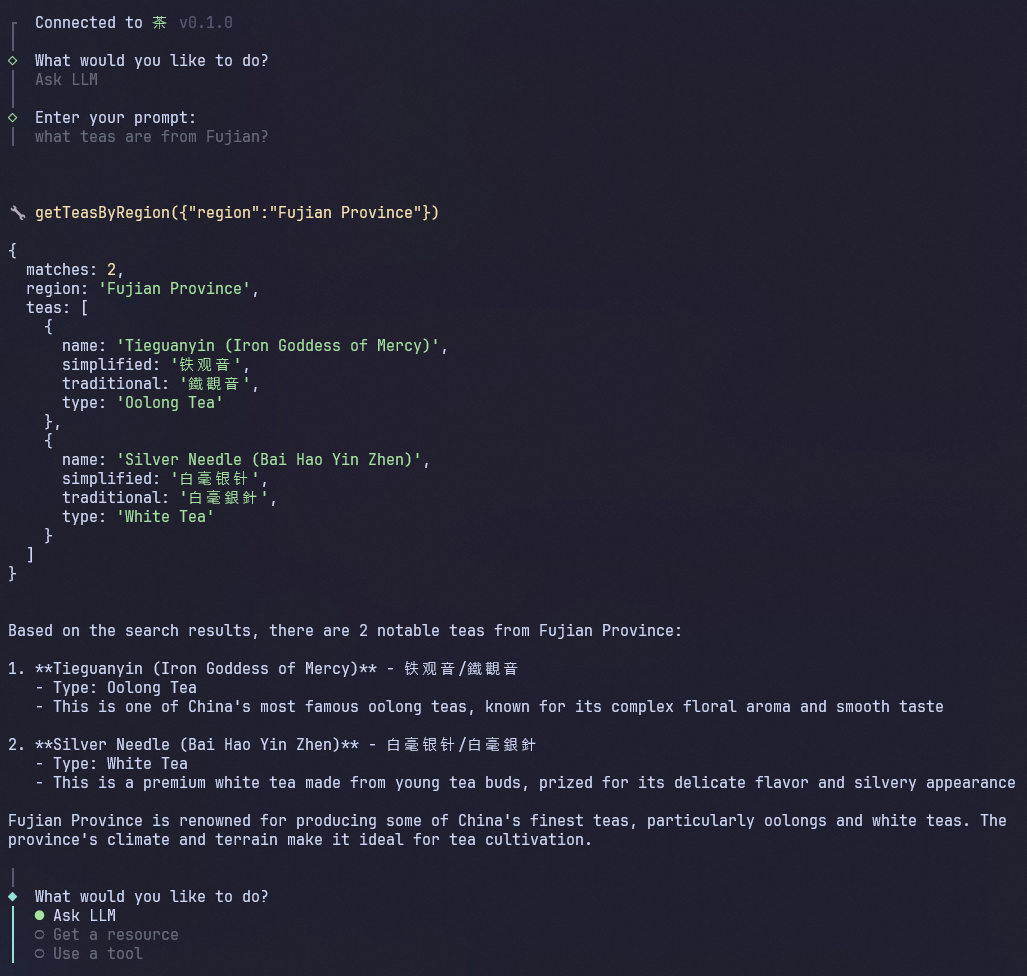
Estrutura do Projeto
mcp/
├── server/           # MCP server for Chinese tea information
│   └── src/
│       ├── index.ts
│       ├── stdio.ts
│       └── teas.json
└── client/           # MCP client CLI with Claude as LLM
    └── src/
        ├── index.ts
        └── llm.ts
Servidor MCP
O núcleo desta implementação é um servidor MCP leve. Ele oferece os seguintes recursos e ferramentas:
- Recursos:
tea://teas: Lista de todos os chás disponíveistea://teas/{slug}: Detalhes de um chá específico
- Ferramentas:
getTeasByType: Obter todos os chás de um tipo específicogetTeasByRegion: Obter todos os chás de uma província ou região específica
Configuração
cd server
npm install
npm run build
Execução
Você pode testar o servidor MCP com o MCP Inspector, uma ferramenta interativa para testar e depurar servidores MCP.
cd server
npm run inspector
Cliente MCP
Você pode interagir com o servidor MCP por meio de um cliente MCP como o Claude Desktop ou, alternativamente, usar o cliente DIY MCP incluído. Ao adicionar sua chave de API da Anthropic, você pode fazer com que o Claude determine de forma inteligente quais ferramentas usar com base no seu prompt.
O cliente oferece três modos de interação:
- Perguntar ao LLM: Deixe o Claude interagir com o servidor MCP
- Obter um recurso: Acesse diretamente os recursos do servidor MCP
- Usar uma ferramenta: Chame diretamente as ferramentas do servidor MCP
Configuração
cd client
npm install
Para usar o Claude, primeiro copie o arquivo de ambiente de exemplo e adicione sua chave de API da Anthropic com créditos disponíveis à variável ANTHROPIC_API_KEY:
cp .env.example .env
Execução
O cliente iniciará automaticamente o servidor MCP, portanto, certifique-se de compilá-lo primeiro.
cd server
npm run build
cd client
npm start
Uso
Após a execução, você pode interagir com o servidor MCP por meio da CLI do cliente MCP. Tente fazer algumas perguntas ao LLM sobre chá chinês:
- "Quais chás você conhece?"
- "Quais chás vêm de Fujian?"
- "Qual é o seu chá verde favorito?"