Rancher MCP Server
Servidor do Protocolo de Contexto de Modelo (MCP) para o ecossistema Rancher: Kubernetes multi-cluster, Harvester HCI (VMs, armazenamento, redes) e Fleet GitOps.
Documentação
rancher-mcp-server



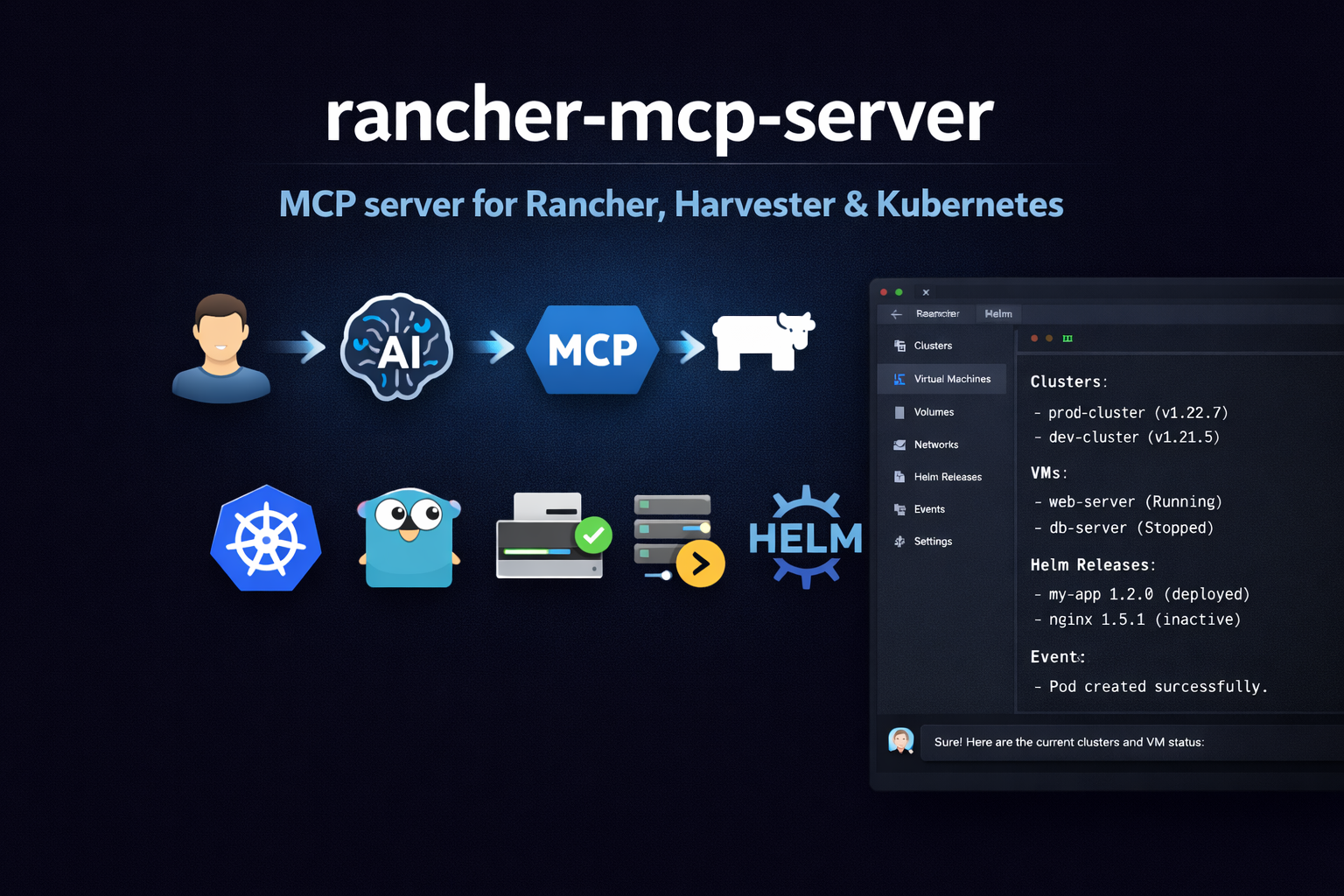
Servidor Model Context Protocol (MCP) para o ecossistema Rancher: Kubernetes multi-cluster, Harvester HCI (VMs, armazenamento, redes) e Fleet GitOps.
Demonstração
Uma demonstração de como este servidor MCP funciona (exemplo no Cursor).
https://github.com/user-attachments/assets/7d8fb814-e504-47b4-956d-28f43aeea3b8
Recursos
- Conjunto de ferramentas Harvester: Listar/obter VMs, imagens, volumes, redes, hosts; ações de VM; lista de addons/alternância (ativar/desativar)
- Conjunto de ferramentas Rancher: Clusters e projetos via Steve (proxy de gerenciamento); API de gerenciamento Norman (
/v3) para schemas, usuários, tokens, configurações de autenticação, vínculos de função global, tokens de registro de cluster, drivers de nó, credenciais de nuvem, catálogos, repositórios de cluster, feature flags, configurações, auditoria (quando exposta); pacote de suporte e ações genéricas quando gravações estão habilitadas - Conjunto de ferramentas Kubernetes: Listar/obter/criar/alterar/excluir recursos por apiVersion/kind; descrever (recurso + eventos), eventos, capacidade
- Conjunto de ferramentas Helm: Listar/obter/histórico de releases; instalar, atualizar, reverter, desinstalar; lista de repositórios
- Conjunto de ferramentas Fleet: Listar/obter/criar GitRepo; listar Bundle; listar clusters Fleet; detecção de drift
- APIs Rancher: Mesmo token Bearer para Steve (
/k8s/clusters/...) e Norman (/v3/...); sem wrappers de CLI - Segurança: Somente leitura por padrão, desativar destrutivo, mascaramento de dados sensíveis (campos de token/credencial Norman ocultos, exceto quando
--show-sensitive-data) - Configuração: Flags, env (
RANCHER_MCP_*) ou arquivo (YAML/TOML)
Início rápido
Instalação
npm install -g rancher-mcp-server
Cursor
Adicione ao .cursor/mcp.json (nível de projeto) ou ~/.cursor/mcp.json (global):
{
  "mcpServers": {
    "rancher": {
      "command": "npx",
      "args": [
        "-y", "rancher-mcp-server",
        "--rancher-server-url", "https://rancher.example.com",
        "--rancher-token", "token-xxxxx:yyyy",
        "--toolsets", "harvester,rancher,kubernetes,fleet"
      ]
    }
  }
}
Reinicie o Cursor após salvar. Verifique em Configurações → Ferramentas e MCP se rancher está listado e habilitado.
Claude Desktop
Adicione à configuração do seu Claude Desktop (claude_desktop_config.json):
{
  "mcpServers": {
    "rancher": {
      "command": "npx",
      "args": [
        "-y", "rancher-mcp-server",
        "--rancher-server-url", "https://rancher.example.com",
        "--rancher-token", "token-xxxxx:yyyy",
        "--toolsets", "harvester,rancher,kubernetes,fleet"
      ]
    }
  }
}
Com variáveis de ambiente em vez de argumentos
Se preferir manter o token fora da configuração JSON:
{
  "mcpServers": {
    "rancher": {
      "command": "npx",
      "args": ["-y", "rancher-mcp-server"],
      "env": {
        "RANCHER_MCP_RANCHER_SERVER_URL": "https://rancher.example.com",
        "RANCHER_MCP_RANCHER_TOKEN": "token-xxxxx:yyyy",
        "RANCHER_MCP_TOOLSETS": "harvester,rancher,kubernetes"
      }
    }
  }
}
Habilitar operações de gravação
Para criação de VM, snapshots, backups, criação de imagem/volume, alternância de addon, modo de manutenção de host, criação/atualização/exclusão de VPC, criação de gateway NAT de VPC, atualizações de configurações Harvester, criação/alteração/exclusão Kubernetes, instalação/atualização/reversão Helm, criação/exclusão de gitrepo Fleet e gravações Norman (tokens, usuários, configurações de autenticação, vínculos de função, tokens de registro de cluster, credenciais de nuvem, atualização de catálogo, feature flags, configurações, rancher_norman_action, pacote de suporte), adicione --read-only=false. Operações de exclusão (tokens/bindings/tokens de registro/credenciais de nuvem Norman, exclusão de gateway NAT de VPC, além das exclusões existentes do conjunto de ferramentas) também exigem --disable-destructive=false (padrão).
{
  "mcpServers": {
    "rancher": {
      "command": "npx",
      "args": [
        "-y", "rancher-mcp-server",
        "--rancher-server-url", "https://rancher.example.com",
        "--rancher-token", "token-xxxxx:yyyy",
        "--toolsets", "harvester,rancher,kubernetes,helm,fleet",
        "--read-only=false"
      ]
    }
  }
}
Transporte HTTP Streamable
Para clientes web ou acesso remoto (ex.: Claude Code claude mcp add -t http), adicione --transport e --port:
{
  "mcpServers": {
    "rancher": {
      "command": "npx",
      "args": [
        "-y", "rancher-mcp-server",
        "--rancher-server-url", "https://rancher.example.com",
        "--rancher-token", "token-xxxxx:yyyy",
        "--transport", "http",
        "--port", "8080"
      ]
    }
  }
}
O servidor usa o transporte HTTP Streamable MCP. O caminho MCP padrão é /mcp; conecte-se a http://localhost:8080/mcp (ou URL base do seu servidor + /mcp). Melhor suporte com Claude Code; o suporte do Cursor pode variar.
Compilar a partir do código-fonte
Se preferir compilar o binário Go você mesmo:
go build -o rancher-mcp-server ./cmd/rancher-mcp-server
Em seguida, referencie o binário diretamente na sua configuração MCP:
{
  "mcpServers": {
    "rancher": {
      "command": "/absolute/path/to/rancher-mcp-server",
      "args": [
        "--rancher-server-url", "https://rancher.example.com",
        "--rancher-token", "token-xxxxx:yyyy",
        "--toolsets", "harvester,rancher,kubernetes,fleet"
      ]
    }
  }
}
Configuração
| Opção | Env | Padrão | Descrição |
|---|---|---|---|
--rancher-server-url | RANCHER_MCP_RANCHER_SERVER_URL | — | URL do servidor Rancher (obrigatório) |
--rancher-token | RANCHER_MCP_RANCHER_TOKEN | — | Token Bearer (obrigatório) |
--tls-insecure | RANCHER_MCP_TLS_INSECURE | false | Ignorar verificação TLS |
--read-only | RANCHER_MCP_READ_ONLY | true | Desativar operações de gravação |
--disable-destructive | RANCHER_MCP_DISABLE_DESTRUCTIVE | false | Desativar operações de exclusão |
--show-sensitive-data | RANCHER_MCP_SHOW_SENSITIVE_DATA | false | Mostrar campos de token/credencial Norman sem ocultação (usar com cuidado) |
--toolsets | RANCHER_MCP_TOOLSETS | harvester | Conjuntos de ferramentas a habilitar: harvester, rancher, kubernetes, helm, fleet |
--transport | RANCHER_MCP_TRANSPORT | stdio | Transporte: stdio ou http (HTTP Streamable; caminho padrão /mcp) |
--port | RANCHER_MCP_PORT | 0 | Porta para HTTP (0 = somente stdio) |
Ferramentas Harvester
| Ferramenta | Descrição |
|---|---|
harvester_vm_list | Listar VMs com status, namespace, spec/status |
harvester_vm_get | Obter uma VM (spec completo e status) |
harvester_vm_action | iniciar, parar, reiniciar, pausar, retomar, migrar |
harvester_vm_create | Criar VM (quando não somente leitura). Suporta rede, interface_type (managedtap/bridge/masquerade), sub-rede para VPC KubeOVN, montagens virtiofs (virtiofs_service_account, virtiofs_secret, virtiofs_config_map) e Sysprep Windows (sysprep_secret). |
harvester_vm_snapshot | Criar/listar/restaurar/excluir snapshots de VM. Restauração aceita halt_after_restore=true para deixar a VM desligada. |
harvester_vm_backup | Criar/listar/restaurar backups de VM (Backup Target). Restauração aceita halt_after_restore=true. |
harvester_image_list | Listar imagens de VM (VirtualMachineImage) |
harvester_image_create | Criar imagem de VM a partir de URL (quando não somente leitura) |
harvester_volume_list | Listar PVCs (volumes com suporte Longhorn) |
harvester_volume_create | Criar volume/PVC (opcionalmente a partir de imagem) |
harvester_network_list | Listar redes de VM (NetworkAttachmentDefinition) |
harvester_network_create | Criar rede de VM - overlay KubeOVN ou VLAN (quando não somente leitura) |
harvester_network_update | Atualizar configuração de rede de VM (quando não somente leitura) |
harvester_network_delete | Excluir rede de VM (quando destrutivo permitido) |
harvester_subnet_list | Listar sub-redes KubeOVN (requer kubeovn-operator) |
harvester_subnet_create | Criar sub-rede em VPC para rede de VM (quando não somente leitura) |
harvester_subnet_update | Atualizar namespaces/NAT de sub-rede (quando não somente leitura) |
harvester_subnet_delete | Excluir sub-rede (quando destrutivo permitido) |
harvester_host_list | Listar nós (hosts Harvester) |
harvester_host_action | Ativar/desativar modo de manutenção em um host (cordon/uncordon) |
harvester_settings | Listar ou obter configurações Harvester. Com value, ou pss_enabled / pss_whitelisted / pss_privileged / pss_restricted, atualiza uma configuração (incluindo cluster-pod-security-standard) quando não somente leitura. |
harvester_addon_list | Listar addons Harvester (estado ativado/desativado) |
harvester_addon_switch | Ativar ou desativar um addon (quando não somente leitura) |
harvester_vpc_list | Listar VPCs KubeOVN (requer addon kubeovn-operator) |
harvester_vpc_create | Criar um VPC KubeOVN (quando não somente leitura) |
harvester_vpc_update | Atualizar namespaces de um VPC KubeOVN (quando não somente leitura) |
harvester_vpc_delete | Excluir um VPC KubeOVN (quando destrutivo permitido) |
harvester_vpc_nat_gateway | Criar/listar/excluir um gateway NAT de VPC Kube-OVN, EIP, regra DNAT ou regra SNAT (kind: gateway, eip, dnat, snat) |
Ferramentas de listagem aceitam cluster (obrigatório), namespace, format (json|table), limit (padrão 100), continue (token de paginação para próxima página). Ferramentas de gravação exigem read_only: false.
Criando uma VM em VPC KubeOVN com internet externa
Use harvester_vm_create com:
- network: Nome da rede overlay (NAD) vinculada a uma sub-rede KubeOVN. Crie via
harvester_network_create(type=kubeovn) e depoisharvester_subnet_createcomprovider={network}.{namespace}.ovn,vpc=<vpc-name>enat_outgoing=true. - interface_type:
managedtap(recomendado para KubeOVN) oubridge. Usa Multus como rede primária. - subnet: Nome opcional da sub-rede KubeOVN para anotação
ovn.kubernetes.io/logical_switch.
Exemplo: VM na rede vswitch1 no namespace default, interface managedTap, sub-rede vswitch1-subnet:
harvester_vm_create cluster=<cluster-id> namespace=default name=testvm image=<image> network=vswitch1 interface_type=managedtap subnet=vswitch1-subnet
Ferramentas Rancher
As ferramentas Rancher usam o cluster de gerenciamento (local). Não há parâmetro cluster nessas ferramentas.
API Steve (recursos de gerenciamento)
| Ferramenta | Descrição |
|---|---|
rancher_cluster_list | Listar clusters Rancher (gerenciamento) |
rancher_cluster_get | Obter um cluster (saúde, versão, contagem de nós) |
rancher_project_list | Listar projetos Rancher |
rancher_overview | Visão geral: contagem de clusters e contagem de projetos |
API Norman (https://<rancher>/v3/...)
As ferramentas Norman chamam a API de gerenciamento JSON do Rancher. Descubra tipos e URLs de coleção para seu servidor com rancher_norman_schema_list / rancher_norman_schema_get (ids de schema como user, token, cluster).
Somente leitura (sempre registrado com o conjunto de ferramentas rancher)
| Ferramenta | Descrição |
|---|---|
rancher_norman_schema_list | Listar schemas de API (/v3/schemas) |
rancher_norman_schema_get | Obter um schema por id |
rancher_user_list / rancher_user_get | Usuários |
rancher_auth_config_list / rancher_auth_config_get | Provedores de autenticação (local, OIDC, etc.) |
rancher_token_list / rancher_token_get | Tokens de API (valores ocultos, exceto quando --show-sensitive-data) |
rancher_global_role_binding_list / rancher_global_role_binding_get | Vínculos de função global |
rancher_cluster_registration_token_list / rancher_cluster_registration_token_get | Tokens de registro de cluster |
rancher_node_driver_list | Drivers de nó |
rancher_cloud_credential_list / rancher_cloud_credential_get | Credenciais de nuvem (segredos ocultos, exceto quando --show-sensitive-data) |
rancher_catalog_list / rancher_catalog_get | Catálogos Norman legados (/v3/catalogs) |
rancher_cluster_repo_list / rancher_cluster_repo_get | Repositórios de cluster de catálogo de aplicativos (ver nota abaixo) |
rancher_feature_flag_list / rancher_feature_flag_get | Feature flags (/v3/features) |
rancher_setting_list / rancher_setting_get | Configurações globais (/v3/settings) |
rancher_audit_log_list | GET /v3/auditlogs quando suportado (frequentemente 404/405; ver nota abaixo) |
Quando --read-only=false
| Ferramenta | Descrição |
|---|---|
rancher_norman_action | POST um Norman ?action= em um caminho de recurso sob /v3 |
rancher_token_create | Criar token de API |
rancher_auth_config_update | Substituir uma configuração de autenticação (PUT) |
rancher_user_create | Criar usuário |
rancher_user_disable / rancher_user_enable | Ações de habilitar/desabilitar usuário |
rancher_global_role_binding_create | Criar vínculo de função global |
rancher_cluster_registration_token_create | Criar token de registro |
rancher_cloud_credential_create | Criar credencial de nuvem |
rancher_catalog_refresh | Atualizar catálogo legado (?action=refresh) |
rancher_feature_flag_set | Atualizar flag de recurso (PUT) |
rancher_setting_update | Atualizar configuração (PUT) |
rancher_supportbundle_generate | Solicitar pacote de suporte (generateSupportBundle em um cluster) |
Quando --read-only=false e --disable-destructive=false
| Ferramenta | Descrição |
|---|---|
rancher_token_delete | Excluir token de API |
rancher_global_role_binding_delete | Excluir vínculo de função global |
rancher_cluster_registration_token_delete | Excluir token de registro |
rancher_cloud_credential_delete | Excluir credencial de nuvem |
Respostas Norman: catálogo, repositórios de cluster, auditoria
rancher_cluster_repo_list/rancher_cluster_repo_get: Tenta Norman/v3/clusterreposprimeiro. Se retornar 404 (comum), recorre acatalog.cattle.io/v1ClusterRepono cluster local via Steve/Kubernetes, tentando namespacescattle-global-data,fleet-default,fleet-local,cattle-fleet-system. O JSON de sucesso inclui"_source":"kubernetes_api_fallback". Se nada funcionar, a ferramenta ainda retorna JSON estilo 200 com"_source":"unavailable"e erros por tentativa—não um erro MCP grave—para que a automação possa continuar.rancher_catalog_list/rancher_catalog_get: Se Norman/v3/catalogsnão estiver registrado (404), retorna JSON com"_source":"unavailable"em vez de falhar.rancher_audit_log_list: Se o servidor retornar 404 ou 405 (GET não suportado), retorna JSON com"_source":"unavailable"e_http_status; a auditoria pode estar desabilitada ou exposta fora do Norman.
Para dados de catálogo quando ClusterRepo não estiver disponível em lugar nenhum, use kubernetes_list no cluster local com api_version catalog.cattle.io/v1 e kind ClusterRepo, ou ferramentas Helm / Fleet conforme apropriado.
Ferramentas Helm
| Ferramenta | Descrição |
|---|---|
helm_list | Listar releases Helm (opcionalmente por namespace, deployed/failed/pending) |
helm_get | Obter detalhes do release (manifest, values, notes) |
helm_history | Obter histórico de revisões de um release |
helm_repo_list | Listar repositórios de charts Helm configurados (da configuração local) |
helm_install | Instalar um chart Helm (quando não somente leitura) |
helm_upgrade | Atualizar um release Helm (quando não somente leitura) |
helm_rollback | Reverter um release para uma revisão anterior (quando não somente leitura) |
helm_uninstall | Desinstalar um release (quando destrutivo permitido) |
Todas as ferramentas recebem cluster (ID do cluster Rancher). Instalar/atualizar exigem chart, release; opcional repo_url, version, values (JSON).
Ferramentas Fleet
| Ferramenta | Descrição |
|---|---|
fleet_gitrepo_list | Listar GitRepos Fleet (fontes GitOps) |
fleet_gitrepo_get | Obter um GitRepo (spec, status) |
fleet_gitrepo_create | Criar um GitRepo (quando não somente leitura) |
fleet_gitrepo_delete | Excluir um GitRepo (quando destrutivo permitido) |
fleet_gitrepo_action | Pausar, despausar, disablePolling, enablePolling, forceUpdate |
fleet_gitrepo_clone | Clonar um GitRepo para um novo nome (copiar spec) |
fleet_bundle_list | Listar Fleet Bundles (unidades de implantação de GitRepos) |
fleet_cluster_list | Listar clusters Fleet (clusters downstream registrados com Fleet) |
fleet_drift_detect | Relatar BundleDeployments com estado Modified (drift) |
Todas as ferramentas usam o cluster de gerenciamento Rancher (local). Opcional namespace (padrão: fleet-default). Ferramentas de listagem suportam format, limit, continue (paginação). fleet_gitrepo_create exige name, repo; opcional branch, paths. fleet_gitrepo_action suporta: pause, unpause, disablePolling, enablePolling, forceUpdate. fleet_gitrepo_clone copia spec de um GitRepo existente para um novo nome.
Ferramentas Kubernetes
| Ferramenta | Descrição |
|---|---|
kubernetes_list | Listar recursos por apiVersion/kind (ex.: v1 Pod, apps/v1 Deployment) |
kubernetes_get | Obter um recurso por apiVersion, kind, namespace, name |
kubernetes_describe | Obter recurso + eventos recentes |
kubernetes_logs | Obter logs recentes de pod (somente tail; container, tailLines, sinceSeconds) |
kubernetes_events | Listar eventos em um namespace (filtro opcional involvedObject) |
kubernetes_capacity | Resumo de capacidade/alocável por nó |
kubernetes_create | Criar recurso a partir de JSON (quando não somente leitura) |
kubernetes_patch | Aplicar patch em recurso com JSON (quando não somente leitura) |
kubernetes_delete | Excluir recurso (quando destrutivo permitido) |
Todas as ferramentas recebem cluster (ID do cluster Rancher). Listar/obter suportam namespace, format (json|table), limit, continue (paginação). Criar/aplicar patch/excluir são controlados por read_only e disable_destructive. kubernetes_logs não suporta follow (streaming); use tail_lines e since_seconds para limitar a saída. Em algumas configurações Rancher/proxy, logs de pod podem retornar 503 ou erros de stream; veja Solução de Problemas.
Configuração: token Rancher e ID do cluster Harvester
Obter um token de API Rancher
- Faça login na interface do Rancher.
- Clique no seu perfil/avatar (canto superior direito) → Account & API Keys (ou API & Keys).
- Clique em Create API Key, dê um nome (ex.:
mcp-server) e depois Create. - Copie o token uma vez (formato como
token-abc12:xyz...). Use-o como--rancher-tokenouRANCHER_MCP_RANCHER_TOKEN.
Encontrar o ID do cluster Harvester
As ferramentas Harvester exigem o ID do cluster (ex.: c-tx8rn) em cada chamada.
- Pela interface Rancher: Vá para Cluster Management → abra seu cluster Harvester. A URL contém o ID do cluster:
.../c/<cluster-id>/.... - Pela API (Steve):
curl -s -H "Authorization: Bearer YOUR_TOKEN" "https://YOUR_RANCHER_URL/k8s/clusters/local/v1/management.cattle.io.clusters" | jq '.data[] | {name: .metadata.name}' - Schemas Norman:
curl -s -H "Authorization: Bearer YOUR_TOKEN" "https://YOUR_RANCHER_URL/v3/schemas" | jq '.data[0:5].id'
Docker (Streamable HTTP)
Para modo servidor HTTP, use a imagem do contêiner do GitHub Container Registry (ghcr.io). Para Cursor/Claude com stdio, use npm (veja Início Rápido).
Execute o servidor e exponha a porta:
docker run -d -p 8080:8080 \
  -e RANCHER_MCP_RANCHER_SERVER_URL=https://rancher.example.com \
  -e RANCHER_MCP_RANCHER_TOKEN="token-xxxxx:yyyy" \
  -e RANCHER_MCP_TRANSPORT=http \
  -e RANCHER_MCP_PORT=8080 \
  ghcr.io/mrostamii/rancher-mcp-server:latest
Conecte clientes ao endpoint MCP: http://localhost:8080/mcp (Streamable HTTP; caminho padrão é /mcp). Exemplo: claude mcp add -t http rancher http://localhost:8080/mcp
Plataformas suportadas
- macOS (Apple Silicon & Intel)
- Linux (x64 & ARM64)
- Windows (x64)
Solução de Problemas
| Problema | O que verificar |
|---|---|
| "rancher-server-url and rancher-token are required" | Verifique --rancher-server-url e --rancher-token nos argumentos, ou variáveis de ambiente RANCHER_MCP_RANCHER_SERVER_URL e RANCHER_MCP_RANCHER_TOKEN. |
| 401 Unauthorized | Token expirado ou inválido. Crie uma nova chave de API no Rancher. |
| Erros TLS / certificado | Para Rancher com certificado autoassinado, passe --tls-insecure (somente desenvolvimento). |
| "cluster not found" ou listas vazias | ID do cluster errado. Obtenha-o da URL da interface Rancher ou da API; passe-o como cluster para ferramentas Harvester/Kubernetes. |
| Cursor não mostra ferramentas | Reinicie o Cursor após editar mcp.json; verifique em Tools & MCP se o servidor está habilitado. |
| Binário não encontrado | Use caminhos absolutos em mcp.json para command ao compilar a partir do código-fonte. |
kubernetes_logs 503 ou erros de stream | Conhecido em algumas configurações Rancher/proxy (ex.: RKE2). Reduza tail_lines ou tente outro cluster; veja rancher/rancher#40711. |
Ferramenta Norman retorna "_source":"unavailable" | Essa coleção pode não existir na sua versão do Rancher (ex.: catalogs legado, clusterrepos, ou auditoria via GET). Use rancher_norman_schema_list para ver tipos registrados, ou kubernetes_list / Helm / Fleet para fontes de charts. |
Lista de repositórios de cluster mostra unavailable ou data vazio | catalog.cattle.io ClusterRepo pode não estar instalado ou com proxy para seu token; tente kubernetes_list com catalog.cattle.io/v1 e ClusterRepo no cluster local entre namespaces. |
Licença
Apache-2.0