CUFinder
Acesse mais de 1 bilhão de contatos verificados e mais de 85 milhões de empresas para geração de leads B2B, busca de pessoas, enriquecimento de empresas e pesquisa de negócios locais diretamente por meio de assistentes de IA.
Documentação
O que é o CUFinder MCP
CUFinder MCP permite que agentes de IA acessem com segurança a API do CUFinder e enriqueçam suas respostas com dados B2B reais. MCP (Model Context Protocol) é um padrão que permite que ferramentas de IA se conectem a APIs de terceiros de forma segura e consistente.
No nosso caso, ele conecta ferramentas de IA ao CUFinder, permitindo encontrar e-mails empresariais verificados, enriquecer perfis de empresas, descobrir tomadores de decisão e acessar inteligência B2B em tempo real diretamente nos seus fluxos de trabalho de IA, como este:
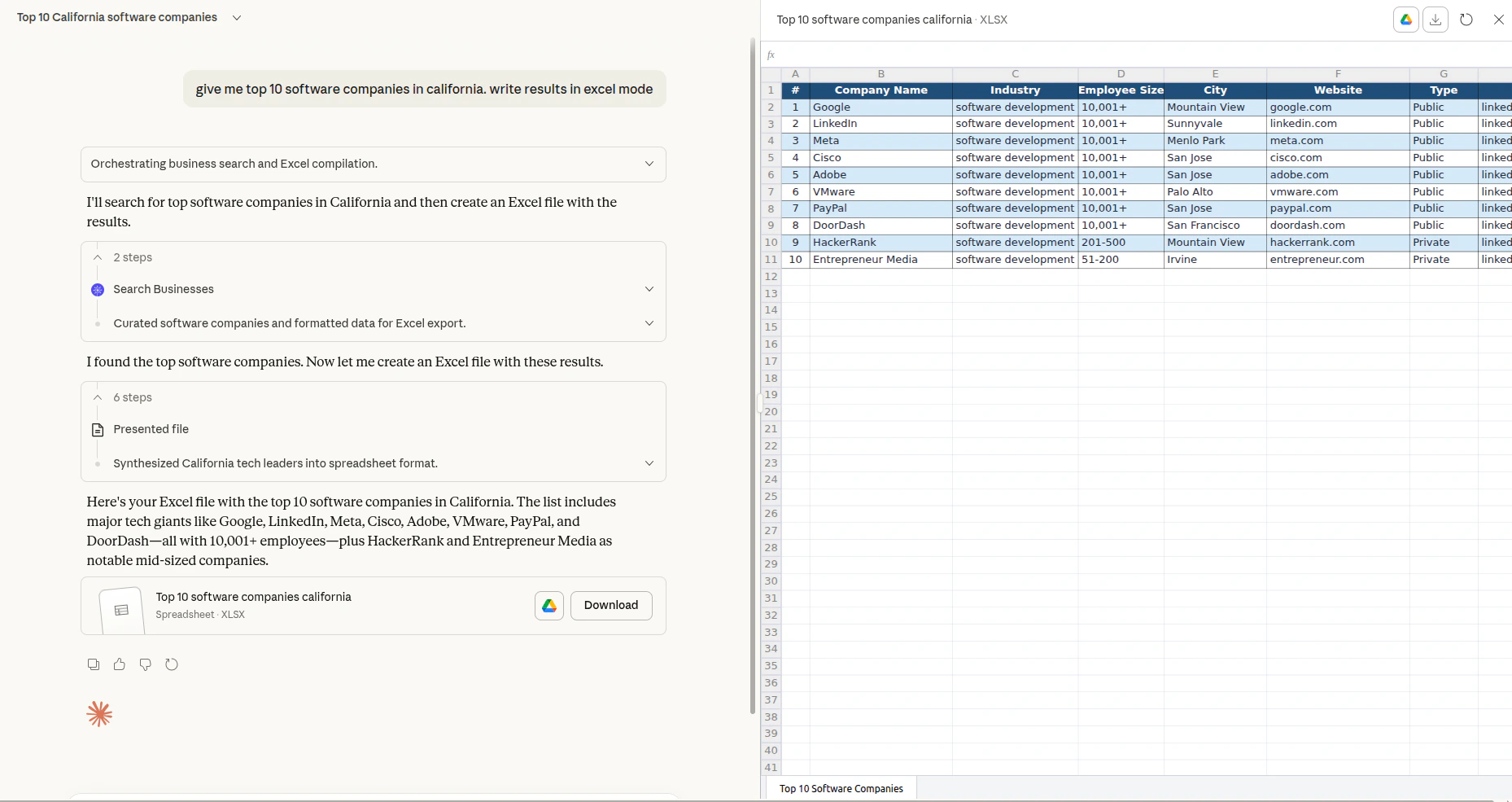
Com o servidor MCP do CUFinder, seu assistente de IA pode acessar mais de 1 bilhão de perfis de pessoas enriquecidos e 85 milhões de registros de empresas, atualizados diariamente, sem sair da conversa. Seja para prospectar leads, validar informações de contato ou criar listas de divulgação segmentadas, a integração MCP traz o CUFinder diretamente para o seu ambiente de IA.
Formas de usar o CUFinder MCP
O CUFinder oferece a seguinte opção para executar o servidor MCP:
Streamable HTTP (recomendado): https://mcp.cufinder.io/mcp
As ferramentas de IA mais populares suportam a conexão direta ao MCP remoto. Se você encontrar problemas, confira nossos guias de configuração passo a passo:
Limites e uso da API
O servidor MCP remoto está disponível em planos pagos a partir do Growth.
Você pode acompanhar seu uso atual em Configurações da conta → Painel da API.
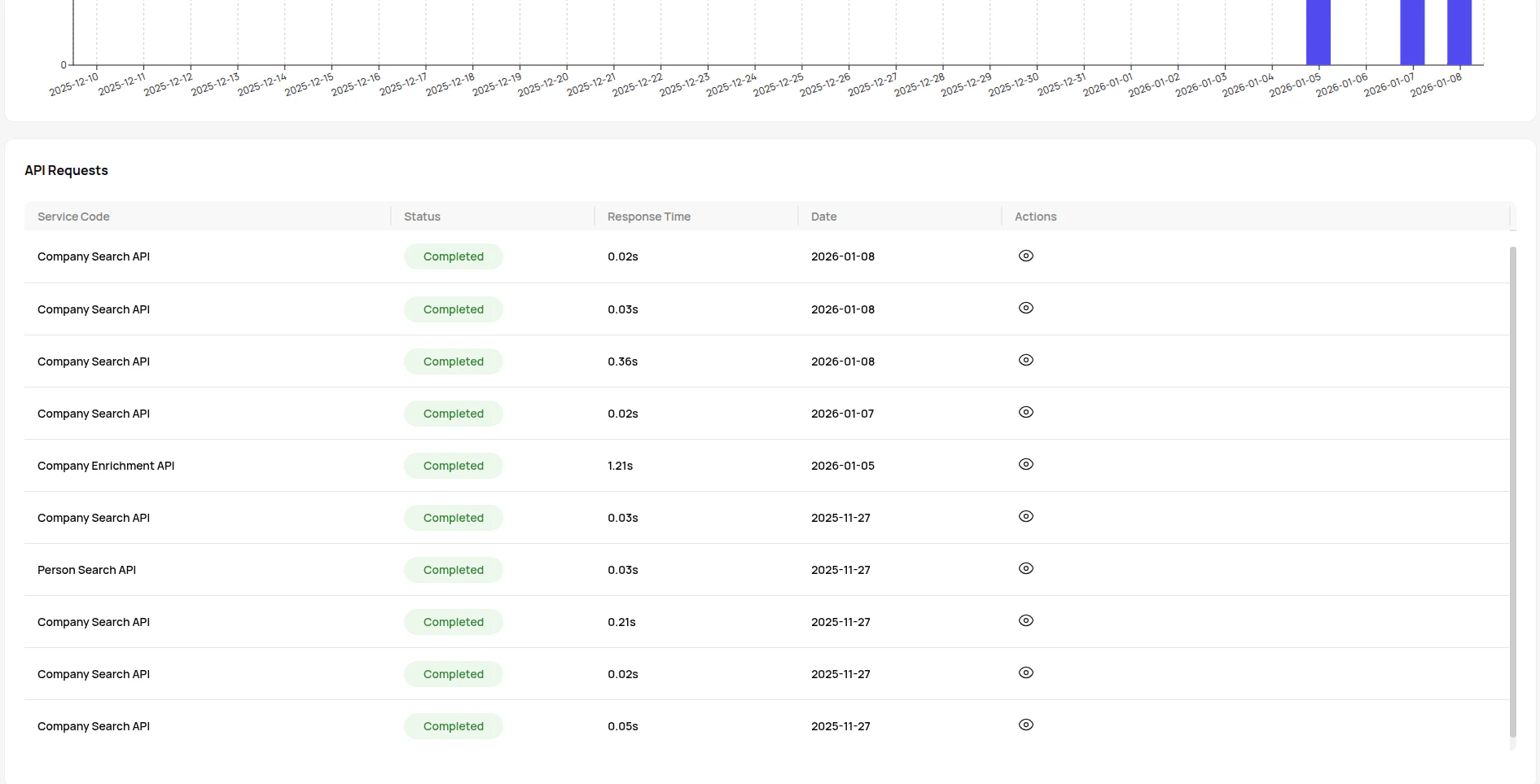
Consulte a página de preços do CUFinder para obter detalhes sobre os limites dos planos.
Chaves e autorização
Ao conectar o CUFinder MCP a um agente de IA, você precisará da sua chave de API do CUFinder para autenticar solicitações e acessar os recursos de enriquecimento de dados B2B da plataforma.
Como obter sua chave de API:
Depois de configurado, seu agente de IA pode acessar o CUFinder com segurança.
Notas importantes:
Sua chave de API funciona em todos os serviços do CUFinder, dando ao seu agente de IA acesso a mais de 1 bilhão de perfis de pessoas e 85 milhões de registros de empresas com taxas de precisão de 93 a 99%.