Pomera AI Commander
Transforme texto bagunçado em saída limpa rapidamente—GUI para humanos, ferramentas MCP para IDEs de IA (Cursor/Claude). 33 utilitários de texto determinísticos.
Documentação
Pomera AI Commander (PAC)


Um "workbench" de texto para desktop + servidor MCP: limpe, transforme, extraia e analise texto rapidamente — manualmente na GUI ou programaticamente por assistentes de IA (Cursor / Claude Desktop / clientes MCP).
Pare de colar texto em 10 sites aleatórios. Pomera (GUI + MCP) — faça buscas na web com MCP e salve seu trabalho como Pomera Notes em caso de corrupção de texto na IDE! Suas chaves de API de busca são armazenadas criptografadas em banco de dados local, em vez de arquivo JSON de configuração.
📊 Por que a IA precisa do Pomera! — As ferramentas MCP do Pomera reduzem o uso de tokens em até 70-80% para operações determinísticas.
Baixar a última versão · Docs: Ferramentas · Guia MCP · Integração CrewAI · Solução de problemas
Demonstração de 60 segundos (o que esperar)
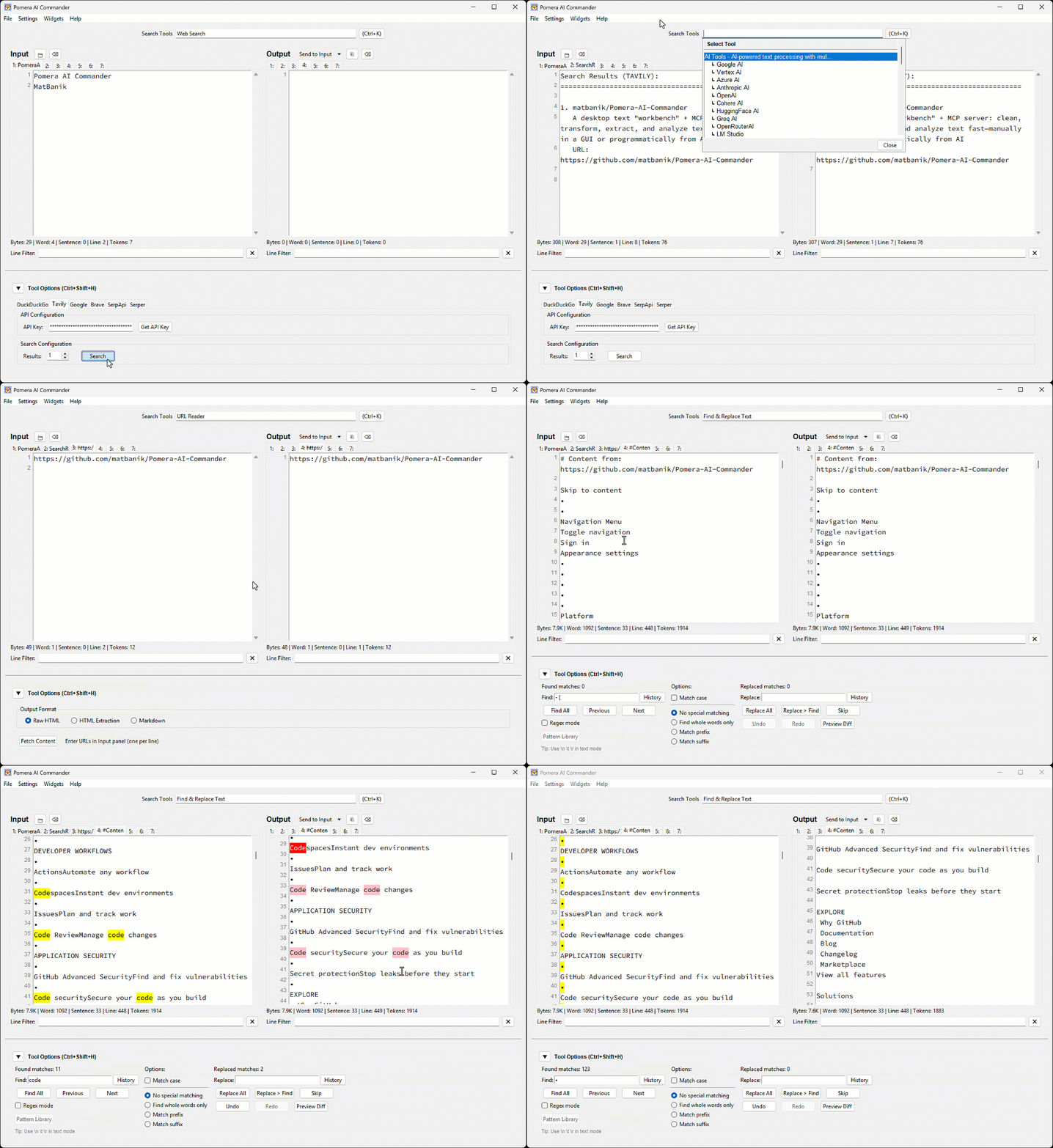
Fluxos de trabalho ideais
- Limpeza de logs/PDFs colados (espaços em branco, quebras de linha, estatísticas)
- Extração de e-mails/URLs/IDs via regex
- Normalização de maiúsculas/minúsculas, ordenação, colunas
- Utilitários de hash/encoding
- Deixar Cursor/Claude chamarem essas ferramentas como ferramentas MCP em um pipeline repetível
Pré-requisitos
Python 3.8+ é necessário para todos os métodos de instalação.
macOS (Homebrew)
# Tkinter support (replace @3.14 with your Python version)
brew install python-tk@3.14
pip3 install requests reportlab python-docx
Ubuntu/Debian
sudo apt-get install python3-tk
pip3 install requests reportlab python-docx
Windows
Tkinter está incluso com Python do python.org.
pip install requests reportlab python-docx
Nota: Para ambientes protegidos por PEP 668, use
pip3 install --userou um ambiente virtual.
Instalar / Executar
Opção A — Executável pré-compilado (recomendado)
Baixar das Releases e executar.
Opção B — Python (PyPI)
pip install pomera-ai-commander
# then run:
pomera-ai-commander --help
Opção C — Node.js (npm)
npm install -g pomera-ai-commander
# then run:
pomera-mcp --help
Criar Atalho na Área de Trabalho
Após instalar via pip ou npm, crie um atalho na área de trabalho para acesso rápido:
# For pip install:
pomera-create-shortcut

# For npm install (from package directory):
python create_shortcut.py
Servidor MCP para Assistentes de IA
O Pomera expõe 22 ferramentas de processamento de texto via MCP. Configure seu assistente de IA:
Cursor (.cursor/mcp.json):
{
  "mcpServers": {
    "pomera": {
      "command": "pomera-ai-commander",
      "timeout": 3600
    }
  }
}
Claude Desktop (claude_desktop_config.json):
{
  "mcpServers": {
    "pomera": {
      "command": "pomera-ai-commander",
      "timeout": 3600
    }
  }
}
💡 Dica: Se o comando simples não funcionar, use o caminho completo. Encontre-o com:
# Para instalação npm:
npm root -g
# Depois use: <result>/pomera-ai-commander/pomera_mcp_server.py

# Para instalação pip:
pip show pomera-ai-commander | grep Location
⏱️ Timeout: A configuração
"timeout": 3600(em segundos) evita timeouts de requisição MCP durante operações de IA de longa duração, comoresearchedeepreasoning. Cline, Cursor e Claude Desktop todos usam um timeout padrão de 60 segundos, que é curto demais para chamadas de IA envolvendo busca na web + raciocínio profundo (60-300s). Veja Cline #1306.
Consulte o Guia do Servidor MCP completo para Antigravity, configurações executáveis e solução de problemas.
Licença
Licença MIT — veja LICENSE para detalhes.