Petclinic
Interage com a API Swagger Petstore usando as APIs Petclinic v3, expondo ferramentas para modelos OpenAI.
Documentação
petclinic-mcp
Servidor MCP Petclinic
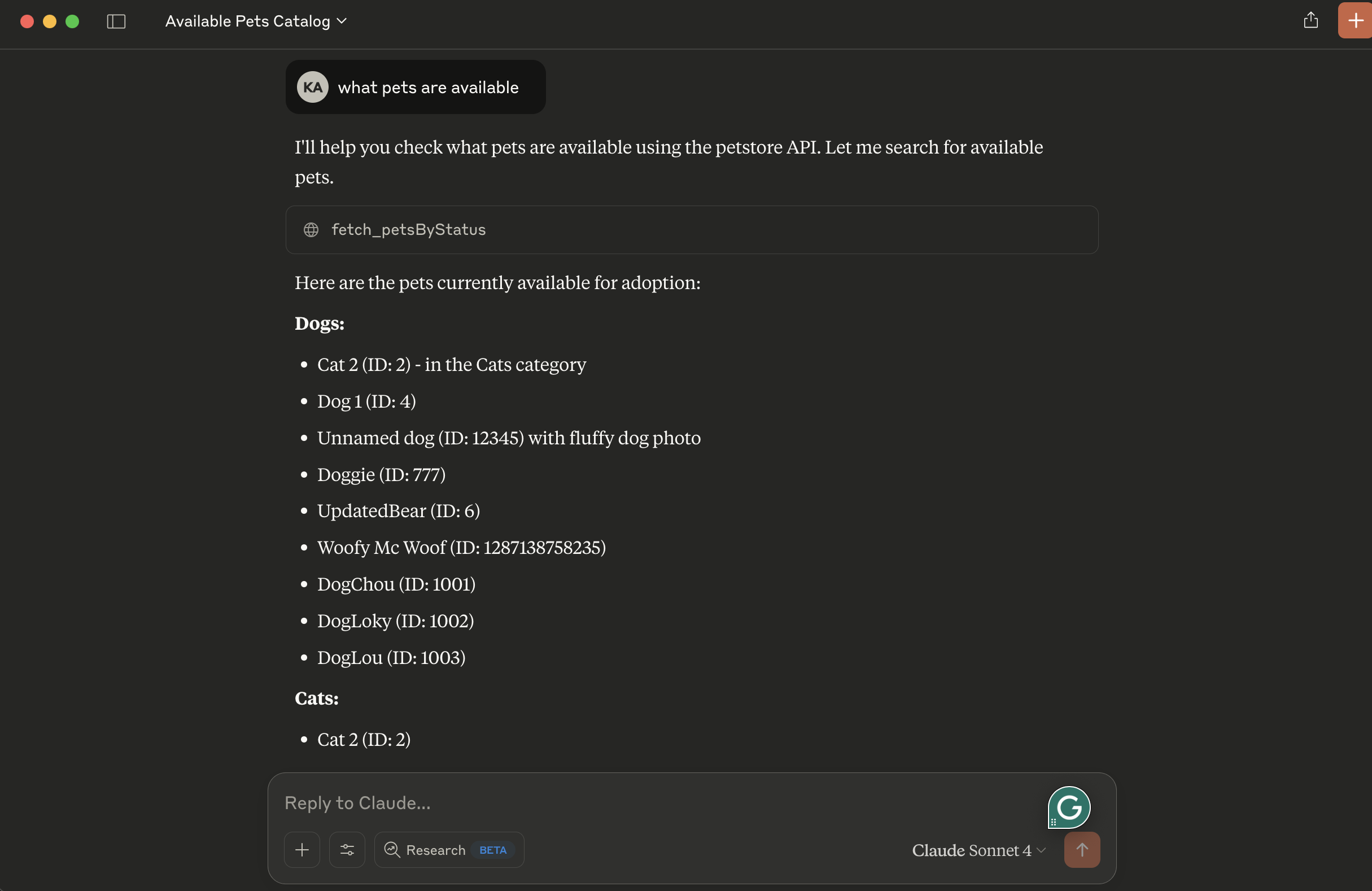
O servidor MCP Petclinic utiliza as APIs v2 do petclinic (https://petstore.swagger.io/). Ele interage com a API Swagger Petstore (semelhante a um "PetClinic") e expõe ferramentas para serem usadas por modelos OpenAI.
Ele expõe os seguintes recursos:
- fetch_petsByStatus: Valores de status disponíveis: available, pending, sold
Pré-requisitos
- Gerenciador de pacotes uv
- Python
Executando localmente
- dica: use transporte stdio para evitar configuração de servidor remoto. Altere a linha 39 do petclinic_mcp_server.py para usar transporte stdio
mcp.run(transport='stdio')
- Clone o projeto, navegue até o diretório do projeto e inicie-o com uv:
uv init
- Crie o ambiente virtual e ative-o:
    uv venv
    source .venv/bin/activate
- Instale as dependências:
uv add mcp httpx
- Inicie o inspetor MCP
npx @modelcontextprotocol/inspector uv run petclinic_mcp_server.py
- OU inicie o servidor MCP sem o inspetor
uv run petclinic_mcp_server.py
Configuração para Claude Desktop
Você precisará fornecer uma configuração para o servidor do seu Cliente MCP. Veja como fica a configuração para claude_desktop_config.json:
{
    "mcpServers": {

        "filesystem": {
            "command": "npx",
            "args": [
                "-y",
                "@modelcontextprotocol/server-filesystem",
                "/{your-project-path}/petclinic-mcp/"
            ]
        },

        "research": {
            "command": "/{your-uv-install-path}/uv",
            "args": [
              "--directory",
              "/{your-project-path}/petclinic-mcp/",
              "run",
              "petclinic_mcp_server.py"]
        },

        "fetch": {
            "command": "uvx",
            "args": ["mcp-server-fetch"]
        }
    }
}
Implantar no Cloud Foundry
- dica: use transporte sse para implantar o servidor MCP petclinic como um servidor remoto. Altere a linha 39 do petclinic_mcp_server.py para usar transporte stdio
mcp.run(transport='sse')
- Faça login na sua conta do Cloud Foundry e envie o aplicativo
cf push -f manifest.yml
Vinculação a Agentes MCP
Os servidores Model Context Protocol (MCP) são programas leves que expõem capacidades específicas a modelos de IA por meio de uma interface padronizada. Esses servidores atuam como pontes entre LLMs e ferramentas externas, fontes de dados ou serviços, permitindo que seu aplicativo de IA execute ações como pesquisar bancos de dados, acessar arquivos ou chamar APIs externas sem integrações personalizadas complexas.
Crie um serviço fornecido pelo usuário que forneça a URL para um servidor MCP existente:
cf cups petclinic-mcp-server -p '{"mcpServiceURL":"https://your-petclinic-mcp-server.example.com"}'
Vincule o serviço MCP ao seu aplicativo:
cf bind-service ai-tool-chat petclinic-mcp-server
Reinicie seu aplicativo:
cf restart ai-tool-chat
Seu chatbot agora será registrado no agente MCP de pesquisa, e o LLM poderá invocar os recursos do agente ao responder a solicitações de chat.