Splunk
Um servidor MCP para Splunk que permite pesquisar, analisar e visualizar dados gerados por máquina da sua instância Splunk.
Documentação
Servidor MCP para Splunk
Uma implementação em Go do servidor MCP para Splunk. Suporta STDIO e SSE (API HTTP de Eventos Enviados pelo Servidor). Usa o SDK github.com/mark3labs/mcp-go.
Início rápido - Integração com Cursor
Ao configurar as Configurações MCP no Cursor, você pode incluir dados remotos diretamente no contexto do LLM.
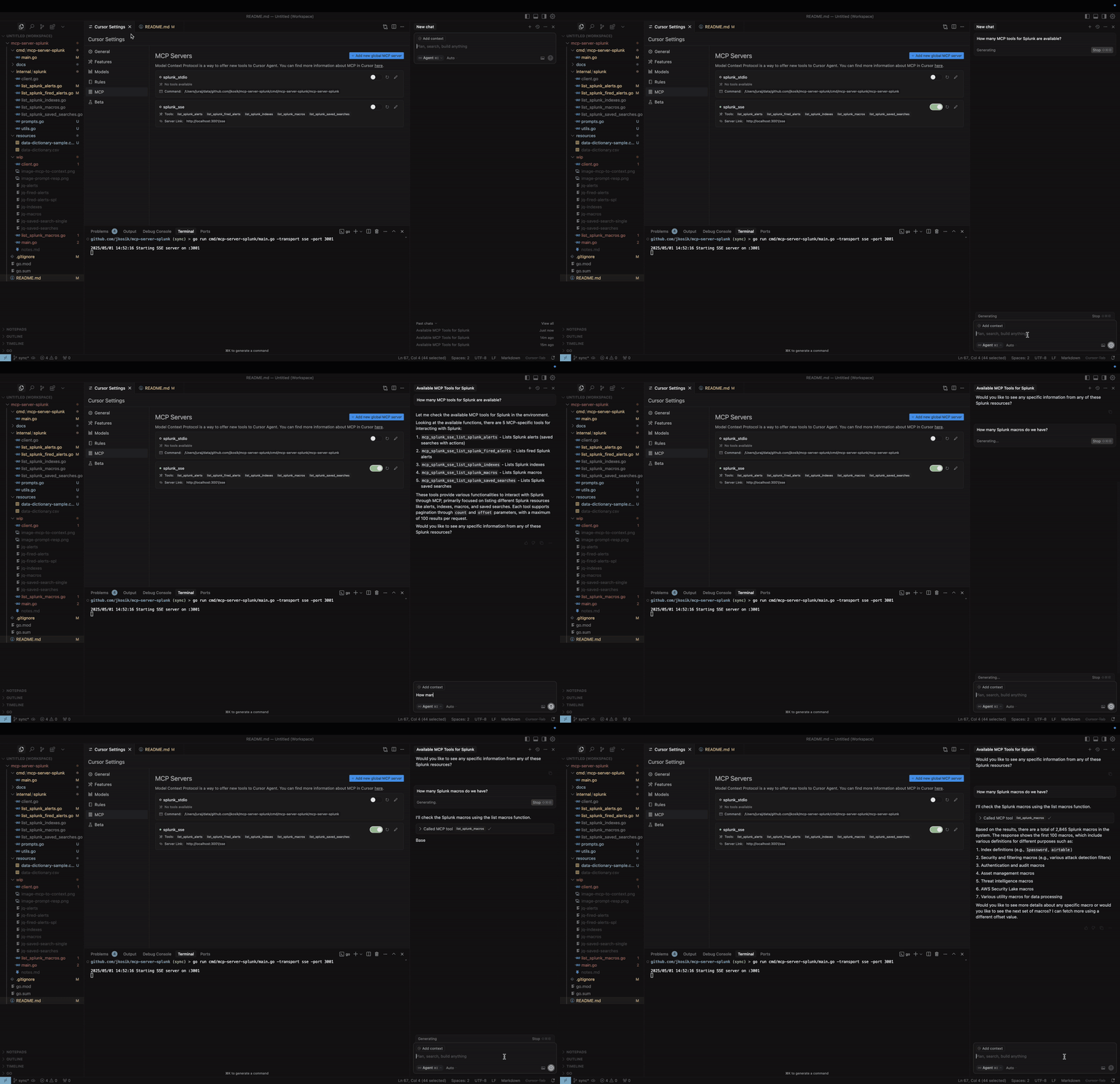
Modo STDIO
cd /tmp # CHANGE ME
git clone https://github.com/jkosik/mcp-server-splunk.git
cd mcp-server-splunk/cmd/mcp-server-splunk/
Atualize as configurações do Cursor em ~/.cursor/mcp.json:
{
  "mcpServers": {
    "splunk_stdio": {
      "name": "Splunk MCP Server",
      "description": "Splunk MCP server",
      "type": "stdio",
      "command": "/tmp/mcp-server-splunk/cmd/mcp-server-splunk/mcp-server-splunk", # CHANGE ME
      "env": {
        "SPLUNK_URL": "https://changeme.splunkcloud.com:8089", # CHANGE ME
        "SPLUNK_TOKEN": "abcdef" # CHANGE ME
      }
    }
  }
}
Alternativamente, reconstrua o servidor primeiro:
go build -o cmd/mcp-server-splunk/mcp-server-splunk cmd/mcp-server-splunk/main.go
Modo SSE
Inicie o servidor:
export SPLUNK_URL=https://your-splunk-instance:8089
export SPLUNK_TOKEN=your-splunk-token

# Start the server
go run cmd/mcp-server-splunk/main.go -transport sse -port 3001
Atualize as configurações do Cursor em ~/.cursor/mcp.json:
{
  "mcpServers": {
    "splunk_sse": {
      "name": "Splunk MCP Server (SSE)",
      "description": "MCP server for Splunk integration (SSE mode)",
      "type": "sse",
      "url": "http://localhost:3001/sse"
    }
  }
}
Ferramentas e Prompts MCP
-
list_splunk_saved_searches- Parâmetros:
count(number, optional): Número de resultados a retornar (máx. 100, padrão 100)offset(number, optional): Deslocamento para paginação (padrão 0)
- Parâmetros:
-
list_splunk_alerts- Parâmetros:
count(number, optional): Número de resultados a retornar (máx. 100, padrão 10)offset(number, optional): Deslocamento para paginação (padrão 0)title(string, optional): Substring sem diferenciar maiúsculas/minúsculas para filtrar títulos de alertas
- Parâmetros:
-
list_splunk_fired_alerts- Parâmetros:
count(number, optional): Número de resultados a retornar (máx. 100, padrão 10)offset(number, optional): Deslocamento para paginação (padrão 0)ss_name(string, optional): Padrão de nome de pesquisa para filtrar alertas (padrão "*")earliest(string, optional): Intervalo de tempo para retroceder (padrão "-24h")
- Parâmetros:
-
list_splunk_indexes- Parâmetros:
count(number, optional): Número de resultados a retornar (máx. 100, padrão 10)offset(number, optional): Deslocamento para paginação (padrão 0)
- Parâmetros:
-
list_splunk_macros- Parâmetros:
count(number, optional): Número de resultados a retornar (máx. 100, padrão 10)offset(number, optional): Deslocamento para paginação (padrão 0)
- Parâmetros:
-
internal/splunk/prompt.goimplementa um Prompt MCP para encontrar alertas do Splunk para uma palavra-chave específica (por exemplo, GitHub ou OKTA) e instrui o Cursor a utilizar múltiplas ferramentas MCP para revisar todos os alertas, índices e macros do Splunk primeiro, a fim de fornecer a melhor resposta. -
cmd/mcp/server/main.goimplementa Recurso MCP na forma de arquivo CSV local com conteúdo relacionado ao Splunk, fornecendo contexto adicional ao chat.
Uso local e testes
Modo STDIO (padrão)
export SPLUNK_URL=https://your-splunk-instance:8089
export SPLUNK_TOKEN=your-splunk-token

# List available tools
echo '{"jsonrpc":"2.0","id":1,"method":"tools/list","params":{}}' | go run cmd/mcp-server-splunk/main.go | jq

# Call list_splunk_saved_searches tool
echo '{"jsonrpc":"2.0","id":1,"method":"tools/call","params":{"name":"list_splunk_saved_searches","arguments":{}}}' | go run cmd/mcp-server-splunk/main.go | jq
Modo SSE (API HTTP de Eventos Enviados pelo Servidor)
export SPLUNK_URL=https://your-splunk-instance:8089
export SPLUNK_TOKEN=your-splunk-token

# Start the server
go run cmd/mcp-server-splunk/main.go -transport sse -port 3001

# Call the server and get Session ID from the output. Do not terminate the session.
curl http://localhost:3001/sse

# Keep session running and and use different terminal window for the final MCP call
curl -X POST "http://localhost:3001/message?sessionId=YOUR_SESSION_ID" \
  -H "Content-Type: application/json" \
  -d '{"jsonrpc":"2.0","id":1,"method":"tools/list","params":{}}' | jq
Instalação via Smithery
Dockerfile e smithery.yaml são usados para suportar a hospedagem deste servidor MCP em [Smithery](https://smithery.ai/server/@jkosik/.
Certificado por MCP Review: https://mcpreview.com/mcp-servers/jkosik/mcp-server-splunk