MCP Todo Server
Um servidor de aplicativo Todo de demonstração construído com uma arquitetura limpa usando MCPServer e JSON Placeholder.
Documentação
mcp-todo-server/README.md
MCP Todo Server
Este projeto é uma demonstração de uma implementação de arquitetura limpa usando Node.js e TypeScript. Ele utiliza o MCPServer do @modelcontextprotocol/sdk para criar um servidor e gerenciar tarefas por meio de uma API JSON placeholder.
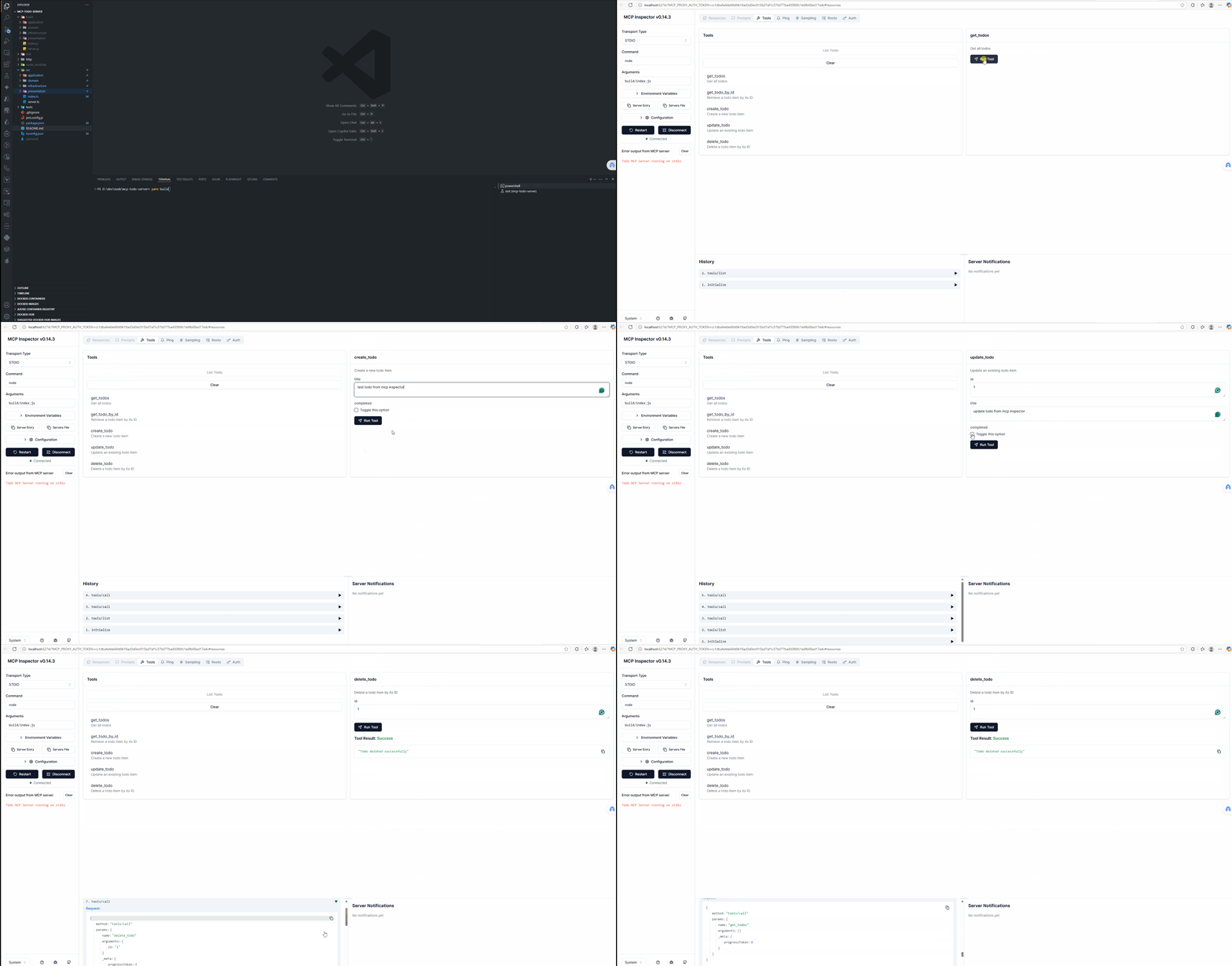
Demonstração no MCP Inspector
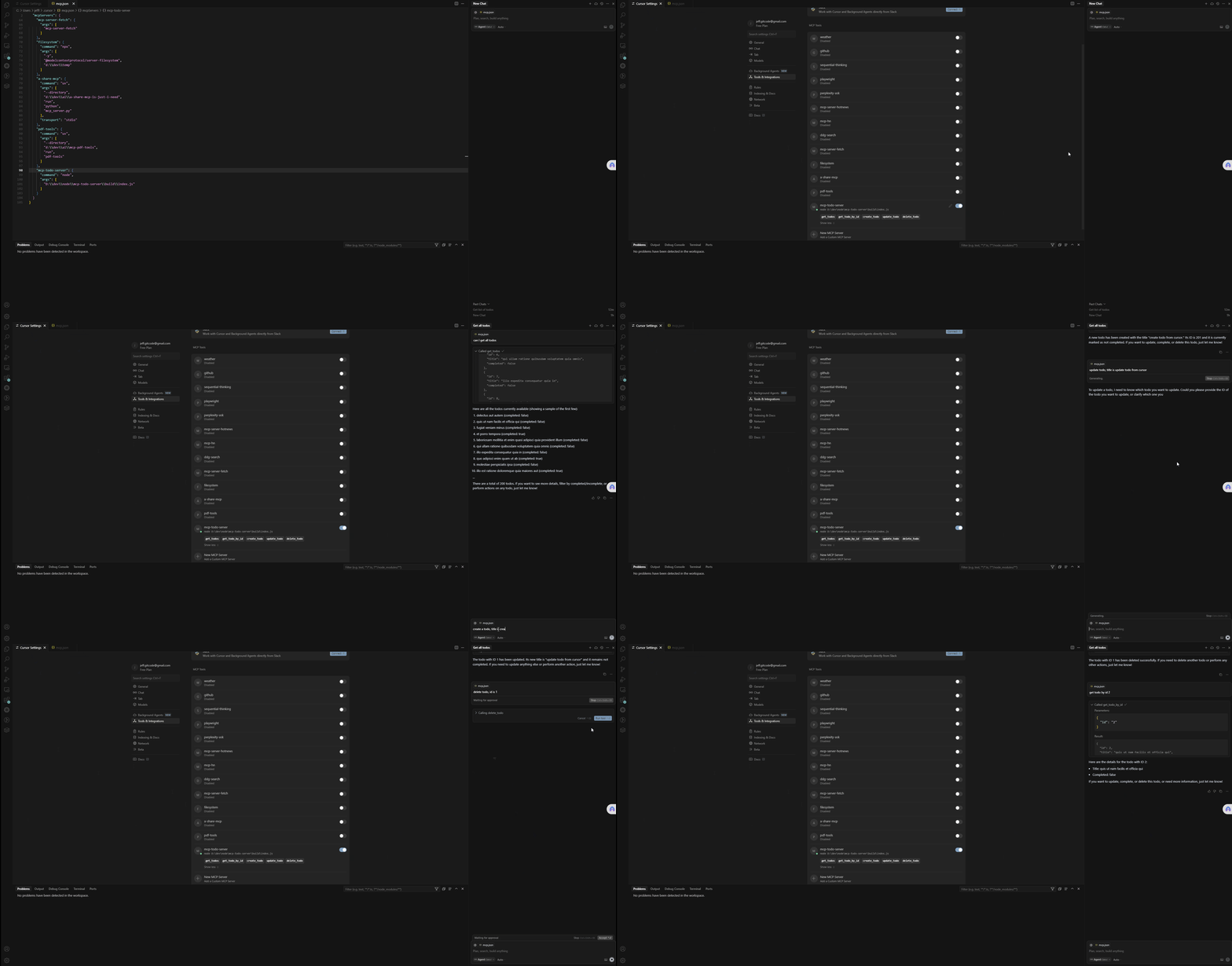
Demonstração no Cursor
Stack de Tecnologias
Este projeto é construído com tecnologias modernas e segue princípios de arquitetura limpa:
Tecnologias Principais
- Node.js: Ambiente de execução para executar código JavaScript no lado do servidor
- TypeScript: Linguagem de programação fortemente tipada que se baseia em JavaScript
- Model Context Protocol (MCP): Protocolo para modelos de IA interagirem com ferramentas externas e fontes de dados
Framework Backend
- @modelcontextprotocol/sdk: SDK oficial para criar servidores compatíveis com MCP
- Zod: Biblioteca de validação de esquemas voltada para TypeScript, usada para validação de entrada
Testes
- Jest: Framework de testes para JavaScript
- Supertest: Biblioteca de asserções HTTP para testar endpoints de API
Ferramentas de Desenvolvimento
- tsx: Ambiente de execução TypeScript com suporte nativo a ESM
- tsc-alias: Ferramenta para resolver aliases de caminho do TypeScript durante a compilação
- ts-node: Mecanismo de execução TypeScript para Node.js
Arquitetura
- Arquitetura Limpa: O projeto segue uma abordagem de arquitetura limpa com:
- Camada de domínio: Lógica de negócios principal e entidades
- Camada de aplicação: Casos de uso e serviços de aplicação
- Camada de infraestrutura: Interações externas e implementações
- Camada de apresentação: Endpoints de API e tratamento de requisições/respostas
APIs Externas
- JSONPlaceholder: API RESTful para testes e prototipagem, fornecendo dados fictícios de tarefas
Diagrama de Arquitetura
Diagrama de Sequência
O diagrama a seguir mostra como as requisições fluem pelo MCP Todo Server:
sequenceDiagram
    participant Client as MCP Client/Inspector
    participant Server as McpServer
    participant Handler as TodoHandlers
    participant Service as TodoService
    participant Repository as JsonPlaceholderTodoRepository
    participant API as JSONPlaceholder API

    Client->>Server: Tool Call Request (e.g., get_todos)

    alt Get All Todos
        Server->>Service: todoService.getAllTodos()
        Service->>Repository: todoRepository.findAll()
        Repository->>API: fetch('https://jsonplaceholder.typicode.com/todos')
        API-->>Repository: JSON Response
        Repository-->>Service: Todo[] entities
        Service-->>Server: Todo[] entities
        Server-->>Client: Formatted JSON Response
    else Get Todo by ID
        Client->>Server: get_todo_by_id with id parameter
        Server->>Service: todoService.getTodoById(id)
        Service->>Repository: todoRepository.findById(id)
        Repository->>API: fetch('https://jsonplaceholder.typicode.com/todos/{id}')
        API-->>Repository: JSON Response
        Repository-->>Service: Todo entity
        Service-->>Server: Todo entity
        Server-->>Client: Formatted JSON Response
    else Create Todo
        Client->>Server: create_todo with title, completed
        Server->>Service: todoService.createTodo(data)
        Service->>Repository: todoRepository.create(data)
        Repository->>API: POST fetch('https://jsonplaceholder.typicode.com/todos')
        API-->>Repository: JSON Response
        Repository-->>Service: New Todo entity
        Service-->>Server: New Todo entity
        Server-->>Client: Formatted JSON Response
    else Update Todo
        Client->>Server: update_todo with id, title, completed
        Server->>Service: todoService.updateTodo(id, data)
        Service->>Repository: todoRepository.update(id, data)
        Repository->>API: PUT fetch('https://jsonplaceholder.typicode.com/todos/{id}')
        API-->>Repository: JSON Response
        Repository-->>Service: Updated Todo entity
        Service-->>Server: Updated Todo entity
        Server-->>Client: Formatted JSON Response
    else Delete Todo
        Client->>Server: delete_todo with id
        Server->>Service: todoService.deleteTodo(id)
        Service->>Repository: todoRepository.delete(id)
        Repository->>API: DELETE fetch('https://jsonplaceholder.typicode.com/todos/{id}')
        API-->>Repository: Response status
        Repository-->>Service: Boolean result
        Service-->>Server: Boolean result
        Server-->>Client: Success/Failure message
    end
Estrutura do Projeto
mcp-todo-server
├── src
│   ├── domain
│   │   ├── entities
│   │   │   └── todo.ts
│   │   ├── repositories
│   │   │   └── todoRepository.ts
│   │   └── valueObjects
│   │       └── todoId.ts
│   ├── application
│   │   ├── services
│   │   │   └── todoService.ts
│   │   └── useCases
│   │       ├── createTodo.ts
│   │       ├── deleteTodo.ts
│   │       ├── getTodoById.ts
│   │       ├── getTodos.ts
│   │       └── updateTodo.ts
│   ├── infrastructure
│   │   ├── repositories
│   │   │   └── jsonPlaceholderTodoRepository.ts
│   │   └── http
│   │       └── httpClient.ts
│   ├── presentation
│   │   └── handlers
│   │       └── todoHandlers.ts
│   ├── server.ts
│   └── index.ts
├── tests
│   ├── unit
│   │   ├── domain
│   │   │   └── entities
│   │   │       └── todo.test.ts
│   │   ├── application
│   │   │   └── services
│   │   │       └── todoService.test.ts
│   │   └── infrastructure
│   │       └── repositories
│   │           └── jsonPlaceholderTodoRepository.test.ts
│   └── integration
│       └── server.test.ts
├── http
│   └── todo-api.http
├── package.json
├── tsconfig.json
├── jest.config.js
└── README.md
Instruções de Configuração
-
Clone o repositório:
git clone <repository-url> cd mcp-todo-server -
Instale as dependências:
npm install -
Execute o servidor:
npm start
Uso
O servidor expõe vários endpoints para gerenciar tarefas. Você pode usar o arquivo http/todo-api.http fornecido para testar os endpoints da API manualmente.
Usando o MCP Inspector
O que é o MCP Inspector?
O MCP Inspector é uma ferramenta que permite interagir diretamente com servidores compatíveis com MCP, testando chamadas de ferramentas e visualizando respostas sem precisar integrar com um modelo de IA.
Instalação
Para instalar o MCP Inspector globalmente:
npm install -g @modelcontextprotocol/inspector
Conectando ao MCP todo Server
# 1. First, build and start MCP Todo server:
npm run build
npm start

# 2. In a separate terminal, run MCP Inspector and connect it to mcp todo server:
mcp-inspector --server "node ./build/index.js"
or
npx @modelcontextprotocol/inspector node build/index.js

# Alternatively, if mcp todo server is already running, can pipe it to the inspector:
node ./build/index.js | mcp-inspector

# 3. Once connected, the inspector will open in your default web browser, allowing you to:

# Browse available tools
# Execute tool calls with custom parameters
# View responses in a formatted JSON view
# Debug request/response cycles
Configurando o MCP Todo Server no Cursor
-
Configure a integração MCP:
-
Abra as configurações do Cursor
-
Navegue até a seção Extensões ou Ferramentas de IA
-
Encontre as configurações de "Model Context Protocol" ou "MCP Tools" mcp.json
{
  "mcpServers": {
   ... other mcp server,

    "todo-mcp-server": {
      "command": "node",
      "args": [
        "D:\\dev\\node\\mcp-todo-server\\build\\index.js"
      ]
    }
  }
}
Testes
Para executar os testes unitários e de integração, use o seguinte comando:
npm test
Licença
Este projeto é licenciado sob a Licença MIT.