CogmemAi
Memória cognitiva persistente para Claude Code. Pesquisa semântica baseada em nuvem, extração com IA, escopo de projeto e recuperação por compactação.
Documentação
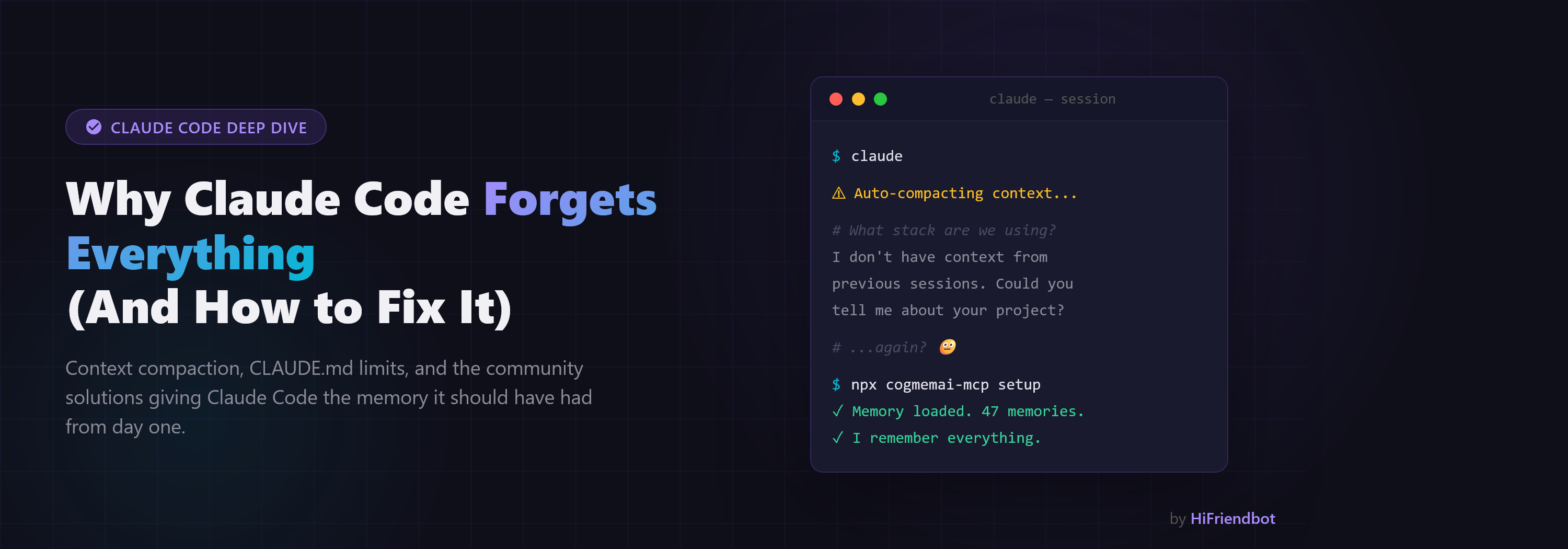



CogmemAi: Uma Memória Viva e Pensante para Tudo que é IA
Ela lembra o que importa, aplica as regras que você definiu antes que qualquer coisa aconteça, e verifica se o que sua IA fez corresponde ao que você pediu. Para assistentes, agentes, robôs, veículos e código.

CogmemAi é uma camada de memória portátil que dá a qualquer sistema de IA recordação persistente entre sessões, dispositivos, usuários e equipes — e captura conhecimento de forma autônoma, mesmo quando sua IA esquece de salvar. 95,10% de precisão no LongMemEval — a maior pontuação publicada no benchmark de memória de longo prazo mais difícil da área. 91% no LoCoMo, acima do desempenho humano (87,9%). Criptografia à prova de quantum. Funciona com Claude Code, Cursor, Windsurf, Cline, Continue e qualquer ferramenta compatível com MCP. Troque de editor, troque de modelo, troque de máquina — seu conhecimento permanece. Não é apenas uma pontuação em um teste — é o sistema de memória de IA mais completo disponível.
O que há de novo na v3
A Revisão Funciona Fora do Git (v3.29.0)
A revisão de fim de turno costumava precisar de um repositório git, porque lia git diff. A maioria das pastas em que as pessoas trabalham a partir de um diretório inicial não são repositórios, e a maioria dos projetos de não-programadores também não são. A v3.29.0 lê os eventos de edição desta sessão (o hook PostToolUse já registra cada Edit e Write), constrói o mesmo formato de diff a partir deles, verifica o texto adicionado em busca de segredos, relembra armadilhas memorizadas para os arquivos tocados e executa a verificação de intenção. Trabalhar em vários projetos a partir de uma única pasta é avaliado projeto por projeto: uma edição em ~/NullJury é revisada contra a intenção do NullJury quando esta existe, e a nota é prefixada com esse ID de projeto. Nada muda dentro de um repositório.
Guarda e Revisão para Tudo, Não Apenas Código (v3.28.0)
Até agora, a guarda julgava comandos de shell e a revisão de intenção julgava diffs de código, porque esses eram os hooks que uma ferramenta de codificação nos dava. A v3.28.0 abre ambos para qualquer IA por meio de duas ferramentas e dois endpoints REST:
guard_check: "posso fazer isso?" Qualquer ação (uma mensagem prestes a ser enviada, uma compra, uma alteração, um comando) é julgada contra as regras que esta pessoa pediu que sua IA mantivesse, além das linhas NEVER e MUST da intenção do projeto. Uma verificação literal é executada em todos os níveis; a verificação julgada, nos níveis pagos. Retorna allow, ask ou deny com a regra aplicável, e falha em aberto.review_work: "eu fiz o que foi pedido?" Passe uma descrição, saída, mensagem ou transcrição do que foi feito e ela será revisada contra o documento de intenção, ou contra uma intenção passada inline. O mesmo resultado em linguagem simples da revisão de código: resumo, coberto, não coberto, violações, cobertura.
Um assistente de suporte, um companheiro, o planejador de tarefas de um robô e um agente de codificação agora compartilham uma única memória que molda o que qualquer modelo faz: ela lembra, ela aplica, ela revisa. As mesmas chamadas estão nos SDKs (guardCheck / reviewWork, guard_check / review_work) e no REST como POST /cogmemai/guard-check e POST /cogmemai/intent-check com um campo work.
Intenção CogmemAi: Você Lê a Intenção, Não o Código (v3.26.0)
Arquivos de especificação que vivem em um repositório são por-repo, por-ferramenta, e apodrecem. A v3.26.0 adiciona um documento de intenção em linguagem simples por projeto que vive com você: para que serve o projeto, o que deve sempre valer, o que foi decidido e por quê, e o que está fora do escopo. Escreva com set_intent, leia com get_intent. Cada sessão o carrega logo após as regras, cada substituição é versionada, e ele segue você em todas as ferramentas que falam com CogmemAi.
Então ele faz duas coisas que um arquivo de especificação não consegue. As frases sob Invariantes são compiladas nos mesmos padrões aplicáveis que as memórias de regra, então NEVER run \pkill -u www lsphp`in your intent denies that command before it runs, with no network call. And at the end of every turn the changes are judged against the document on the CogmemAi server and reported in plain English for someone who does not read code: what changed, whether the intent covers it, what conflicts with it, and what the intent does not mention yet. A covered change earns silence.COGMEMAI_INTENT_VERBOSE=1shows the summary on every judged turn. Every check is logged to~/.cogmemai/intent-log.jsonl`, para que a precisão seja medida, não presumida.
A verificação julgada roda nos níveis pagos; o nível gratuito ainda recebe os invariantes aplicados e toda revisão determinística. Veja Intenção abaixo.
Guarda CogmemAi: Sua Memória Agora Impede Sua IA de Repetir Erros (v3.24.0)
Memória que apenas aconselha é memória que sua IA pode ignorar sob pressão. A v3.24.0 adiciona uma guarda que transforma o que seu projeto lembra em aplicação.
Um hook PreToolUse julga cada comando de shell antes de ser executado. Seis regras integradas cobrem as operações sem bom uso não supervisionado: reescrever um crontab inteiro a partir de um pipeline, SQL destrutivo contra um banco de dados ativo, exclusões recursivas fora de caminhos temporários e de build, force-push para uma branch compartilhada, canalizar um download para um shell e matar workers de servidor compartilhados por nome. As mesmas regras são aplicadas ao que um comando carrega dentro de ssh host "...", bash -c "..." e um heredoc alimentado a um shell, porque essa carga útil roda no outro lado exatamente como escrita.
Então vem a parte que só uma camada de memória pode fazer. Memórias de regra que você salva com save_rule tornam-se padrões aplicáveis. Escreva NEVER run \pkill -u www lsphp`in a rule and the next session denies that command, over ssh too, with the rule's own words as the reason. No code to edit. Add aGUARD: line to a rule for an exact pattern, orGUARD: off` para manter uma regra apenas consultiva.
Um hook Stop revisa o que realmente mudou ao final de cada turno: credenciais coladas em código rastreado, strings de versão que discordam entre arquivos de release, arquivos excluídos, grandes exclusões líquidas, uma função agora definida em dois lugares e pegadinhas lembradas sobre os arquivos que foram tocados. Ele reporta; nunca edita.
Cada veredito é registrado localmente com segredos redigidos, para que a precisão seja medida, não presumida. As negações nomeiam o caminho deliberado a seguir, geralmente "execute você mesmo". A guarda falha em aberto em qualquer erro, e o git continua sendo o verdadeiro desfazer. Veja Guarda abaixo.
A v3.25.0 a estende para além do Claude Code: guard shell-install intercepta cada bash -c e zsh -c na máquina por meio de BASH_ENV, então Cursor, Codex, Gemini CLI e scripts simples recebem a mesma guarda, as mesmas regras lembradas e o mesmo log.
Falhas Ruidosas em Bloqueios de Firewall (v3.20.0)
Quando uma solicitação ao backend da CogmemAi é interceptada por um firewall upstream, CDN ou proxy, a resposta é HTML, não JSON. Versões anteriores tentavam analisar como JSON e lançavam um erro confuso de Unexpected token '<', depois tentavam silenciosamente o mesmo payload bloqueado. A v3.20.0 detecta respostas HTML, nomeia a camada de bloqueio quando possível (NinjaFirewall, Cloudflare, ModSecurity) e exibe um erro claro e acionável. Respostas 4xx repetíveis com corpos HTML não disparam mais loops de repetição. A classe de incidente que pode silenciosamente descartar gravações de memória agora é ruidosa.
Memória Autônoma — Sua IA Não Decide Mais se Deve Salvar (v3.15)
Todo sistema de memória tem o mesmo modo de falha oculto: a IA tem que escolher salvar, e sob pressão ela não salva. Você pode incorporar instruções em prompts de sistema. Você pode cutucar. Mas quando sua IA está focada em uma tarefa de codificação, ela esquece de salvar — e as decisões que você tomou duas horas atrás desaparecem quando o contexto é compactado.
A CogmemAi v3.15 tira a decisão das mãos da IA completamente. Suas sessões de codificação são capturadas no nível da infraestrutura — decisões, alterações de arquivos, correções de bugs e implantações caem na memória sem um único prompt. Ao final da sessão, uma passada de inteligência as destila em memórias estruturadas: os tipos certos, as pontuações de importância certas, os escopos certos. Sua IA nunca vê isso acontecer.
O resultado: um dia de codificação pesada produz 15–20 memórias de qualidade em vez de 3. Sessões futuras retomam perfeitamente. Sua IA para de re-litigar escolhas arquiteturais que você já fez. Pare de lembrar sua IA de lembrar. Ela simplesmente lembra.
Recordação Proativa de Memória (v3.12)
A CogmemAi agora pensa antes de falar. Antes de seu assistente de IA sugerir qualquer ação, abordagem ou recomendação, a CogmemAi verifica sua memória primeiro — automaticamente, em todos os tópicos.
- Ferramenta
preflight— Uma recordação rápida e leve, projetada para ser chamada antes de cada sugestão. Seu assistente verifica o que já sabe sobre um tópico antes de abrir a boca. "Vamos tentar a abordagem X" → primeiro verifica se X já foi tentado, rejeitado ou concluído. Sub-200ms, custo quase zero. - Superfície de contexto anterior — Toda vez que uma memória é salva, a CogmemAi busca automaticamente memórias anteriores relacionadas em todos os tópicos — pessoas, empresas, abordagens técnicas, recursos, tudo — e as apresenta na resposta. Seu assistente nunca sugere algo redundante.
- Hooks de recordação inteligentes — No Claude Code, a CogmemAi lê cada mensagem do usuário e injeta automaticamente memórias relevantes antes de o assistente responder. Sem recordação manual necessária — o contexto chega antes de o assistente começar a pensar.
- Mecanismo de recordação atualizado — Compreensão semântica de maior dimensão, reclassificação balanceada, busca expandida por palavras-chave, armazenamento de memória de caminho duplo para recuperação mais confiável e busca adaptativa que se expande automaticamente quando os resultados iniciais têm baixa confiança.
O resultado: seu assistente de IA para de sugerir coisas que você já tentou, pessoas que você já contatou e abordagens que você já rejeitou. Seu cérebro não é mais a rede de segurança para o que suas ferramentas já deveriam saber.
Mecanismo de Sabedoria — Princípios Autoextraídos (v3.10)
A CogmemAi agora detecta automaticamente padrões em suas memórias e extrai princípios factuais. Enquanto habilidades dizem à sua IA COMO se comportar ("sempre use Zustand"), princípios dizem o que é VERDADE sobre seu projeto ("este código nunca valida entradas nos limites de serviço"). Princípios são extraídos de clusters de 5+ memórias relacionadas, pontuados por confiança e injetados em cada sessão. Use extract_principles para acionar manualmente ou deixe acontecer automaticamente.
MCP Remoto — Instalação Zero (v3.9)
A CogmemAi agora suporta transporte HTTP Streamable — conecte-se de qualquer cliente MCP sem instalar nada. Sem npm, sem arquivos de configuração, sem Node.js necessário. Basta apontar seu cliente para https://hifriendbot.com/mcp/ com sua chave de API e começar a usar memória persistente imediatamente. As mesmas 35 ferramentas, o mesmo Mecanismo de Inteligência, a mesma precisão líder de benchmark — zero atrito de configuração.
Criptografia à Prova de Quantum (v3.7)
A CogmemAi é o primeiro sistema de memória de IA à prova de quantum. Todas as memórias são criptografadas em repouso com criptografia resistente a quantum — tanto no modo nuvem quanto no modo local. Seus dados estão protegidos contra ameaças de hoje e os computadores quânticos de amanhã. A criptografia é automática, zero-configuração e habilitada por padrão. Nenhuma configuração necessária.
Escolha Seu Modo de Armazenamento (v3.6)
A CogmemAi agora roda de três maneiras — escolha a que se encaixa no seu fluxo de trabalho:
| Nuvem (padrão) | Local | Híbrido | |
|---|---|---|---|
| Melhor para | Inteligência completa, colaboração em equipe, portabilidade entre dispositivos | Início zero-configuração, ambientes somente offline | Velocidade local + cérebro na nuvem, viagens/redes instáveis |
| Configuração | npx cogmemai-mcp setup (escolha Nuvem) | npx cogmemai-mcp setup (escolha Local) | npx cogmemai-mcp setup (escolha Híbrido) |
| Chave de API necessária | Sim (grátis) | Sim (grátis) — como uma chave de licença, seus dados permanecem locais | Sim (grátis) |
| Busca | Semântica (por significado) | Busca de texto completo (FTS5) | Semântica com fallback local |
| Mecanismo de Inteligência | Completo — auto-vinculação, detecção de contradição, decaimento de memória, auto-habilidades, síntese de consultas | Busca FTS5 + CRUD — dados permanecem na sua máquina | Completo — com resiliência offline |
| Colaboração em equipe | Sim | Não | Sim |
| Sincronização entre dispositivos | Automática | Não — dados permanecem na sua máquina | Automática com cache local |
| Suporte offline | Requer internet | Offline completo | Cai para local quando offline |
| Criptografia | À prova de quantum (servidor) | À prova de quantum (local) | À prova de quantum (ambos) |
| O modo Cloud é a experiência recomendada. Ele oferece o Motor de Inteligência completo — busca semântica que encontra memórias pelo significado, grafo de conhecimento com auto-vinculação, detecção de contradições, recordação auto-melhorável, auto-habilidades, síntese de consultas e colaboração em equipe. Tudo o que torna o CogmemAi mais do que apenas um banco de dados. |
O modo Local mantém seus dados na sua máquina. Uma chave de API gratuita é necessária para registro (como uma chave de licença de software), mas todos os seus dados permanecem locais. A busca de texto completo (FTS5) oferece recordação de qualidade. Funciona offline após a configuração inicial. Quando você estiver pronto para a busca semântica e o Motor de Inteligência completo, a atualização para a nuvem leva apenas um comando.
O modo Híbrido é para desenvolvedores que viajam ou trabalham em redes não confiáveis. Salva localmente e na nuvem simultaneamente. Lê da nuvem quando disponível, e volta para o local quando offline. Memórias não sincronizadas são enviadas automaticamente para a nuvem quando a conectividade retorna.
Motor de Inteligência + Auto-Habilidades (v3.5)
O CogmemAi agora fica mais inteligente a cada uso. O Motor de Inteligência é um sistema de memória auto-melhorável que aprende o que importa, conecta conhecimento relacionado automaticamente e sintetiza respostas de toda a sua memória. As Auto-Habilidades vão além — o CogmemAi não apenas lembra, ele aprende como se comportar.
Auto-Habilidades (Aprendizado em Ciclo Fechado)
- Habilidades comportamentais — o CogmemAi sintetiza automaticamente suas correções, preferências e padrões em diretrizes comportamentais que dizem ao seu assistente de IA COMO trabalhar, não apenas o que saber
- Ciclo de aprendizado fechado — corrija seu assistente uma vez, e o CogmemAi detecta o padrão. Após evidências suficientes se acumularem, ele gera uma habilidade que impede que o erro aconteça novamente
- Rastreamento de confiança — cada habilidade tem uma pontuação de confiança que aumenta quando funciona e diminui quando não funciona. Habilidades com baixa confiança são aposentadas automaticamente
- Autoavaliação — as habilidades se revisam periodicamente contra novas evidências e se adaptam, fortalecem ou se aposentam conforme suas práticas evoluem
Motor de Inteligência — 95,10% no LongMemEval, 91% no LoCoMo
O CogmemAi alcança 95,10% de precisão no LongMemEval — a maior pontuação publicada no benchmark de memória de longo prazo mais difícil da área — e 91% de precisão no LoCoMo com uma taxa de acerto de recuperação de 100%, acima do desempenho humano (87,9%). Dois benchmarks, duas pontuações de nível nº 1. O CogmemAi encontra as memórias certas quando você precisa delas.
- Reclassificação de precisão — cada recordação executa um reclassificador de segunda passagem que reavalia os candidatos quanto à precisão, equilibrado com o sinal de classificação inicial para trazer a memória mais relevante primeiro
- Recordação auto-melhorável — memórias que consistentemente ajudam você a classificar mais alto ao longo do tempo; memórias que você nunca usa desaparecem naturalmente. Sua qualidade de recordação melhora automaticamente a cada sessão
- Grafo de conhecimento com auto-vinculação — memórias relacionadas são conectadas automaticamente quando você as salva. Seu conhecimento se constrói em uma rede de relacionamentos, não em uma lista plana
- Detecção de contradições — quando memórias recuperadas entram em conflito entre si, o CogmemAi sinaliza a contradição para que você perceba informações desatualizadas antes que causem problemas
- Classificação sensível ao contexto — diga ao CogmemAi o que você está fazendo (depurando, planejando, revisando) e ele prioriza os tipos certos de memórias. Depurando? Relatórios de bugs e padrões aparecem primeiro. Planejando? Decisões de arquitetura lideram
- Síntese de consultas — faça uma pergunta e obtenha uma resposta coerente sintetizada de todas as suas memórias relevantes, não apenas uma lista de correspondências. Como perguntar a um colega de equipe que leu tudo
- Inteligência entre projetos — padrões que aparecem em 3 ou mais projetos são promovidos automaticamente para o escopo global. Suas melhores práticas seguem você em todos os lugares sem esforço manual
- Insights proativos — no início da sessão, o CogmemAi informa o que você deve saber antes de perguntar. Memórias críticas desatualizadas, assuntos duplicados que precisam de mesclagem, padrões prontos para promoção
Também na v3
- Pontuação de saúde da memória — pontuação de 0 a 100 com fatores acionáveis
- Repetição de sessão — continue exatamente de onde parou com resumos automáticos de sessão
- Memória autoajustável — a importância se ajusta com base no uso real; memórias desatualizadas são arquivadas automaticamente
- Ingestão automática de README — aprenda com seu README em novos projetos instantaneamente
- Recordação inteligente — memórias relevantes aparecem automaticamente conforme você muda de tópico
- Autoaprendizado — o CogmemAi aprende com suas sessões automaticamente
- Rastreamento de tarefas — tarefas persistentes com status e prioridade
- Aprendizado com correções — ensine seu assistente a evitar erros repetidos
- Lembretes de sessão — lembretes que aparecem no início da sua próxima sessão
- Regras obrigatórias — defina requisitos absolutos ("NUNCA faça X", "SEMPRE faça Y") que aparecem em todas as sessões, ignorando toda pontuação e decaimento
- Memória autônoma — captura o trabalho mesmo quando sua IA pula os salvamentos
- 41 ferramentas — o kit de ferramentas de memória mais completo para qualquer sistema de IA, incluindo chamadas de proteção e revisão que qualquer IA pode fazer
Início Rápido
Opção 1: Remoto (Instalação Zero)
Conecte-se diretamente — sem npm, sem configuração, sem arquivos de configuração. Basta adicionar o endpoint remoto ao seu cliente MCP com sua chave de API:
Endpoint: https://hifriendbot.com/mcp/
Autenticação: Token Bearer (sua chave de API cm_)
Obtenha sua chave de API gratuita em hifriendbot.com/developer.
Funciona com qualquer cliente MCP que suporte transporte HTTP Streamable (Claude Desktop, Cursor e outros).
Opção 2: Instalação Local
npx cogmemai-mcp setup
O assistente de configuração orienta você por três opções: Cloud (recomendado — inteligência de IA completa), Local (dados permanecem na sua máquina) ou Híbrido (ambos). Escolha seu modo, insira sua chave de API se necessário, e você estará pronto em menos de 60 segundos.
Ainda não tem uma chave de API? Obtenha uma gratuitamente em hifriendbot.com/developer. Ou escolha o modo Local para começar imediatamente sem conta.
O Problema
Toda vez que você inicia uma nova sessão, você perde contexto. Você reexplica sua pilha de tecnologia, suas decisões de arquitetura, suas preferências de codificação. A memória integrada em ferramentas como Claude Code é um arquivo plano, sem busca, sem estrutura e sem inteligência.
O CogmemAi dá ao seu assistente de IA um sistema de memória real:
- Busca semântica — encontra memórias relevantes pelo significado, não por palavras-chave
- Extração com IA — identifica automaticamente fatos que valem a pena lembrar de suas conversas
- Desduplicação inteligente — detecta memórias duplicadas e conflitantes automaticamente
- Controles de privacidade — detecta automaticamente chaves de API, tokens e segredos antes de armazenar
- Ingestão de documentos — alimente READMEs e documentações para construir contexto de projeto instantaneamente
- Escopo de projeto — memórias vinculadas a repositórios específicos, além de preferências globais que seguem você em todos os lugares
- Contexto inteligente — classificado de forma inteligente para máxima relevância ao seu trabalho atual
- Captura autônoma de memória — salva conhecimento mesmo quando sua IA esquece de chamar o salvamento. Decisões, alterações de arquivos e correções entram na memória sem solicitação
- Recuperação de compactação — sobrevive automaticamente à compactação de contexto do Claude Code
- Eficiente em tokens — carregamento de contexto compacto que não incha sua conversa
- Configuração zero — sem bancos de dados, sem Docker, sem Python, sem armazenamentos de vetores
Por Que o Modo Cloud É o Recomendado
O CogmemAi oferece três modos de armazenamento, mas a nuvem é onde a mágica acontece. O Motor de Inteligência — busca semântica, grafo de conhecimento com auto-vinculação, detecção de contradições, recordação auto-melhorável, auto-habilidades e síntese de consultas — roda no servidor. No modo cloud, seu servidor MCP é um cliente HTTP leve com zero bancos de dados locais, zero problemas de RAM, zero manutenção. Todas as memórias são criptografadas em repouso, então seus dados são tão seguros quanto no armazenamento local — com portabilidade entre dispositivos e recursos de equipe adicionais.
Sua memória segue você em todos os lugares. Memórias criadas no Claude Code ficam instantaneamente disponíveis no Cursor, Windsurf, Cline e qualquer ferramenta compatível com MCP. Alterne entre Opus, Sonnet, Haiku ou qualquer modelo que seu editor suporte — suas memórias persistem independentemente. Notebook novo? Sistema operacional novo? Faça login e todo o seu conhecimento de projeto está esperando. Um arquivo SQLite local morre com sua máquina. A memória na nuvem é permanente.
O argumento da privacidade é um mito. Algumas ferramentas de memória comercializam "local-first" como uma vantagem de privacidade. Mas pense no que acontece a seguir: toda memória que sua IA lê é enviada ao provedor do modelo (Anthropic, OpenAI, Google) como parte do prompt. Seus dados saem da sua máquina no momento da inferência, não importa onde estejam armazenados. Um arquivo SQLite local não protege suas memórias — apenas as torna mais difíceis de buscar, mais lentas de acessar e impossíveis de compartilhar. O CogmemAi criptografa em repouso, transmite via HTTPS e adiciona inteligência que o armazenamento local simplesmente não consegue igualar.
Equipes e colaboração. A memória na nuvem é a única maneira de compartilhar conhecimento de projeto entre colegas de equipe. Quando um desenvolvedor salva uma decisão de arquitetura ou documenta uma correção de bug, o assistente de IA de cada membro da equipe fica sabendo instantaneamente. Sem sincronização, sem conflitos de mesclagem, sem bancos de dados locais desatualizados. Seja com dois desenvolvedores ou vinte, o assistente de todos tem o mesmo contexto atualizado. Isso é impossível com soluções de memória apenas locais.
Recuperação de Compactação
Quando seu assistente de IA compacta seu contexto, o histórico da conversa é comprimido e o contexto é perdido. O CogmemAi lida com isso automaticamente — seu contexto é preservado antes da compactação e restaurado perfeitamente depois. Sem reexplicações, sem solicitações manuais.
O comando npx cogmemai-mcp setup configura tudo automaticamente.
Habilidade
O CogmemAi inclui uma Habilidade Claude que ensina ao Claude as melhores práticas para gerenciamento de memória — quando salvar, pontuação de importância, tipos de memória e fluxos de trabalho de sessão.
Claude Code:
/skill install https://github.com/hifriendbot/cogmemai-mcp/tree/main/skill/cogmemai-memory
Claude.ai: Envie a pasta skill/cogmemai-memory em Configurações > Habilidades.
Comandos CLI
npx cogmemai-mcp setup          # Interactive setup wizard
npx cogmemai-mcp setup <key>    # Setup with API key
npx cogmemai-mcp verify         # Test connection and show usage
npx cogmemai-mcp --version      # Show installed version
npx cogmemai-mcp help           # Show all commands
npx cogmemai-mcp guard status   # Cached rules for this project and verdict counts
npx cogmemai-mcp guard sync     # Refresh remembered rules from CogmemAi
npx cogmemai-mcp guard test "<command>"   # Judge a command without running it
npx cogmemai-mcp guard log [n]  # Show the last n verdicts
npx cogmemai-mcp guard install  # Add the guard hooks to an existing setup
npx cogmemai-mcp guard shell-install   # Guard bash -c / zsh -c from any tool, not just Claude Code
npx cogmemai-mcp guard shell-remove    # Undo shell-install
Proteção
O CogmemAi Guard são dois hooks do Claude Code, instalados por setup (ou por guard install em uma configuração existente). Ambos falham abertamente: qualquer erro, qualquer entrada não analisável, e o comando é executado sem alterações. Nenhum deles chama um modelo de linguagem.
Antes de um comando ser executado (PreToolUse no Bash), a proteção avalia o comando contra seis regras integradas e as regras que este projeto lembra. Uma negação não é uma recusa de deixar algo acontecer; é uma recusa de fazê-lo sem supervisão, e cada negação diz como proceder deliberadamente.
| Regra integrada | Por que existe |
|---|---|
| Reescrever um crontab inteiro a partir de um pipeline | destrói silenciosamente trabalhos agendados |
DELETE, DROP, TRUNCATE, UPDATE enviados a um cliente de banco de dados ativo | um DELETE com escopo não é prova de segurança |
| Exclusão recursiva fora dos caminhos de temp, build e dependências | irrecuperável por definição |
| Force-push para main, master ou prod | sobrescreve commits que existem apenas no remoto |
| Enviar um script baixado para um shell | executa código que ninguém leu |
pkill ou killall de workers de servidor compartilhado por nome | aborta todas as solicitações em andamento em um host compartilhado |
Strings entre aspas e corpos de heredoc são removidos antes que as regras sejam executadas, então escrever um comando perigoso em um arquivo de notas não é o mesmo que executá-lo. A carga útil de ssh host "...", bash -c "..." e um heredoc alimentado a um shell é avaliada como se digitada diretamente.
Regras da memória. Memórias de regra (save_rule, ou qualquer memória com tipo rule) são compiladas em padrões e armazenadas em cache localmente no início da sessão, então a pré-verificação não precisa de rede. Duas fontes:
- Uma linha que lê
GUARD: <regex>é usada como escrita, sem diferenciar maiúsculas de minúsculas.GUARD: offmantém uma regra apenas como consultiva. - Um comando entre crases que segue NEVER, DO NOT ou MUST NOT na mesma frase, quando tem formato de comando (um nome de comando mais pelo menos um argumento, sem espaços reservados).
NEVER run \pkill -u www lsphp`é suficiente. Quando uma regra lembrada é acionada, o motivo cita a regra e a nomeia, e o caminho a seguir é executar o comando você mesmo ou excluir a regra comdelete_rule`.
Após um turno (Stop), o guarda revisa a árvore de trabalho: possíveis segredos adicionados ao código rastreado, versões de strings que divergem entre arquivos de release, arquivos excluídos, grandes reduções líquidas, uma função recém-definida em mais de um lugar, e pegadinhas lembradas que nomeiam o projeto ou um arquivo tocado. Silêncio é a saída correta para um turno limpo.
O log. Cada veredito, incluindo permissões silenciosas, é anexado a ~/.cogmemai/guard-verdicts.jsonl (substituível por COGMEMAI_GUARD_LOG) com a decisão, a regra, uma cópia editada do comando, a sessão e o diretório de trabalho. guard status resume isso.
Cada ferramenta, não apenas Claude Code (v3.25.0). Cursor, Codex, Gemini CLI, Cline e scripts simples acabam todos executando bash -c "<command>", e bash não interativo carrega o arquivo nomeado em BASH_ENV antes de executar qualquer coisa, com o comando completo em BASH_EXECUTION_STRING. cogmemai-mcp guard shell-install escreve esse arquivo e aponta BASH_ENV para ele, então cada shell entrega seu comando ao mesmo mecanismo, o mesmo cache de regras e o mesmo log, e sai com status 2 e o motivo no stderr quando negado. zsh é coberto por meio de ZSH_EXECUTION_STRING. Defina COGMEMAI_GUARD_OFF=1 para pular um processo; guard shell-remove desfaz a instalação. Não coberto: sh -c em sistemas onde sh é dash, e o corpo de um arquivo de script (apenas a string -c é julgada).
O que não é. Não é um sandbox nem um substituto para git, backups ou revisão. Uma entrada genérica Bash em permissions.allow torna um veredito "perguntar" inerte, por isso o guarda nega em vez de perguntar.
Para cada outra IA (v3.28.0). Hooks são como uma ferramenta de codificação pergunta. Qualquer outra coisa pergunta com uma chamada: a ferramenta guard_check (ou POST /cogmemai/guard-check, ou guardCheck nos SDKs) recebe uma ação proposta em palavras simples ou como o comando ou mensagem exata, além de um kind opcional (comando, ação, mensagem, outro) e context, e responde allow, ask ou deny com a regra que se aplica. Duas passagens: uma passagem literal em todos os níveis (um fragmento que uma regra cita e que aparece textualmente na ação), e uma passagem julgada nos níveis pagos contra cada memória de regra e as linhas NEVER e MUST da intenção do projeto. O veredito mais rigoroso vence, e falha aberto: um erro é uma permissão marcada como judged: false. Um assistente de suporte prestes a enviar uma mensagem, um agente prestes a gastar, um robô prestes a se mover, todos julgados pelas mesmas palavras que você salvou uma vez.
Intenção
CogmemAi Intent (v3.26.0) é um documento em inglês simples por projeto, mantido pela CogmemAi em vez de no repositório. É a fonte de verdade do proprietário, escrito para um leitor que talvez nunca abra o código.
Escreva-o com a ferramenta set_intent (ou peça ao seu assistente para rascunhá-lo e aprove as palavras). Quatro seções funcionam bem:
# my-shop

## Purpose
A checkout for a small shop. Customers pay by card and get an email receipt.

## Invariants
- NEVER charge a card before the address is validated.
- NEVER run `pkill -u www lsphp` on the shared host.
- Every email goes through the queue, never sent inline.

## Decisions
- Tax is computed after discounts because the accountant said so.

## Out of scope
- Subscriptions.
Cada sessão o carrega logo após as regras obrigatórias, acima do corte de truncamento, então está sempre à frente do assistente. get_intent retorna o texto completo; cogmemai-mcp guard intent imprime a cópia em cache; cada substituição mantém o texto anterior como uma versão.
Invariantes são aplicados. As frases sob um título que parece com Invariantes, Regras, Deve, Nunca ou Sempre são compiladas exatamente como memórias de regras: um comando entre crases após NUNCA ou NÃO DEVE se torna um padrão que o guarda PreToolUse nega, e linhas GUARD: <regex> também funcionam. Sem rede nesse caminho; o cache é atualizado no início da sessão e por guard sync.
Cada turno é verificado. No Stop, o diff do turno (não encenado, encenado e o cabeçalho de novos arquivos, limitado a 16.000 caracteres para que julgue dentro do orçamento do hook) é enviado ao servidor CogmemAi e julgado contra a intenção lá, então o hook em si nunca chama um modelo. O resultado volta como algumas linhas para uma pessoa:
CogmemAi Guard reviewed this turn:
  - Intent check: Charges the card as soon as the form is submitted.
  - Conflicts with your intent ("NEVER charge a card before the address is validated."): The charge now happens before validation.
  - Not in your intent yet: Stores the card number for later. Say "add that to the intent" to record it, or ask for it to be reverted.
Uma mudança que a intenção já cobre ganha silêncio. Defina COGMEMAI_INTENT_VERBOSE=1 para ver o resumo de uma linha em cada turno julgado. Nada é bloqueado ou editado pela revisão; ela relata, e você decide.
O placar (v3.27.0). Cada verificação é anexada a ~/.cogmemai/intent-log.jsonl com o projeto, o tamanho do diff, o tempo gasto, quantos conflitos e lacunas foram encontrados e as linhas exatas mostradas. Três comandos transformam isso em um veredito sobre o recurso em si:
cogmemai-mcp guard intent-status            availability, latency, how often it spoke, precision, closed loops
cogmemai-mcp guard intent-log [n]           the last n notes, numbered, with their grades
cogmemai-mcp guard intent-grade [#] right|wrong [why]   grade a note (default: the latest)
Precisão, certo dividido por avaliado, é o número que decide se a revisão merece seu lugar; a meta é nove em dez. Um "loop fechado" é uma nota de lacuna seguida dentro de uma hora por uma atualização de intenção no mesmo projeto, que é o proprietário dizendo "adicione isso à intenção" e o recurso fazendo seu trabalho.
Qualquer trabalho, não apenas diffs (v3.28.0). A ferramenta review_work (ou POST /cogmemai/intent-check com um campo work, ou reviewWork nos SDKs) revisa uma descrição, uma saída, uma mensagem ou uma transcrição inteira contra a intenção, com o mesmo formato de resultado: resumo, coberto, não coberto, violações, cobertura. Passe intent inline quando o projeto não tem documento armazenado, para um assistente julgando uma conversa ou um robô verificando uma tarefa.
Fora do git (v3.29.0). Quando a pasta não é um repositório, a revisão lê o log de eventos de edição da sessão em vez de git diff, então funciona de qualquer diretório de trabalho, e edições dentro de uma subpasta que é seu próprio projeto são julgadas contra a intenção desse projeto.
Níveis. A verificação julgada roda nos níveis pagos, porque cada uma é uma solicitação de modelo. O nível gratuito recebe os invariantes aplicados, a injeção de contexto e toda revisão determinística. O modo de armazenamento somente local não tem documento de intenção, já que o julgamento precisa do servidor.
Configuração Manual
Se você prefere configurar manualmente em vez de usar npx cogmemai-mcp setup:
Opção A — Por projeto (adicione .mcp.json à raiz do seu projeto):
{
  "mcpServers": {
    "cogmemai": {
      "command": "cogmemai-mcp",
      "env": {
        "COGMEMAI_API_KEY": "cm_your_api_key_here"
      }
    }
  }
}
Para modo local (chave de API gratuita necessária para registro, dados permanecem locais):
{
  "mcpServers": {
    "cogmemai": {
      "command": "cogmemai-mcp",
      "env": {
        "COGMEMAI_MODE": "local",
        "COGMEMAI_API_KEY": "cm_your_api_key_here"
      }
    }
  }
}
Opção B — Global (disponível em todos os projetos):
# Cloud (default)
claude mcp add cogmemai cogmemai-mcp -e COGMEMAI_API_KEY=cm_your_api_key_here --scope user

# Local (free API key required, data stays local)
claude mcp add cogmemai cogmemai-mcp -e COGMEMAI_API_KEY=cm_your_api_key_here -e COGMEMAI_MODE=local --scope user

# Hybrid (both)
claude mcp add cogmemai cogmemai-mcp -e COGMEMAI_API_KEY=cm_your_api_key_here -e COGMEMAI_MODE=hybrid --scope user
Funciona Com
Claude Code (Recomendado)
Configuração automática:
npx cogmemai-mcp setup
Cursor
Adicione a ~/.cursor/mcp.json:
{
  "mcpServers": {
    "cogmemai": {
      "command": "npx",
      "args": ["-y", "cogmemai-mcp"],
      "env": { "COGMEMAI_API_KEY": "cm_your_api_key_here" }
    }
  }
}
Windsurf
Adicione a ~/.codeium/windsurf/mcp_config.json:
{
  "mcpServers": {
    "cogmemai": {
      "command": "npx",
      "args": ["-y", "cogmemai-mcp"],
      "env": { "COGMEMAI_API_KEY": "cm_your_api_key_here" }
    }
  }
}
Cline (VS Code)
Abra Configurações do VS Code > Cline > MCP Servers, adicione:
{
  "cogmemai": {
    "command": "npx",
    "args": ["-y", "cogmemai-mcp"],
    "env": { "COGMEMAI_API_KEY": "cm_your_api_key_here" }
  }
}
Continue
Adicione a ~/.continue/config.yaml:
mcpServers:
  - name: cogmemai
    command: npx
    args: ["-y", "cogmemai-mcp"]
    env:
      COGMEMAI_API_KEY: cm_your_api_key_here
CogmemUI
CogmemUI é um espaço de trabalho de IA multimodelo gratuito com memória CogmemAi integrada. Adicione sua chave de API CogmemAi em Configurações > Chaves de API e sua memória fica instantaneamente disponível. CogmemUI também suporta conectar qualquer servidor de ferramentas compatível com MCP via Configurações > Servidores MCP — adicione endpoints, descubra ferramentas automaticamente e use-as no chat.
Obtenha sua chave de API gratuita em hifriendbot.com/developer.
Ferramentas
CogmemAi fornece 41 ferramentas que seu assistente de IA usa automaticamente:
| Ferramenta | Descrição |
|---|---|
preflight | Recuperação proativa. Recuperação rápida para verificar contexto anterior antes de fazer qualquer sugestão |
save_memory | Armazene um fato explicitamente (decisão de arquitetura, preferência, etc.) |
recall_memories | Pesquise memórias usando linguagem natural (pesquisa semântica) |
extract_memories | IA extrai fatos de uma troca de conversa automaticamente |
get_project_context | Carregue as principais memórias no início da sessão (com classificação inteligente, pontuação de saúde e replay de sessão) |
list_memories | Navegue pelas memórias com filtros (paginado, com filtro sem tipo) |
update_memory | Atualize conteúdo, importância, escopo, tipo, categoria, assunto e tags |
delete_memory | Exclua permanentemente uma memória |
bulk_delete | Exclua até 100 memórias de uma vez |
bulk_update | Atualize até 50 memórias de uma vez (conteúdo, tipo, categoria, tags, etc.) |
get_usage | Verifique suas estatísticas de uso e informações do nível |
export_memories | Exporte todas as memórias como JSON para backup ou transferência |
import_memories | Importe memórias em massa a partir de um array JSON |
ingest_document | Alimente um documento (README, documentação de API) para extrair memórias automaticamente |
save_session_summary | Salve um resumo do que foi realizado nesta sessão |
list_tags | Veja todas as tags em uso em suas memórias |
link_memories | Conecte memórias relacionadas com relacionamentos nomeados |
get_memory_links | Explore o grafo de conhecimento em torno de uma memória |
get_memory_versions | Veja o histórico de edições de uma memória |
get_analytics | Painel de saúde da memória com insights de autoajuste (filtrável por projeto) |
promote_memory | Promova uma memória de projeto para escopo global |
consolidate_memories | Mescle memórias relacionadas em resumos abrangentes usando IA |
save_task | Crie uma tarefa persistente com rastreamento de status e prioridade |
get_tasks | Recupere tarefas para o projeto atual — continue de onde parou |
update_task | Altere status, prioridade ou descrição da tarefa enquanto trabalha |
save_correction | Armazene um padrão "abordagem errada → abordagem certa" para evitar erros repetidos |
set_reminder | Defina um lembrete que aparece no início da sua próxima sessão |
get_stale_memories | Encontre memórias que podem estar desatualizadas para revisão ou limpeza |
get_file_changes | Veja quais arquivos mudaram desde sua última sessão |
feedback_memory | Sinalize se uma memória recuperada foi útil ou irrelevante para melhorar a recuperação futura |
generate_skills | Acione a geração de habilidades a partir de suas correções e preferências — ou visualize candidatos com execução seca |
save_rule | Salve uma regra obrigatória que aparece em toda sessão — ignora toda pontuação e decaimento |
list_rules | Liste todas as regras obrigatórias para o projeto atual e/ou globalmente |
delete_rule | Exclua uma regra obrigatória por ID |
get_intent | Leia o documento de Intenção do projeto, a fonte de verdade em inglês simples do proprietário |
set_intent | Crie ou substitua o documento de Intenção do projeto (versionado; invariantes são aplicados pelo guarda) |
guard_check | Pergunte antes de agir: permitir, perguntar ou negar para qualquer ação proposta, contra regras lembradas e a intenção |
review_work | Revise trabalho concluído (descrição, saída, mensagem ou transcrição) contra a intenção |
extract_principles | Acione o Mecanismo de Sabedoria para detectar padrões factuais em clusters de memória |
SDKs
Construa suas próprias integrações com a API CogmemAi:
- JavaScript/TypeScript:
npm install cogmemai-sdk— npm · GitHub - Python:
pip install cogmemai— PyPI · GitHub
Tipos de Memória
As memórias são categorizadas para melhor organização e recuperação:
- identidade — Quem você é, seu papel, equipe
- preferência — Estilo de codificação, escolhas de ferramentas, convenções
- arquitetura — Design de sistema, stack de tecnologia, estrutura de arquivos
- decisão — Por que você escolheu X em vez de Y
- bug — Problemas conhecidos, correções, soluções alternativas
- dependência — Restrições de versão, notas de pacotes
- padrão — Padrões reutilizáveis, convenções
- contexto — Contexto geral do projeto
- tarefa — Tarefas persistentes com rastreamento de status e prioridade
- correção — Padrões de abordagem errada → abordagem certa
- lembrete — Lembretes para a próxima sessão que expiram automaticamente
- regra — Diretrizes obrigatórias que aparecem em toda sessão, ignorando toda pontuação e decaimento
Escopo
- Memórias de projeto — Arquitetura, decisões, bugs específicos de um repositório. Detectadas automaticamente do seu repositório.
- Memórias globais — Suas preferências de codificação, identidade, escolhas de ferramentas. Disponíveis em todos os projetos.
Preços
| Gratuito | Pro | Equipe | Empresa | |
|---|---|---|---|---|
| Preço | $0 | $14,99/mês | $39,99/mês | $99,99/mês |
| Memórias | 500 | 2.000 | 10.000 | 50.000 |
| Extração/mês | 500 | 2.000 | 5.000 | 20.000 |
| Projetos | 5 | 20 | 50 | 200 |
| Comece gratuitamente. Faça upgrade quando precisar de mais. Ou pague por operação com USDC on-chain — sem necessidade de cartão de crédito. |
Privacidade e Segurança
- 🛡️ Criptografia quântica segura em repouso. Todas as memórias são criptografadas com criptografia resistente a computadores quânticos — tanto no modo nuvem quanto no modo local. Protegido contra ameaças atuais e futuros computadores quânticos.
- Nenhum código-fonte sai da sua máquina. Armazenamos fatos extraídos (frases curtas), nunca código bruto.
- Chaves de API com hash criptográfico (irreversível) no servidor.
- Todo o tráfego via HTTPS.
- Nenhum treinamento de modelo com seus dados. Nunca.
- Exclua tudo instantaneamente pelo painel ou pela ferramenta MCP.
- Nenhum compartilhamento de dados entre usuários.
Leia nossa política de privacidade completa.
Variáveis de Ambiente
| Variável | Obrigatória | Descrição |
|---|---|---|
COGMEMAI_API_KEY | Nuvem/Híbrido | Sua chave de API (começa com cm_). Não é necessária no modo local. |
COGMEMAI_MODE | Não | Modo de armazenamento: cloud (padrão), local (os dados permanecem na sua máquina) ou hybrid |
COGMEMAI_LOCAL_DB | Não | Caminho para o banco de dados local (padrão: ~/.cogmemai/local.db). Usado nos modos local e híbrido. |
COGMEMAI_API_URL | Não | URL personalizada da API (padrão: hifriendbot.com) |
COGMEMAI_ENCRYPTION_KEY | Não | Frase secreta de criptografia personalizada para o modo local. Se não for definida, uma chave é gerada automaticamente. |
COGMEMAI_LOCAL_ENCRYPTION | Não | Defina como off para desativar a criptografia local (não recomendado). |
Suporte
- Problemas: GitHub Issues
- Documentação: hifriendbot.com/developer
Licença
MIT — veja LICENSE
Desenvolvido por HiFriendbot — Melhores Amigos, Melhores Memórias, Melhor IA. 🛡️ Quântico Seguro.