Meme MCP Server
Gere memes usando a API ImgFlip. Requer credenciais de conta ImgFlip.
Documentação
Meme MCP Server
Um servidor simples do Model Context Protocol (MCP) para gerar memes usando a API do ImgFlip. Este servidor permite que modelos e ferramentas de IA gerem imagens de memes a partir de prompts do usuário.
Ferramentas
O servidor implementa uma única ferramenta chamada generateMeme.
A ferramenta aceita os seguintes parâmetros:
templateNumericId: O ID numérico do modelo de meme a ser usado.text0: O texto para o primeiro espaço reservado.text1: O texto para o segundo espaço reservado.
Uso
Você pode configurar o servidor gerador de memes no seu cliente usando o pacote NPM meme-mcp. Aqui está um exemplo de configuração para o Claude Desktop (Configurações -> Desenvolvedor -> Editar Config):
{
  "mcpServers": {
    "meme": {
      "command": "npx",
      "args": ["-y", "meme-mcp"],
      "env": {
        "IMGFLIP_USERNAME": "<IMGFLIP USERNAME>",
        "IMGFLIP_PASSWORD": "<IMGFLIP PASSWORD>"
      }
    }
  }
}
Nota: você precisa criar uma conta gratuita no ImgFlip para obter seu nome de usuário e senha.
Solução de problemas
Às vezes, o Claude Desktop não consegue encontrar a versão correta do npx (especialmente se você estiver usando NVM, veja esta Issue para detalhes). Nesse caso, você pode instalar manualmente o meme-mcp globalmente e usá-lo diretamente.
npm install -g meme-mcp
Você pode encontrar o caminho do executável node executando which node no seu terminal. Depois disso, sua configuração deve ficar assim:
{
  "mcpServers": {
    "meme": {
      "command": "/Users/<USERNAME>/.nvm/versions/node/v20.18.2/bin/node",
      "args": ["/Users/<USERNAME>/.nvm/versions/node/v20.18.2/lib/node_modules/meme-mcp/dist/index.js"],
      "env": {
        "IMGFLIP_USERNAME": "<IMGFLIP USERNAME>",
        "IMGFLIP_PASSWORD": "<IMGFLIP PASSWORD>"
      }
    }
  }
}
Exemplo
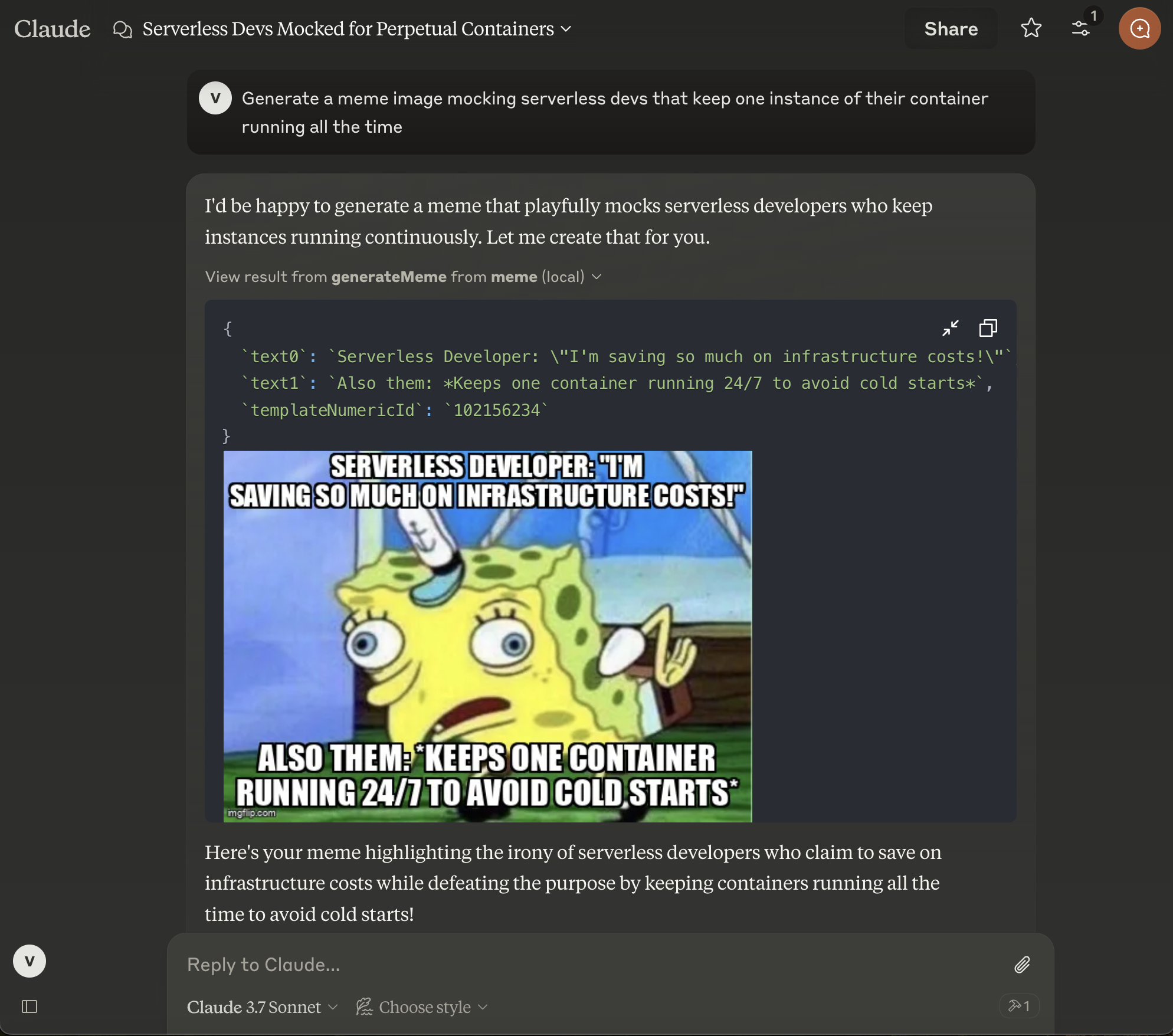
Depois de configurar o Claude Desktop, você precisa reiniciá-lo e então verá o pequeno ícone de martelo no canto inferior direito na entrada do chat. Você pode então pedir ao Claude para gerar um meme para você.
Autor
Este projeto foi criado por diversão por Vladimir Haltakov. Se você achar interessante, pode me enviar uma mensagem no X @haltakov.