Knit MCP
oficialConecte-se com mais de 10.000 ferramentas em RH, ATS, CRM, Contabilidade, Calendário, Reuniões, Tickets e outras categorias.
O que você pode fazer com Knit MCP?
- Crie um servidor MCP personalizado — Peça ao seu assistente para orientá-lo na seleção de ferramentas de aplicativos SaaS compatíveis e na empacotamento delas em um novo servidor.
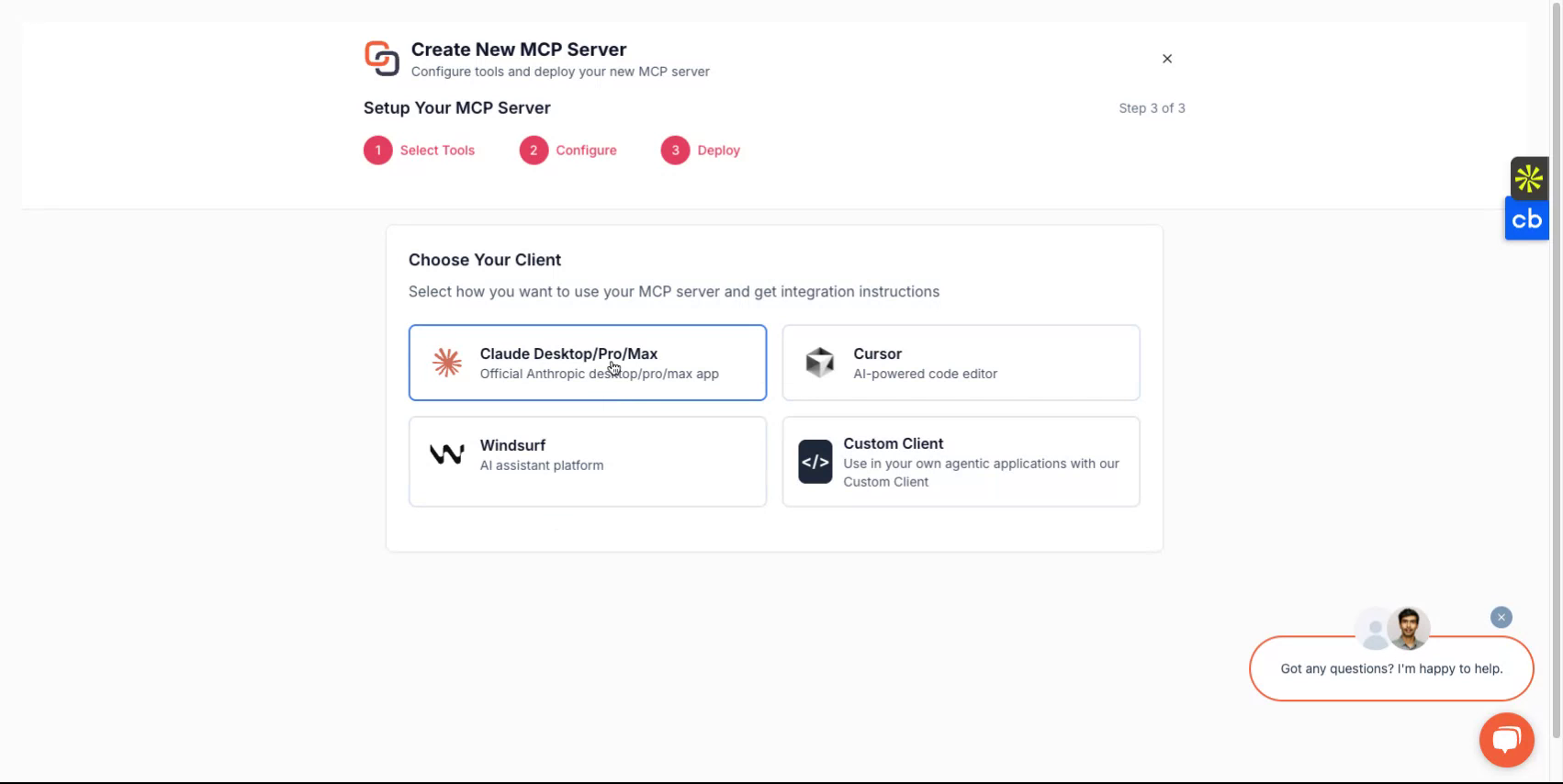
- Implante para o seu cliente preferido — Obtenha instruções passo a passo de configuração para Claude, Cursor, Windsurf ou um cliente personalizado que você esteja desenvolvendo.
- Recupere as credenciais do servidor — Peça ao seu assistente para explicar como obter a URL do servidor e o token MCP necessários para conectar suas ferramentas de IA.
- Gerencie o acesso à conta — Pergunte como fazer login ou criar uma conta usando Google, Microsoft ou e-mail para começar a usar a plataforma.
Documentação
Primeiros Passos com o Knit MCP Hub para Agentes de IA
Este documento fornece uma visão geral abrangente sobre como configurar e operar servidores MCP SaaS gerenciados pela Knit. O processo envolve fazer login na plataforma, criar um servidor e selecionar as ferramentas e aplicativos necessários para facilitar seu fluxo de trabalho.
Etapa 1
Comece visitando https://mcphub.getknit.dev. Faça login usando sua conta do Google ou Microsoft, ou crie uma conta usando seu endereço de e-mail. Isso permitirá que você acesse os recursos da plataforma.
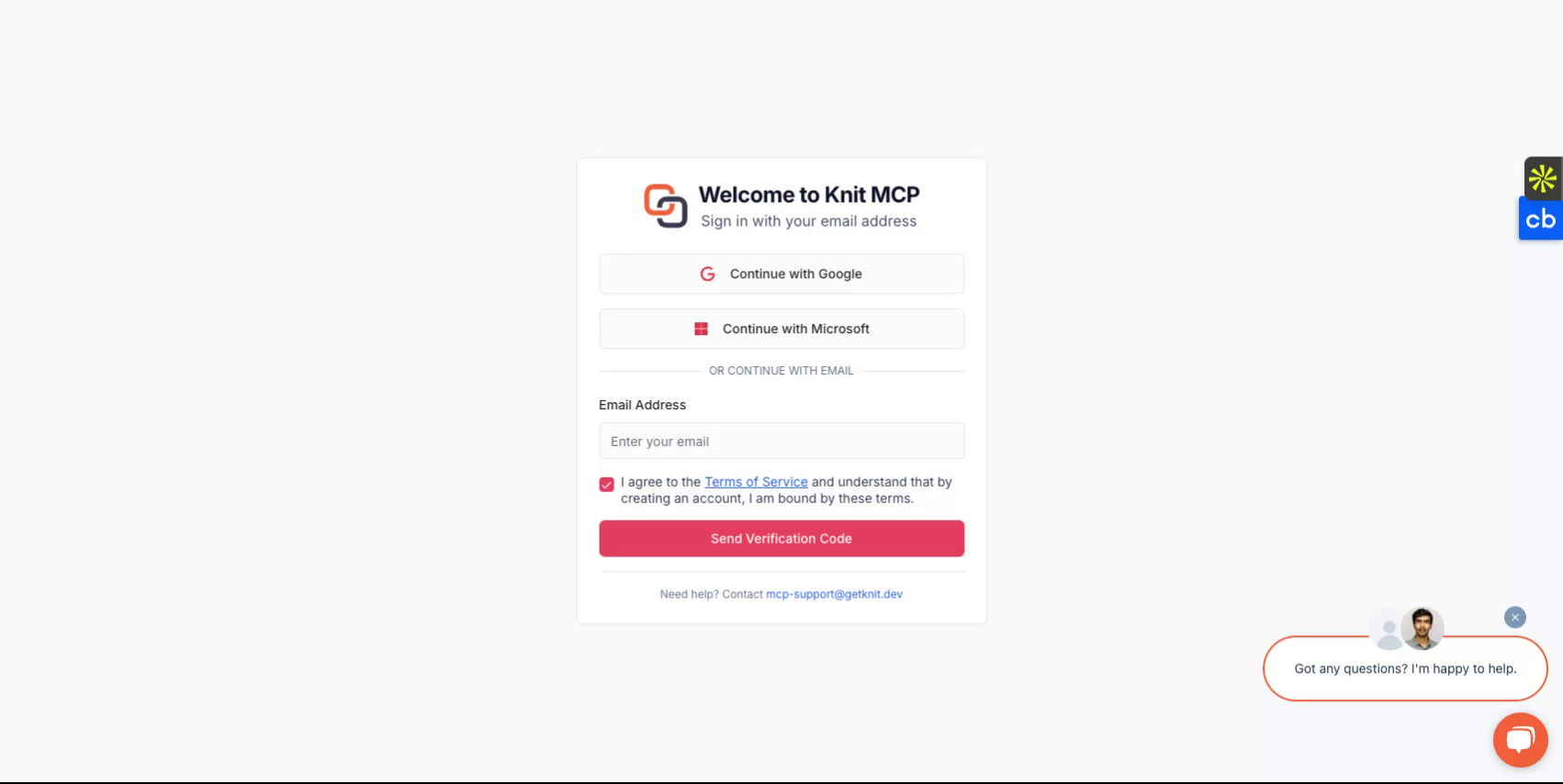
Etapa 2
Após fazer login na sua conta, você será guiado pelo processo de criação de um novo servidor.
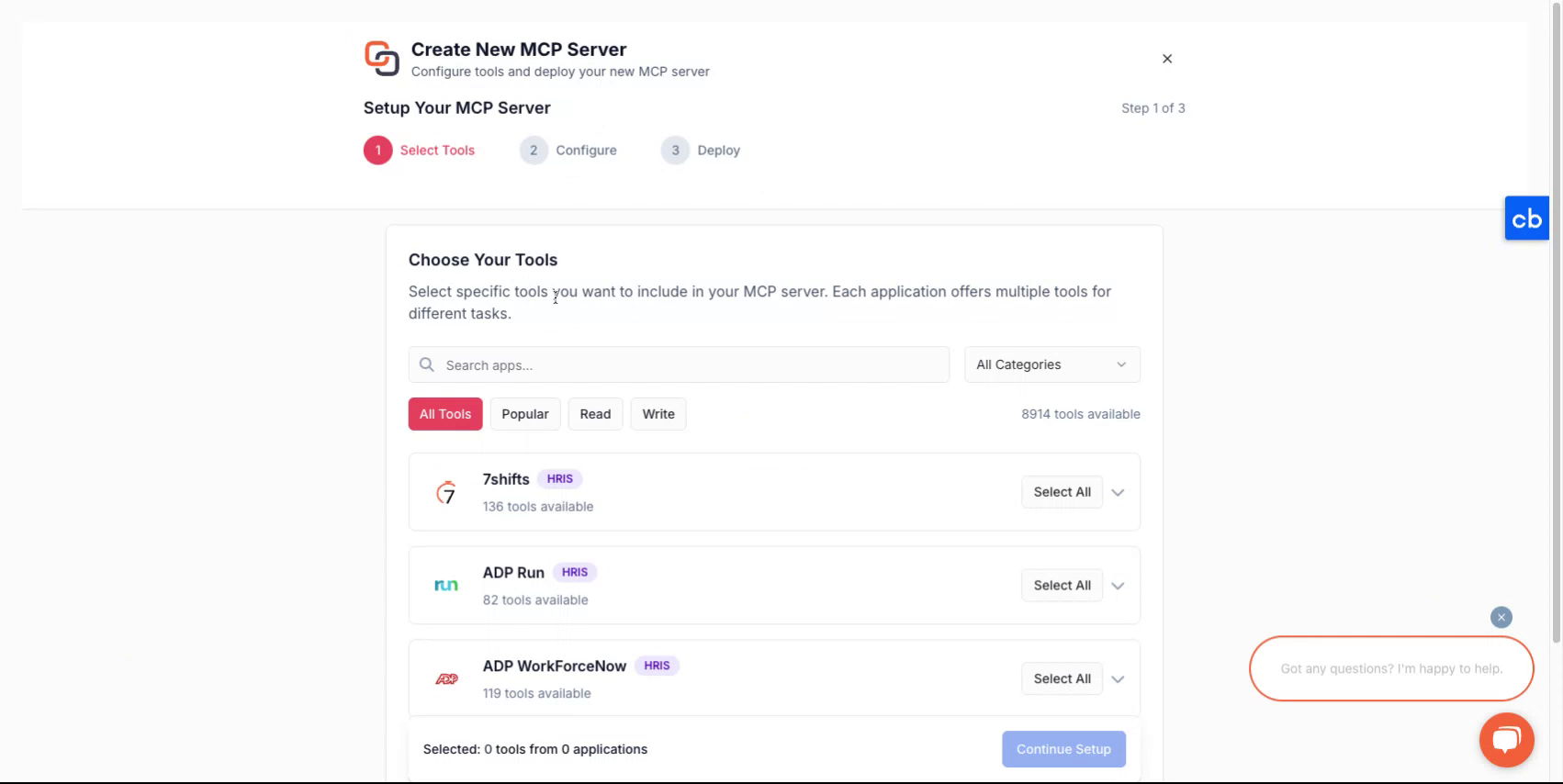
Etapa 3
Para criar um novo servidor MCP, primeiro selecione as ferramentas que você gostaria de empacotar no servidor MCP. Elas podem ser de um ou mais aplicativos. Você pode encontrar a lista de todos os aplicativos suportados aqui - Todos os Servidores MCP
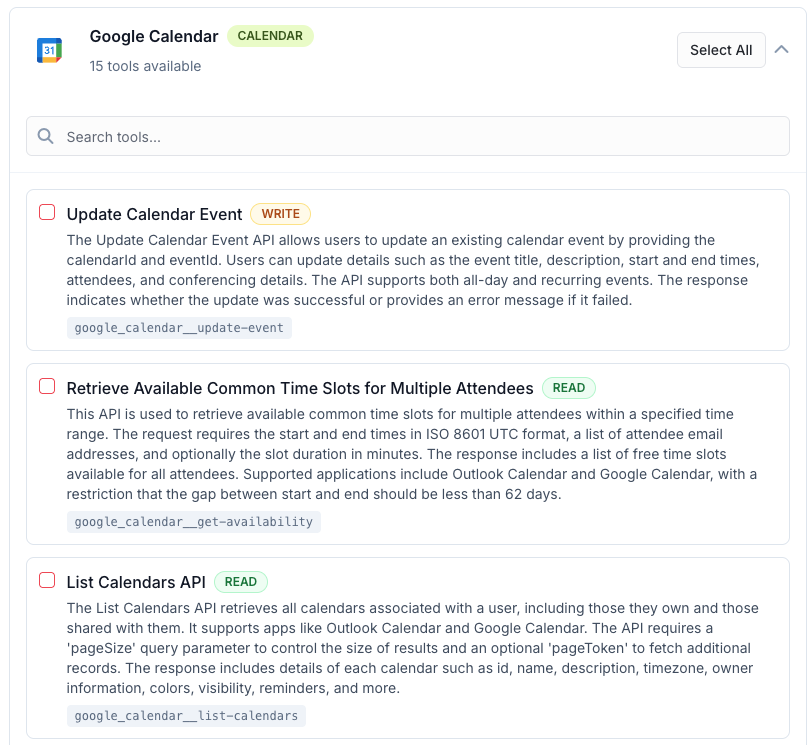
Etapa 4
Após fazer uma seleção, atribua um nome ao seu servidor, dê uma descrição e continue para selecionar como você gostaria de implantá-lo.
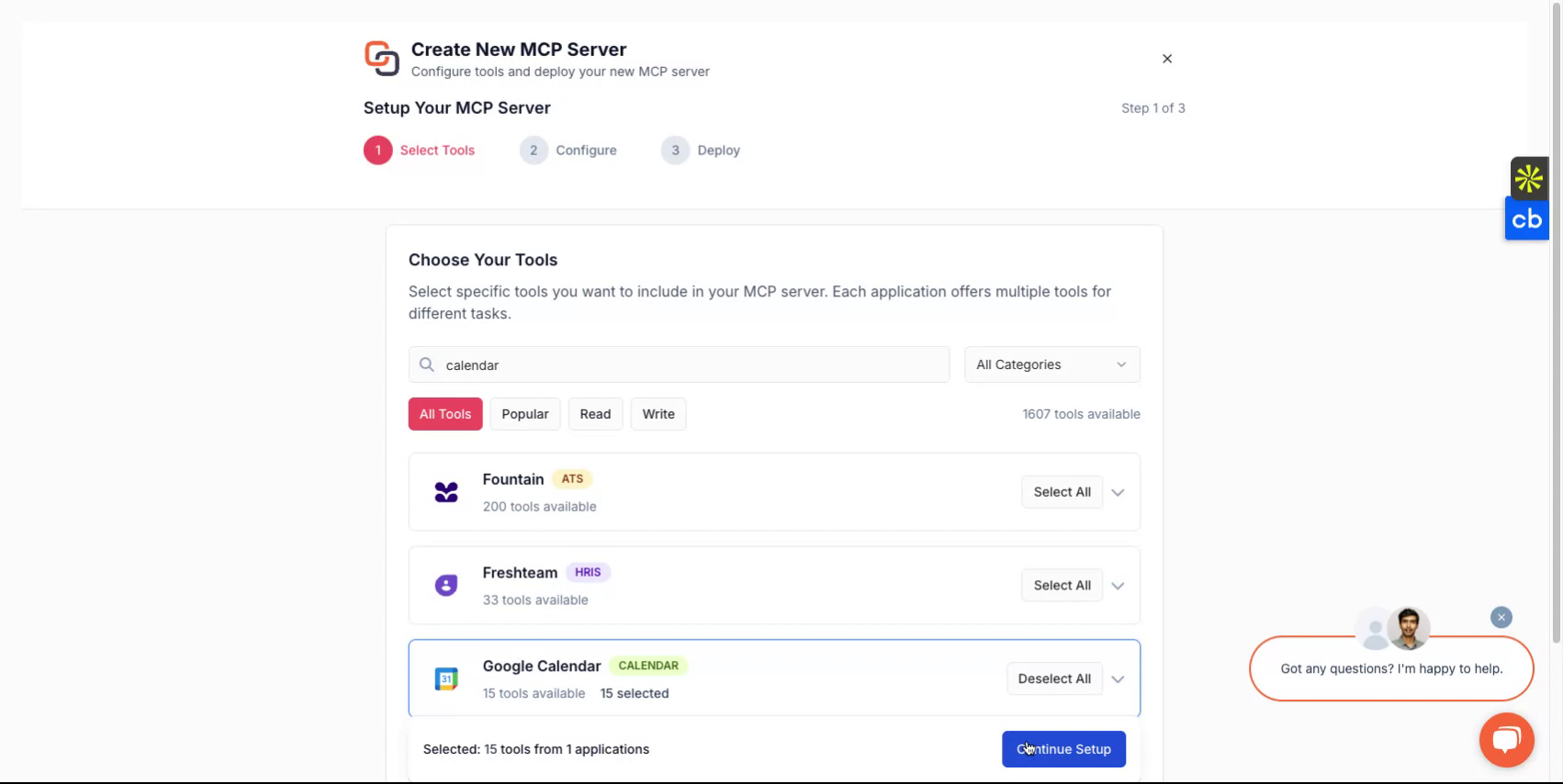
Etapa 5
Dependendo do cliente que você deseja usar, você pode escolher entre opções como Claude, Cursor, Windsurf ou optar por implementar com um cliente personalizado que você está desenvolvendo. A plataforma o guiará pelo fluxo de configuração.
Etapa 6
Ao concluir, você receberá uma URL do servidor e um token do servidor MCP. Essas credenciais são essenciais para acessar seu servidor.
Se você planeja desenvolver clientes personalizados, selecione a opção de cliente personalizado e siga as instruções correspondentes.
Tudo Pronto
Você configurou com sucesso seu servidor Knit-MCP. Para qualquer dúvida, entre em contato conosco em mcp-support@getknit.dev