Stellwerk
Self-hosted back office for a one-person business (Flask + SQLite, German UI). Six MCP tools let Claude manage tasks and time entries; each write returns a preview first.
Documentação
Stellwerk
English · Deutsch
Stellwerk (German for signal box): the dispatch desk of a one-person business.
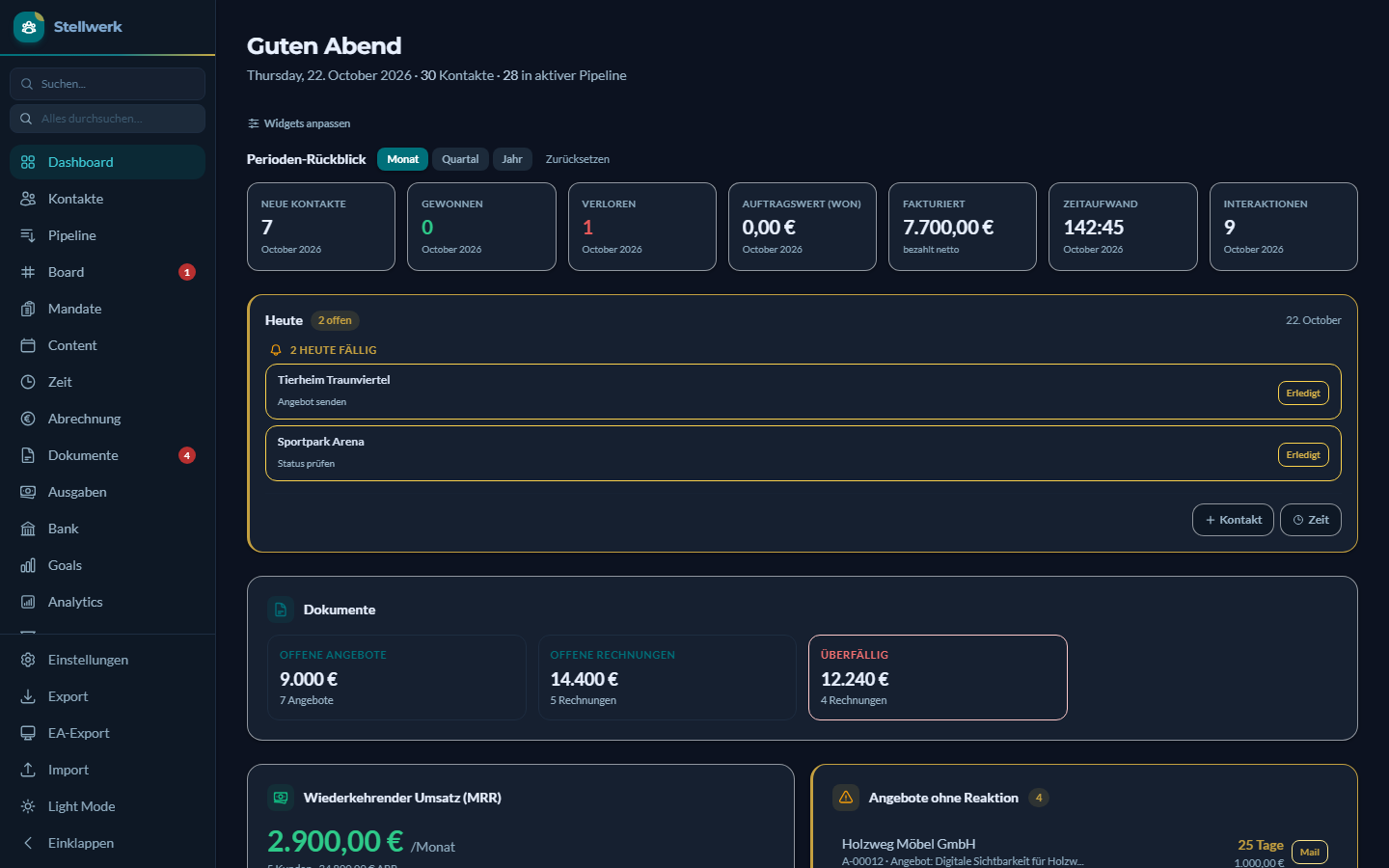
The operations backend of a one-person consultancy: contacts and pipeline, quotes and invoices, time tracking, a task board, retainer billing, bank reconciliation and the groundwork for cash-basis accounting. A Flask app on SQLite, run locally.
What makes it different from a regular CRM is who operates it. Stellwerk is built so that an AI assistant can work with it. An MCP server gives Claude access to tasks and time entries, and every write Claude makes goes through a dedicated write layer (stellwerk_write.py) with validation and fixed WHERE clauses. By default every tool only returns a preview, and the change is stored when the call is repeated with commit=True. That is a convention the tools follow, not a lock: a client that passes commit=True on the first call writes immediately. The web interface writes through its own routes, not through this layer.
Run it locally only. Stellwerk has no login and listens on
127.0.0.1only. The origin and host check protects against foreign websites in the same browser, it is not a substitute for authentication. Anyone who exposes the app to a network or the internet exposes all of its data. The Flask debugger is off by default and can be switched on withSTELLWERK_DEBUG=1. It executes arbitrary code, so use it briefly and locally only.
| Pipeline | Board |
|---|---|
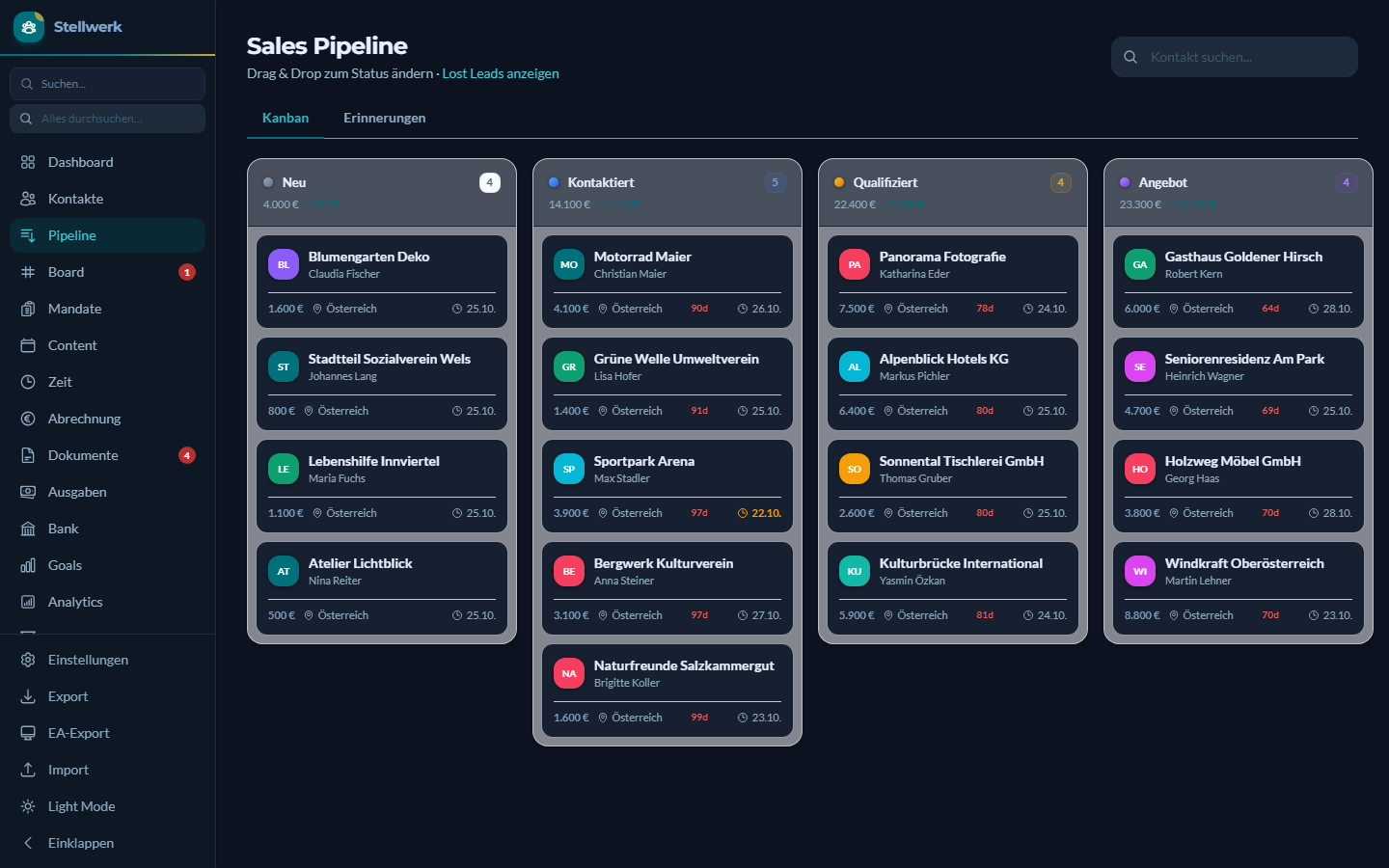 | 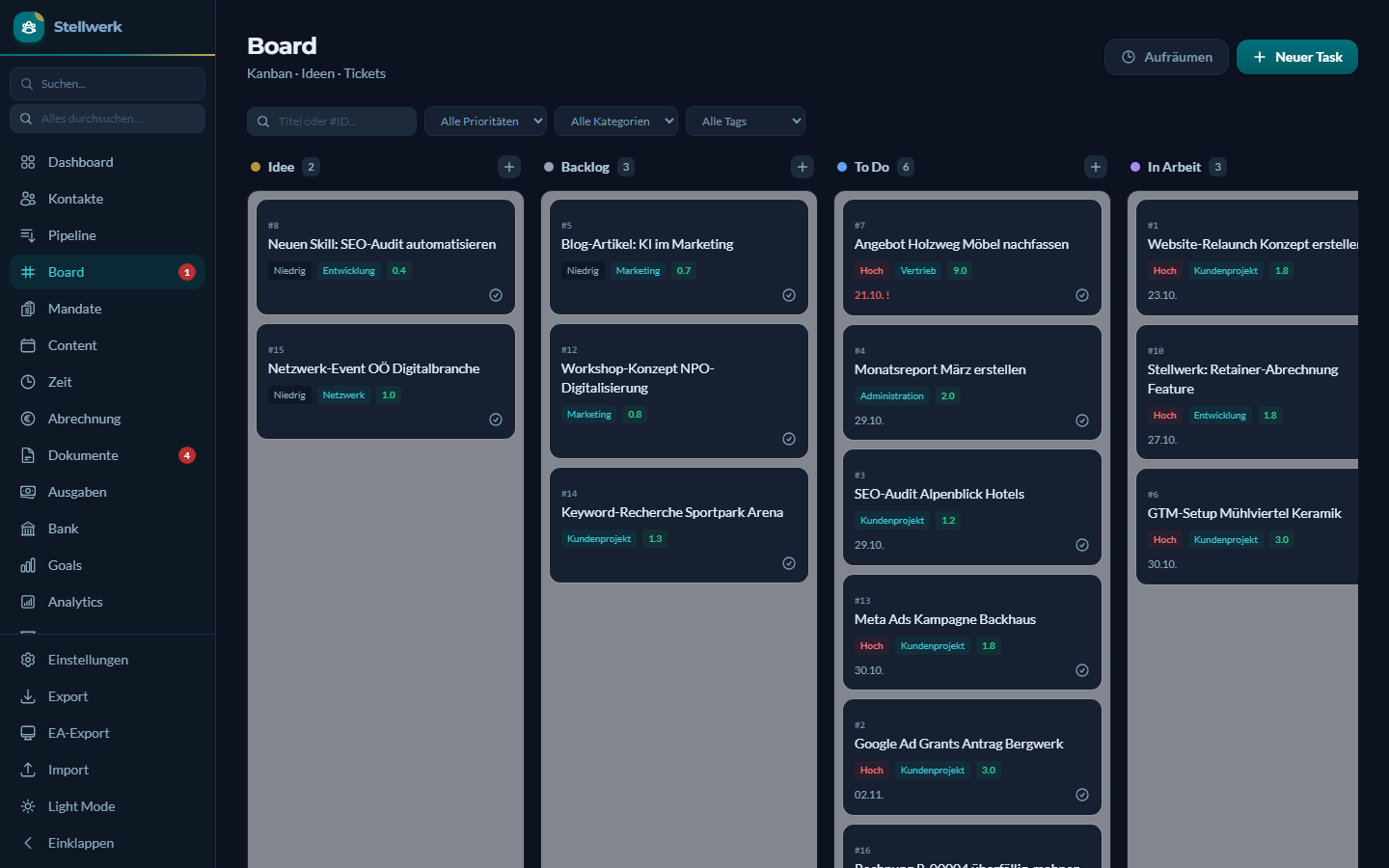 |
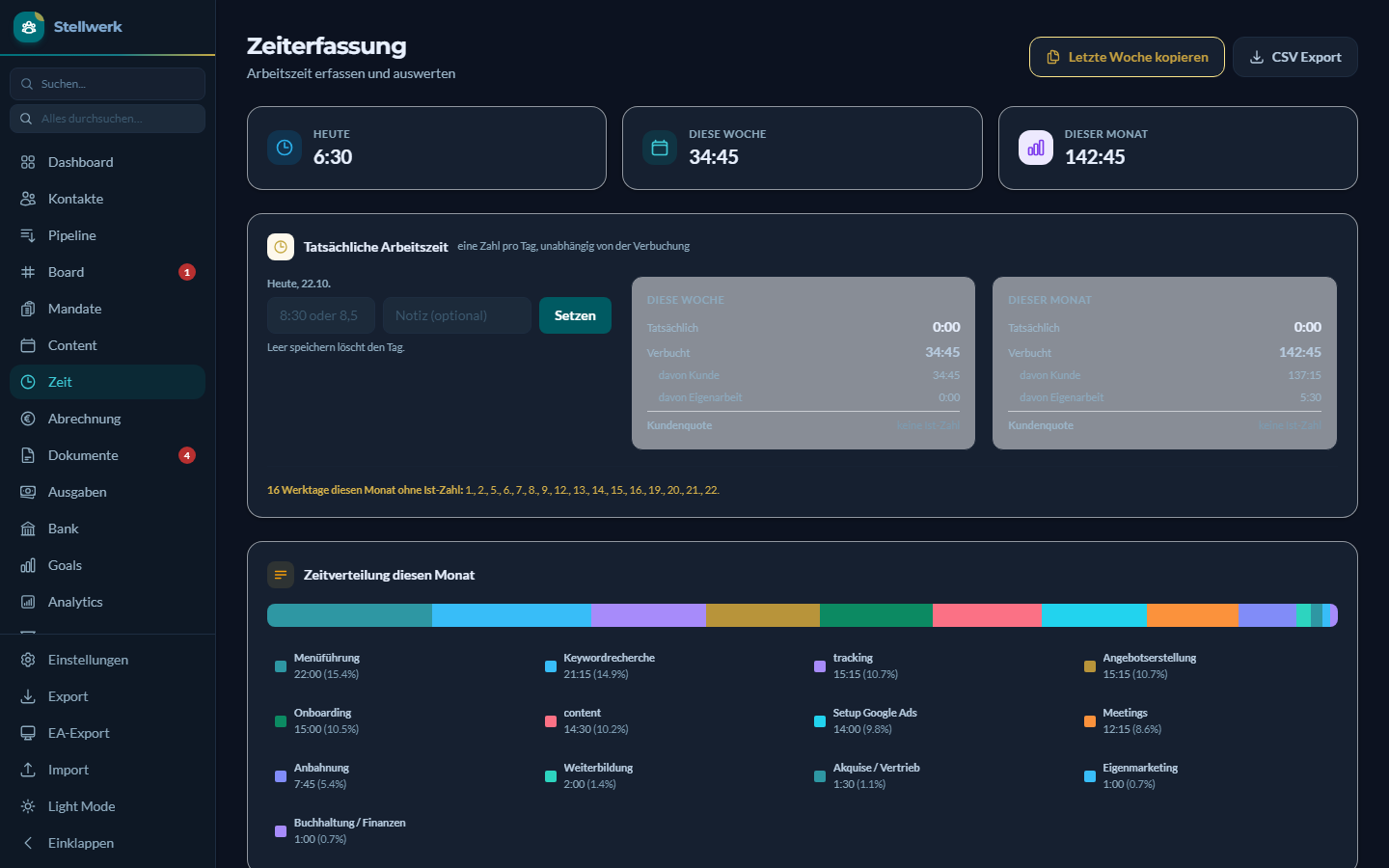
All data in the screenshots comes from the demo database and is made up.
How I actually use it
A typical client job, with the demo client Bergwerk Kulturverein standing in for a real one:
- After the first call I tell Claude what we agreed. Claude builds the quote in Stellwerk, I read it in the browser, and the cover email lands as a draft in my mail client. I press send.
- While I work, Claude books the time on the client. The tool shows a preview first, then saves.
- At the end of the month Claude prepares the invoice from the booked hours. I check the PDF and send it myself.
- Everything in between lives on the board. Before Claude continues a task, it measures the current state instead of trusting the description, and writes what it found as a comment.
- Posts for my own channels are drafted into the content calendar. Nothing goes out until I approve it in the feed preview.
The pattern is the same throughout: Claude prepares and documents, I decide and send. Some numbers from my own database, as of 27 October 2026:
| Tasks since March 2026 | 1,077 |
| created by Claude (since May) | 371 |
| created by me | 460, the rest by automatic rules |
| Task comments written by Claude | 928 of 939 |
| Social posts published through the calendar | 96 since July |
| Time entries | 1,198 |
| Tests in my private repo / in this one | 1,093 / 280 |
I run five Claude Code profiles in parallel on the same board. That is where the habit comes from: a task status is a timestamp, not a fact.
Three decisions and their price:
- Local, not cloud. My client data never leaves the laptop. The price: no phone access, and backups are my job.
- SQLite, not a server database. One file, easy to back up, and Claude can query it read-only. The price: one user, no concurrent access from several machines.
- Built, not bought. It fits my exact process and Claude can operate it through MCP. The price: I maintain it myself, and every change in my business becomes a change in the code.
Good to know before you try it
- The interface is German. There is no translation layer.
- The billing logic follows Austrian VAT law: invoice requirements, reminder levels, the VAT return figures and the cash-basis export. Elsewhere it will need adjusting.
- It grew for exactly one business, mine. Expect opinions baked into the data model, not a configurable product.
Features
- Contacts and pipeline: kanban with seven active stages plus lost and no response, interaction history, follow-up rules, full-text search (SQLite FTS5)
- Quotes and invoices: grouped line items, PDF via Puppeteer, quote to invoice, cancellation, three-step dunning, ZUGFeRD/Factur-X
- Time tracking: timer, recurring entries, separation of client work and internal work, actual working time per day
- Billing: retainers with hour quotas, true-up, monthly run, profitability per client
- Expenses and bank: incoming invoices, N26 CSV import, matching payments to documents
- Board: tasks with priorities, tags, comments and recurring due dates
- Content calendar: planning social media posts with approval stages and a feed preview, publishing via external scripts (see below)
Quick start with demo data
Requirements: Python 3.13, Node.js 22.12 or newer (only for PDF generation).
pip install -r requirements.txt
npm install                 # Puppeteer for PDFs
python seed_demo_data.py    # creates data/demo.db with made-up data
python start_demo.py        # http://localhost:5001
For real use, start python app.py (port 5000, database data/crm.db). Company details, bank account and hourly rate live under Einstellungen (settings).
On Windows, clone into a short path such as C:\stellwerk. The e-invoice package factur-x ships XSD files with very long names, and without long path support in Windows, pip install fails inside deep folders.
With Docker
docker compose up                              # demo, http://localhost:5001
docker compose --profile echt up -d stellwerk  # real use, http://localhost:5000
The image includes Chromium for the PDFs and builds on amd64 and arm64. Real use keeps its data in ./data, ./uploads and ./backups next to the compose file. Both ports are bound to 127.0.0.1 on purpose. Do not change that to a plain port mapping: Docker would then publish Stellwerk on every network interface, past the firewall, and it has no login. The container runs as root, and Chromium runs without its own sandbox, as is common for PDF rendering in containers. Acceptable for a local tool, not for a service on a network.
Connecting Claude Code
claude mcp add stellwerk -- python /path/to/repo/mcp_server.py
python mcp_server.py --selftest
The server provides task_get, task_create, task_close, task_comment, task_check and time_book. Without commit=True, every writing tool returns a preview only and does not touch the database.
What runs around the core
In my business this repo is the core, not the whole system. Three layers run around it. They depend on my accounts and credentials and are therefore not included.
- Publishing: approved entries from the content calendar go to Instagram, Facebook and LinkedIn through separate scripts, including the first comment. Entries scheduled in the future move into a queue on the web server, and GitHub Actions posts them on time, even while the laptop sleeps. The Stellwerk side of this is
content_publisher.pyandcontent_outbox.py. - Scheduled runs: publishing due posts, checking the calendar for stalled posts and missing channels, writing a weekly metrics report, and starting Stellwerk plus a daily backup when the machine boots.
- Claude skills: written instructions that let Claude Code handle the recurring routines, such as issuing an invoice, building a quote, recording an incoming invoice, booking time and closing the day. The MCP server covers the part of this that concerns tasks and time.
Tests
python -m pytest tests
This is a selection of the tests, namely those that work without data from the real business. Tests that contain real amounts, document numbers or bank statements stay private.
Limitations
- Without the scripts mentioned above, the content calendar does not post.
content_publisher.pycalls~/scripts/meta_publish.pyand~/scripts/linkedin_publish.py,content_outbox.pyloads~/scripts/social_outbox.pyand needs a GitHub Actions runner plus a trigger. Email drafts need~/scripts/email_draft.py. If a script is missing, Stellwerk names the expected path. The cloud queue is off by default (settingcontent_outbox_enabled). - One user, no permissions, no multi-tenancy.
- Opening the dashboard runs a few automatic updates (follow-up reminders, document status, recurring time entries). Because these happen on a plain page load, another website could trigger them by sending your browser to
localhost. It cannot read anything or change anything else, but it is a side effect of a GET request, and you should know about it. - The interface loads its fonts from Google Fonts and Alpine.js and SortableJS from jsDelivr, with integrity hashes. Without internet access, the layout falls back to system fonts and the interactive parts stop working. Tailwind is bundled.
- Credentials stored with a contact (section „Konten & Zugänge") are kept in plain text in the database. Treat
data/crm.dband its backups like a password vault without a lock. - The code is published without comments. In the original they are the working notes of the business and name clients, amounts and documents for that reason. Only the descriptions of the MCP tools remain, because Claude reads them.
Disclaimer
Invoicing, dunning, VAT logic and the cash-basis export reflect how an Austrian sole proprietorship works. This is not tax or legal advice and comes without warranty. Check with your own tax advisor before using it in production.
Status
A snapshot of a tool that runs in my business every day. It is not actively maintained here, issues and pull requests are not looked after.
Feedback is welcome in GitHub Discussions until 10 November 2026. After that the repo stays a plain snapshot.
For your business
If you would like a tool like this for your own processes, set up and connected to Claude, write to office@digitalisierungswerkstatt.at with the subject „Stellwerk". German or English both work.
License
GNU Affero General Public License v3.0, full text in LICENSE. Anyone who modifies Stellwerk and offers it as a service over a network must make the modified source code available to its users.
The exception is static/vendor/tailwind-3.4.17.js. The file comes unmodified from Tailwind Labs and is licensed under MIT, see static/vendor/LICENSE-tailwindcss.txt.
Copyright (C) 2026 Lukas Tröls, Digitalisierungswerkstatt.at e.U.
Built by Lukas Tröls, Digitalisierungswerkstatt.at, Upper Austria, with Claude Code.