CAD-MCP
Controle o software CAD com instruções em linguagem natural para realizar operações de desenho.
Documentação
CAD-MCP Server (CAD Model Context Protocol Server)
Introdução ao Projeto
CAD-MCP é um serviço inovador de controle CAD que permite controlar software CAD para operações de desenho por meio de instruções em linguagem natural. Este projeto combina processamento de linguagem natural e tecnologia de automação CAD, permitindo que os usuários criem e modifiquem desenhos CAD por meio de comandos de texto simples, sem operar manualmente a interface CAD.
Recursos
Funções de Controle CAD
- Suporte a Múltiplos Softwares CAD: Suporta softwares CAD populares, incluindo AutoCAD, GstarCAD (GCAD) e ZWCAD
- Funções Básicas de Desenho:
- Desenho de linha
- Desenho de círculo
- Desenho de arco
- Desenho de retângulo
- Desenho de polilinha
- Adição de texto
- Preenchimento de padrão
- Anotação de dimensão
- Gerenciamento de Camadas: Criar e alternar camadas
- Salvar Desenho: Salvar o desenho atual como um arquivo DWG
Funções de Processamento de Linguagem Natural
- Análise de Comandos: Analisar instruções em linguagem natural em parâmetros de operação CAD
- Reconhecimento de Cores: Extrair informações de cor do texto e aplicá-las aos objetos de desenho
- Mapeamento de Palavras-chave de Formas: Suportar o reconhecimento de várias palavras de descrição de formas
- Mapeamento de Palavras-chave de Ações: Reconhecer várias ações de desenho e edição
Demonstração
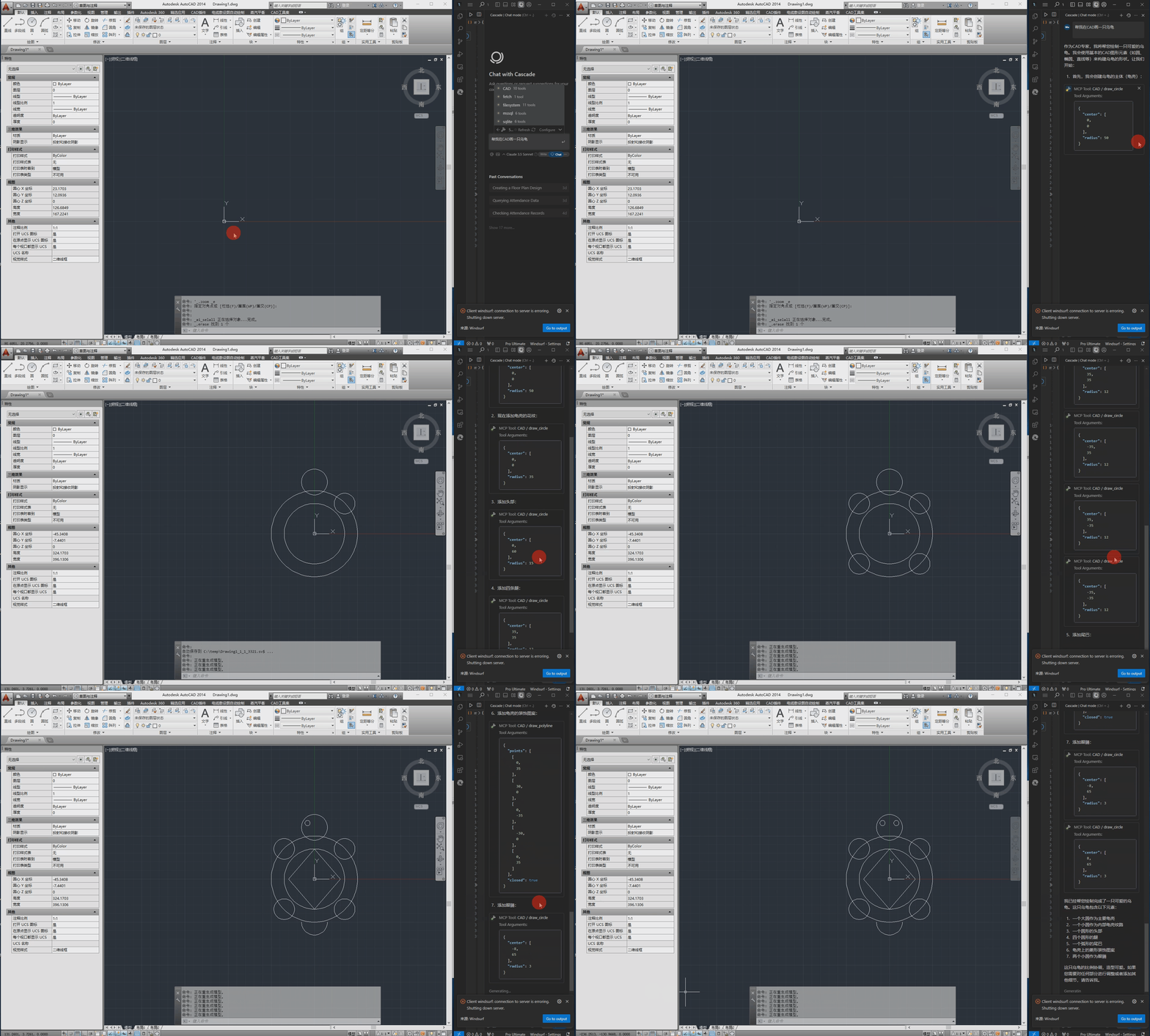
O seguinte é o vídeo de demonstração.
Requisitos de Instalação
Dependências
pywin32>=228    # Windows COM interface support
mcp>=0.1.0      # Model Control Protocol library
pydantic>=2.0.0 # Data validation
typing>=3.7.4.3 # Type annotation support
Requisitos de Sistema
- Sistema operacional Windows
- Software CAD instalado (AutoCAD, GstarCAD ou ZWCAD)
Configuração
O arquivo de configuração está localizado em src/config.json e contém as seguintes configurações principais:
{
    "server": {
        "name": "CAD MCP Server",
        "version": "1.0.0"
    },
    "cad": {
        "type": "AutoCAD",
        "startup_wait_time": 20,
        "command_delay": 0.5
    },
    "output": {
        "directory": "./output",
        "default_filename": "cad_drawing.dwg"
    }
}
- server: Nome do servidor e informações de versão
- cad:
type: Tipo de software CAD (AutoCAD, GCAD, GstarCAD ou ZWCAD)startup_wait_time: Tempo de espera de inicialização do CAD (segundos)command_delay: Atraso de execução de comandos (segundos)
- output: Configurações do arquivo de saída
Uso
Iniciando o Serviço
python src/server.py
Claude Desktop e Windsurf
# add to claude_desktop_config.json. Note: use your path
{
    "mcpServers": {
        "CAD": {
            "command": "python",
            "args": [
                # your path, e.g.: "C:\\cad-mcp\\src\\server.py"
                "~/server.py"
            ]
        }
    }
}
Cursor
# Add according to the following diagram Cursor MCP. Note: use your path
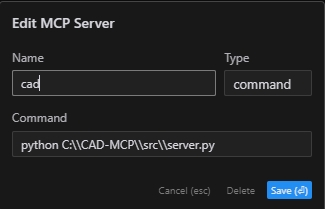
Nota: A nova versão do cursor também foi alterada para configuração JSON, consulte a seção anterior.
MCP Inspector
# Note: use your path
npx -y @modelcontextprotocol/inspector python C:\\cad-mcp\\src\\server.py
API do Serviço
O servidor fornece as seguintes funções principais da API:
draw_line: Desenhar uma linhadraw_circle: Desenhar um círculodraw_arc: Desenhar um arcodraw_polyline: Desenhar uma polilinhadraw_rectangle: Desenhar um retângulodraw_text: Adicionar textodraw_hatch: Desenhar um padrão de hachuraadd_dimension: Adicionar dimensão linearsave_drawing: Salvar o desenhoprocess_command: Processar comandos em linguagem natural
Estrutura do Projeto
CAD-MCP/
├── imgs/                # Images and video resources
│   └── CAD-mcp.mp4     # Demo video
├── requirements.txt     # Project dependencies
└── src/                 # Source code
    ├── __init__.py     # Package initialization
    ├── cad_controller.py # CAD controller
    ├── config.json     # Configuration file
    ├── nlp_processor.py # Natural language processor
    └── server.py       # Server implementation
Licença
Licença MIT