Android Preference Editor
Edite preferências do Android usando adb e Node.js.
Documentação
Servidor MCP Android Preference Editor
Visão Geral
Desbloqueie o poder da linguagem natural para o desenvolvimento de aplicativos Android com o Servidor MCP Android Preference Editor. Edite preferências de usuário em tempo real usando comandos simples e conversacionais—sem necessidade de edição manual de arquivos! Construído sobre a robusta biblioteca Android Preference Editor, este servidor conecta-se perfeitamente com clientes MCP (Model Context Protocol) para turbinar seus fluxos de trabalho orientados por IA.
Basta dizer ao servidor MCP o que você deseja fazer, por exemplo:
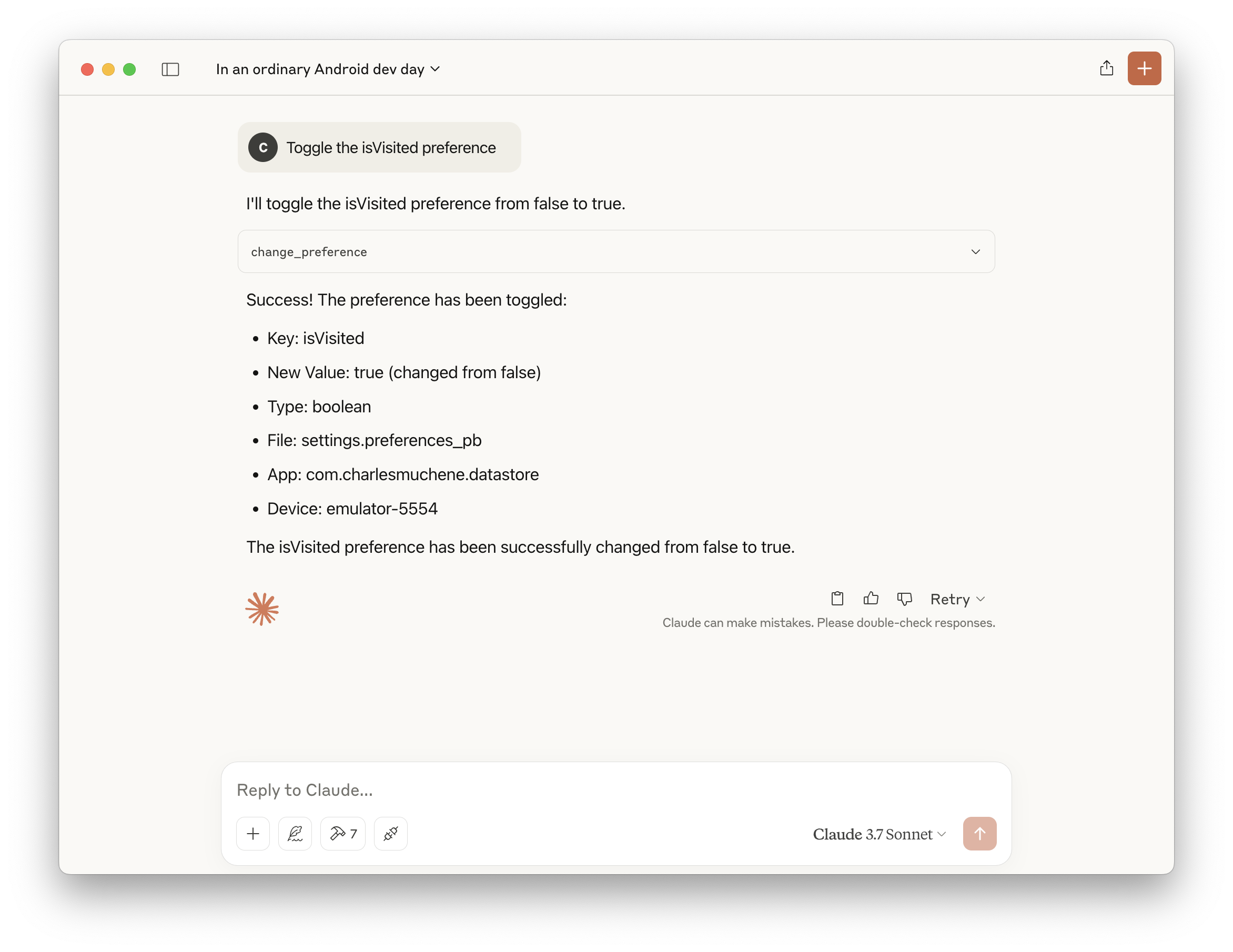
- “Alternar a preferência de usuário isVisited”
- “Desativar o guia de integração”
- “Listar todos os valores de preferências de usuário”
- "Criar uma preferência de timestamp com o tempo epoch atual"
Experimente uma maneira mais inteligente e rápida de gerenciar preferências Android—é só pedir!
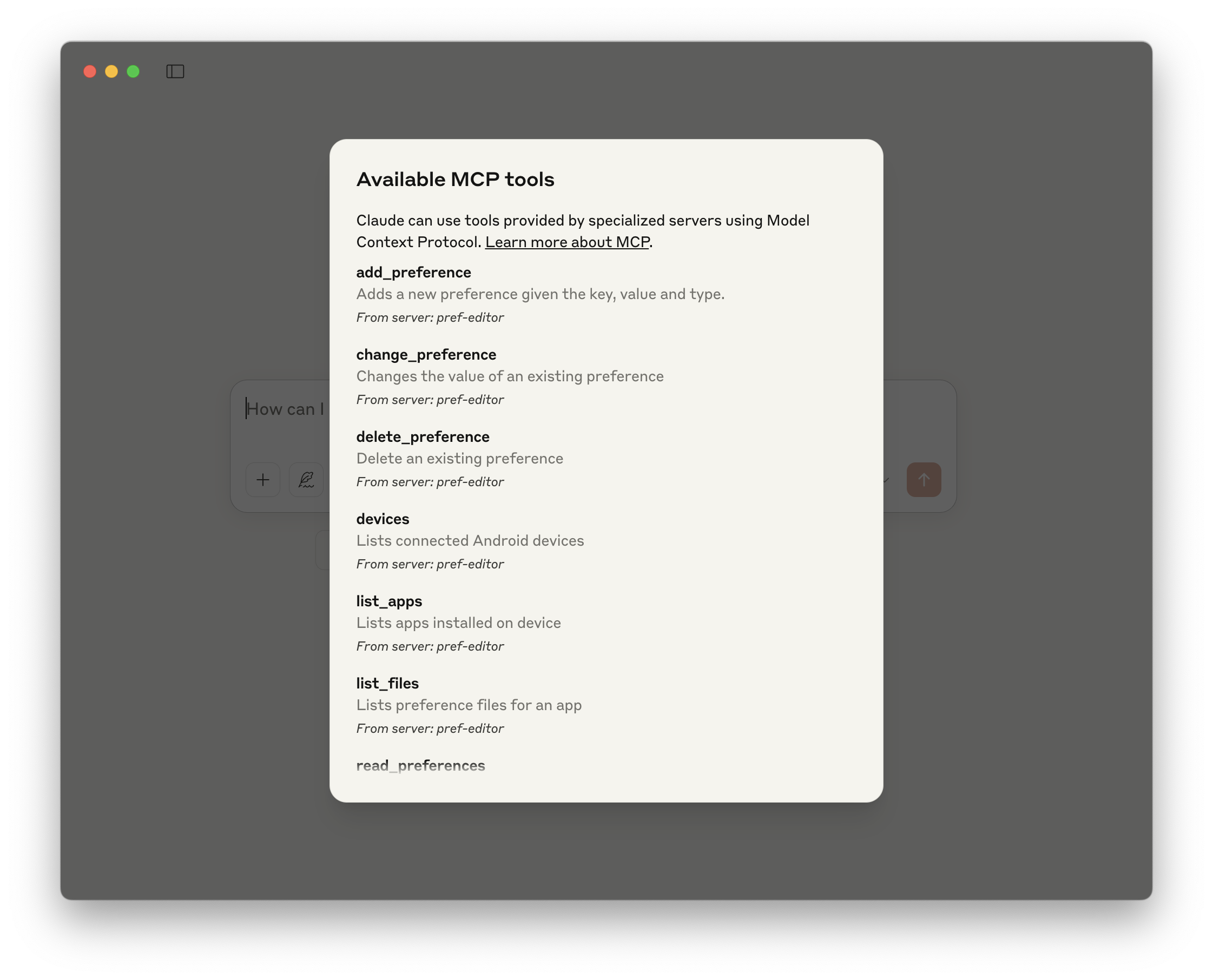
Ferramentas Disponíveis
| Nome | Descrição |
|---|---|
| change_preference | Altera o valor de uma preferência existente |
| delete_preference | Exclui uma preferência existente |
| add_preference | Adiciona uma nova preferência com nome, valor e tipo |
| read_preferences | Lê todas as preferências de usuário em um arquivo |
| devices | Lista dispositivos Android conectados |
| list_apps | Lista aplicativos instalados no dispositivo |
| list_files | Lista arquivos de preferências de um aplicativo |
Demonstração
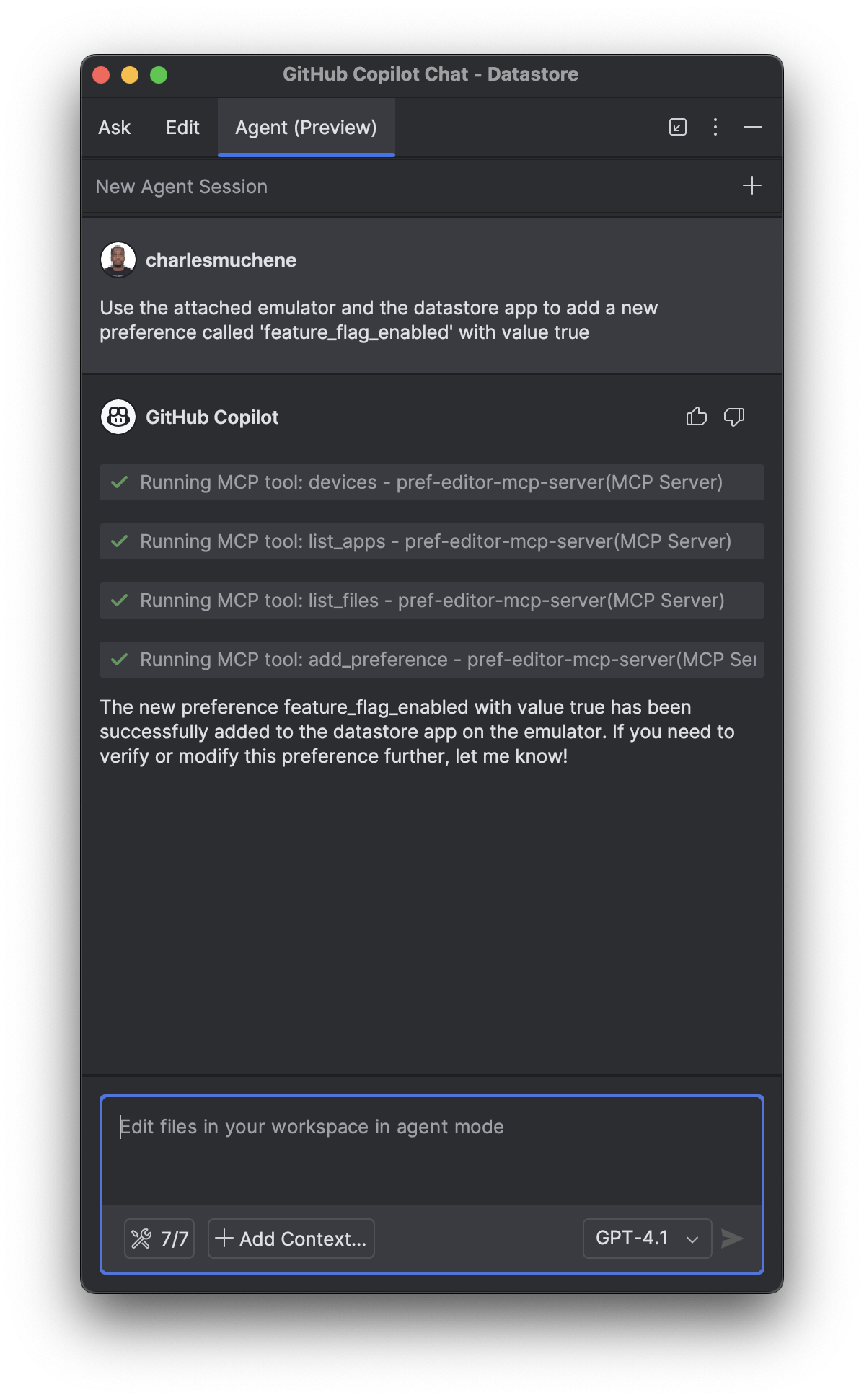
| Alternar uma preferência de usuário | Ferramentas disponíveis | Adicionar uma preferência |
|---|---|---|
 |  |  |
Veja mais demonstrações no diretório de capturas de tela de demonstração
Requisitos
- Android adb (
v1.0.41+) - Node.js 14+ ou Docker
Integrações
Este servidor está disponível no Catálogo MCP do Docker. Ative o servidor Pref Editor no toolkit MCP do Docker Desktop e você terá acesso a todas as ferramentas disponíveis.
Android Studio
Pressupõe que um cliente compatível com MCP esteja instalado.
Adicione a seguinte configuração ao arquivo de configuração do servidor MCP. Por exemplo, para o plugin GitHub Copilot IntelliJ, o arquivo de configuração é ~/.config/github-copilot/intellij/mcp.json.
Docker
{
  "servers": {
    "pref-editor": {
      "command": "docker",
      "args": ["run", "-i", "--rm", "charlesmuchene/pref-editor-mcp-server"]
    }
  }
}
npx
{
  "servers": {
    "pref-editor": {
      "type": "stdio",
      "command": "npx",
      "args": ["-y", "@charlesmuchene/pref-editor-mcp-server"]
    }
  }
}
Claude Desktop
Adicione este servidor ao arquivo de configuração /Users/<username>/Library/Application Support/Claude/claude_desktop_config.json.
Docker
{
  "mcpServers": {
    "pref-editor": {
      "command": "docker",
      "args": ["run", "-i", "--rm", "charlesmuchene/pref-editor-mcp-server"]
    }
  }
}
npx
{
  "mcpServers": {
    "pref-editor": {
      "command": "npx",
      "args": ["-y", "@charlesmuchene/pref-editor-mcp-server"]
    }
  }
}
Você pode solucionar problemas acompanhando o arquivo de log:
tail -f ~/Library/Logs/Claude/mcp-server-pref-editor.log
VS Code
Para usar o servidor com o VS Code, você precisa:
- Adicionar a configuração do Servidor MCP ao seu
mcp.jsonousettings.json:
.vscode/mcp.json
{
  "servers": {
    "pref-editor": {
      "type": "stdio",
      "command": "npx",
      "args": ["-y", "@charlesmuchene/pref-editor-mcp-server"]
    }
  }
}
~/Library/Application Support/Code/User/settings.json
{
  "mcp": {
    "pref-editor": {
      "type": "stdio",
      "command": "npx",
      "args": ["-y", "@charlesmuchene/pref-editor-mcp-server"]
    }
  }
}
Para mais informações, consulte a documentação do VS Code.
Compilação Local
Consulte DEV.md para instruções sobre como compilar este projeto.
Testes
Você pode usar o MCP Inspector para depuração visual deste Servidor MCP.
npx @modelcontextprotocol/inspector npm run start
Licença
Consulte LICENSE
Contato
Para dúvidas ou suporte, entre em contato via GitHub Issues.
Contribuição
Aceitamos contribuições da comunidade! 🎉
Contribuidores de primeira viagem: Por favor, comece lendo nosso guia CONTRIBUTING.md, que cobre:
- Requisitos de PR e formato de título
- Configuração de desenvolvimento e fluxo de trabalho
- Padrões de qualidade de código
- Informações de licença
Para instruções detalhadas de desenvolvimento, consulte DEV.md.
