MCP IPFS Server
Interaja com a plataforma IPFS da storacha.network usando a CLI w3.
Documentação
🪐 MCP IPFS Server (storacha.network) 🛰️
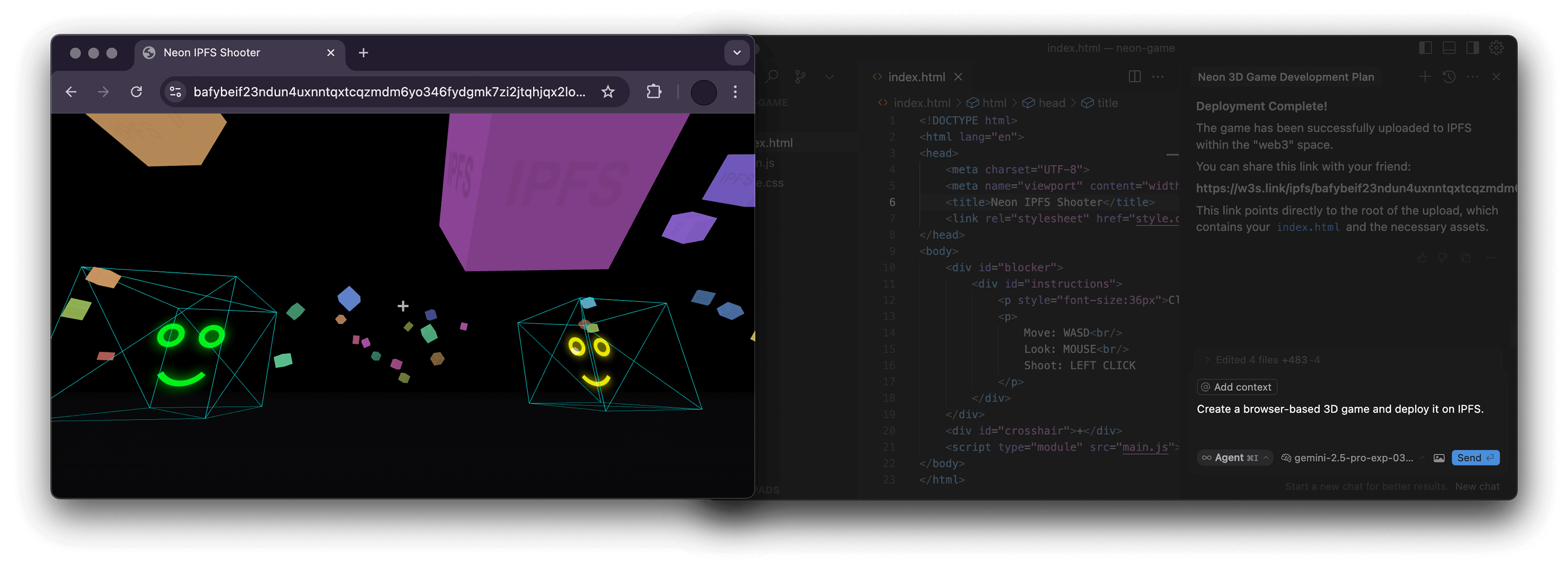



Um servidor Node.js que implementa o Model Context Protocol (MCP) para interagir com a plataforma storacha.network por meio da interface de linha de comando (@web3-storage/w3cli) do w3.
Este servidor capacita modelos de linguagem 🤖 e outros clientes MCP a gerenciar espaços do storacha.network, enviar/baixar dados, gerenciar delegações e executar várias outras tarefas, encapsulando perfeitamente os comandos do w3.
✨ Recursos
- Encapsula a CLI do
w3para integração nativa com storacha.network. - Fornece ferramentas MCP que cobrem uma ampla gama de funcionalidades do
w3:- 🔑 Autenticação e Agente:
w3_login,w3_reset,w3_account_ls(para verificar autorização) - 📦 Gerenciamento de Espaços:
w3_space_ls,w3_space_use,w3_space_info,w3_space_add,w3_space_provision(Observação:w3_space_createdeve ser executado manualmente devido a prompts interativos) - 💾 Gerenciamento de Dados:
w3_up,w3_ls,w3_rm - 🔗 Compartilhamento:
w3_open(gera URL w3s.link) - 🤝 Delegações e Provas:
w3_delegation_create,w3_delegation_ls,w3_delegation_revoke,w3_proof_add,w3_proof_ls - 🔐 Chaves e Tokens:
w3_key_create,w3_bridge_generate_tokens - ⚙️ Armazenamento Avançado (
w3 can ...): gerenciamento de Blob, CAR, Upload, Index, Access Claim, Filecoin Info - 💳 Conta e Cobrança:
w3_plan_get,w3_coupon_create,w3_usage_report
- 🔑 Autenticação e Agente:
🛠️ Pré-requisitos
- Node.js: Versão 22.0.0 ou superior (
node -v). - CLI
w3: O servidor executa comandosw3diretamente. Certifique-se de que o@web3-storage/w3cliesteja instalado globalmente e configurado:npm install -g @web3-storage/w3cli w3 login <your-email@example.com> # Follow email verification steps - Variável de Ambiente: A ferramenta
w3_loginexige que a variável de ambienteW3_LOGIN_EMAILseja definida com o mesmo e-mail usado paraw3 login.
🏗️ Estrutura do Projeto
O código-fonte está organizado da seguinte forma:
src/
├── index.ts          # Main server entry point, MCP setup, request routing
├── schemas.ts        # Zod schemas defining input arguments for each tool
├── tool_handlers.ts  # Implementation logic for each MCP tool
├── utils.ts          # Helper functions (e.g., running w3 commands, parsing JSON)
└── utils/
    └── logger.ts     # Basic logger configuration
🚀 Uso com Clientes MCP
Este servidor pode ser usado com qualquer cliente compatível com MCP. Você precisa configurar seu cliente para conectar-se a este servidor.
Exemplo: NPX (Recomendado para uso local simples)
Isso pressupõe que npm e os pré-requisitos sejam atendidos.
{
  "mcpServers": {
    "ipfs": {
      "command": "npx",
      "args": ["-y", "mcp-ipfs"],
      "env": {
        "W3_LOGIN_EMAIL": "your-email@example.com"
      }
    }
  }
}
Exemplo: Docker
Compile a imagem primeiro (veja a seção Build) ou use a imagem pré-compilada alexbakers/mcp-ipfs.
{
  "mcpServers": {
    "mcp-ipfs": {
      "command": "docker",
      "args": [
        "run",
        "-i",
        "--rm",
        "-v",
        "/path/to/your/project:/path/to/your/project",
        "-e",
        "W3_LOGIN_EMAIL",
        "alexbakers/mcp-ipfs"
      ],
      "env": {
        "W3_LOGIN_EMAIL": "your-email@example.com"
      }
    }
  }
}
📝 Observação sobre Caminhos:
Vários comandos w3 exigem caminhos absolutos do sistema de arquivos (por exemplo, w3_up, w3_delegation_create --output, w3_proof_add, w3_can_blob_add, w3_can_store_add).
- NPX: Forneça caminhos absolutos da sua máquina host.
- Docker: Forneça caminhos absolutos dentro do contêiner. Se estiver interagindo com arquivos do seu host (por exemplo, uploads), você deve montar o diretório relevante do host no contêiner usando a flag
-v(por exemplo,-v /Users/me/project:/Users/me/project) e então usar o caminho do contêiner (por exemplo,/Users/me/project/my_file.txt) nos argumentos da ferramenta.
📦 Build
Clone o repositório e instale as dependências:
git clone https://github.com/alexbakers/mcp-ipfs.git
cd mcp-ipfs
npm install
Compile o código TypeScript:
npm run build
Você pode então executar o servidor diretamente:
# Ensure W3_LOGIN_EMAIL is set in your environment
export W3_LOGIN_EMAIL="your-email@example.com"
node dist/index.js
Ou publicá-lo (se você tiver os direitos):
npm publish
🐳 Build Docker
Compile a imagem Docker:
# Build locally (replace with your username/repo and desired tag)
docker build -t alexbakers/mcp-ipfs .
📜 Licença
Este servidor MCP é licenciado sob a Licença MIT. Consulte o arquivo LICENSE para obter detalhes.