MCP Builder
Um servidor baseado em Python para instalar e configurar outros servidores MCP a partir do PyPI, npm ou diretórios locais.
Documentação
mcp-builder
Um servidor MCP baseado em Python para instalar outros servidores MCP.
O objetivo deste servidor é fornecer uma maneira completa, amigável e multiplataforma de instalar e configurar servidores MCP.
TODO
- Suporte para mais clientes MCP (ex.: Cursor, Windsurf, ...)
- Suporte para mais tipos e fontes de servidores MCP (ex.: Node.js, Java, etc.)
- Suporte a mecanismo de recuperação para instalações com falha
- ...
Recursos
- Instalação de Pacotes de Repositório: Instale servidores MCP a partir de pacotes PyPI ou npm
- Instalação Local: Instale servidores MCP a partir de diretórios locais
- Gerenciamento de Configuração: Configure variáveis de ambiente e argumentos para servidores instalados
- Detecção Automática: Detecte automaticamente o tipo de servidor MCP (Node.js ou Python)
- Suporte Multiplataforma: Funciona em Windows, macOS e Linux
Requisitos
- Python 3.10 ou superior
- pip (para pacotes Python)
- Node.js e npm (opcional, para pacotes JavaScript)
Instalação
Instalar a partir do código-fonte
git clone https://github.com/xd3an/mcp-builder.git
cd mcp-builder
pip install -e .
Uso
Execução Direta
Após a instalação, você pode executar o MCP Builder diretamente:
# Using the entry point
mcpbuilder

# Or as a module
python -m mcp_builder.server
Modo de Desenvolvimento
Para desenvolvimento e testes, você pode usar as ferramentas CLI do MCP:
# Install MCP CLI tools
pip install "mcp[cli]"

# Run in development mode
mcp dev path/to/mcp_builder/server.py

# npx @modelcontextprotocol/inspector
npx @modelcontextprotocol/inspector python -m mcp_builder.server
Integração com Cliente MCP
Integração com Claude Desktop
Para usar o MCP Builder com o Claude Desktop, adicione-o ao seu arquivo claude_desktop_config.json:
{
  "mcpServers": {
    "mcp-builder": {
      "command": "python",
      "args": [
        "-m",
        "mcp_builder.server"
      ]
    }
  }
}
O arquivo de configuração está localizado em:
- Windows:
%APPDATA%\Claude\claude_desktop_config.json - macOS:
~/Library/Application Support/Claude/claude_desktop_config.json - Linux:
~/.config/Claude/claude_desktop_config.json
Exemplos de Comandos
Uma vez integrado ao Claude Desktop, você pode pedir ao Claude para:
ler https://github.com/microsoft/playwright-mcp me ajude a instalar playwright-mcp na minha configuração do claude
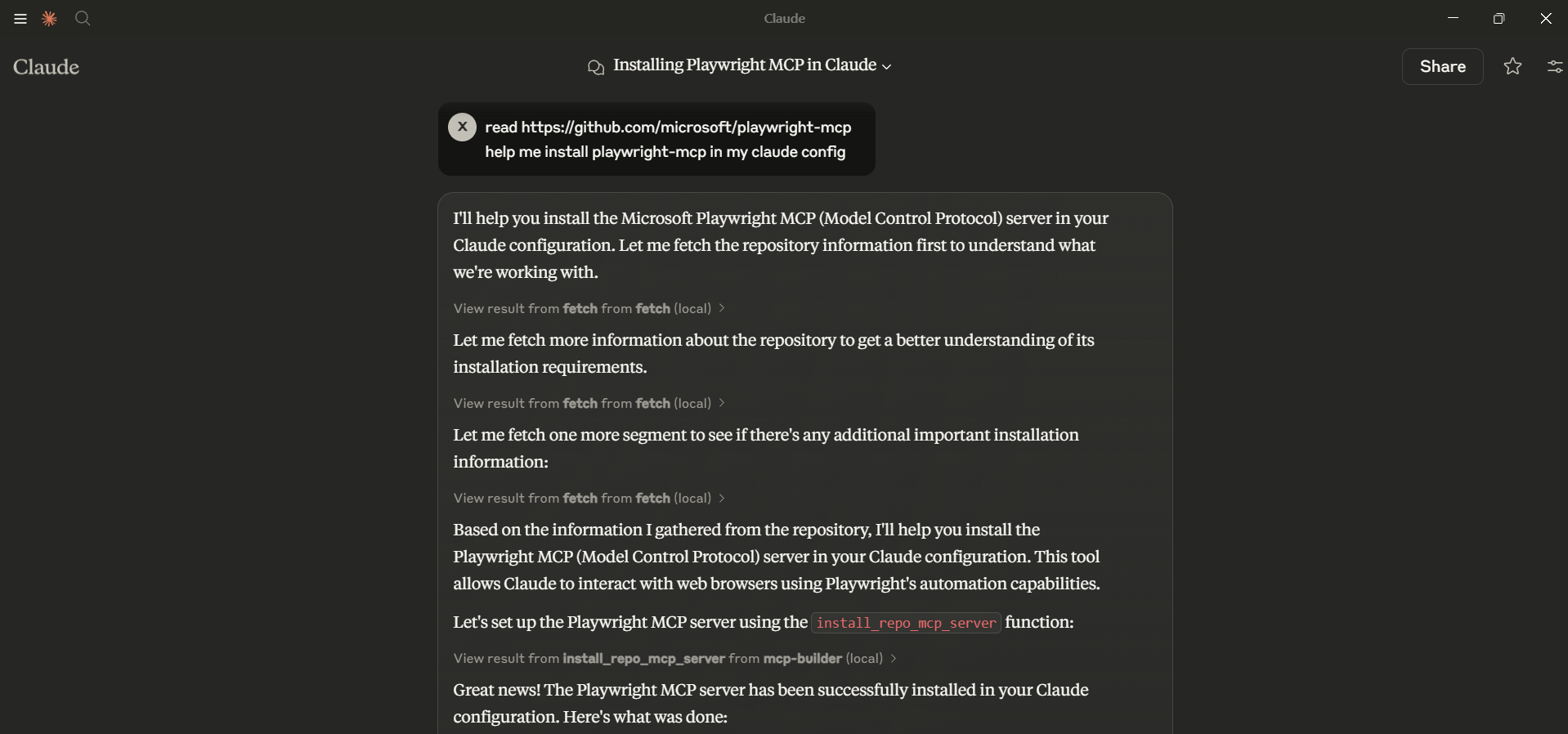
Como Funciona
O MCP Builder modifica o arquivo de configuração do Claude Desktop para registrar servidores MCP. Ele suporta:
- Pacotes Node.js: Instala usando
npxe configura o Claude para usá-los - Pacotes Python: Configura o Claude para usar módulos Python
- Repositórios Locais: Instala dependências e configura o Claude para usar código local