AWS MCP
Interaja com seu ambiente AWS usando linguagem natural para consultar e gerenciar recursos. Requer credenciais AWS locais.
GitHub
296
Experimente este MCPPatrocinadoDocumentação
AWS MCP
Um servidor Model Context Protocol (MCP) que permite que assistentes de IA como o Claude interajam com seu ambiente AWS. Isso possibilita consultas e gerenciamento de seus recursos AWS em linguagem natural durante conversas. Pense nele como uma alternativa melhor ao Amazon Q.
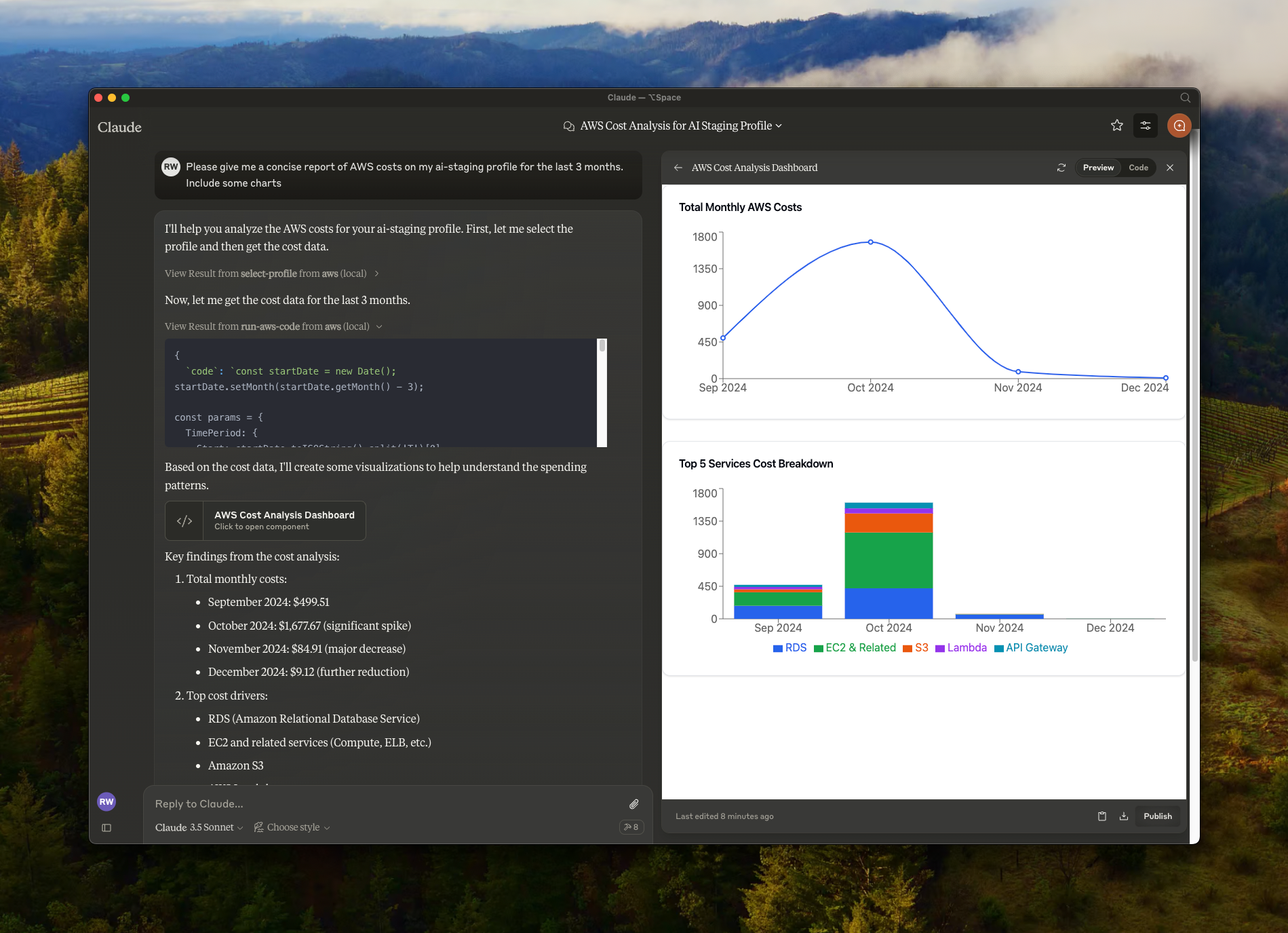
Recursos
- 🔍 Consulte e modifique recursos AWS usando linguagem natural
- ☁️ Suporte a múltiplos perfis AWS e autenticação SSO
- 🌐 Suporte a múltiplas regiões
- 🔐 Manipulação segura de credenciais (nenhuma credencial é exposta a serviços externos, suas credenciais locais são usadas)
- 🏃♂️ Execução local com suas credenciais AWS
Pré-requisitos
- Node.js
- Claude Desktop
- Credenciais AWS configuradas localmente (diretório
~/.aws/)
Instalação
- Clone o repositório:
git clone https://github.com/RafalWilinski/aws-mcp
cd aws-mcp
- Instale as dependências:
pnpm install
# or
npm install
Uso
- Abra o aplicativo de desktop do Claude e vá para Configurações -> Desenvolvedor -> Editar Configuração
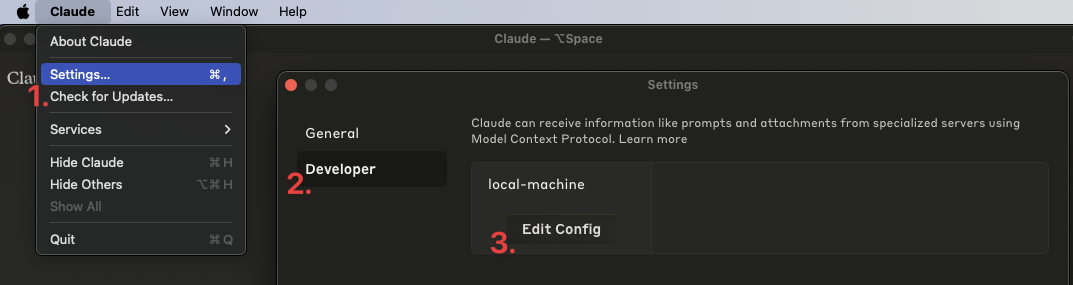
- Adicione a seguinte entrada ao seu
claude_desktop_config.json:
{
  "mcpServers": {
    "aws": {
      "command": "npm", // OR pnpm
      "args": [
        "--silent",
        "--prefix",
        "/Users/<YOUR USERNAME>/aws-mcp",
        "start"
      ]
    }
  }
}
Importante: Substitua /Users/<YOUR USERNAME>/aws-mcp pelo caminho real do diretório do seu projeto.
- Reinicie o aplicativo de desktop do Claude. Você deverá ver isto:
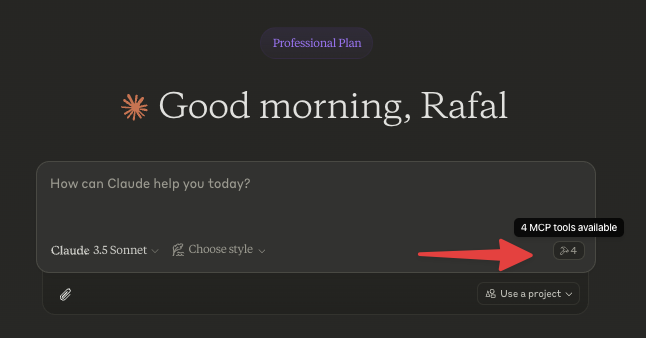
- Comece selecionando um perfil AWS ou vá direto à ação perguntando:
- "Listar perfis AWS disponíveis"
- "Listar todas as instâncias EC2 na minha conta"
- "Mostre-me os buckets S3 com seus tamanhos"
- "Quais funções Lambda estão implantadas em us-east-1?"
- "Listar todos os clusters ECS e seus serviços"
Usando com nvm
Compile a partir do código-fonte primeiro e adicione a seguinte configuração:
{
  "mcpServers": {
    "aws": {
      "command": "/Users/<USERNAME>/.nvm/versions/node/v20.10.0/bin/node",
      "args": [
        "<WORKSPACE_PATH>/aws-mcp/node_modules/tsx/dist/cli.mjs",
        "<WORKSPACE_PATH>/aws-mcp/index.ts",
        "--prefix",
        "<WORKSPACE_PATH>/aws-mcp",
        "start"
      ]
    }
  }
}
Solução de problemas
Para ver os logs:
tail -n 50 -f ~/Library/Logs/Claude/mcp-server-aws.log
# or
tail -n 50 -f ~/Library/Logs/Claude/mcp.log
Recursos em Desenvolvimento
- Suporte a MFA
- Cache de credenciais SSO para evitar atualizações muito frequentes