Jotdown
Um servidor MCP que permite que LLMs criem ou atualizem páginas do Notion e gerem Markdown Books (mdbooks).
Documentação
Jotdown - Servidor MCP para Criação de Páginas no Notion e Geração de mdBook
Jotdown é um servidor de Protocolo de Contexto de Modelo (MCP) que permite que grandes modelos de linguagem (LLMs) interajam com o Notion e também gerem Markdown Books. Ele fornece duas ferramentas principais para LLMs:
- 👉 Integração com Notion: Crie ou atualize páginas no Notion com conteúdo gerado pelo LLM.
- 👉 Geração de Mdbook: Gere um mdbook a partir de conteúdo e gerencie a estrutura.
Jotdown permite que LLMs se integrem perfeitamente a esses sistemas para diversos fluxos de trabalho de gerenciamento e publicação de conteúdo.
Certificado pelo MCPHub
- 👉 JotDown
Recursos
- 🌿 Integração com Notion: Crie ou atualize automaticamente páginas do Notion com conteúdo gerado pelo LLM.
- 🌿 Geração de Mdbook: Crie e gerencie mdbooks diretamente a partir do conteúdo, incluindo a geração de arquivos necessários como
SUMMARY.md,README.mde arquivos de capítulo individuais em markdown. - 🌿 Suporte a MCP: Utiliza o Protocolo de Contexto de Modelo para manter o contexto nas interações, permitindo uma criação e atualização de conteúdo mais inteligente e consistente.
Ferramentas Fornecidas pelo Jotdown
1. Ferramenta de Página no Notion
LLMs podem usar a ferramenta do Notion para criar ou atualizar páginas dentro do Notion, permitindo que armazenem conteúdo estruturado, como artigos ou qualquer outro tipo de documento, diretamente no Notion.
Exemplo:
- Crie uma nova página no Notion com o conteúdo gerado pelo LLM.
- Atualize uma página existente no Notion com novas informações.
2. Ferramenta mdbook
Com a ferramenta mdbook, LLMs podem gerar automaticamente livros em markdown, lidando com a criação de múltiplos capítulos, gerenciando a estrutura e adicionando um arquivo SUMMARY.md para navegação.
Exemplo:
- Gere um novo livro com base no conteúdo gerado pelo LLM.
- Gere automaticamente capítulos com links adequados em
SUMMARY.md.
Instalação
Pré-requisitos
- Rust: Certifique-se de ter o Rust instalado. Você pode instalá-lo em rust-lang.org.
- Token da API do Notion: Você precisará de um token da API do Notion (
internal integration secret) para integrar com o Notion. - Claude Desktop: Certifique-se de ter o Claude desktop ou qualquer outro cliente MCP (Cline, Continue etc.) instalado e configurado com um token de integração do Notion.
Passos para Instalar
-
Clone o repositório:
git clone https://github.com/Harry-027/JotDown cd jotdown -
Instale as dependências:
cargo build --release -
Instale o cli do mdbook (necessário para que a geração do livro funcione):
cargo install mdbook -
Configuração do Notion:
- Configure a conexão do Notion (integração interna com acesso ao workspace do Notion) e copie o
internal intergration secretpara uso posterior. - Configure uma página com o título
Jot It Downno seu workspace e compartilhe-a com sua conexão. Isso é necessário para que a integração funcione.
- Configure a conexão do Notion (integração interna com acesso ao workspace do Notion) e copie o
-
Configure o arquivo de configuração do Claude desktop (ou qualquer outro cliente MCP) (para integração com Notion):
"mcpServers": { "Jotdown": { "command": "/path_to_repo/Jotdown/target/release/Jotdown", "args": [], "env": { "NOTION_TOKEN": "your_notion_intergration_token" } } } -
Reinicie o Claude desktop e experimente!
Exemplo de Integração com Notion:
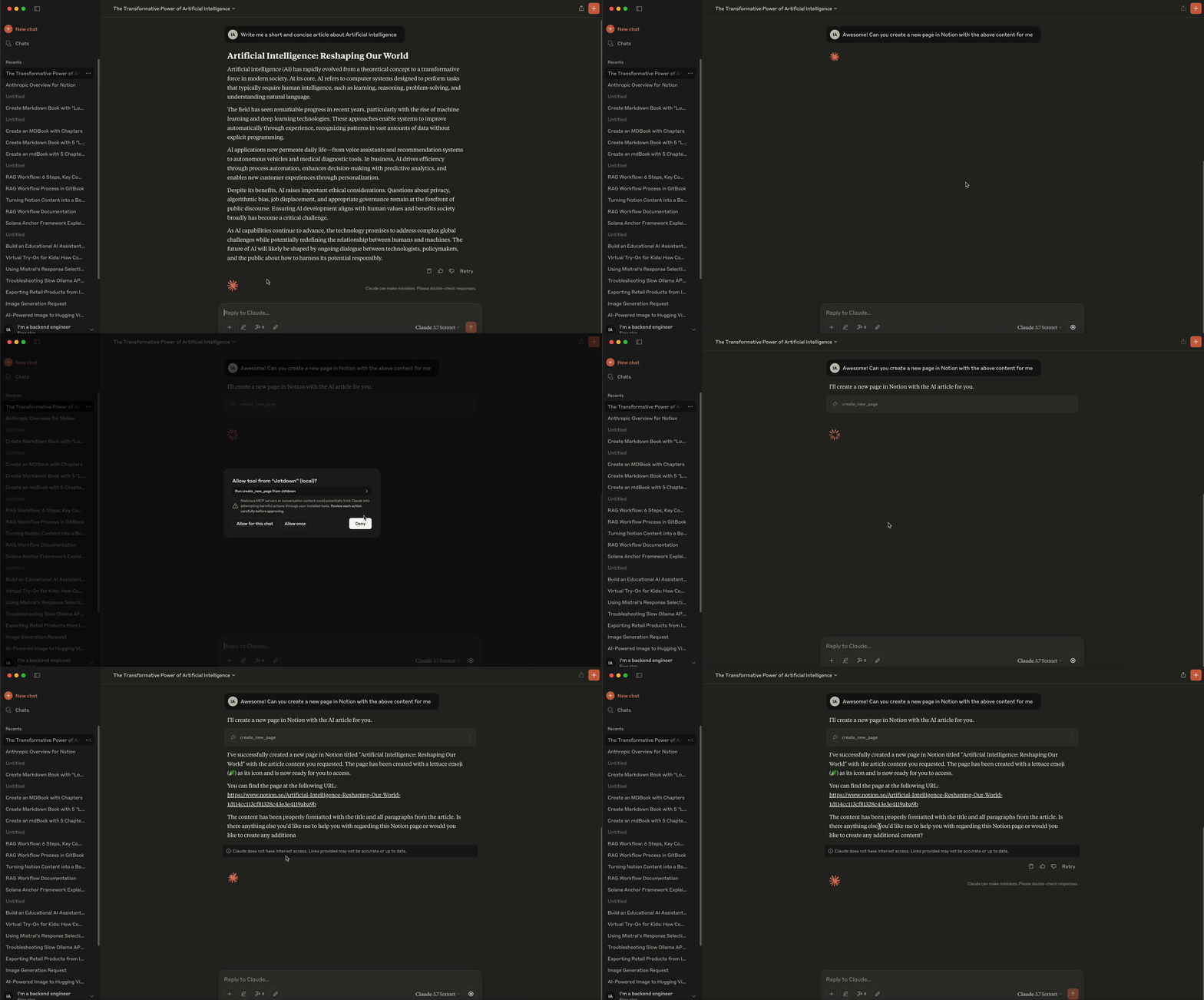
- Para criar ou atualizar uma página no Notion, o LLM envia uma solicitação ao servidor especificando o conteúdo e os detalhes da página. O servidor então interage com a API do Notion para criar uma nova página ou atualizar uma existente.
Exemplo de Integração com Mdbook:
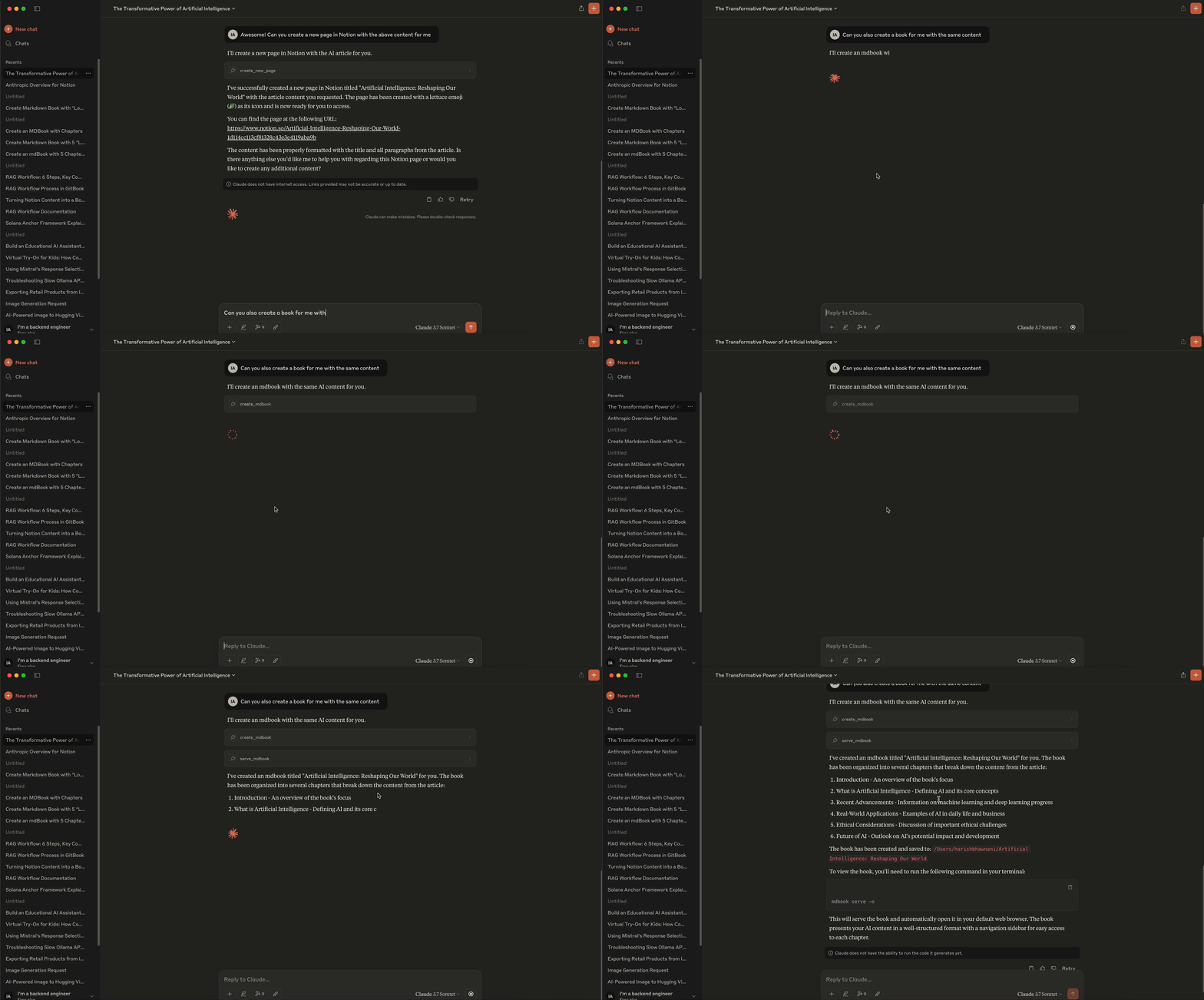
- LLMs podem enviar conteúdo estruturado ao servidor para criar um mdbook completo, incluindo criação de capítulos, gerenciamento de
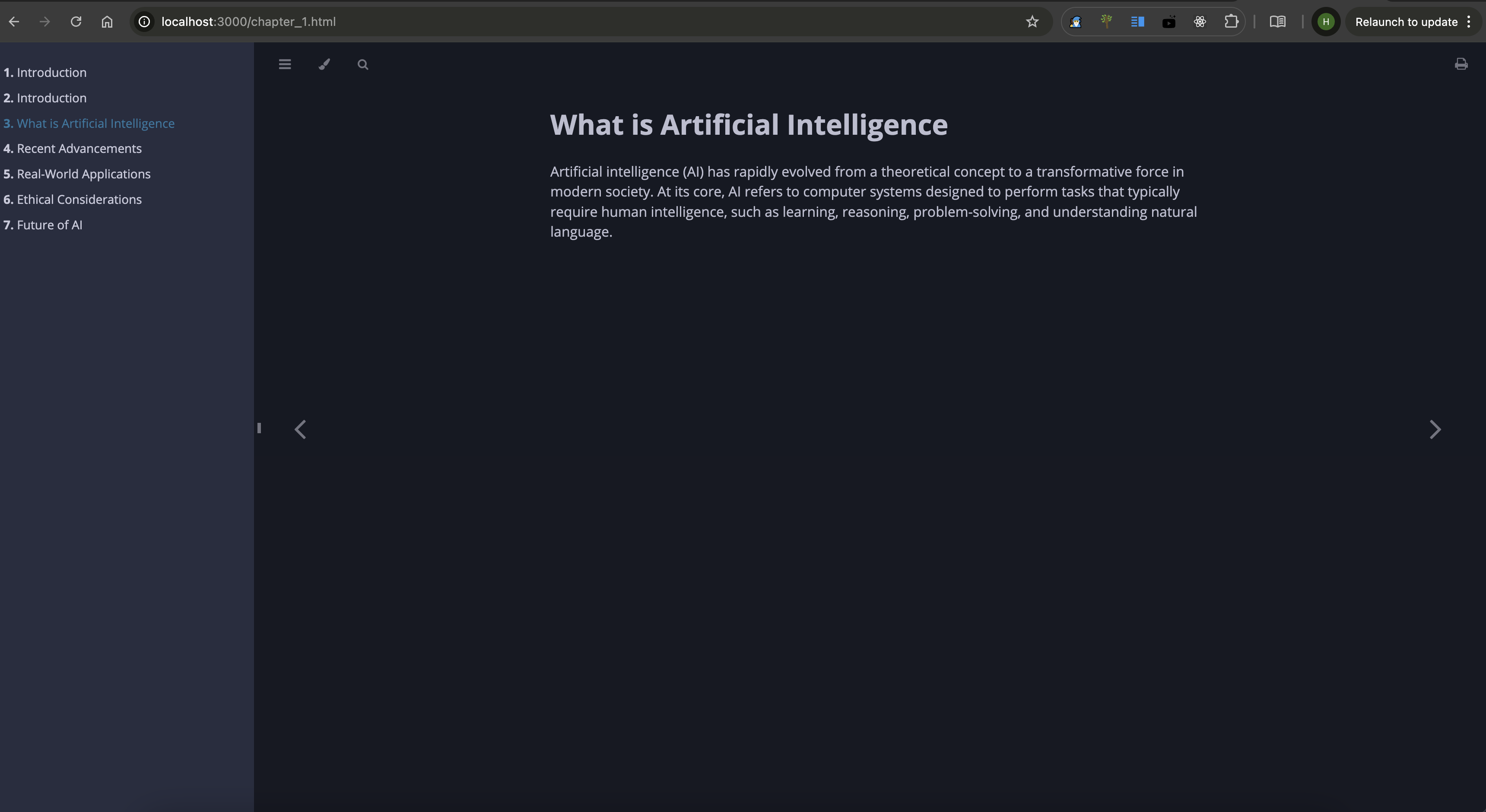
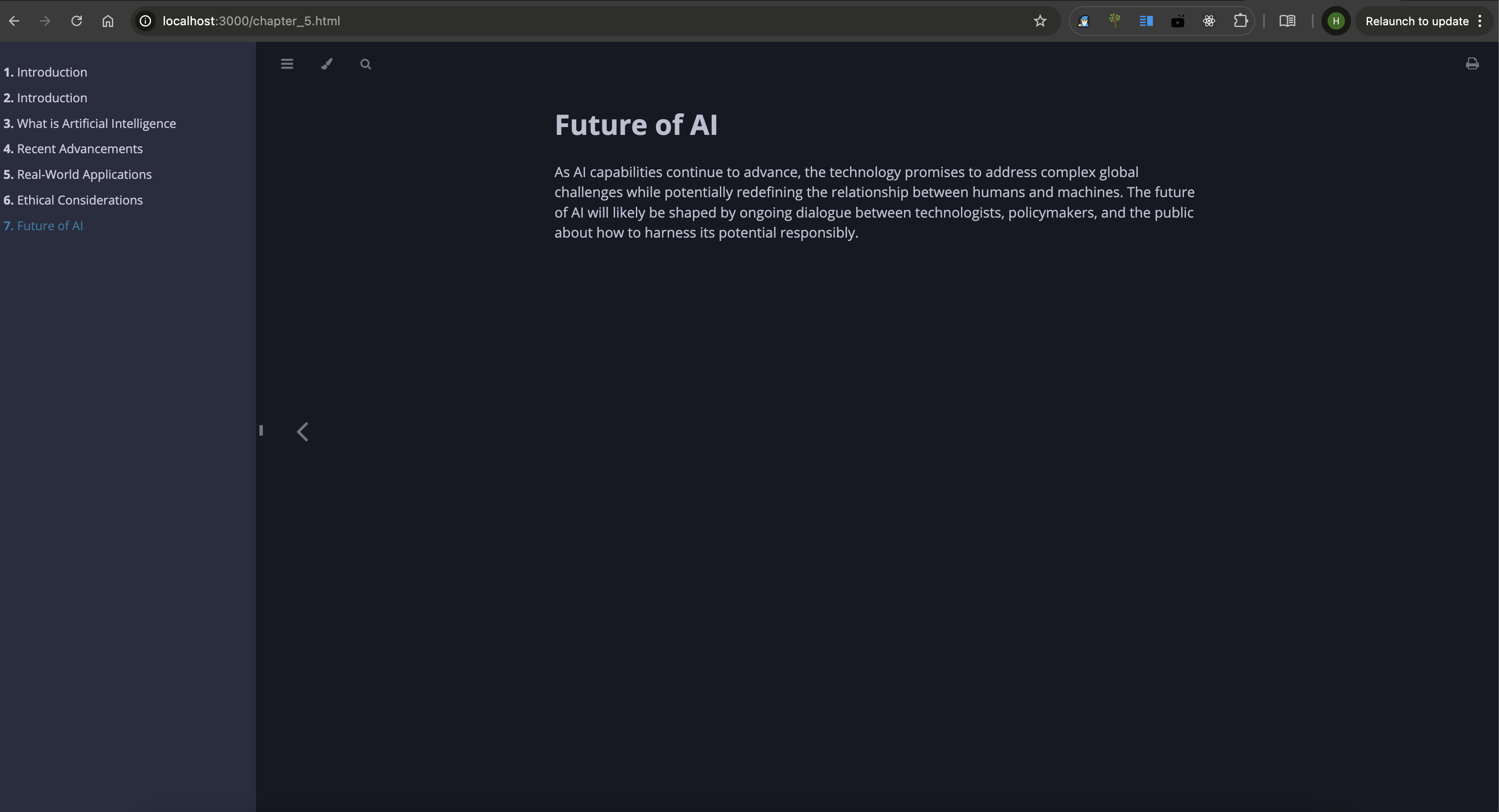
README.mdeSUMMARY.md. O servidor compila o conteúdo em um livro completo.
🧑💻 Demonstração
Demonstração do Notion -
Demonstração do MdBook -
Capturas de tela do MdBook -
🧑💻 Contribuindo
Sinta-se à vontade para abrir issues ou enviar pull requests.
📜 Licença
Jotdown é licenciado sob a Licença MIT. Consulte o arquivo LICENSE para obter detalhes.
📧 Contato
Para suporte ou dúvidas, entre em contato pelo e-mail harishmmp@gmail.com.