RegDataLab – FDA Compliance Data
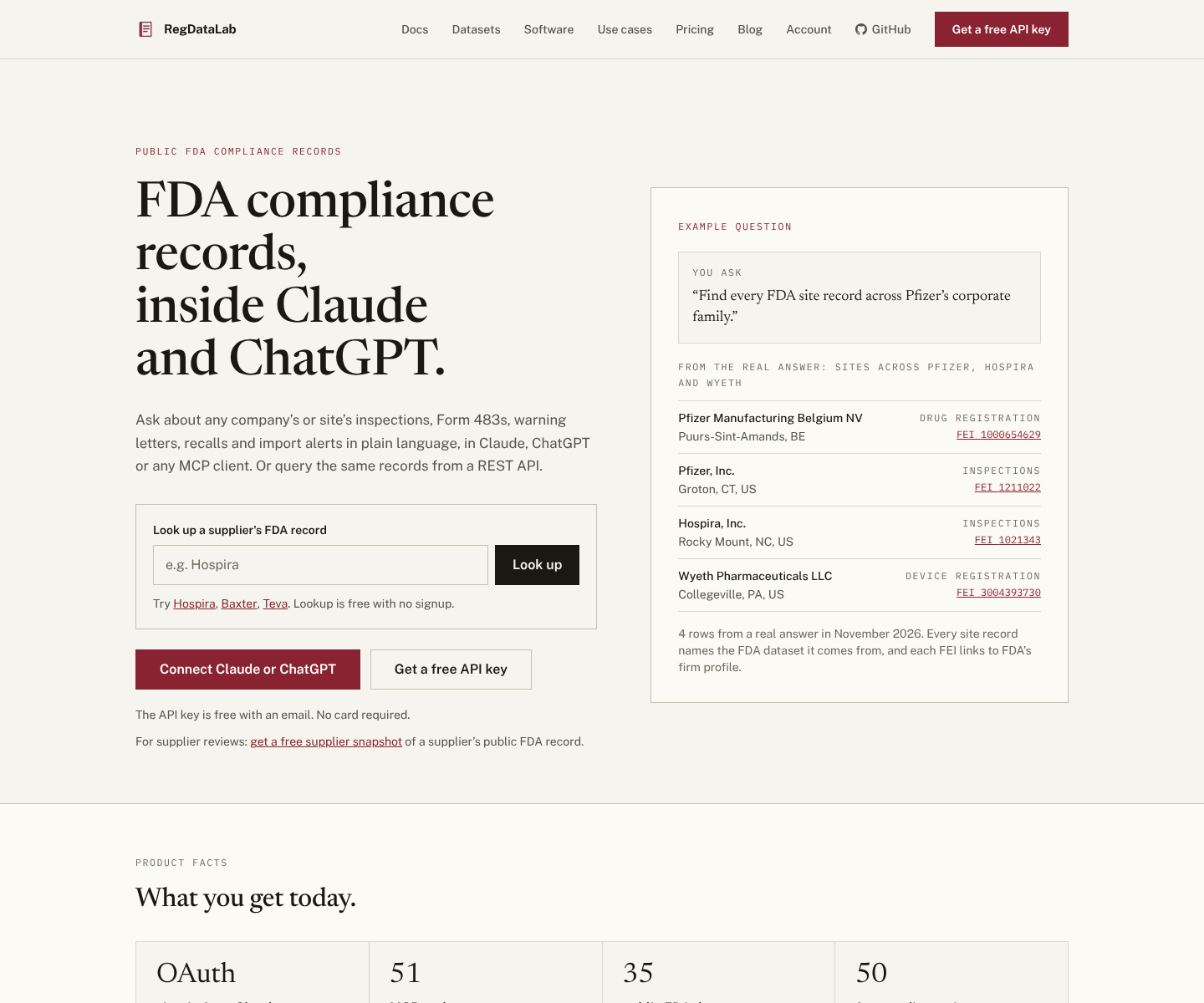
Check any supplier or company against public FDA records: inspections, Form 483s, warning letters, recalls and import alerts across the whole company family, each linked to fda.gov.
Server MCP Terhosting
npx add-mcp 'https://www.regdatalab.com/mcp'Terpasang ke Claude Code, Codex, Cursor, dan lainnya
Dokumentasi
RegDataLab MCP server (fda-data-mcp)
Public FDA compliance records (inspections, Form 483s, warning letters, recalls) linked by company and site, for Claude, ChatGPT, any MCP client or API.
This is the public install and discovery repo for RegDataLab – FDA Compliance Data, the hosted MCP server at https://www.regdatalab.com/mcp. It has 51 read-only tools over 35 public FDA datasets, and every record links back to its FDA source. The npm package keeps the name fda-data-mcp. The private backend, ingestion system, and production data pipeline are not open-sourced here.



One question, the whole company family
Ask about a supplier by the name you know. RegDataLab finds the subsidiaries FDA files under other names, then answers across all of them, with a link to the FDA source on every record.
You ask: "Check Baxter as a supplier."
One call to fda_manufacturing_risk_summary searches Baxter and 21 linked companies, including Hillrom and Welch Allyn:
| Across the Baxter family | |
|---|---|
| Sites | 65 FDA-registered or inspected sites |
| Inspections | 201 on record: 103 NAI, 72 VAI, 26 OAI. Latest OAI: Round Lake, IL, April 2026 |
| Warning letters | 15, most recent September 29, 2026 |
| Form 483s | Latest published: Baxter Healthcare, Round Lake and Baxter Oncology GmbH |
| Recalls | 703 distinct recalls, 324 in the last 5 years |
| Import alerts | 1 red-list entry on Import Alert 66-40 (2014) |
From a real answer on November 12, 2026. Searching FDA's own sites for "Baxter" would miss the Hillrom and Welch Allyn records. NAI, VAI and OAI are FDA's inspection outcomes: no action, voluntary action, official action indicated.
Try it now, no signup
Paste this into a terminal with Claude Code. It uses the shared demo key from the regdatalab.com home page:
claude mcp add regdatalab-demo https://www.regdatalab.com/mcp \
  --transport http \
  --header "Authorization: Bearer fda_demo_GKNDjUOjPbhLZZVPvRHDlY3zP_H3HXzTMRbHVD_I5rg"
Then ask: "Check Baxter as a supplier." The demo key is shared by every visitor and capped at 20 requests per minute and 50 credits per IP address. For your own key, sign up free (50 credits, no card), or add the bare URL and sign in as shown under Quick Start.
The same question in ChatGPT, from question to sourced answer:
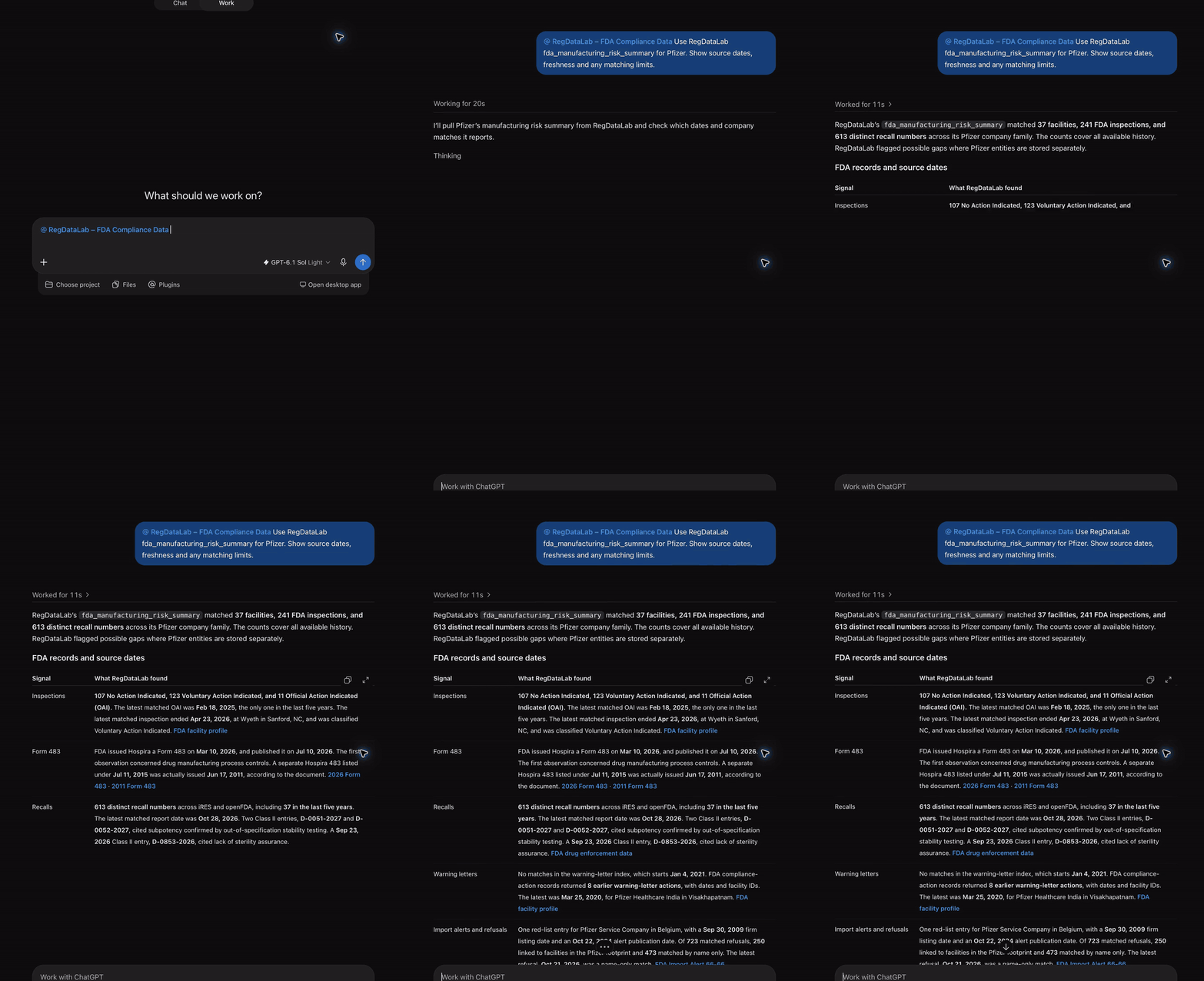
Full walkthrough (4 minutes): regdatalab-chatgpt-review-walkthrough.mp4. No terminal? Look up any company at regdatalab.com.
Quick Links
- Website: regdatalab.com
- MCP endpoint:
https://www.regdatalab.com/mcp - Discovery metadata:
https://www.regdatalab.com/.well-known/mcp.json - Connect guide: regdatalab.com/connect.md
- Product docs: regdatalab.com/docs
- Pricing: regdatalab.com/pricing
- Signup: regdatalab.com/signup
- Changelog: CHANGELOG.md
- Current tool list: regdatalab.com/api
- Postman workspace with ready-made calls: RegDataLab FDA Compliance Data
- Free CSV dataset (FDA warning letters and OAI inspections, 2021-2026, CC0): Hugging Face and Kaggle
- Wrapper package source:
package.json
What It Does
RegDataLab gives AI agents structured access to FDA data for questions like:
- Which facilities does this company operate?
- Has FDA inspected them recently?
- Were those inspections
NAI,VAI, orOAI, and what did the Form 483s cite? - Are there warning letters, recalls, import alerts, import refusals or debarments?
- What does FDA show for 510(k), PMA, Drugs@FDA, NDC, and related regulatory records?
The strongest current use case is manufacturing and compliance intelligence for pharma, biotech, and medtech teams.
Quick Start
The hosted endpoint is https://www.regdatalab.com/mcp. Pick the first path your client supports:
- OAuth sign-in (claude.ai, Claude Desktop, Claude Code, ChatGPT, Cursor, VS Code, Codex and other OAuth-capable clients): add the bare URL and sign in. No key in your config.
- Authorization header (CI, scripts, the OpenAI API, clients without sign-in): send
Authorization: Bearer YOUR_API_KEY. - npx wrapper (stdio-only clients): set
FDA_DATA_API_KEY.
Never put an API key in a URL: the server refuses a key in the query string. The canonical, current client steps are in the connect guide.
claude.ai, Claude Desktop and Cowork
RegDataLab is listed in Claude's connector directory.
- Open Customize > Connectors and search for RegDataLab under Discover, or choose Add custom connector and enter only
https://www.regdatalab.com/mcp. On Team and Enterprise plans an owner adds it in Organization settings > Connectors, then members click Connect. - On the RegDataLab consent page, paste your RegDataLab API key and approve read-only access.
- Turn it on in a chat under + > Connectors.
ChatGPT
RegDataLab is not in ChatGPT's app directory yet, so add it as a custom MCP server: on chatgpt.com open Plugins, click Add, choose Add custom MCP server, enter only https://www.regdatalab.com/mcp with Authentication set to OAuth, and sign in. Your plan or workspace must allow custom MCP servers. Then type @RegDataLab in a chat.
Claude Code
claude mcp add --transport http --scope user regdatalab https://www.regdatalab.com/mcp
Run /mcp, pick regdatalab and choose Authenticate. For CI or a machine with no browser, send the key as a header instead:
claude mcp add regdatalab https://www.regdatalab.com/mcp \
  --transport http \
  --header "Authorization: Bearer YOUR_API_KEY" \
  --scope user
Cursor
Add to ~/.cursor/mcp.json, then open Settings > MCP and click Connect:
{
  "mcpServers": {
    "regdatalab": {
      "url": "https://www.regdatalab.com/mcp"
    }
  }
}
To use an API key instead of signing in (Cursor expands ${env:VAR}):
{
  "mcpServers": {
    "regdatalab": {
      "url": "https://www.regdatalab.com/mcp",
      "headers": { "Authorization": "Bearer ${env:REGDATALAB_API_KEY}" }
    }
  }
}
VS Code

Or add to .vscode/mcp.json or your user mcp.json (the key is servers):
{
  "servers": {
    "regdatalab": {
      "type": "http",
      "url": "https://www.regdatalab.com/mcp"
    }
  }
}
Codex CLI, Codex IDE extension and ChatGPT desktop
codex mcp add regdatalab --url https://www.regdatalab.com/mcp
codex mcp login regdatalab
Windsurf
Add to ~/.codeium/windsurf/mcp_config.json:
{
  "mcpServers": {
    "regdatalab": {
      "serverUrl": "https://www.regdatalab.com/mcp",
      "headers": { "Authorization": "Bearer YOUR_API_KEY" }
    }
  }
}
OpenAI API (Responses)
from openai import OpenAI

client = OpenAI()
response = client.responses.create(
    model="gpt-4.1",
    tools=[{
        "type": "mcp",
        "server_label": "regdatalab",
        "server_url": "https://www.regdatalab.com/mcp",
        "require_approval": "never",  # tools are read-only
        "headers": {"Authorization": "Bearer YOUR_API_KEY"},
    }],
    input="Give me a manufacturing risk summary for Pfizer",
)
print(response.output_text)
Generic MCP clients
- URL:
https://www.regdatalab.com/mcp(Streamable HTTP) - Auth: OAuth 2.1 with PKCE S256 and dynamic client registration (scope
fda:read), or the headerAuthorization: Bearer YOUR_API_KEY(orx-api-key) - Persist the
Mcp-Session-Idreturned byinitialize - Discovery file:
https://www.regdatalab.com/.well-known/mcp.json
npx wrapper (stdio-only clients)
For clients that can only start a local command (needs Node.js 18 or later). In Claude Desktop, the connector you add in claude.ai already appears with nothing to install; use this only for a local stdio setup, such as claude_desktop_config.json:
{
  "mcpServers": {
    "regdatalab": {
      "command": "npx",
      "args": ["-y", "fda-data-mcp"],
      "env": {
        "FDA_DATA_API_KEY": "YOUR_API_KEY"
      }
    }
  }
}
Config file location:
- macOS:
~/Library/Application Support/Claude/claude_desktop_config.json - Windows:
%APPDATA%\Claude\claude_desktop_config.json
Or from a shell: FDA_DATA_API_KEY=YOUR_API_KEY npx -y fda-data-mcp
The wrapper is a zero-dependency stdio-to-HTTP proxy:
- source:
bin/fda-data-mcp.js - proxy:
lib/stdio-proxy.js
The version on npm can lag this repo; see CHANGELOG.md for what each published version contains.
If you do not have an API key yet, sign up at regdatalab.com/signup. A new key starts with 50 credits; verifying your email unlocks 300 free credits a month.
Example Prompts
Give me a manufacturing risk summary for Pfizer.Show recent VAI and OAI inspections for Moderna.Summarize recalls, compliance actions, and import refusals for Thermo Fisher.What does FDA have on this company across facilities, inspections, and enforcement?
Data Coverage
RegDataLab reads 35 public FDA datasets, including:
- FDA inspections and inspection classifications (NAI, VAI, OAI)
- Form 483 citations by CFR section
- warning letters, untitled letters and other compliance actions
- recalls and enforcement reports
- import alerts and import refusals
- debarments
- facility registrations and product listings (drugs and devices)
- 510(k) clearances, De Novo grants and PMA approvals
- Drugs@FDA, NDC directory, NSDE and drug labels
- device classification and UDI records
- drug and device shortages
- adverse event reports
- MES, QMS and LIMS software vendor evidence (
software_*tools)
Company lookups match legal names, former names and common short names (for example "Philips"), and can widen to a company's corporate family.
For the current tool list and dataset freshness, use:
Auth and Pricing
- Sign up for an API key at regdatalab.com/signup
- OAuth-capable clients: add the bare URL and sign in; no key in your config
- Other HTTP clients: send the
Authorization: Bearer YOUR_API_KEYheader - The npx wrapper: set
FDA_DATA_API_KEY=YOUR_API_KEY - Never put a key in a URL or in an issue report
- Each tool call uses credits; calls that fail on bad input or a server error are free
- A new account starts with 50 credits; verifying your email adds 300 free credits a month. No card required
- Paid plans are listed at regdatalab.com/pricing
Why This Repo Exists
This repo is intentionally public and lightweight so it can serve as:
- the GitHub landing page for the hosted MCP
- a stable place for setup examples
- the home of the official MCP Registry entry (
server.json, see REGISTRY.md) and thefda-data-mcpnpm wrapper
The production backend and ingestion engine live separately.
Data source and independence
RegDataLab is an independent data product, not affiliated with, endorsed by, or sponsored by the U.S. Food and Drug Administration. Data provided by the U.S. Food and Drug Administration, through openFDA and other public FDA sources. RegDataLab does not provide medical advice. RegDataLab is operated by Wasatch Crest Holdings LLC.
Support
- Docs: regdatalab.com/docs
- Connect: regdatalab.com/connect.md
- Email: hello@regdatalab.com
Changelog and Releases
- Version history lives in CHANGELOG.md
Security
If you find a security issue, do not open a public issue. Use the policy in SECURITY.md.