Modal MCP Toolbox
A collection of Model Context Protocol (MCP) tools that run on the Modal cloud platform.
Modal MCP Toolbox 🛠️
A collection of Model Context Protocol (MCP) tools that run on Modal. This let's you extend the capabilities of your LLM in tools such as Goose or the Claude Desktop App.
Tools
run_python_code_in_sandbox: Let's you run python code in a sandboxed environment.generate_flux_image: Generate an image using the FLUX model.
Demo
Flux Image Generation
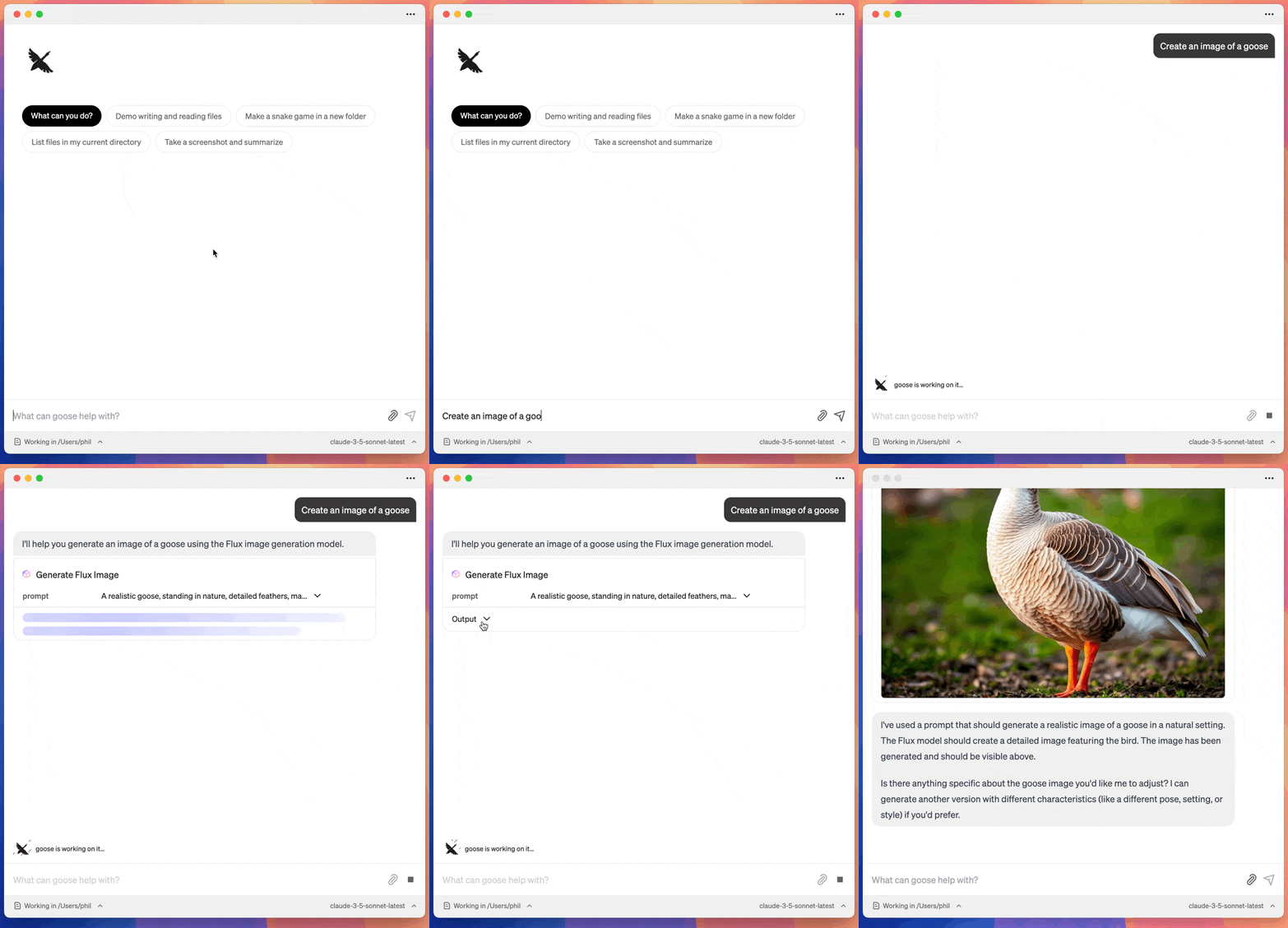
Python Code Execution
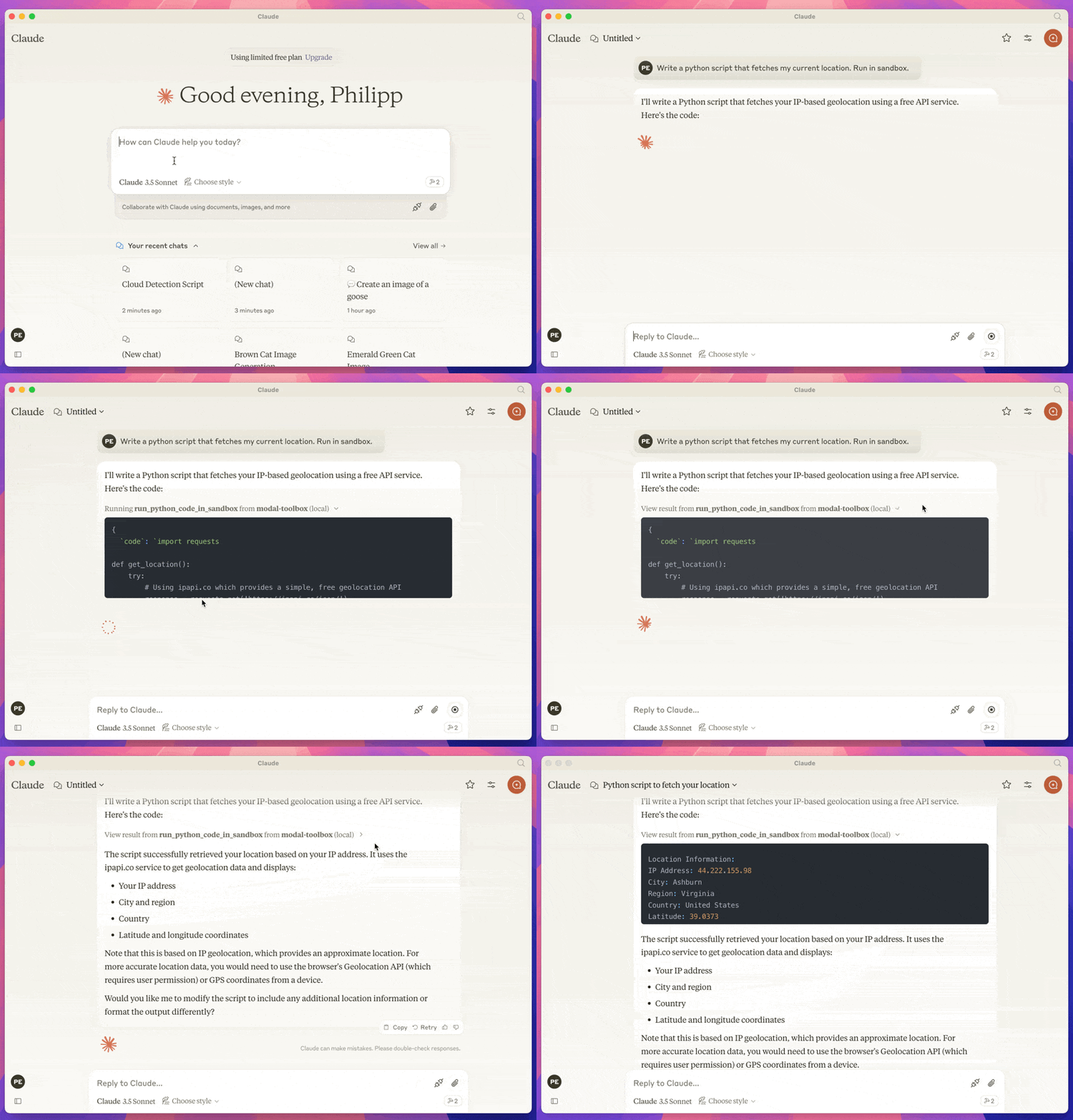
Prerequisites
- A modal account and a configured modal CLI.
- UV
- A client that supports MCP. Such as the Claude Desktop App or Goose
This runs against your modal account, so you will need to have a modal account and be logged in.
Installation
Installation depends on the client that uses the MCP. Here is instructions for Claude and Goose.
Claude
Got to Settings > Developer in the Claude Desktop App. And click on Edit Config.
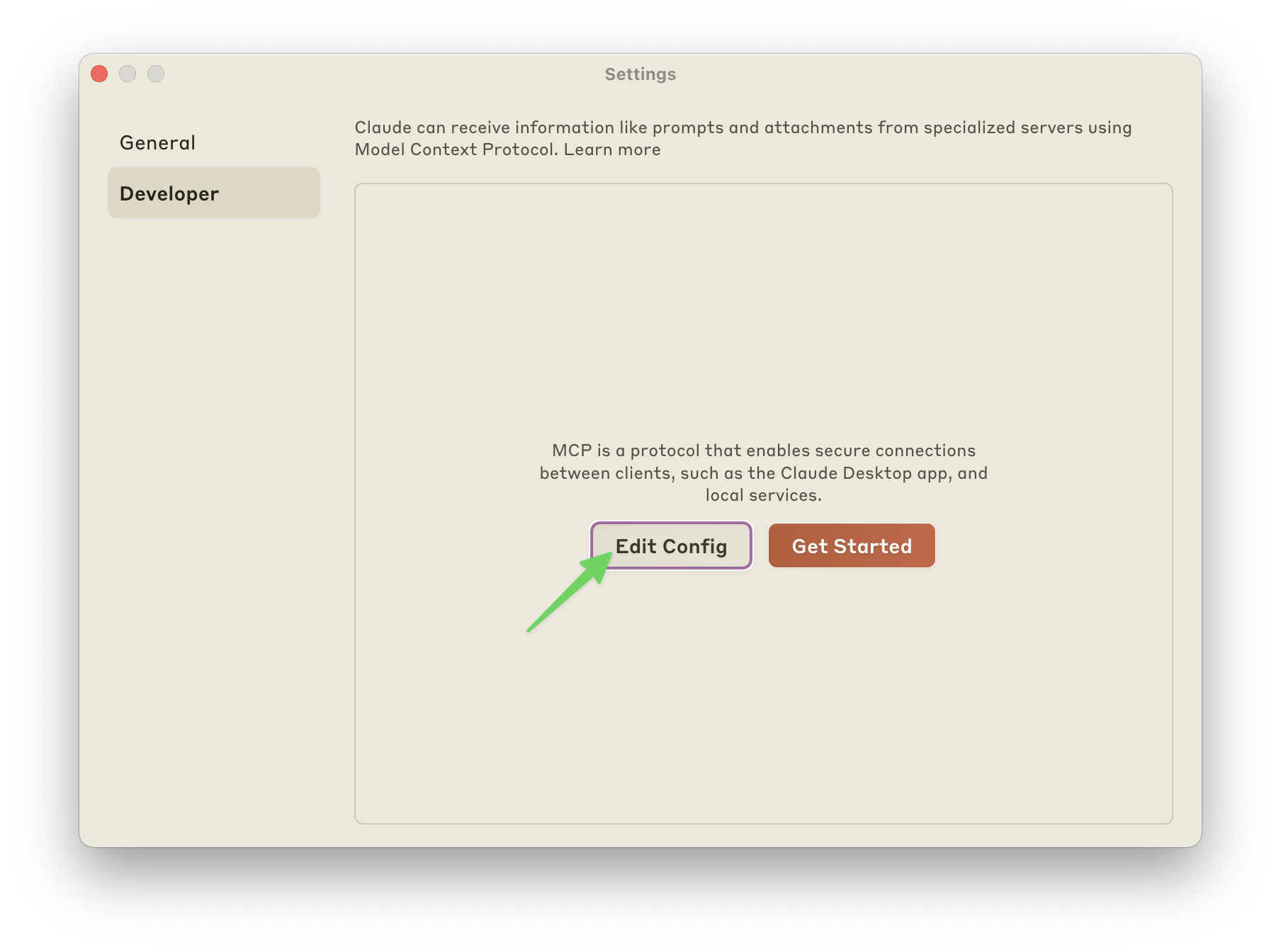
Add the config for the mcp server. My config looks like this:
{
"mcpServers": {
"modal-toolbox": {
"command": "uvx",
"args": ["modal-mcp-toolbox"]
}
}
}
Goose
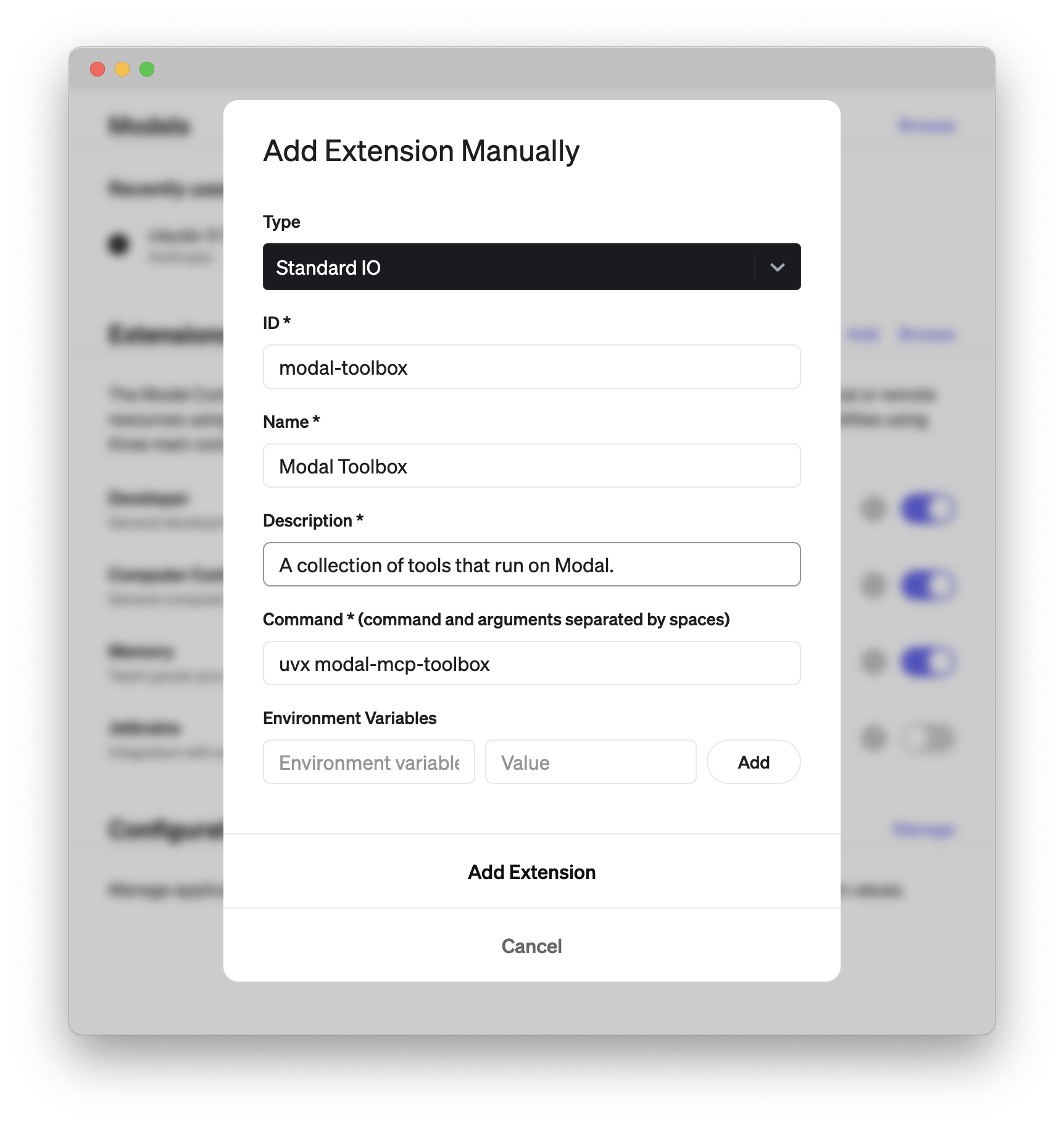
Go to Settings and Click on Add.
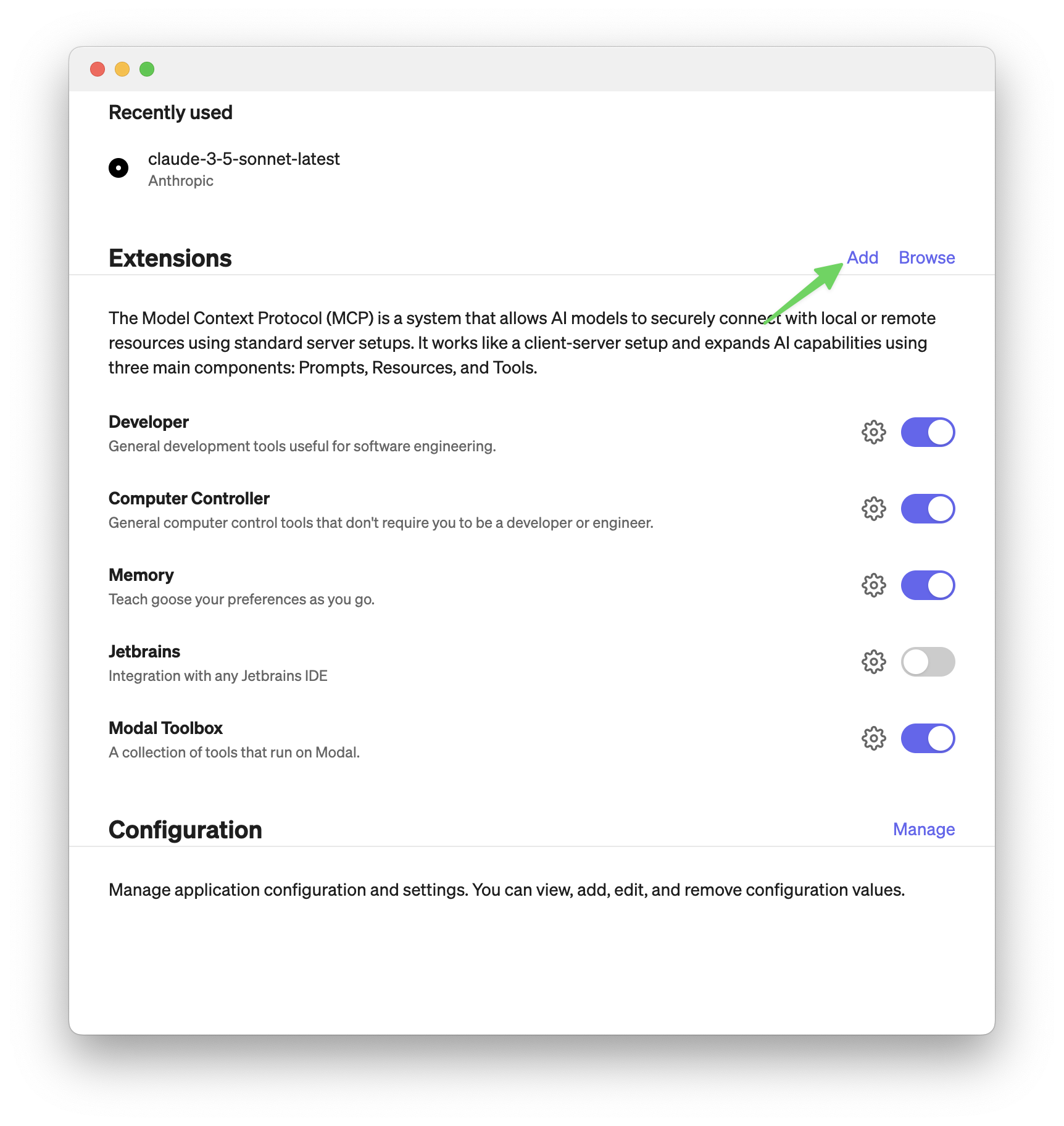
Then add an extension like in the screenshot below. The important part is to set command to:
uvx modal-mcp-toolbox
The rest you can fill in as you like.
Installing via Smithery (not working currently)
To install Modal MCP Toolbox for Claude Desktop automatically via Smithery:
npx -y @smithery/cli install @philipp-eisen/modal-mcp-toolbox --client claude
Server Terkait
Bitrix24
The Bitrix24 MCP Server is designed to connect external systems to Bitrix24. It provides AI agents with standardized access to Bitrix24 features and data via the Model Context Protocol (MCP). The MCP server enables external AI systems to interact with Bitrix24 modules through a single standardized interface. You can connect the Bitrix24 MCP Server to the AI model you already use and manage Bitrix24 directly from it. The MCP server allows actions to be performed and data to be retrieved strictly within the access rights configured in your Bitrix24: the AI agent receives only the information and capabilities that are explicitly requested and authorized. Interaction with the Tasks module is supported (the list of supported modules and available actions is gradually expanding).
Infactory MCP Server
Interact with Infactory APIs using Claude and other large language models.
CoinGecko Server
An MCP server for accessing real-time cryptocurrency data from the CoinGecko Pro API.
ElevenLabs
Text-to-speech integration using the ElevenLabs API.
Coincheck MCP Server
Integrates with the Coincheck cryptocurrency exchange API.
Vulpes Spotify
Interact with Spotify to search for and play tracks using an AI assistant.
MCP Force
Exposes Salesforce APIs as tools for AI agents.
ArgoCD MCP Server
Manage ArgoCD applications and resources using natural language through its API integration.
Workers MCP
An MCP transport for interacting with your own Cloudflare Worker.
Alpha Ticker MCP
Streams real-time Binance Alpha token prices and liquidity data for AI agents and workflows.