Open Ephemeris
Sub-arcsecond astrology and astronomy from the NASA JPL DE440 ephemeris: natal charts, synastry, transits, moon phases, eclipses, Human Design, Vedic, BaZi and astrocartography as 92 typed tools, with interactive charts that render inline in Claude and ChatGPT. Local via npx @openephemeris/mcp-server or hosted at https://mcp.openephemeris.com/mcp (OAuth). Also a one-click app in the ChatGPT app directory.
Server MCP Terhosting
npx add-mcp 'https://mcp.openephemeris.com/mcp'Terpasang ke Claude Code, Codex, Cursor, dan lainnya
Dokumentasi

Available in ChatGPT · Works with Claude
Give Claude or ChatGPT a living sky to query.
Claude and ChatGPT already know how to hold a conversation. Now they can look up. Ask about tonight's sky, someone's chart, the next eclipse — and the answer comes from NASA JPL DE440, the ephemeris kernel used for spacecraft navigation, instead of being made up.
92 tools
things it can look up
NASA JPL DE440
every number computed from it
One click
to connect it
Claude · connected to OpenEphemerislive
Draw my birth chart — March 21 1990, noon, London.
ephemeris_chart_wheel 1.2s
Here's your chart. Sun at 0°36′ Aries — you were born within an hour of the spring equinox. Want me to look at your transits next?
Actual API output — not a mock-up
Connect Claude or ChatGPT
One connector, about thirty seconds. Signing in creates your free account — nothing to install.
Zero install
Connect Claude or ChatGPT in ~30 seconds
One remote MCP server behind both. No download, no API key — OAuth handles sign-in and creates your account on first connect. The interactive charts render inline in either one.
-
1Click "Install in ChatGPT" — it opens the Open Ephemeris listing in the ChatGPT app directory.
-
2Click "Install plugin".
-
3Approve the sign-in — that also creates your free OpenEphemeris account. Then type @Open Ephemeris in any chat.
-
1Click "Add to Claude" — it copies the URL and opens Settings → Connectors.
-
2Click "Add custom connector" and paste the URL (Ctrl/⌘+V).
-
3Leave the OAuth Client ID and Secret blank, click "Add", and approve the sign-in — that also creates your free OpenEphemeris account.
Open Ephemeris is an approved app in the ChatGPT app directory — any ChatGPT plan can install it. Custom connectors on claude.ai require a paid Claude plan (Pro or higher); on the Claude desktop app and Claude Code, all plans work.
Using Claude Desktop, Cursor, or another client? See all setup options →
On Claude's free plan? Use the Claude Desktop config below — every plan works there.
Your birth data never trains a model — we don't sell it, share it, or feed it to anyone. Privacy policy
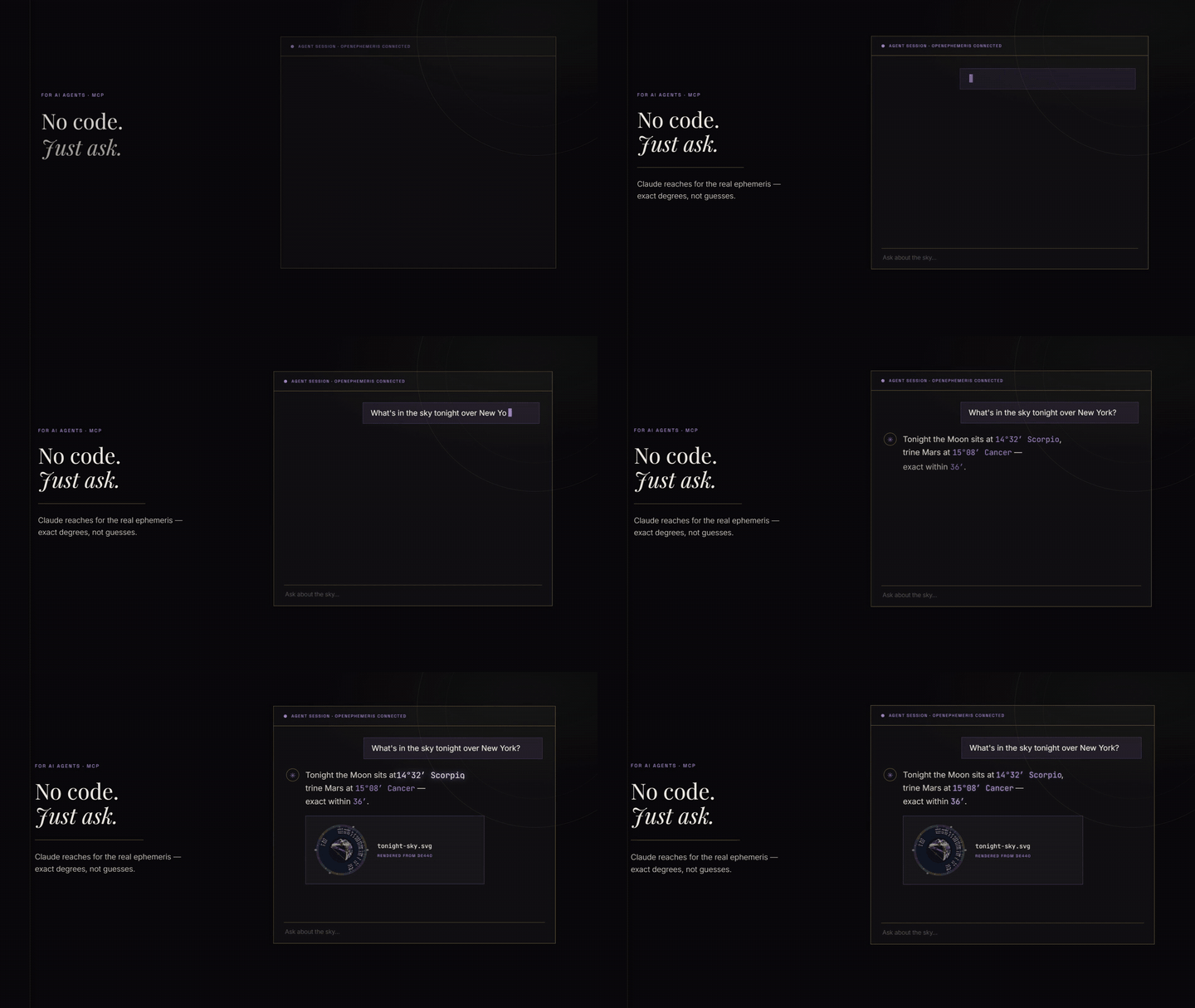
Say it plainly. It handles the rest.
You ask in your own words. Claude or ChatGPT picks the right tool, sends the right parameters, and answers from computed data.
“What's in the sky right now?”
A live snapshot of every planet, tonight.
current_sky_snapshot
“Draw my birth chart.”
An interactive wheel you can click and explore.
explore_natal_chart
“Are we actually compatible?”
Two charts, honestly compared.
ephemeris_synastry
“Where on Earth am I luckiest?”
Your planetary lines drawn across the map.
acg_power_lines
“Any big transits hitting me this month?”
Exact dates, not vague vibes.
ephemeris_natal_transits
“What's my Human Design type?”
An interactive bodygraph — type, strategy, authority.
explore_human_design
“When is the next eclipse?”
Down to the minute, anywhere on Earth.
ephemeris_next_eclipse
“Read my Chinese four pillars.”
BaZi chart with Ten Gods and luck pillars.
chinese_bazi
Free to start. Pennies to keep going.
Every account starts with 150 free credits — about 150 natal charts, no card. Richer questions cost more credits (synastry 3, maps 10). When they run low, top up your wallet for a few dollars. No subscription, no monthly bill. Credits never expire.
$5
150 credits
≈ 150 natal charts
$10
350 credits
≈ 350 natal charts
$20
900 credits
≈ 900 natal charts
Pay only for what you use
Using a different client?
All 92 tools work in Claude Desktop, Claude Code, Cursor, Windsurf, ChatGPT, and any MCP-compatible client — one build, one server. In Claude and ChatGPT the charts render inline; elsewhere the same data arrives as text.
{
  "mcpServers": {
    "openephemeris": {
      "command": "npx",
      "args": ["-y", "@openephemeris/mcp-server"]
    }
  }
}
Settings → Developer → Edit Config. Paste, save, restart. No API key required — first tool call prompts you to link your account.
Self-hosted and CLI clients authenticate with an API key from your dashboard. Free Explorer tier — 150 credits to start (one-time), no card required.
Your client will list about 36 tools, not 92
That's on purpose. A long tool list eats context and makes assistants pick badly, so a fresh connection advertises a focused everyday set — one interactive app per tradition, the main data tool per domain, and geocoding. Nothing is removed: all 92 tools stay callable by name, and dev_list_allowed lists what else is reachable.
New: work in one tradition? Ask for it by name and pay a fraction of the context — ?profile=hd advertises Human Design in full at ~60% fewer tokens per message than the default set. Combine with commas (hd,bazi):
astrologymoonhdbazivedicacgelectionalvenus
Want everything advertised up front? Ask for the full catalog:
- Local (npx):
OPENEPHEMERIS_TOOLS=fullin the server'senvblock - Hosted URL:
https://mcp.openephemeris.com/mcp?profile=full
The surface is fixed when the session starts — reconnect after changing it.
Frequently Asked Questions
What is an astrology MCP server?+
An MCP (Model Context Protocol) server is a connector that gives AI assistants callable tools. The OpenEphemeris MCP server carries 92 astrology tools — natal charts, transits, synastry, astrocartography, Human Design, and BaZi — so your assistant answers from real computed data backed by NASA JPL DE440 instead of guessing.
How do I connect Claude or ChatGPT to real astrology data?+
On claude.ai, add the OpenEphemeris connector in one click — signing in creates your free account, nothing to install. On Claude Desktop, paste a short JSON config; in Claude Code, run one terminal command. In ChatGPT, open Open Ephemeris in the app directory and click Install plugin — it is an approved ChatGPT app, so there is no URL to paste and no developer mode. Your first tool call prompts you to link your account — no API key needed to start.
Does it work with ChatGPT, Cursor, and other MCP clients?+
Yes. All 92 tools work in Claude Desktop, Claude Code, Cursor, Windsurf, ChatGPT, and any MCP-compatible client — one build serves all of them. The interactive chart apps render inline in both Claude and ChatGPT; other clients receive the same computed data as text. Clients that accept a hosted MCP URL connect to mcp.openephemeris.com/mcp with an API key in the X-API-Key header.
Why does my client only list about 36 tools?+
That is the default tool surface, and it is deliberate. A connection advertises about 36 everyday tools — one interactive app per tradition, the main data tool per domain, geocoding — because a shorter list makes the assistant pick better. Nothing is removed: all 92 tools stay callable by name, and dev_list_allowed enumerates the rest. To advertise the whole catalog, run the package with OPENEPHEMERIS_TOOLS=full, or add?profile=full to the hosted URL. You can also scope the surface to a tradition —?profile=hd, or a comma list like hd,bazi — and pay a fraction of the context for that tradition covered in full.
Is there a free trial?+
Yes. Every account starts with 150 free trial credits — about 150 natal charts — no credit card required. Credits never expire, and you can top up your wallet from $5 when they run low.
Want the full story? Read the connector announcement.