MCP Sharepoint (aisuru)
Server Model Context Protocol (MCP) yang mengekspos fungsionalitas inti Microsoft SharePoint / Microsoft Graph API sebagai alat yang dapat digunakan oleh agen LLM (misalnya Claude Desktop).
Dokumentasi
mcp-sharepoint
A Model Context Protocol (MCP) server that exposes core Microsoft SharePoint / Microsoft Graph API functionalities as tools usable by LLM agents (e.g. Claude Desktop).
This server is designed with an agent-first approach:
- no direct access to the local filesystem
- deterministic inputs and outputs
✨ Features
The server allows an agent to:
📁 Folder management
A path can/must be passed as an argument
For Windows users, always use forward slashes /
- List folders
- Create new folder
- Delete folder (only if empty)
- Retrieve the folder tree structure
📄 Document management
A path can/must be passed as an argument
For Windows users, always use forward slashes /
- List documents
- Read document content (PDF, Word, Excel, PowerPoint)
- Upload new document (text or binary)
- Update an existing document (replace the full content)
- Delete document
🔐 Prerequisites
- Node.js
- A Microsoft 365 tenant
- An app registered in Microsoft Entra ID with Graph permissions and/or active users with configured permissions
Recommended Graph permissions for app
Sites.Read.All
Sites.ReadWrite.All
Files.Read.All
Files.ReadWrite.All
⚠️ Both Application permissions and Delegated permissions are supported
- The agent must send the authMode variable to tell the mcp-server to use the Applicazion permissions or the Delegated permissions
- All operations are performed via Microsoft Graph
🧭 Step by step guide to register an app
if you already have an app registered, you can skip this part
- Go to your Microsoft Entra website
https://entra.microsoft.com/... - Click on the left menu on "app registration"
- Click on "New registration"
- Insert a name of your liking and click "Register"
🧭 Step by step guide to authorizations
if you already have authorizations set, you can skip this part
- Go to your Microsoft Entra website
https://entra.microsoft.com/... - On the left menu click on "app registration"
- Click on you registered app in the table
- On the second left menu click on "API authorizations"
- Click on "Add authorization"
- Click on "Microsoft Graph"
- Click on "Application authorization" or "Delegated authorization"
- If this is your first time, or you are not familiar with authorizations, type in the search bar "sites"
- Select "Sites.FullControl.All" and select "Add authorizations"
⚠️This authorization gives full control to the app, it is recommended to use the least privilege authorization needed
- Click on "Consent admin acces for name", and then click yes
🧭 Step by step guide to obtain the parameters for sharepoint
if you already know the client_id, client_secret, tenant_id, site_id, drive_id, list_id, you can skip this part
client_id, client_secret, tenant_id are needed only for the Application permissions
- On Microsoft Entra website
https://entra.microsoft.com/, on the left menu click on "app registration" - Click on you registered app in the table
- On top infos you can see the client id and tenant id as ID application (client) and ID directory (tenant)
- Click on "Client credentials: 0 certificates, 0 secrets"
- Click on "New client secret"
- Insert the desired description and expire time, and click "Add"
- In the table there will be the new client secret, copy the "Value" field.
⚠️You can copy it only once, after you will not be able to see the "Value" again
- The copied "Value" is the client secret
- Make this request to obtain an access_token needed for the successive requests:
curl --request POST \
  --url "https://login.microsoftonline.com/<TENANT_ID>/oauth2/v2.0/token" \
  --header "Content-Type: application/x-www-form-urlencoded" \
  --data-urlencode "client_id=<CLIENT_ID>" \
  --data-urlencode "client_secret=<CLIENT_SECRET>" \
  --data-urlencode "scope=https://graph.microsoft.com/.default" \
  --data-urlencode "grant_type=client_credentials"
The response is a json, you only need the attribute "access_token"
10. Make this request to obtain the site id, the domain name and site name can be seen on the URL in your Sharepoint site: https://<DOMAIN_NAME>.sharepoint.com/sites/<SITE_NAME>/...
curl -X GET "https://graph.microsoft.com/v1.0/sites/<DOMAIN_NAME>.sharepoint.com:/sites/<SITE_NAME>?select=id" \
  -H "Authorization: Bearer <ACCESS_TOKEN>" \
  -H "Accept: application/json"
The response is a json, you only need the attribute "id"
11. Make this request to obtain the drive id
curl -X GET "https://graph.microsoft.com/v1.0/sites/<SITE_ID>/drives?select=id,name" \
  -H "Authorization: Bearer <ACCESS_TOKEN>" \
  -H "Accept: application/json"
The response is a json, the attribute "value" is an array of json, each json is a different drive, you only need the attribute "id"
12. Make this request to obtain the list id
curl -s -X GET "https://graph.microsoft.com/v1.0/sites/<SITE_ID>/lists?select=id,displayName" \
  -H "Authorization: Bearer <ACCESS_TOKEN>" \
  -H "Accept: application/json"
The response is a json, the attribute "value" is an array of json, each json is a different list, you only need the attribute "id"
🧭 Step by step guide to add custom attributes/columns to Sharepoint
This is optional, you can search in the default attributes/columns
- Go to your Sharepoint website
https://<DOMAIN_NAME>.sharepoint.com/sites/<SITE_NAME>/... - On the left menu, click on "Documents"
- On the right, after the columns, click on "+ Add column"
- Select the desired type for the new column, a safe choice is "Multiple lines of text"
- Enter the name of the new column, other fields are optional and not required
- Click on "Save"
⚙️ Configuration
The authorization is obtained using app variables for the Application permission, or access token for the Delegated permission.
Application permissions handle every request in the same way, referring to the permissions set on Microsoft Entra ID.
Delegated permissions refer to the permissions associated with the user that is asking the agent to make the request, identified with a login.
These variables must be provided in every request.
Auth mode variable (optional, backward compatible)
| Variable | Description |
|---|---|
authMode | "application" or "delegated". Optional: defaults to "application" when omitted, so existing installations keep working unchanged. |
Required app variables if authMode=application
| Variable | Description |
|---|---|
tenantId | Microsoft Entra directory tenant ID |
clientId | Microsoft Entra app client ID |
clientSecret | Microsoft Entra client secret |
Required delegated variable if authMode=delegated
| Variable | Description |
|---|---|
accessToken | User token after the login |
Other common variables needed. These depends on the Sharepoint you are using.
| Variable | Description |
|---|---|
siteId | Sharepoint full site ID |
driveId | Sharepoint drive ID |
listId | Sharepoint list ID |
🧰 Available MCP tools
📁 Folders
getFolders
List folders in a given path.
Input:
{
  "name": "authMode",
  "type": "string",
  "required": "true",
  "description": "auth mode to use",
  "example": "application" || "delegated"
},
{
  "name": "accessToken",
  "type": "string",
  "required": "false (true if authMode=delegated)",
  "description": "access token of user login",
  "example": "eyJ0eXAiOiJKV1Q..."
},
{
  "name": "clientId",
  "type": "string",
  "required": "false (true if authMode=application)",
  "description": "The application (client) ID",
  "example": "ab12cd34-e5f6-g7h8-i9j9-ab12cd34e5f6"
},
{
  "name": "clientSecret",
  "type": "string",
  "required": "false (true if authMode=application)",
  "description": "The client secret",
  "example": "1~A1B~aB12Cd34E5f6aB12cd34E5f6ab~d37cD37"
},
{
  "name": "tenantId",
  "type": "string",
  "required": "false (true if authMode=application)",
  "description": "The directory (tenant) ID",
  "example": "ab12cd34-e5f6-g7h8-i9j9-ab12cd34e5f6"
},
{
  "name": "siteId",
  "type": "string",
  "required": "true",
  "description": "The ID of the SharePoint site",
  "example": "namexyz.sharepoint.com,ab12cd34-e5f6-g7h8-i9j9-ab12cd34e5f6,fb12cd34-e5f6-g7h8-i9j9-ab12cd34e5f9"
},
{
  "name": "driveId",
  "type": "string",
  "required": "true",
  "description":" The ID of the drive within the SharePoint site",
  "example": "f!aB12Cd34E5f6aB12cd34E5f6abd37cD37aB12Cd34E5f6aB12cd34E5f6abd3712"
},
{
  "name": "path",
  "type": "string",
  "required": "true",
  "description": "The path in SharePoint to retrieve folders from",
  "example": "cartella_1/cartella_2"
}
createFolder
Create a new folder.
Input:
{
  "name": "authMode",
  "type": "string",
  "required": "true",
  "description": "auth mode to use",
  "example": "application" || "delegated"
},
{
  "name": "accessToken",
  "type": "string",
  "required": "false (true if authMode=delegated)",
  "description": "access token of user login",
  "example": "eyJ0eXAiOiJKV1Q..."
},
{
  "name": "clientId",
  "type": "string",
  "required": "false (true if authMode=application)",
  "description": "The application (client) ID",
  "example": "ab12cd34-e5f6-g7h8-i9j9-ab12cd34e5f6"
},
{
  "name": "clientSecret",
  "type": "string",
  "required": "false (true if authMode=application)",
  "description": "The client secret",
  "example": "1~A1B~aB12Cd34E5f6aB12cd34E5f6ab~d37cD37"
},
{
  "name": "tenantId",
  "type": "string",
  "required": "false (true if authMode=application)",
  "description": "The directory (tenant) ID",
  "example": "ab12cd34-e5f6-g7h8-i9j9-ab12cd34e5f6"
},
{
  "name": "siteId",
  "type": "string",
  "required": "true",
  "description": "The ID of the SharePoint site",
  "example": "namexyz.sharepoint.com,ab12cd34-e5f6-g7h8-i9j9-ab12cd34e5f6,fb12cd34-e5f6-g7h8-i9j9-ab12cd34e5f9"
},
{
  "name": "driveId",
  "type": "string",
  "required": "true",
  "description":" The ID of the drive within the SharePoint site",
  "example": "f!aB12Cd34E5f6aB12cd34E5f6abd37cD37aB12Cd34E5f6aB12cd34E5f6abd3712"
},
{
  "name": "path",
  "type": "string",
  "required": "true",
  "description": "The parent path where the folder will be created",
  "example": "cartella_1/cartella_2"
},
{
  "name": "folderName",
  "type": "string",
  "required": "true",
  "description": "The name of the new folder to create",
  "example": "cartella_3"
}
deleteFolder
Delete a folder only if it is empty.
Input:
{
  "name": "authMode",
  "type": "string",
  "required": "true",
  "description": "auth mode to use",
  "example": "application" || "delegated"
},
{
  "name": "accessToken",
  "type": "string",
  "required": "false (true if authMode=delegated)",
  "description": "access token of user login",
  "example": "eyJ0eXAiOiJKV1Q..."
},
{
  "name": "clientId",
  "type": "string",
  "required": "false (true if authMode=application)",
  "description": "The application (client) ID",
  "example": "ab12cd34-e5f6-g7h8-i9j9-ab12cd34e5f6"
},
{
  "name": "clientSecret",
  "type": "string",
  "required": "false (true if authMode=application)",
  "description": "The client secret",
  "example": "1~A1B~aB12Cd34E5f6aB12cd34E5f6ab~d37cD37"
},
{
  "name": "tenantId",
  "type": "string",
  "required": "false (true if authMode=application)",
  "description": "The directory (tenant) ID",
  "example": "ab12cd34-e5f6-g7h8-i9j9-ab12cd34e5f6"
},
{
  "name": "siteId",
  "type": "string",
  "required": "true",
  "description": "The ID of the SharePoint site",
  "example": "namexyz.sharepoint.com,ab12cd34-e5f6-g7h8-i9j9-ab12cd34e5f6,fb12cd34-e5f6-g7h8-i9j9-ab12cd34e5f9"
},
{
  "name": "driveId",
  "type": "string",
  "required": "true",
  "description":" The ID of the drive within the SharePoint site",
  "example": "f!aB12Cd34E5f6aB12cd34E5f6abd37cD37aB12Cd34E5f6aB12cd34E5f6abd3712"
},
{
  "name": "path",
  "type": "string",
  "required": "true",
  "description": "The path to the folder to delete",
  "example": "cartella_1/cartella_2/cartella_3"
}
getFolderTree
Retrieve the folder tree structure.
Input:
{
  "name": "authMode",
  "type": "string",
  "required": "true",
  "description": "auth mode to use",
  "example": "application" || "delegated"
},
{
  "name": "accessToken",
  "type": "string",
  "required": "false (true if authMode=delegated)",
  "description": "access token of user login",
  "example": "eyJ0eXAiOiJKV1Q..."
},
{
  "name": "clientId",
  "type": "string",
  "required": "false (true if authMode=application)",
  "description": "The application (client) ID",
  "example": "ab12cd34-e5f6-g7h8-i9j9-ab12cd34e5f6"
},
{
  "name": "clientSecret",
  "type": "string",
  "required": "false (true if authMode=application)",
  "description": "The client secret",
  "example": "1~A1B~aB12Cd34E5f6aB12cd34E5f6ab~d37cD37"
},
{
  "name": "tenantId",
  "type": "string",
  "required": "false (true if authMode=application)",
  "description": "The directory (tenant) ID",
  "example": "ab12cd34-e5f6-g7h8-i9j9-ab12cd34e5f6"
},
{
  "name": "siteId",
  "type": "string",
  "required": "true",
  "description": "The ID of the SharePoint site",
  "example": "namexyz.sharepoint.com,ab12cd34-e5f6-g7h8-i9j9-ab12cd34e5f6,fb12cd34-e5f6-g7h8-i9j9-ab12cd34e5f9"
},
{
  "name": "driveId",
  "type": "string",
  "required": "true",
  "description":" The ID of the drive within the SharePoint site",
  "example": "f!aB12Cd34E5f6aB12cd34E5f6abd37cD37aB12Cd34E5f6aB12cd34E5f6abd3712"
},
{
  "name": "path",
  "type": "string",
  "required": "false",
  "description": "The starting path (default: 'root')",
  "example": "cartella_1/cartella_2"
},
{
  "name": "maxDepth",
  "type": "number",
  "required": "false",
  "description": "Maximum depth to traverse (default: 3)",
  "example": 5
}
📄 Documents
getDocuments
List documents in a folder.
Input:
{
  "name": "authMode",
  "type": "string",
  "required": "true",
  "description": "auth mode to use",
  "example": "application" || "delegated"
},
{
  "name": "accessToken",
  "type": "string",
  "required": "false (true if authMode=delegated)",
  "description": "access token of user login",
  "example": "eyJ0eXAiOiJKV1Q..."
},
{
  "name": "clientId",
  "type": "string",
  "required": "false (true if authMode=application)",
  "description": "The application (client) ID",
  "example": "ab12cd34-e5f6-g7h8-i9j9-ab12cd34e5f6"
},
{
  "name": "clientSecret",
  "type": "string",
  "required": "false (true if authMode=application)",
  "description": "The client secret",
  "example": "1~A1B~aB12Cd34E5f6aB12cd34E5f6ab~d37cD37"
},
{
  "name": "tenantId",
  "type": "string",
  "required": "false (true if authMode=application)",
  "description": "The directory (tenant) ID",
  "example": "ab12cd34-e5f6-g7h8-i9j9-ab12cd34e5f6"
},
{
  "name": "siteId",
  "type": "string",
  "required": "true",
  "description": "The ID of the SharePoint site",
  "example": "namexyz.sharepoint.com,ab12cd34-e5f6-g7h8-i9j9-ab12cd34e5f6,fb12cd34-e5f6-g7h8-i9j9-ab12cd34e5f9"
},
{
  "name": "driveId",
  "type": "string",
  "required": "true",
  "description":" The ID of the drive within the SharePoint site",
  "example": "f!aB12Cd34E5f6aB12cd34E5f6abd37cD37aB12Cd34E5f6aB12cd34E5f6abd3712"
},
{
  "name": "path",
  "type": "string",
  "required": "true",
  "description": "The path in SharePoint to retrieve documents from",
  "example": "cartella_1/cartella_2"
}
getDocumentContent
Retrieve and extract the textual content of a document.
Supported formats:
- Native PDFs
- Word / Excel / PowerPoint (converted to PDF via Graph)
Input:
{
  "name": "authMode",
  "type": "string",
  "required": "true",
  "description": "auth mode to use",
  "example": "application" || "delegated"
},
{
  "name": "accessToken",
  "type": "string",
  "required": "false (true if authMode=delegated)",
  "description": "access token of user login",
  "example": "eyJ0eXAiOiJKV1Q..."
},
{
  "name": "clientId",
  "type": "string",
  "required": "false (true if authMode=application)",
  "description": "The application (client) ID",
  "example": "ab12cd34-e5f6-g7h8-i9j9-ab12cd34e5f6"
},
{
  "name": "clientSecret",
  "type": "string",
  "required": "false (true if authMode=application)",
  "description": "The client secret",
  "example": "1~A1B~aB12Cd34E5f6aB12cd34E5f6ab~d37cD37"
},
{
  "name": "tenantId",
  "type": "string",
  "required": "false (true if authMode=application)",
  "description": "The directory (tenant) ID",
  "example": "ab12cd34-e5f6-g7h8-i9j9-ab12cd34e5f6"
},
{
  "name": "siteId",
  "type": "string",
  "required": "true",
  "description": "The ID of the SharePoint site",
  "example": "namexyz.sharepoint.com,ab12cd34-e5f6-g7h8-i9j9-ab12cd34e5f6,fb12cd34-e5f6-g7h8-i9j9-ab12cd34e5f9"
},
{
  "name": "driveId",
  "type": "string",
  "required": "true",
  "description":" The ID of the drive within the SharePoint site",
  "example": "f!aB12Cd34E5f6aB12cd34E5f6abd37cD37aB12Cd34E5f6aB12cd34E5f6abd3712"
},
{
  "name": "filePath",
  "type": "string",
  "required": "true",
  "description": "The path to the file",
  "example": "cartella_1/cartella_2/file.txt"
}
uploadDocument
Upload a new document.
Input:
{
  "name": "authMode",
  "type": "string",
  "required": "true",
  "description": "auth mode to use",
  "example": "application" || "delegated"
},
{
  "name": "accessToken",
  "type": "string",
  "required": "false (true if authMode=delegated)",
  "description": "access token of user login",
  "example": "eyJ0eXAiOiJKV1Q..."
},
{
  "name": "clientId",
  "type": "string",
  "required": "false (true if authMode=application)",
  "description": "The application (client) ID",
  "example": "ab12cd34-e5f6-g7h8-i9j9-ab12cd34e5f6"
},
{
  "name": "clientSecret",
  "type": "string",
  "required": "false (true if authMode=application)",
  "description": "The client secret",
  "example": "1~A1B~aB12Cd34E5f6aB12cd34E5f6ab~d37cD37"
},
{
  "name": "tenantId",
  "type": "string",
  "required": "false (true if authMode=application)",
  "description": "The directory (tenant) ID",
  "example": "ab12cd34-e5f6-g7h8-i9j9-ab12cd34e5f6"
},
{
  "name": "siteId",
  "type": "string",
  "required": "true",
  "description": "The ID of the SharePoint site",
  "example": "namexyz.sharepoint.com,ab12cd34-e5f6-g7h8-i9j9-ab12cd34e5f6,fb12cd34-e5f6-g7h8-i9j9-ab12cd34e5f9"
},
{
  "name": "driveId",
  "type": "string",
  "required": "true",
  "description":" The ID of the drive within the SharePoint site",
  "example": "f!aB12Cd34E5f6aB12cd34E5f6abd37cD37aB12Cd34E5f6aB12cd34E5f6abd3712"
},
{
  "name": "filePath",
  "type": "string",
  "required": "true",
  "description": "The path where the file will be uploaded",
  "example": "cartella_1/cartella_2"
},
{
  "name": "content",
  "type": "string",
  "required": "true",
  "description": "The string or base64-encoded content of the file to upload",
  "example": "Questo è il testo del doc .txt"
},
{
  "name": "contentType",
  "type": "string",
  "required": "false",
  "description": "The MIME type of the content (default: 'application/octet-stream')",
  "example": "application/octet-stream"
},
{
  "name": "overwrite",
  "type": "boolean",
  "required": "false",
  "description": "Whether to overwrite existing files (default: false)",
  "example": true
}
updateDocumentContent
Fully update an existing document.
⚠️ The operation replace the full content of the file.
⚠️ The operation fails if the file does not exist.
Input:
{
  "name": "authMode",
  "type": "string",
  "required": "true",
  "description": "auth mode to use",
  "example": "application" || "delegated"
},
{
  "name": "accessToken",
  "type": "string",
  "required": "false (true if authMode=delegated)",
  "description": "access token of user login",
  "example": "eyJ0eXAiOiJKV1Q..."
},
{
  "name": "clientId",
  "type": "string",
  "required": "false (true if authMode=application)",
  "description": "The application (client) ID",
  "example": "ab12cd34-e5f6-g7h8-i9j9-ab12cd34e5f6"
},
{
  "name": "clientSecret",
  "type": "string",
  "required": "false (true if authMode=application)",
  "description": "The client secret",
  "example": "1~A1B~aB12Cd34E5f6aB12cd34E5f6ab~d37cD37"
},
{
  "name": "tenantId",
  "type": "string",
  "required": "false (true if authMode=application)",
  "description": "The directory (tenant) ID",
  "example": "ab12cd34-e5f6-g7h8-i9j9-ab12cd34e5f6"
},
{
  "name": "siteId",
  "type": "string",
  "required": "true",
  "description": "The ID of the SharePoint site",
  "example": "namexyz.sharepoint.com,ab12cd34-e5f6-g7h8-i9j9-ab12cd34e5f6,fb12cd34-e5f6-g7h8-i9j9-ab12cd34e5f9"
},
{
  "name": "driveId",
  "type": "string",
  "required": "true",
  "description":" The ID of the drive within the SharePoint site",
  "example": "f!aB12Cd34E5f6aB12cd34E5f6abd37cD37aB12Cd34E5f6aB12cd34E5f6abd3712"
},
{
  "name": "filePath",
  "type": "string",
  "required": "true",
  "description": "The path to the existing file to update",
  "example": "cartella_1/cartella_2"
},
{
  "name": "content",
  "type": "string",
  "required": "true",
  "description": "The new string or base64-encoded content of the file",
  "example": "Questo è il nuovo testo del doc .txt"
},
{
  "name": "contentType",
  "type": "string",
  "required": "false",
  "description": "The MIME type of the content (default: 'application/octet-stream')",
  "example": "application/pdf"
}
deleteDocument
Delete a document (moved to the SharePoint recycle bin).
Input:
{
  "name": "authMode",
  "type": "string",
  "required": "true",
  "description": "auth mode to use",
  "example": "application" || "delegated"
},
{
  "name": "accessToken",
  "type": "string",
  "required": "false (true if authMode=delegated)",
  "description": "access token of user login",
  "example": "eyJ0eXAiOiJKV1Q..."
},
{
  "name": "clientId",
  "type": "string",
  "required": "false (true if authMode=application)",
  "description": "The application (client) ID",
  "example": "ab12cd34-e5f6-g7h8-i9j9-ab12cd34e5f6"
},
{
  "name": "clientSecret",
  "type": "string",
  "required": "false (true if authMode=application)",
  "description": "The client secret",
  "example": "1~A1B~aB12Cd34E5f6aB12cd34E5f6ab~d37cD37"
},
{
  "name": "tenantId",
  "type": "string",
  "required": "false (true if authMode=application)",
  "description": "The directory (tenant) ID",
  "example": "ab12cd34-e5f6-g7h8-i9j9-ab12cd34e5f6"
},
{
  "name": "siteId",
  "type": "string",
  "required": "true",
  "description": "The ID of the SharePoint site",
  "example": "namexyz.sharepoint.com,ab12cd34-e5f6-g7h8-i9j9-ab12cd34e5f6,fb12cd34-e5f6-g7h8-i9j9-ab12cd34e5f9"
},
{
  "name": "driveId",
  "type": "string",
  "required": "true",
  "description":" The ID of the drive within the SharePoint site",
  "example": "f!aB12Cd34E5f6aB12cd34E5f6abd37cD37aB12Cd34E5f6aB12cd34E5f6abd3712"
},
{
  "name": "filePath",
  "type": "string",
  "required": "true",
  "description": "The path to the file to delete",
  "example": "cartella_1/cartella_2/file.docx"
},
searchDocumentsByKeywords
Search for documents containing at least one of the keywords in the given attribute.
Input:
{
  "name": "authMode",
  "type": "string",
  "required": "true",
  "description": "auth mode to use",
  "example": "application" || "delegated"
},
{
  "name": "accessToken",
  "type": "string",
  "required": "false (true if authMode=delegated)",
  "description": "access token of user login",
  "example": "eyJ0eXAiOiJKV1Q..."
},
{
  "name": "clientId",
  "type": "string",
  "required": "false (true if authMode=application)",
  "description": "The application (client) ID",
  "example": "ab12cd34-e5f6-g7h8-i9j9-ab12cd34e5f6"
},
{
  "name": "clientSecret",
  "type": "string",
  "required": "false (true if authMode=application)",
  "description": "The client secret",
  "example": "1~A1B~aB12Cd34E5f6aB12cd34E5f6ab~d37cD37"
},
{
  "name": "tenantId",
  "type": "string",
  "required": "false (true if authMode=application)",
  "description": "The directory (tenant) ID",
  "example": "ab12cd34-e5f6-g7h8-i9j9-ab12cd34e5f6"
},
{
  "name": "siteId",
  "type": "string",
  "required": "true",
  "description": "The ID of the SharePoint site",
  "example": "namexyz.sharepoint.com,ab12cd34-e5f6-g7h8-i9j9-ab12cd34e5f6,fb12cd34-e5f6-g7h8-i9j9-ab12cd34e5f9"
},
{
  "name": "listId",
  "type": "string",
  "required": "true",
  "description": "The ID of the SharePoint list to search in",
  "example": "ab12cd34-e5f6-g7h8-i9j9-ab12cd34e5f6"
},
{
  "name": "keywords",
  "type": "Array<string>",
  "required": "true",
  "description": "Array of keywords to search for",
  "example": ["word_1", "word_2", "word_3"]
},
{
  "name": "attributeName",
  "type": "string",
  "required": "true",
  "description": "The document attribute/column to search in",
  "example": "name"
},
🚀 Try it on Aisuru!
This MCP server is easily integrated into aisuru, our AI agent platform where you can create, test, and deploy intelligent agents with access to powerful tools like this mcp-sharepoint server.
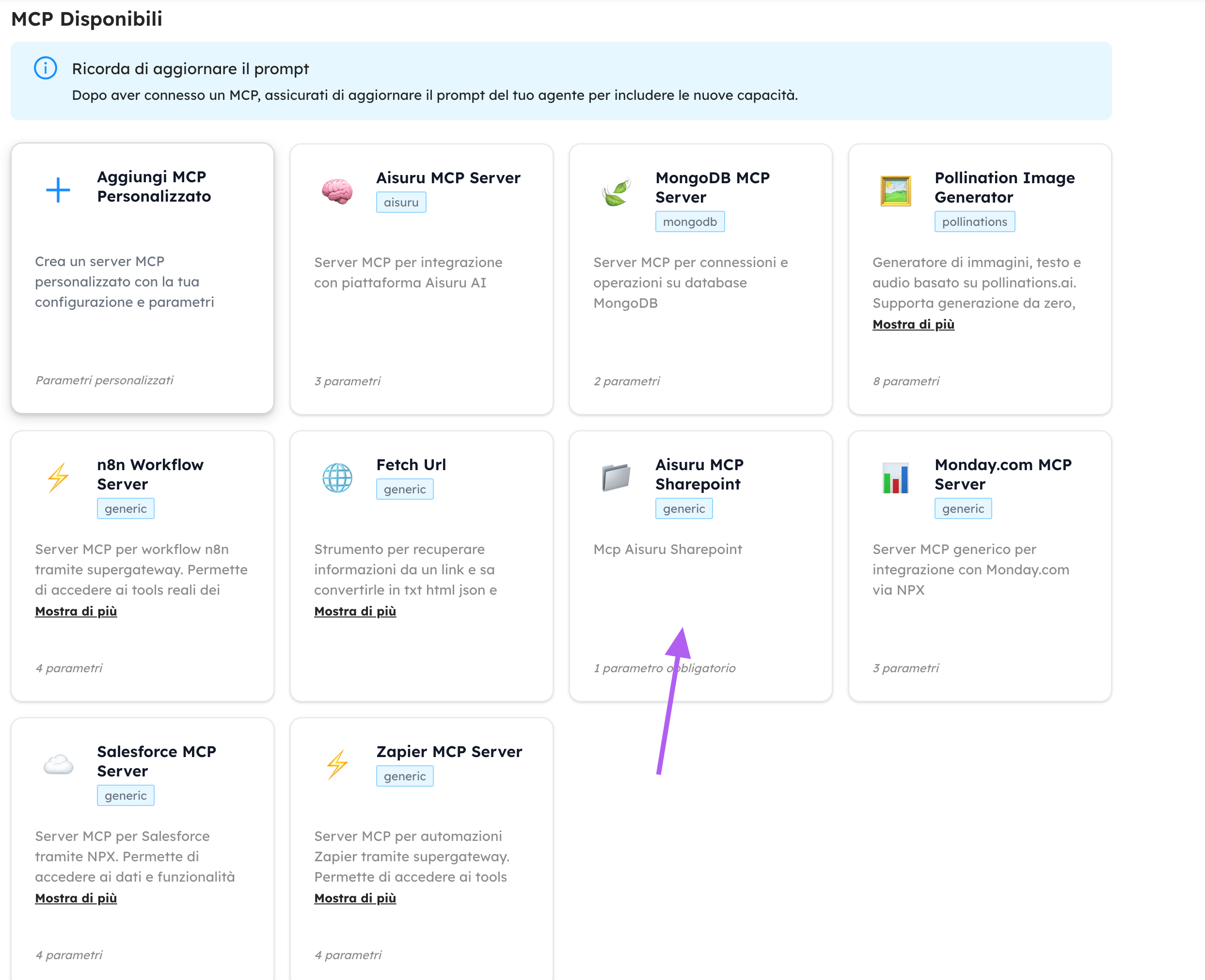
Visit Aisuru.com to start building with your agents today!
⚠️ Known limitations
- Partial document updates are not supported
- Large files (>4MB) require upload sessions (not yet implemented)
- Text extraction from complex PDFs/Excel files may lose structure
🔒 Security
- Never expose
client secret,access token, and other sensible variables publicly - Rotate secrets regularly
- Grant the minimum required Graph permissions