CUFinder
Akses 1B+ kontak terverifikasi dan 85M+ perusahaan untuk generasi prospek B2B, pencarian orang, pengayaan perusahaan, dan pencarian bisnis lokal langsung melalui asisten AI.
Dokumentasi
What is CUFinder MCP
CUFinder MCP lets AI agents securely access the CUFinder API and enrich their answers with real B2B data. MCP (Model Context Protocol) is a standard that allows AI tools to connect with third-party APIs in a secure, consistent way.
In our case, it connects AI tools with CUFinder, enabling things like finding verified business emails, enriching company profiles, discovering decision-makers, and accessing real-time B2B intelligence directly within your AI workflows, like this:
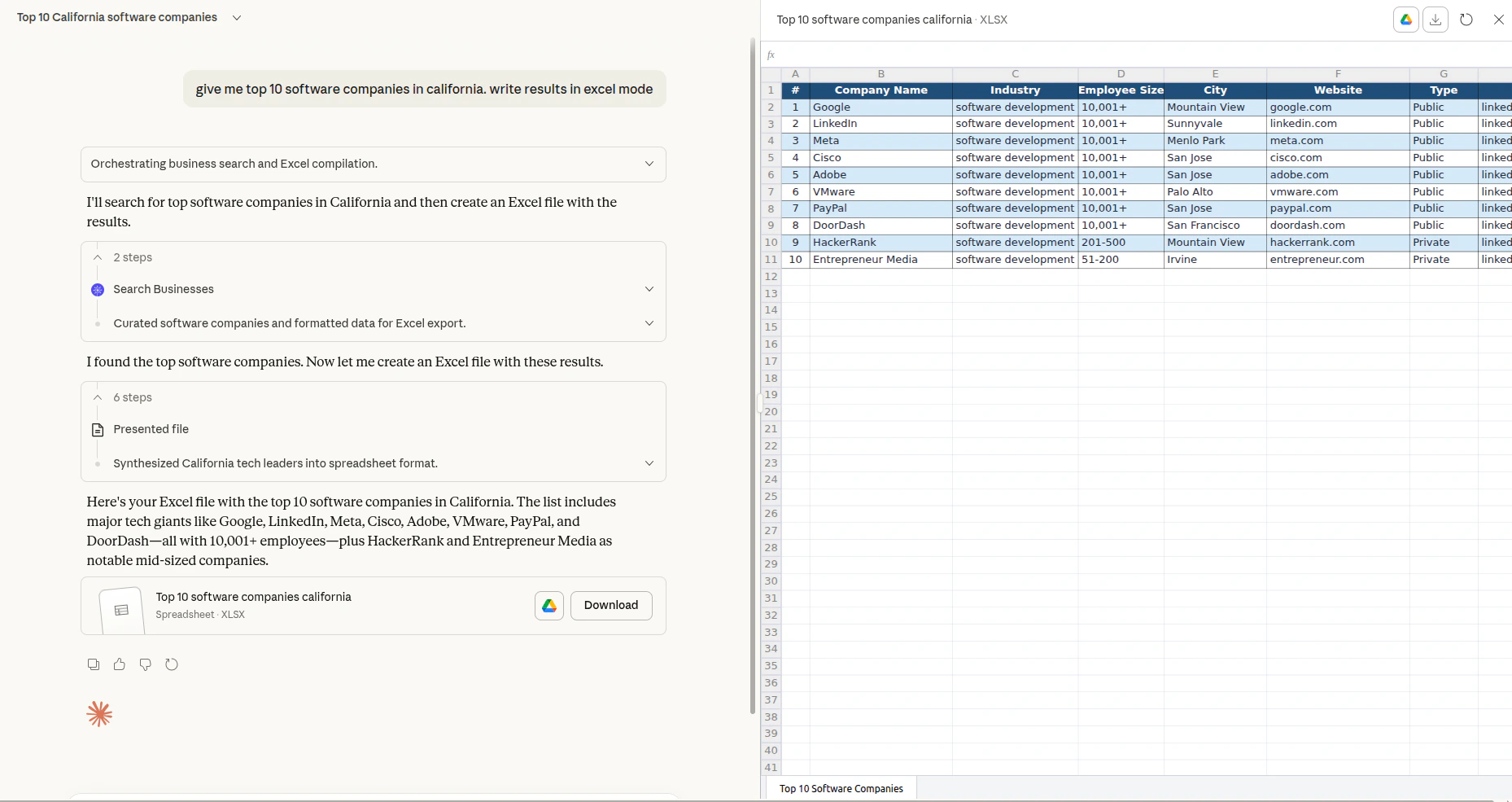
With the CUFinder MCP server, your AI assistant can tap into over 1 billion enriched people profiles and 85 million company records, refreshed daily, without leaving your conversation. Whether you're prospecting for leads, validating contact information, or building targeted outreach lists, the MCP integration brings CUFinder directly to your AI environment.
Ways to use Ahrefs MCP
CUFinder provides the following option for running the MCP server:
Streamable HTTP (recommended): https://mcp.cufinder.io/mcp
Most popular AI tools support connecting to the remote MCP directly. If you run into issues, check out our step-by-step setup guides:
API limits and usage
The remote MCP server is available on paid plans starting from Growth.
You can track your current usage in Account settings → API Dashboard.
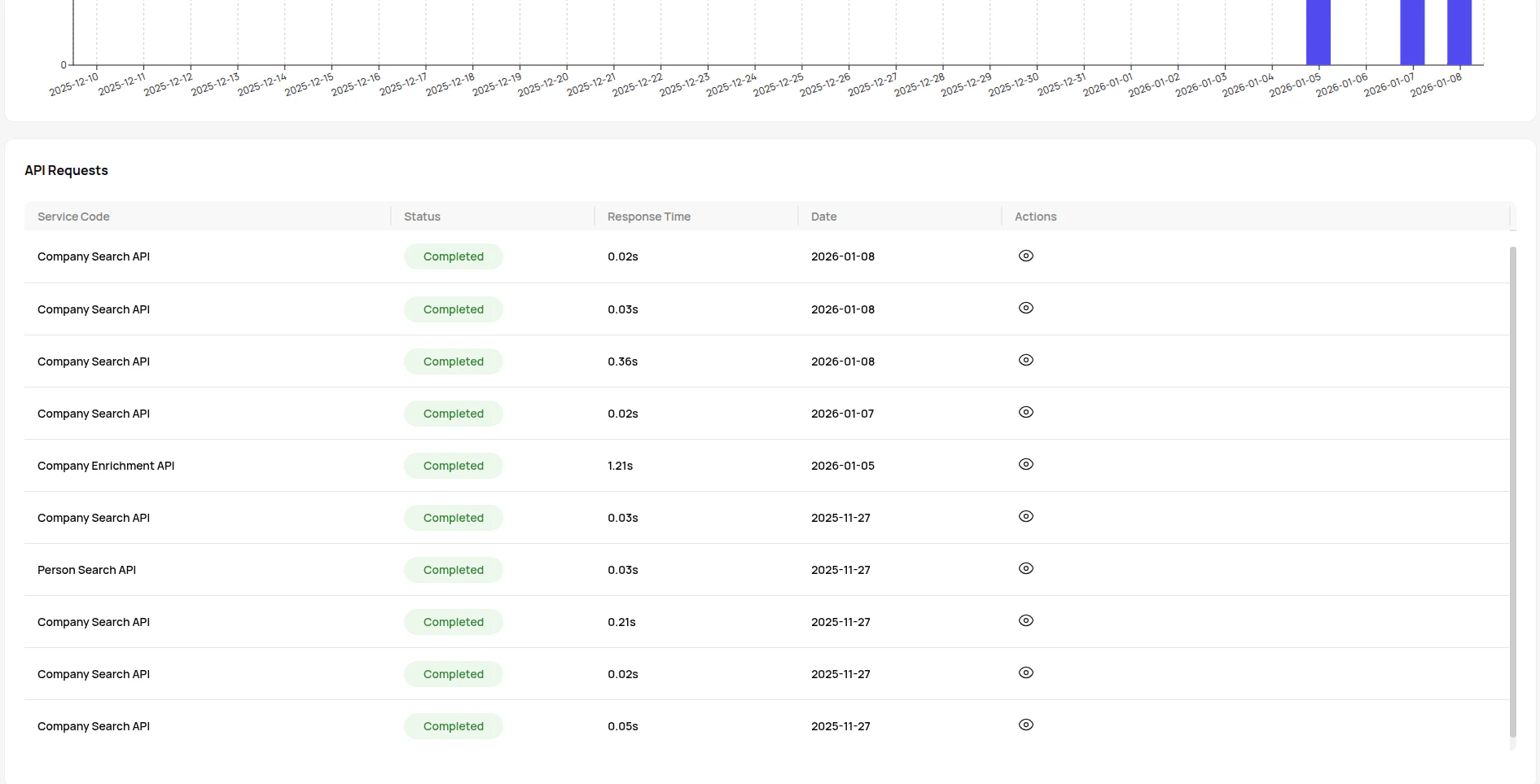
See the CUFinder pricing page for details on plan limits.
Keys and authorization
When you connect CUFinder MCP to an AI agent, you'll need your CUFinder API key to authenticate requests and access the platform's B2B data enrichment capabilities.
How to get your API key:
Once configured, your AI agent can securely access CUFinder.
Important notes:
Your API key works across all CUFinder services, giving your AI agent access to over 1 billion people profiles and 85 million company records with 93-99% accuracy rates.