MiniMax MCP
resmiBerinteraksi dengan API pembuatan Teks-ke-Ucapan, gambar, dan video yang kuat dari MiniMax.
Apa yang bisa Anda lakukan dengan Mini Max MCP?
- Ubah teks menjadi ucapan — Minta asisten Anda untuk menghasilkan audio ucapan dari teks apa pun menggunakan
text_to_audiodengan suara yang dipilih. - Kloning suara dari sampel — Berikan file audio dan gunakan
voice_cloneuntuk membuat suara kustom yang meniru pembicara asli. - Rancang suara dari deskripsi — Jelaskan kualitas vokal yang diinginkan dan gunakan
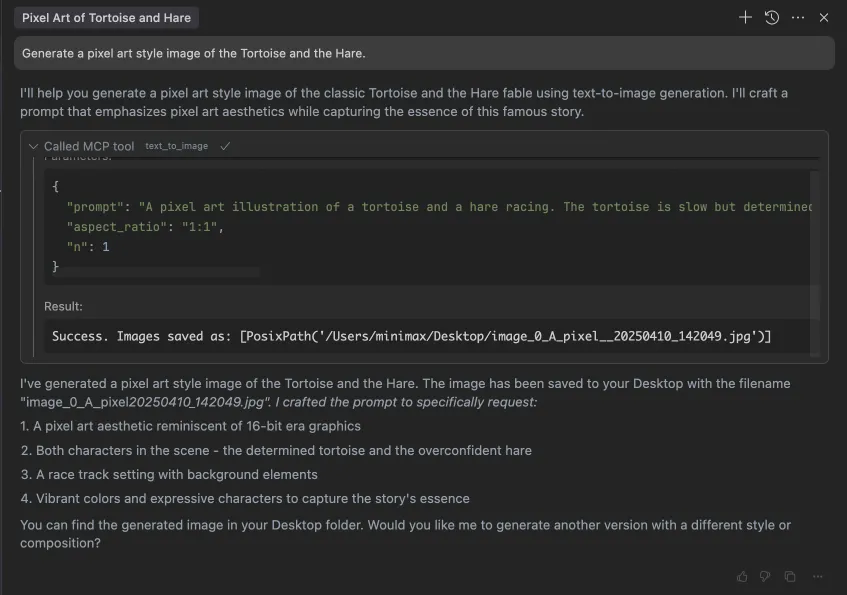
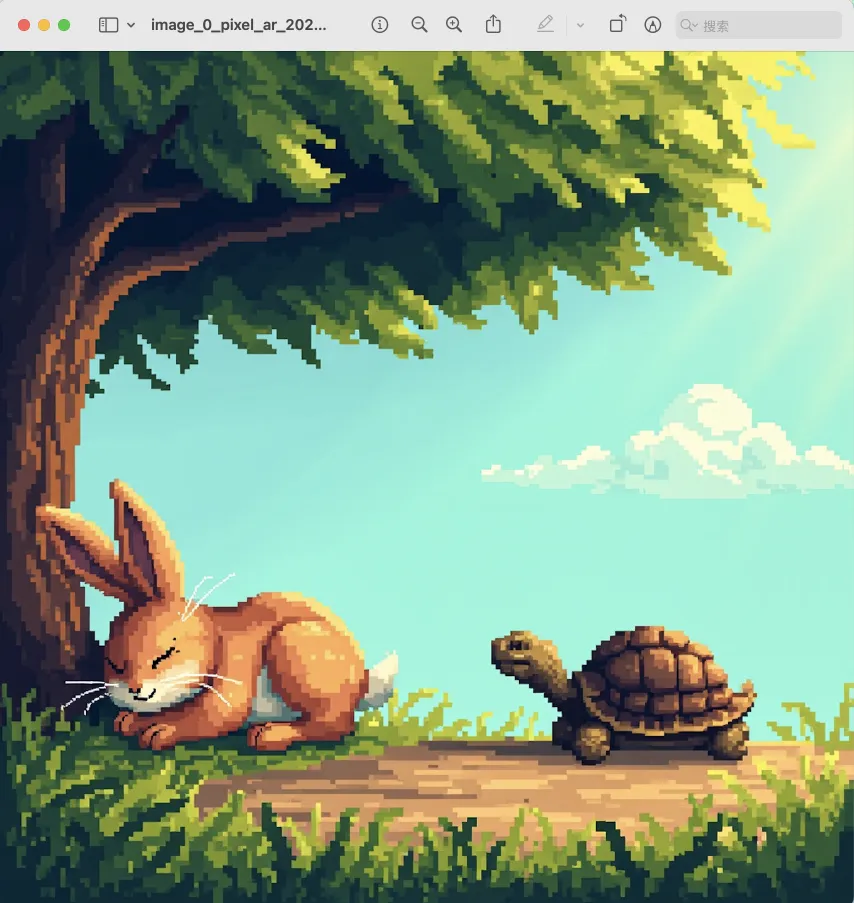
voice_designuntuk menghasilkan pratinjau suara kustom tersebut. - Hasilkan gambar dari perintah — Buat gambar dengan mendeskripsikan apa yang Anda inginkan menggunakan
text_to_image. - Hasilkan video dari perintah — Produksi klip video dengan mendeskripsikan adegan, dengan kontrol durasi dan resolusi opsional melalui
generate_video. - Buat musik dari perintah dan lirik — Gubah trek musik dengan memberikan perintah gaya dan lirik ke
music_generation.
Dokumentasi









Server Model Context Protocol (MCP) resmi MiniMax yang memungkinkan interaksi dengan API Text to Speech dan pembuatan video/gambar yang canggih. Server ini memungkinkan klien MCP seperti Claude Desktop, Cursor, Windsurf, OpenAI Agents dan lainnya untuk menghasilkan ucapan, mengkloning suara, menghasilkan video, menghasilkan gambar, dan banyak lagi.
💡 Direkomendasikan: MiniMax CLI (mmx-cli) — alat baris perintah resmi kami dengan model terbaru dan fitur tambahan termasuk teks, visi, pencarian, dan sampul musik. Bekerja sebagai keterampilan agen AI untuk Claude Code, Cursor, OpenClaw, dll.
Dokumentasi
- Dokumentasi Bahasa Mandarin
- MiniMax-MCP-JS - Implementasi JavaScript resmi MiniMax MCP
Mulai Cepat dengan Klien MCP
- Dapatkan kunci API Anda dari MiniMax.
- Instal
uv(manajer paket Python), instal dengancurl -LsSf https://astral.sh/uv/install.sh | shatau lihat repositoriuvuntuk metode instalasi tambahan. - Penting: Host API dan kunci bervariasi berdasarkan wilayah dan harus cocok; jika tidak, Anda akan mengalami kesalahan
Invalid API key.
| Wilayah | Global | Daratan |
|---|---|---|
| MINIMAX_API_KEY | dapatkan dari MiniMax Global | dapatkan dari MiniMax |
| MINIMAX_API_HOST | https://api.minimax.io | https://api.minimaxi.com |
Claude Desktop
Buka Claude > Settings > Developer > Edit Config > claude_desktop_config.json untuk menyertakan yang berikut:
{
  "mcpServers": {
    "MiniMax": {
      "command": "uvx",
      "args": [
        "minimax-mcp",
        "-y"
      ],
      "env": {
        "MINIMAX_API_KEY": "insert-your-api-key-here",
        "MINIMAX_MCP_BASE_PATH": "local-output-dir-path, such as /User/xxx/Desktop",
        "MINIMAX_API_HOST": "api host, https://api.minimax.io | https://api.minimaxi.com",
        "MINIMAX_API_RESOURCE_MODE": "optional, [url|local], url is default, audio/image/video are downloaded locally or provided in URL format"
      }
    }
  }
}
⚠️ Peringatan: Kunci API harus cocok dengan host. Jika terjadi kesalahan "API Error: invalid api key", silakan periksa host api Anda:
- Host Global:
https://api.minimax.io - Host Daratan:
https://api.minimaxi.com
Jika Anda menggunakan Windows, Anda harus mengaktifkan "Mode Pengembang" di Claude Desktop untuk menggunakan server MCP. Klik "Bantuan" di menu hamburger di kiri atas dan pilih "Aktifkan Mode Pengembang".
Cursor
Buka Cursor -> Preferences -> Cursor Settings -> MCP -> Add new global MCP Server untuk menambahkan konfigurasi di atas.
Itu saja. Klien MCP Anda sekarang dapat berinteraksi dengan MiniMax melalui alat-alat ini:
Transport
Kami mendukung dua jenis transport: stdio dan sse.
| stdio | SSE |
|---|---|
| Berjalan secara lokal | Dapat di-deploy secara lokal atau di cloud |
Komunikasi melalui stdout | Komunikasi melalui network |
Input: Mendukung pemrosesan local files atau sumber daya URL yang valid | Input: Saat di-deploy di cloud, disarankan menggunakan URL untuk input |
Alat yang Tersedia
| alat | deskripsi |
|---|---|
text_to_audio | Mengonversi teks ke audio dengan suara tertentu |
list_voices | Mendaftar semua suara yang tersedia |
voice_clone | Mengkloning suara menggunakan file audio yang disediakan |
generate_video | Menghasilkan video dari prompt |
text_to_image | Menghasilkan gambar dari prompt |
query_video_generation | Menanyakan hasil tugas pembuatan video |
music_generation | Menghasilkan trek musik dari prompt dan lirik |
voice_design | Menghasilkan suara dari prompt menggunakan teks pratinjau |
Catatan Rilis
2 Juli 2025
🆕 Apa yang Baru
- Desain Suara: Alat
voice_designbaru - buat suara kustom dari prompt deskriptif dengan audio pratinjau - Peningkatan Video: Menambahkan model
MiniMax-Hailuo-02dengan kualitas ultra-jernih dan kontrol durasi/resolusi - Pembuatan Musik: Alat
music_generationyang ditingkatkan didukung oleh modelmusic-1.5
📈 Alat yang Ditingkatkan
voice_design- Menghasilkan suara yang dipersonalisasi dari deskripsi teksgenerate_video- Sekarang mendukung MiniMax-Hailuo-02 dengan opsi durasi 6d/10d dan resolusi 768P/1080Pmusic_generation- Pembuatan musik berkualitas tinggi dengan model music-1.5
FAQ
1. invalid api key
Harap pastikan kunci API dan host API Anda selaras secara regional
| Wilayah | Global | Daratan |
|---|---|---|
| MINIMAX_API_KEY | dapatkan dari MiniMax Global | dapatkan dari MiniMax |
| MINIMAX_API_HOST | https://api.minimax.io | https://api.minimaxi.com |
2. spawn uvx ENOENT
Harap konfirmasi jalur absolutnya dengan menjalankan perintah ini di terminal Anda:
which uvx
Setelah Anda mendapatkan jalur absolut (mis., /usr/local/bin/uvx), perbarui konfigurasi Anda untuk menggunakan jalur tersebut (mis., "command": "/usr/local/bin/uvx").
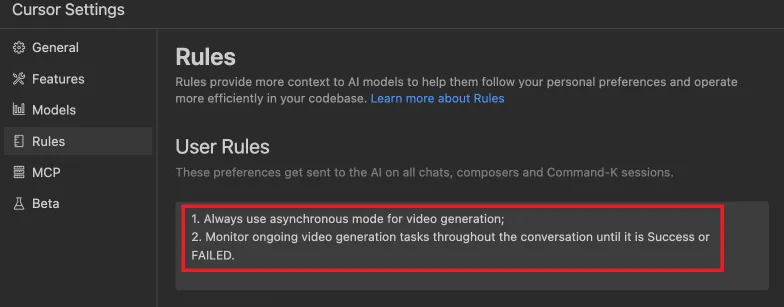
3. Cara menggunakan generate_video dalam mode async
Tentukan aturan penyelesaian sebelum memulai:
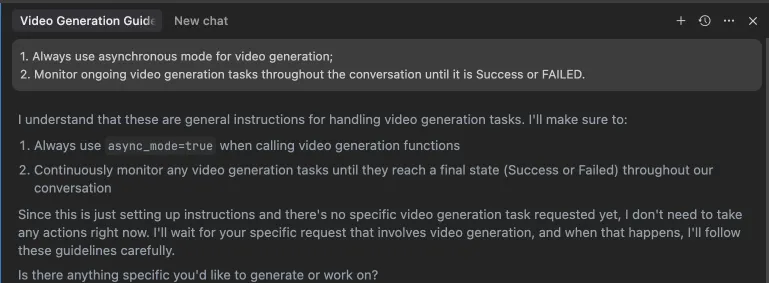 Atau, aturan ini dapat dikonfigurasi di pengaturan IDE Anda (mis., Cursor):
Contoh penggunaan
⚠️ Peringatan: Menggunakan alat ini mungkin menimbulkan biaya.
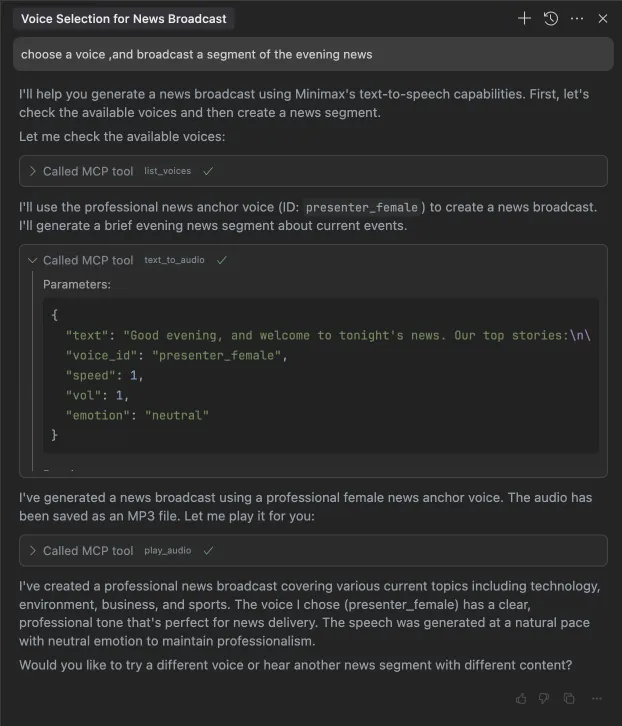
1. menyiarkan segmen berita malam
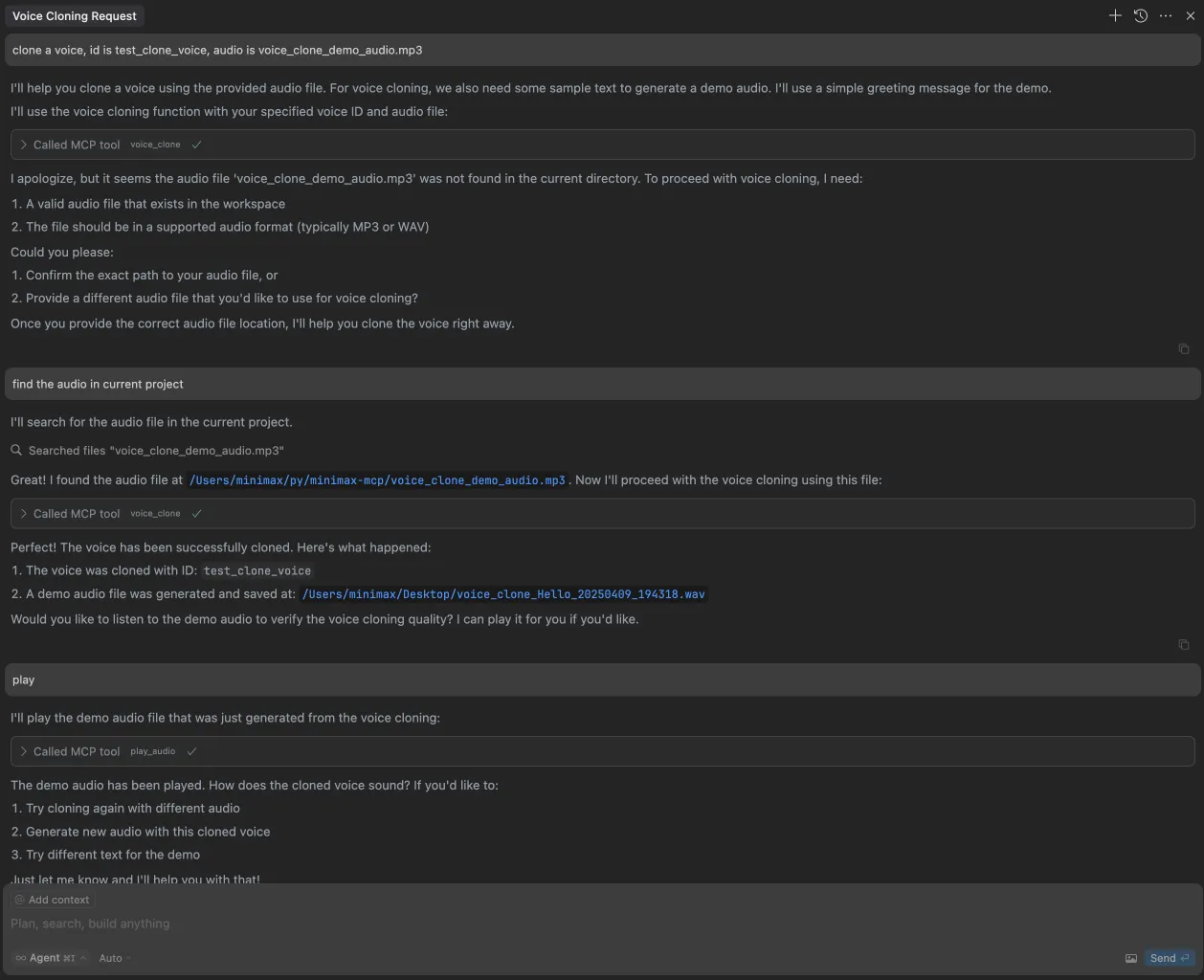
2. mengkloning suara
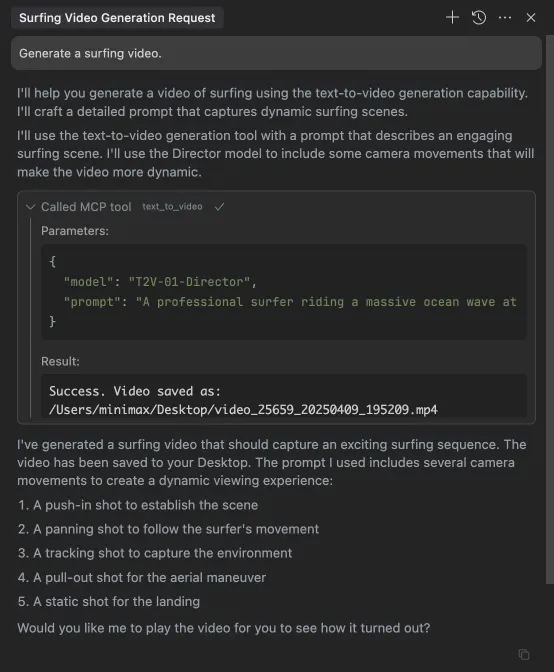
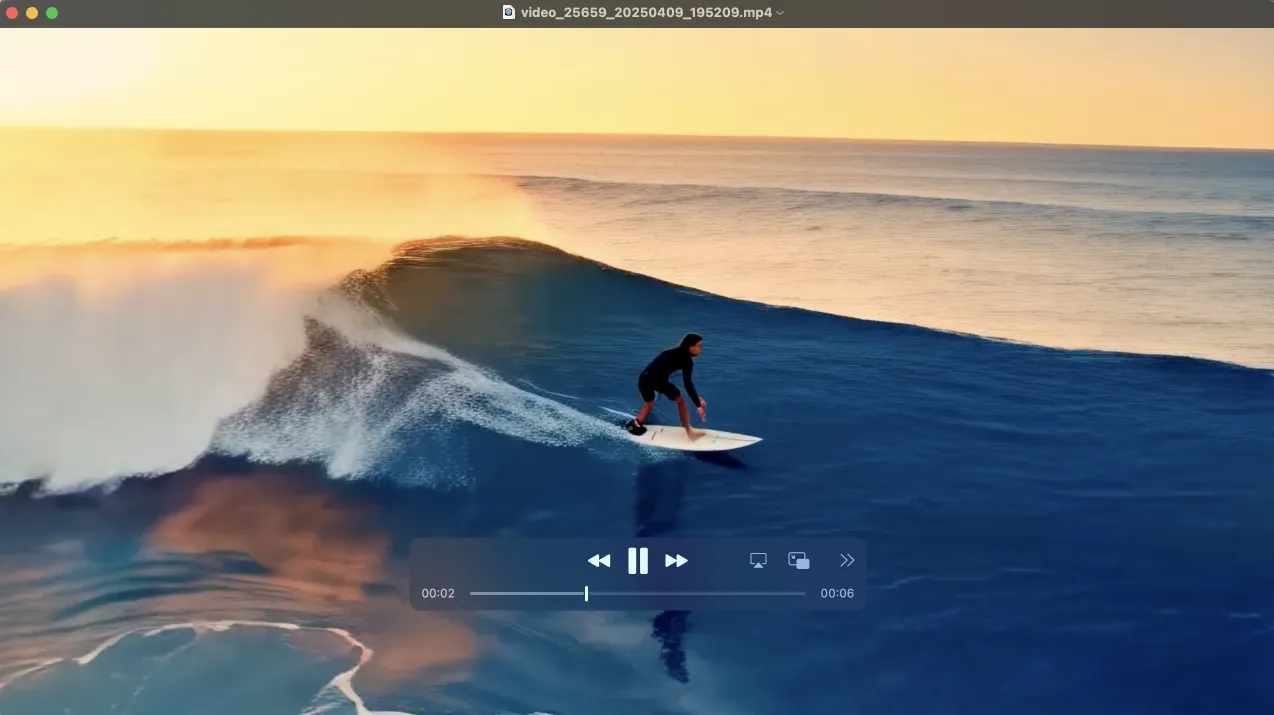
3. menghasilkan video
4. menghasilkan gambar