Modal MCP
Server MCP untuk mengelola aplikasi, kontainer, volume, dan rahasia Modal. Server ini juga membantu dalam men-deploy dan menjalankan aplikasi Modal langsung dari Claude Code dan klien MCP lainnya.
Dokumentasi
Modal MCP Server


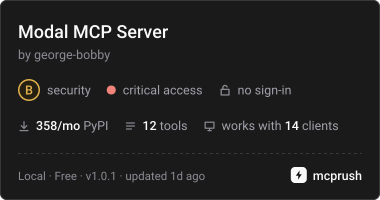
Manage Modal from Claude Code or any MCP client: apps, containers, logs, volumes, secrets and costs, plus deploying and running your own Modal apps.
It runs your local modal CLI, so it uses the profile and credentials already on your
machine. There are no extra tokens to manage.

Quick start
-
Log in to Modal once (this writes
~/.modal.toml):modal setup -
Add the server to Claude Code:
claude mcp add mcp-modal -- uvx mcp-modal@latestOr share it with your team through a
.mcp.jsonin the project root:{ "mcpServers": { "mcp-modal": { "command": "uvx", "args": ["mcp-modal@latest"] } } }
uvx caches a tool after its first run, so a plain uvx mcp-modal never updates.
@latest checks PyPI on every launch. Pin an exact version (mcp-modal@1.0.0) when every
machine must run the same build.
Requirements
- Python 3.11+ and
uv - Modal CLI 1.5+, logged in with
modal setup - To deploy or run an app, that app's project must use
uvand havemodalinstalled in its virtualenv
Tools
| Tool | What it does |
|---|---|
list_modal_resources | Read-only lookup of apps, app_history, containers, volumes, volume_files, secrets, environments or profile |
get_modal_logs | Fetch or follow logs for an app or a container |
search_modal_logs | Grep logs and return each match with surrounding lines |
analyze_modal_costs | Rank spend by app, environment or resource, explain a cost spike, or show the bill and rates |
deploy_modal_app | modal deploy, returning the live endpoint URLs |
run_modal_app | modal run a function or entrypoint and collect its output |
manage_modal_app | Stop an app, or roll it back to an earlier version |
manage_modal_container | Run a command in a container, or stop it |
manage_modal_volume | Create, delete or rename a volume |
modal_volume_files | Upload, download, copy or remove files in a volume |
manage_modal_secret | Create or delete a secret (values are redacted from all output) |
inspect_modal_secret | List the key names inside a secret, never its values (starts a short container) |
Each tool's full arguments are in its MCP schema, so your client shows them. Common ones:
envtargets a Modal environment. Leave it out to use the profile's default.profileruns a single call against another profile in~/.modal.toml, for examplelist_modal_resources(resource="apps", profile="work"). Your default profile is not changed.
Tips:
- On a busy app, give log tools both
sinceanduntil.sinceon its own fetches everything from then until now.search_modal_logs(prefilter=True)filters on Modal's side when the logs are too large to fetch. - Logs only contain stdout, stderr and system output. Crash events shown on the Modal dashboard (such as "… exited with …") are not log lines, so they won't appear here.
- There is no
modal servetool, because its endpoints stop when the command returns. Usedeploy_modal_appto get an endpoint that stays up.
Prompts
Four ready-made workflows. In Claude Code they appear as /mcp__mcp-modal__<name>:
debug_modal_app: work out why an app is failing, from logs, containers and deploy historydeploy_and_verify: deploy an app, then check it is actually healthyreview_modal_account: find idle apps, stray containers and orphaned volumes or secretsinvestigate_modal_costs: trace a cost increase down to the app, resource and hour
Security
The server can do anything your Modal login can. Let your client auto-approve the four
read-only tools (list_modal_resources, get_modal_logs, search_modal_logs,
analyze_modal_costs), and keep the rest behind an approval prompt. In particular:
deploy_modal_appandrun_modal_appexecute local Python code.modal_volume_filescan upload any local file (put) or overwrite one (getwithforce).manage_modal_secretwithfrom_dotenvorfrom_jsonreads a local file and stores its contents in a Modal secret.manage_modal_containerwithexecruns arbitrary commands in a container.
Every tool declares MCP read-only and destructive hints so clients can tell these apart.
Names and paths are passed after -- or as --option=value, so a value starting with -
can never act as a CLI flag.
Configuration
Set these in the env block of your MCP client config:
| Variable | Default | Effect |
|---|---|---|
MCP_MODAL_ALLOWED_LOCAL_PATHS | unset (no limit) | :-separated directories that modal_volume_files and manage_modal_secret may read from or write to |
MCP_MODAL_MAX_OUTPUT_CHARS | 40000 | Character limit per text field in a response. 0 turns the limit off |
When output is cut, the response sets output_capped: true and keeps both the start and
the end of the text.
Responses
Every tool returns JSON with success. On failure it also has error, plus the command
that ran and its stdout/stderr when available. On success:
list_modal_resourcesreturns its items underapps,history,containers,volumes,contents,secretsorenvironments. Lists longer than 200 items are cut, andomitted_itemssays how many were left out.resource="profile"returnsactive_profileandprofilesinstead.- Actions return
message,command,stdoutandstderr. - Logs and runs return
logsoroutput.truncated: truemeans the command was still running when the timeout hit. - Log search returns
match_count(an exact count over the whole fetched log) andmatches, which are line-numbered context blocks with each matching line marked>.