Android Preference Editor
Edit preferensi Android menggunakan adb dan Node.js.
Dokumentasi
Android Preference Editor MCP Server
Overview
Unlock the power of natural language for Android app development with the Android Preference Editor MCP Server. Effortlessly edit user preferences in real time using simple, conversational commands—no manual file editing required! Built on the robust Android Preference Editor library, this server seamlessly connects with MCP (Model Context Protocol) clients to supercharge your AI-driven workflows.
Just tell the MCP server what you want to do, for example:
- “Toggle the isVisited user preference”
- “Turn off the onboarding guide”
- “List all the user preference values”
- "Create a timestamp preference with the current epoch time"
Experience a smarter, faster way to manage Android preferences—just ask!
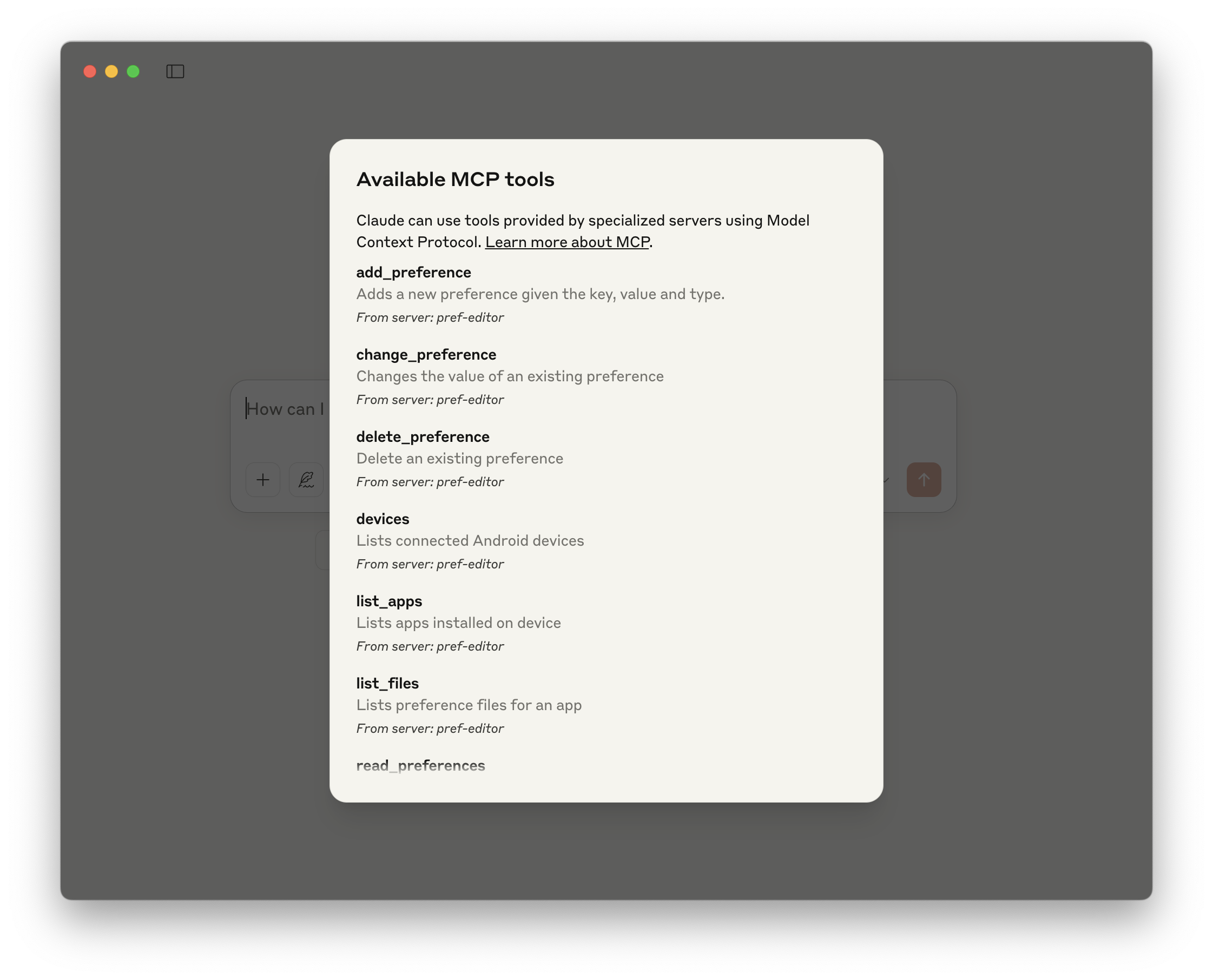
Available Tools
| Name | Description |
|---|---|
| change_preference | Changes the value of an existing preference |
| delete_preference | Delete an existing preference |
| add_preference | Adds a new preference given the name, value, and type |
| read_preferences | Reads all user preferences in a file |
| devices | Lists connected Android devices |
| list_apps | Lists apps installed on the device |
| list_files | Lists preference files for an app |
Demo
| Toggle a user preference | Available tools | Add a preference |
|---|---|---|
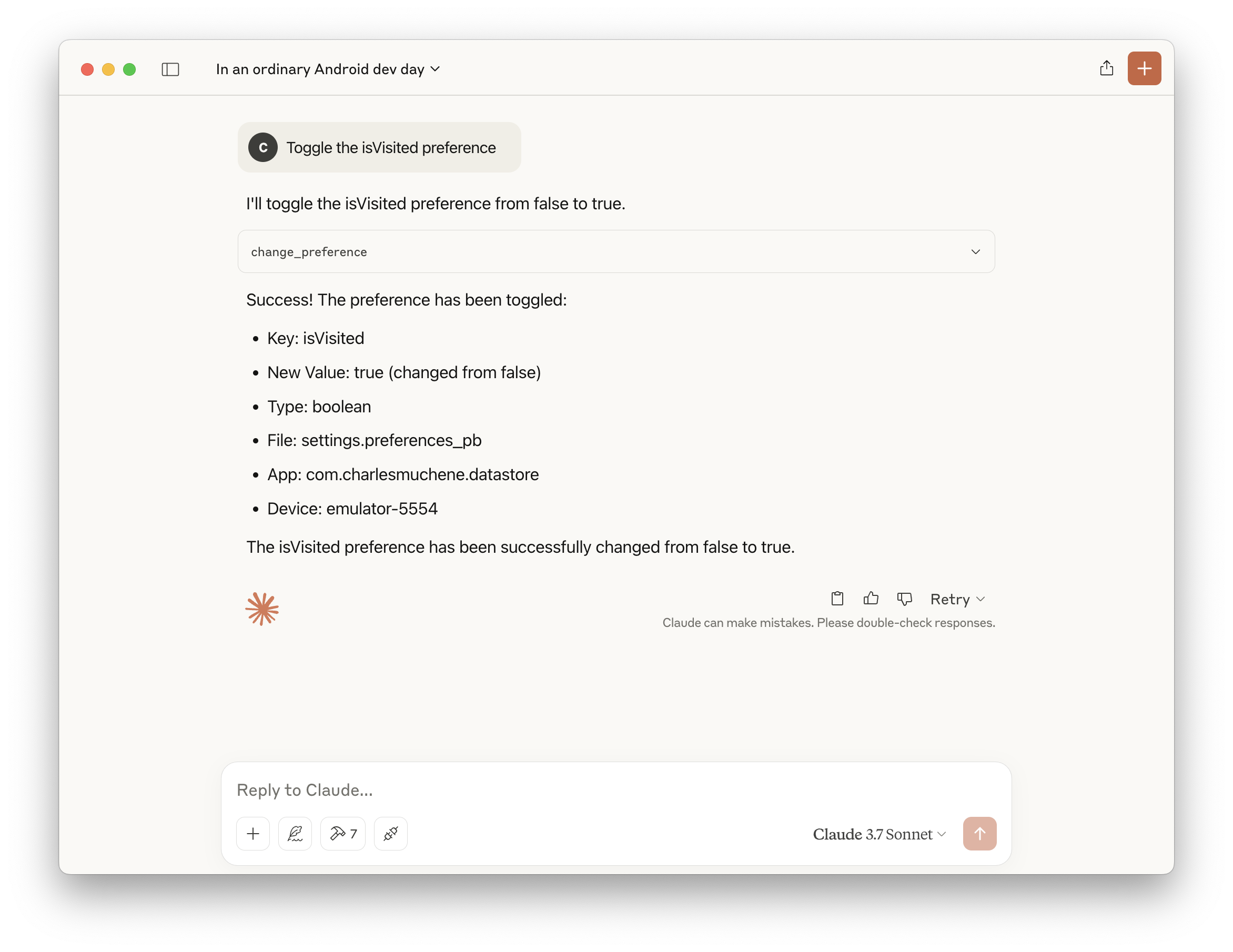 |  | 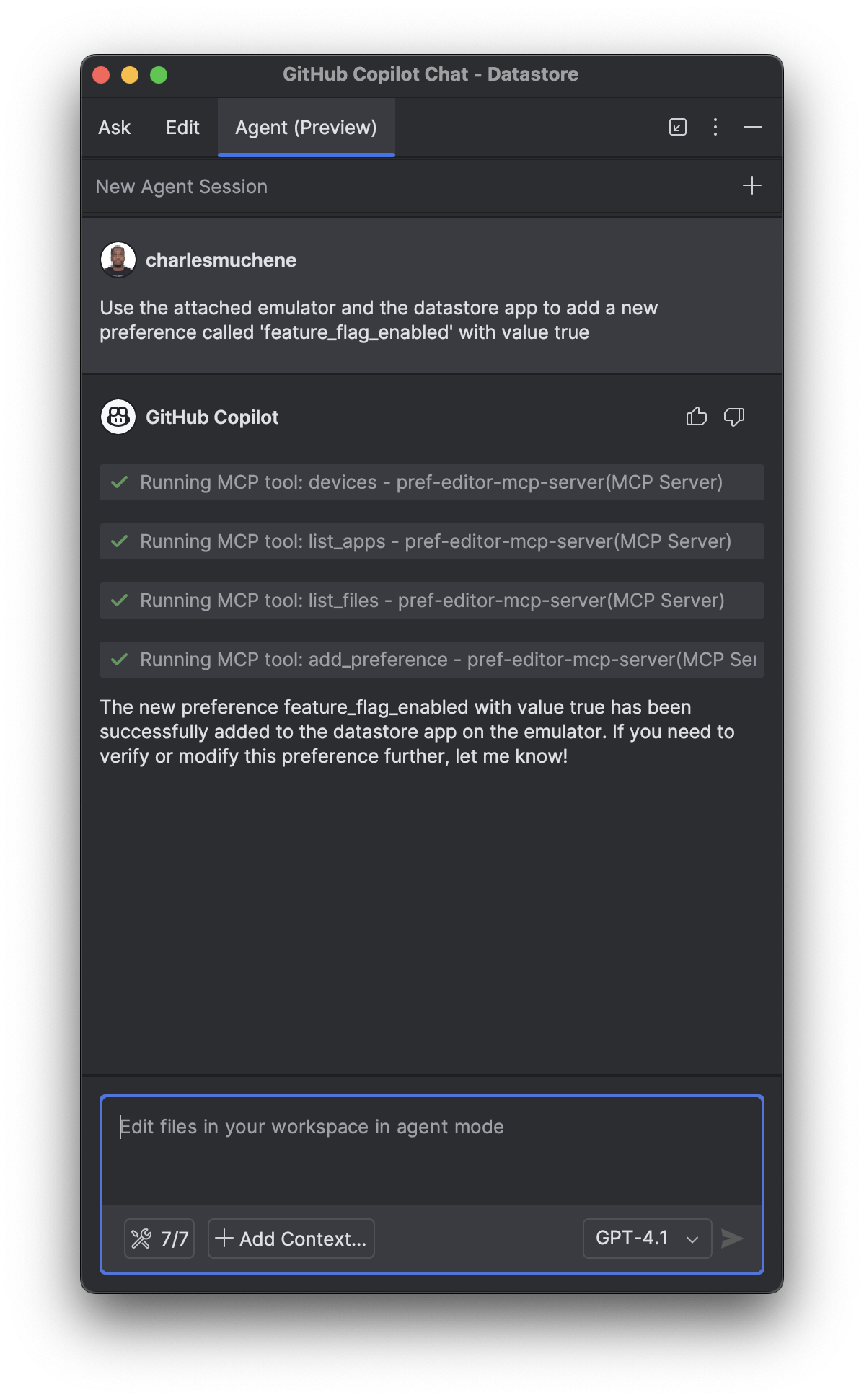 |
See more demos in the demo screenshots directory
Requirements
- Android adb (
v1.0.41+) - Node.js 14+ or Docker
Integrations
This server is available in the Docker MCP Catalog. Enable the Pref Editor server in Docker desktop's MCP toolkit and you'll have access to all the available tools.
Android Studio
Assumes an MCP compatible client is installed.
Add the following configuration to the MCP server config file. For example, for the GitHub Copilot IntelliJ Plugin, the config file is ~/.config/github-copilot/intellij/mcp.json.
Docker
{
  "servers": {
    "pref-editor": {
      "command": "docker",
      "args": ["run", "-i", "--rm", "charlesmuchene/pref-editor-mcp-server"]
    }
  }
}
npx
{
  "servers": {
    "pref-editor": {
      "type": "stdio",
      "command": "npx",
      "args": ["-y", "@charlesmuchene/pref-editor-mcp-server"]
    }
  }
}
Claude Desktop
Add this server to the /Users/<username>/Library/Application Support/Claude/claude_desktop_config.json configuration file.
Docker
{
  "mcpServers": {
    "pref-editor": {
      "command": "docker",
      "args": ["run", "-i", "--rm", "charlesmuchene/pref-editor-mcp-server"]
    }
  }
}
npx
{
  "mcpServers": {
    "pref-editor": {
      "command": "npx",
      "args": ["-y", "@charlesmuchene/pref-editor-mcp-server"]
    }
  }
}
You can troubleshoot problems by tailing the log file:
tail -f ~/Library/Logs/Claude/mcp-server-pref-editor.log
VS Code
To use the server with VS Code, you need to:
- Add the MCP Server configuration to your
mcp.jsonorsettings.json:
.vscode/mcp.json
{
  "servers": {
    "pref-editor": {
      "type": "stdio",
      "command": "npx",
      "args": ["-y", "@charlesmuchene/pref-editor-mcp-server"]
    }
  }
}
~/Library/Application Support/Code/User/settings.json
{
  "mcp": {
    "pref-editor": {
      "type": "stdio",
      "command": "npx",
      "args": ["-y", "@charlesmuchene/pref-editor-mcp-server"]
    }
  }
}
For more information, see the VS Code documentation.
Building Locally
Refer to DEV.md for instructions on how to build this project.
Testing
You can use the MCP Inspector for visual debugging of this MCP Server.
npx @modelcontextprotocol/inspector npm run start
License
See LICENSE
Contact
For questions or support, reach out via GitHub Issues.
Contributing
We welcome contributions from the community! 🎉
First-time contributors: Please start by reading our CONTRIBUTING.md guide, which covers:
- PR requirements and title format
- Development setup and workflow
- Code quality standards
- License information
For detailed development instructions, see DEV.md.
