Apple Notes
Berbicara dengan Apple Notes Anda
GitHub
415
Coba MCP iniDisponsoriDokumentasi
MCP Apple Notes

A Model Context Protocol (MCP) server that enables semantic search and RAG (Retrieval Augmented Generation) over your Apple Notes. This allows AI assistants like Claude to search and reference your Apple Notes during conversations.
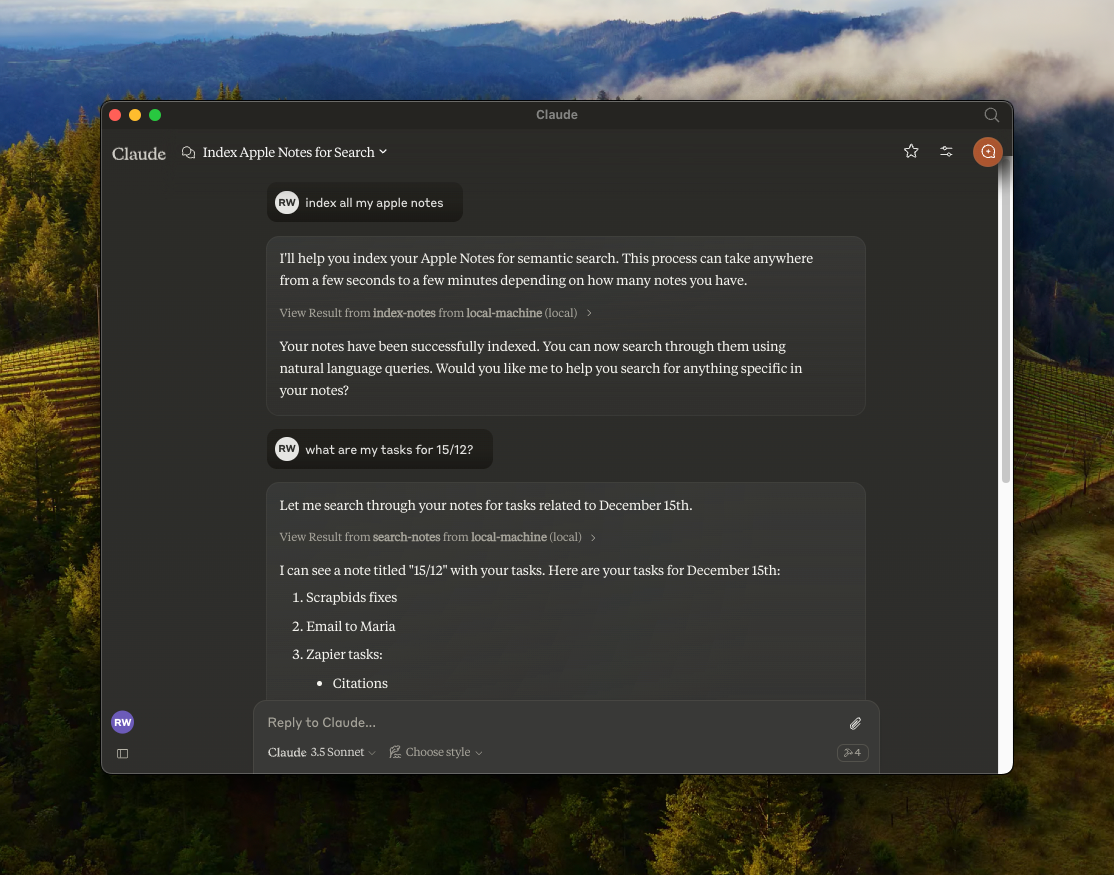
Features
- 🔍 Semantic search over Apple Notes using
all-MiniLM-L6-v2on-device embeddings model - 📝 Full-text search capabilities
- 📊 Vector storage using LanceDB
- 🤖 MCP-compatible server for AI assistant integration
- 🍎 Native Apple Notes integration via JXA
- 🏃♂️ Fully local execution - no API keys needed
Prerequisites
Installation
- Clone the repository:
git clone https://github.com/RafalWilinski/mcp-apple-notes
cd mcp-apple-notes
- Install dependencies:
bun install
Usage
- Open Claude desktop app and go to Settings -> Developer -> Edit Config
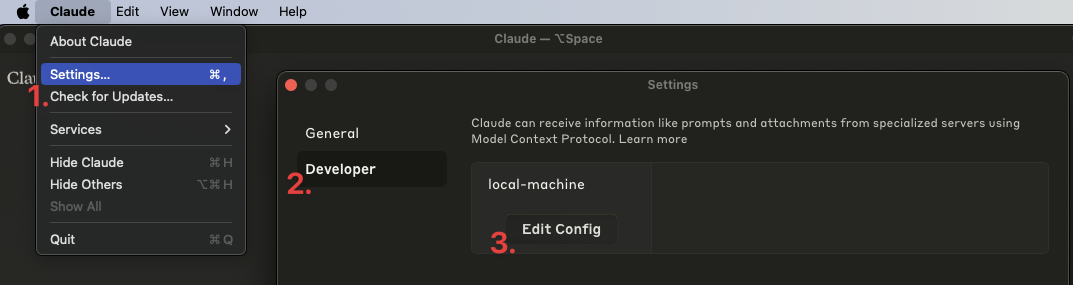
- Open the
claude_desktop_config.jsonand add the following entry:
{
  "mcpServers": {
    "local-machine": {
      "command": "/Users/<YOUR_USER_NAME>/.bun/bin/bun",
      "args": ["/Users/<YOUR_USER_NAME>/apple-notes-mcp/index.ts"]
    }
  }
}
Important: Replace <YOUR_USER_NAME> with your actual username.
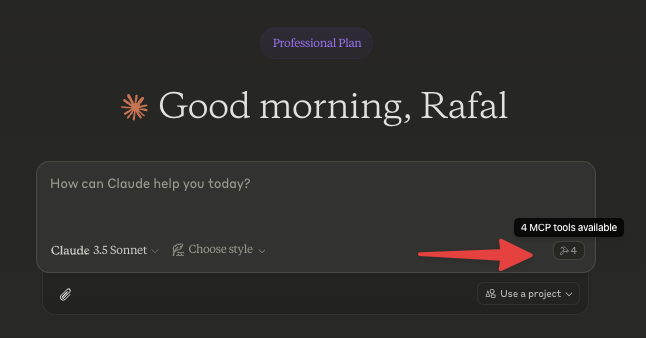
- Restart Claude desktop app. You should see this:
- Start by indexing your notes. Ask Claude to index your notes by saying something like: "Index my notes" or "Index my Apple Notes".
Troubleshooting
To see logs:
tail -n 50 -f ~/Library/Logs/Claude/mcp-server-local-machine.log
# or
tail -n 50 -f ~/Library/Logs/Claude/mcp.log
Todos
- Apple notes are returned in the HTML format. We should turn them to Markdown and embed that
- Chunk source content using recursive text splitter or markdown text splitter
- Add an option to use custom embeddings model
- More control over DB - purge, custom queries, etc.
- Storing notes in Notes via Claude