RenPy MCP
Servidor MCP + herramientas de desarrollo visual para el motor de novelas visuales Ren'Py. 60 herramientas, mapa de historia, panel en vivo, CLI independiente.
Documentación
RenPy MCP + DevTools
Servidor MCP y herramientas de desarrollo visual para el motor de novelas visuales Ren'Py.
60 herramientas en 10 categorías — previsualiza escenas, analiza el flujo de la historia, gestiona traducciones, refactoriza personajes y controla el juego en ejecución mediante lenguaje natural o tu navegador.
Capturas de pantalla
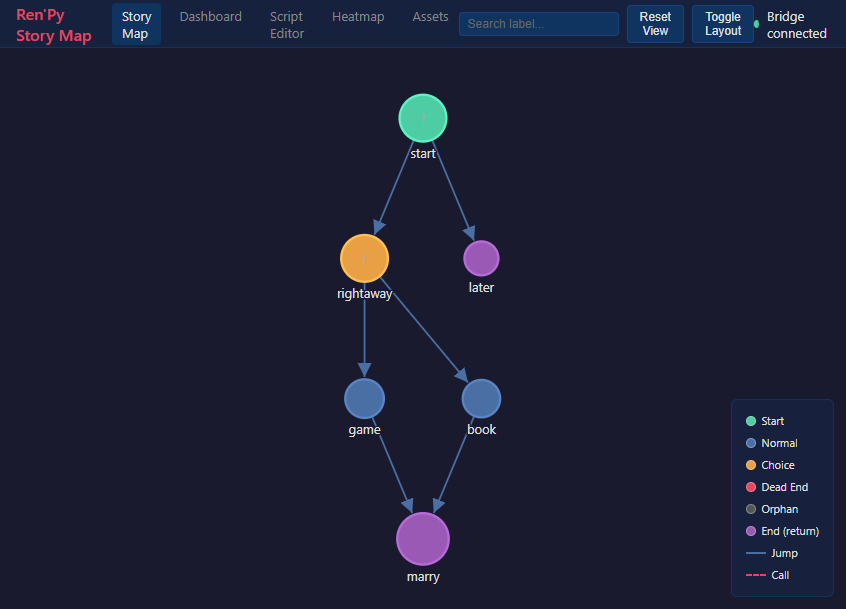
Mapa de historia
Gráfico interactivo de todas las etiquetas, saltos y menús. Haz clic en un nodo para teletransportar el juego en ejecución allí.
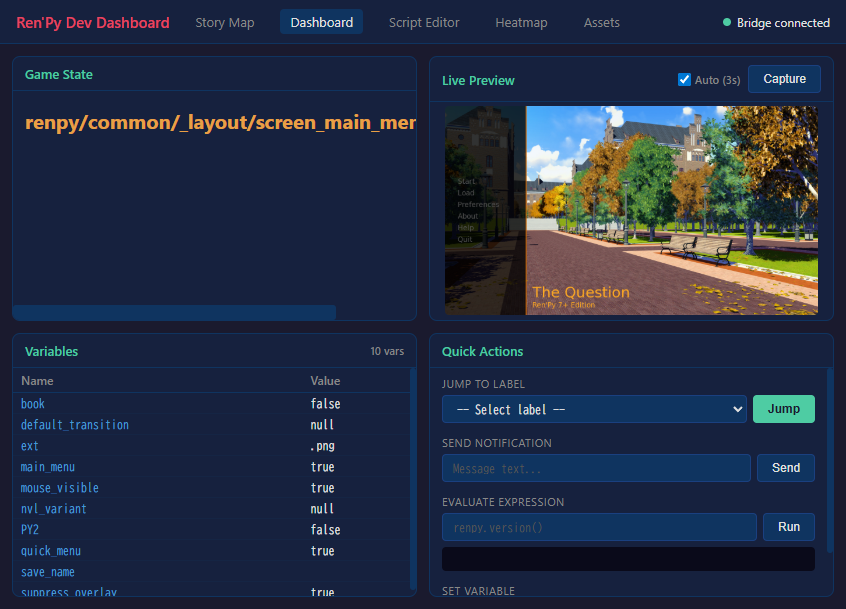
Panel de desarrollo
Vista previa en vivo, inspector de variables con vista de árbol, acciones rápidas — todo mientras el juego se ejecuta.
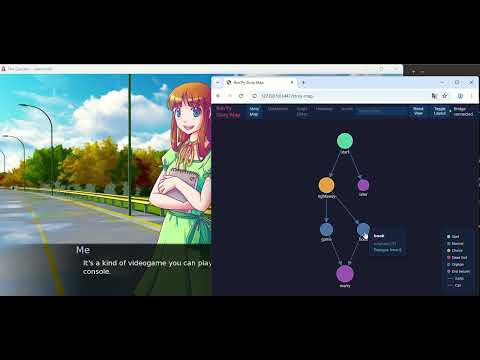
Demostración de teletransporte con clic
https://github.com/user-attachments/assets/og6ZKTafSGk
Características
Impulsado por IA (MCP)
Conecta Claude (o cualquier cliente MCP) directamente a tu proyecto Ren'Py:
- Gestión de proyectos — lint, compilar, construir, inspeccionar configuración
- Vista previa visual — captura cualquier escena teletransportándote a ella
- Pruebas automatizadas — ejecutar casos de prueba, generar informes
- Análisis de historia — gráficos de flujo, callejones sin salida, mapas de personajes, seguimiento de variables
- Gestión de recursos — listar imágenes/audio, encontrar recursos no utilizados
- Refactorización — renombrar personajes/etiquetas, extraer rutas
- Traducción — estadísticas de finalización, encontrar no traducidos, auto-traducir
- Depuración en vivo — eval, inspeccionar, saltar a etiquetas, establecer variables en un juego en ejecución
- Documentación — buscar en 89 temas oficiales de documentación de Ren'Py
DevTools visuales (sin necesidad de IA)
Un panel de desarrollo independiente basado en navegador:
- Mapa de historia — gráfico interactivo de todas las etiquetas, saltos y menús. Haz clic en un nodo para teletransportar el juego en ejecución allí.
- Panel de desarrollo — vista previa en vivo, inspector de variables con vista de árbol para dicts/listas, acciones rápidas
- Editor de scripts — explorar y editar archivos .rpy con resaltado de sintaxis
- Mapa de calor de pruebas — visualiza qué partes de tu juego se juegan más
- Gestor de recursos — explorar imágenes y audio, encontrar recursos no utilizados
renpy-webui --project /path/to/my-game
Instalación
Requisitos previos
- Ren'Py SDK 8.x — https://www.renpy.org/latest.html
- Python 3.11+ — https://www.python.org/downloads/
- uv (recomendado) — https://docs.astral.sh/uv/getting-started/installation/
Configuración
- Descarga desde itch.io y extrae a una ubicación permanente
- Instala las dependencias:
cd renpy-mcp uv venv && uv pip install -e . - Configura tu cliente de IA (
.mcp.jsonen el directorio de tu proyecto):{ "mcpServers": { "renpy-mcp": { "command": "uv", "args": ["run", "--directory", "/path/to/renpy-mcp", "renpy-mcp"], "env": { "RENPY_SDK_PATH": "/path/to/renpy-8.x-sdk" } } } }
DevTools independiente (sin necesidad de cliente de IA)
cd renpy-mcp
uv run renpy-webui --project /path/to/my-game
Consulta la Guía de instalación completa para más detalles.
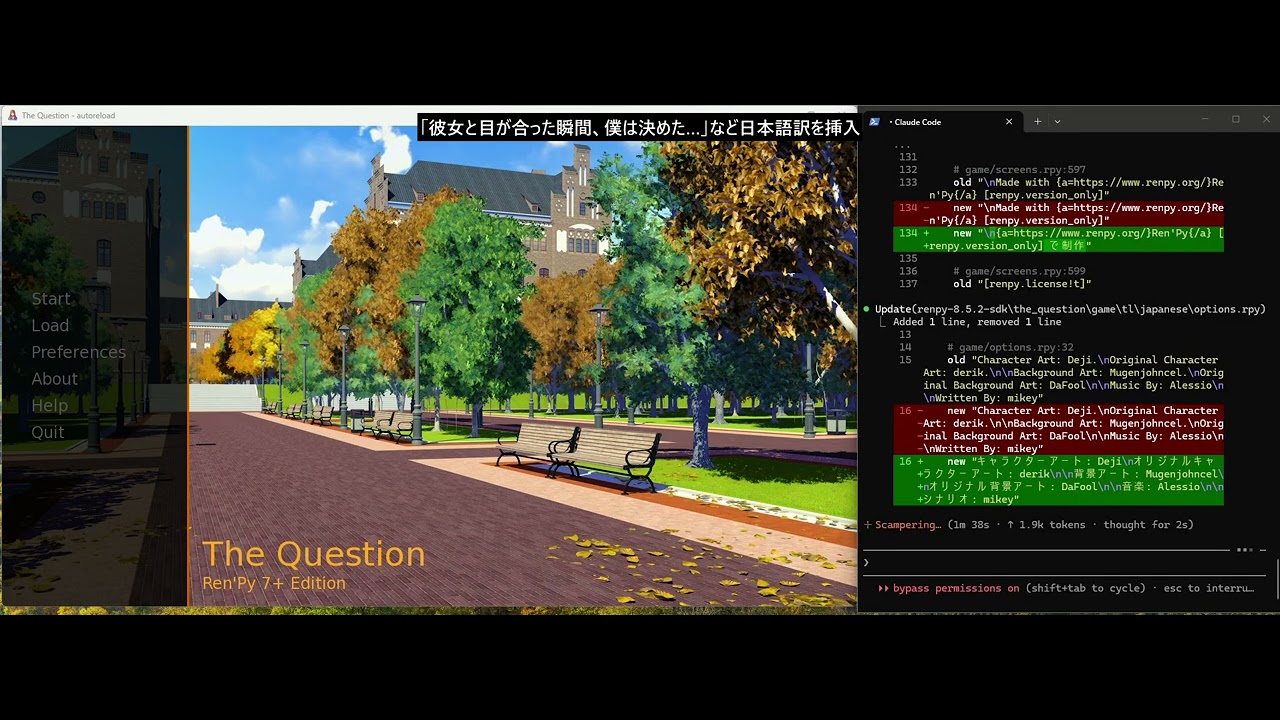
Demostración
Enlaces
- Sitio web: https://renpy-mcp.abyo.net/
- itch.io: https://y1uda.itch.io/renpy-mcp ($15)
- Discord: https://discord.gg/N6sSHBGuYX
Licencia
Software comercial. Consulta itch.io para comprarlo.