OPET Fuel Prices
Proporciona acceso a los precios actuales de combustible de OPET, una empresa turca de distribución de petróleo.
Documentación
OPET Fuel Prices MCP Server
Un servidor de Model Context Protocol (MCP) que proporciona acceso a los datos de precios de combustible de OPET a través de Claude AI.
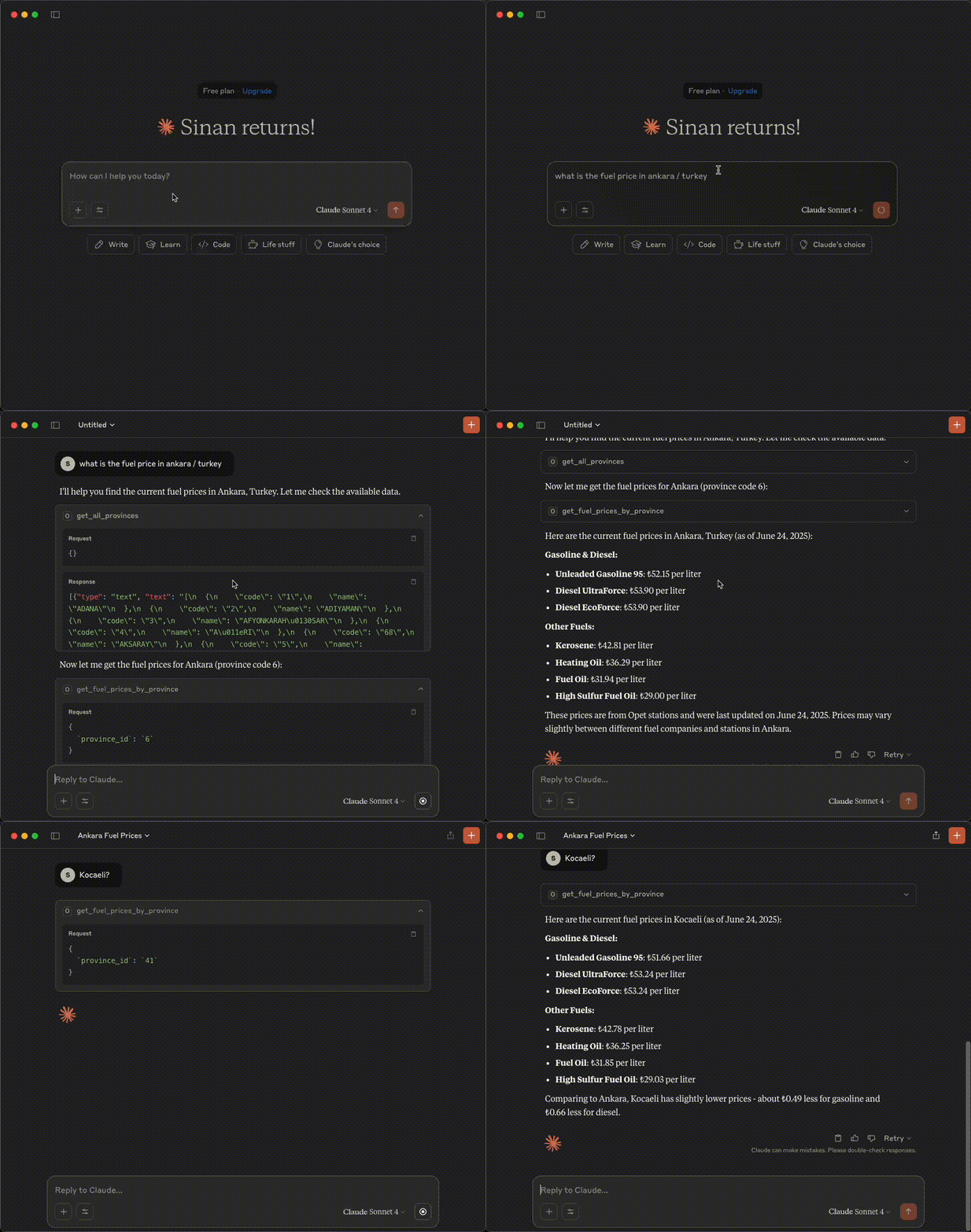
Demostración
Características
- Obtener todas las provincias disponibles
- Obtener precios de combustible para provincias específicas
- Obtener la marca de tiempo de la última actualización
- Manejo de errores con mensajes detallados
Requisitos previos
Antes de usar este servidor MCP, debes configurar primero el servidor de API de OPET.
1. Instalar el paquete OPET
Instala el paquete OPET desde https://github.com/sinanerdinc/opet:
pip install opet
2. Iniciar el servidor de API de OPET
Inicia el servidor de API usando uno de los siguientes métodos:
Opción A: Usando CLI
opet-cli --api
Opción B: Usando Docker
docker run -p 8000:8000 sinanerdinc/opet api
Opción C: Usando Docker con puerto personalizado
docker run -p 5050:8000 sinanerdinc/opet api
El servidor de API estará disponible en http://localhost:8000 (o tu puerto personalizado).
Instalación
Requisitos previos
- Python 3.12 o superior
- Administrador de paquetes uv (recomendado) o pip
- Paquete OPET instalado y servidor de API en ejecución
Preparación
- Clona el repositorio:
git clone <repository-url>
cd opet-mcp
- Usando uv
# Install uv if you don't have it
curl -LsSf https://astral.sh/uv/install.sh | sh

# Create virtual environment and install dependencies
uv venv -p 3.12
source .venv/bin/activate  # On Windows: .venv\Scripts\activate
uv sync
Configuración
Establece la URL de la API de OPET usando variables de entorno. La URL debe apuntar a tu servidor de API de OPET en ejecución:
# If using default port (8000)
export OPET_API_URL=http://localhost:8000

# If using custom port (e.g., 5050)
export OPET_API_URL=http://localhost:5050
Uso
Ejecutando el servidor
Inicia el servidor MCP:
# With uv
uv run fastmcp run server.py

# With pip
fastmcp run server.py
Configuración de ejemplo
Opción 1: Instalar el servidor en Claude con un nombre personalizado y URL de API:
{
  "mcpServers": {
    "Opet Server": {
      "command": "uv",
      "args": [
        "run",
        "--with",
        "fastmcp",
        "fastmcp",
        "run",
        "/your_absolute_path/opet-mcp/server.py"
      ],
      "env": {
        "OPET_API_URL": "http://localhost:8000"
      }
    }
  }
}
Opción 2: Comando de instalación
fastmcp install server.py --name "OPET Fuel Prices" \
  --env-var OPET_API_URL=http://localhost:8000
Herramientas disponibles
get_all_provinces()
Recupera una lista de todas las provincias donde los precios de combustible están disponibles.
get_fuel_prices_by_province(province_id)
Obtiene los precios actuales de combustible para una provincia específica usando su ID.
Parámetros:
province_id(str): El identificador único de la provincia
get_last_update_time()
Obtiene la marca de tiempo de cuándo se actualizaron por última vez los precios de combustible en el sistema.
Licencia
Este proyecto está licenciado bajo la Licencia MIT - consulta el archivo LICENSE para más detalles.