MCPHub
Un servidor central para gestionar y escalar múltiples servidores MCP mediante endpoints flexibles de HTTP transmisible (SSE).
Documentación
MCPHub
Un gateway MCP y plano de control de código abierto y autoalojado para conectar, controlar y operar servidores MCP.






MCPHub proporciona un punto de control unificado entre clientes de IA y servidores MCP. Conecta servidores MCP locales y remotos una sola vez, organiza y enruta sus capacidades a través de endpoints estables, controla el acceso con autenticación, credenciales con alcance y visibilidad por usuario, y opera todo con registros centralizados, seguimiento de actividad y monitoreo de salud.
Funciona con clientes MCP como Claude Code, Cursor, Cherry Studio, OpenWebUI y otras aplicaciones compatibles con MCP.
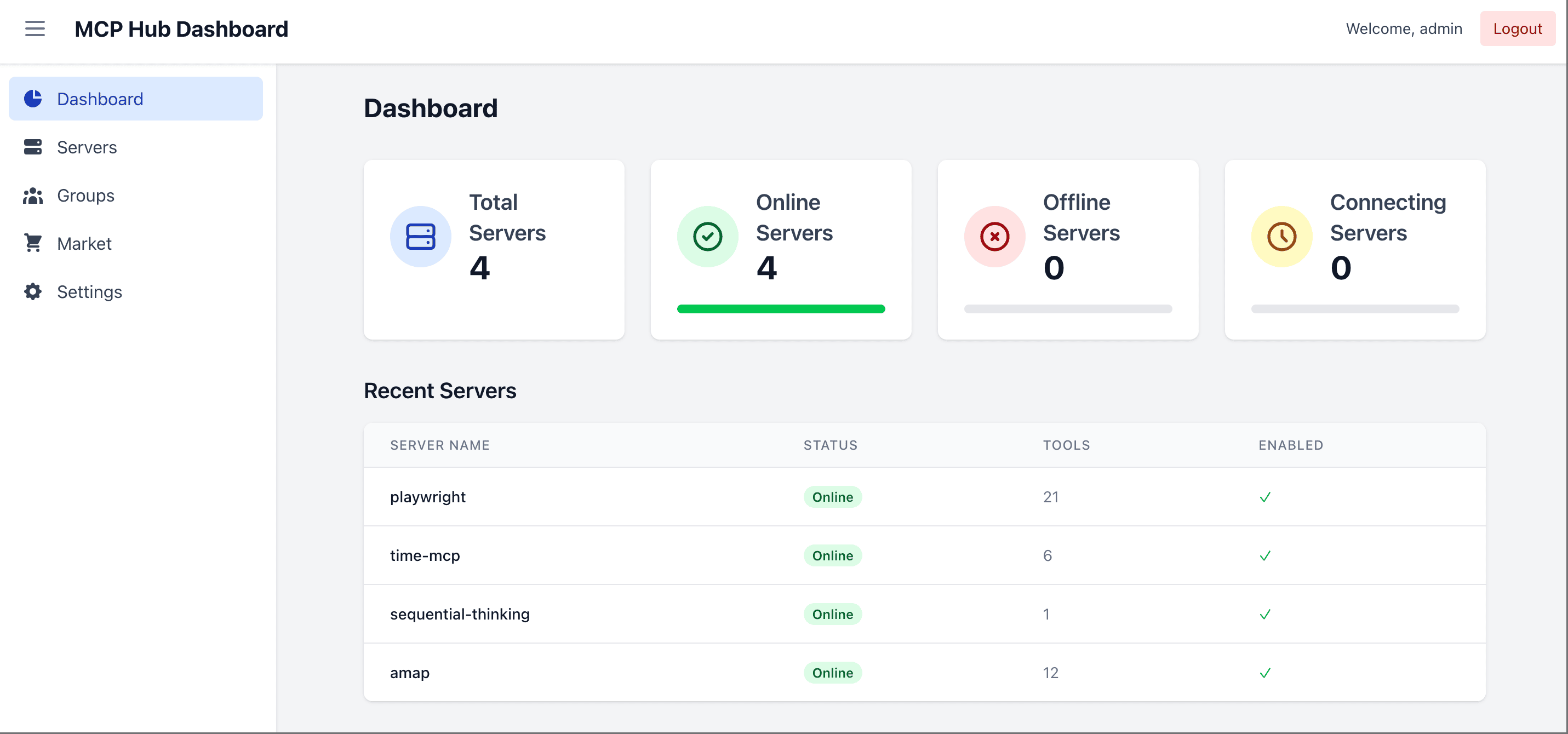
🌐 Sitio web, demo y documentación
- Sitio web: mcphub.app
- Documentación: docs.mcphub.app
- Entorno de demostración: demo.mcphub.app
🚀 Características
Conecta una vez, expón en todas partes
- Enrutamiento inteligente ⭐ - Descubrimiento de herramientas impulsado por IA mediante búsqueda semántica vectorial (Más información)
- Gateway MCP unificado - Expón todos los servidores conectados a través de endpoints MCP estables, incluidas rutas para grupos y servidores individuales
- Alias y enrutamiento de servidores - Define alias y enruta clientes a todos los servidores, grupos específicos, servidores individuales o enrutamiento inteligente
- Soporte SSE / Streamable HTTP / stdio - Conecta servidores MCP locales y remotos a través de los transportes compatibles
- Configuración intercambiable en caliente - Agrega, elimina o actualiza servidores sin tiempo de inactividad
Controla el acceso y las credenciales
- Credenciales por usuario ⭐ - Vincula claves personales a un servidor compartido, con almacenamiento cifrado y tiempos de ejecución stdio aislados (Más información)
- Autenticación y control de acceso - Usa OAuth 2.0, claves bearer y controles de visibilidad de servidores o grupos para gestionar el acceso
- Soporte OAuth 2.0 ⭐ - Modos de cliente y servidor para autenticación segura (Más información)
- Inicio de sesión social - Soporte fluido de inicio de sesión con GitHub y Google mediante la integración con Better Auth (requiere modo de base de datos)
- Gestión de servidores y grupos - Organiza servidores en grupos, gestiona la visibilidad y controla la exposición de herramientas, prompts y recursos
Opera con confianza
- Registros y observabilidad - Inspecciona la actividad de llamadas a herramientas, el estado de las solicitudes, la latencia y los registros del servidor
- Comprobaciones de salud - Monitorea la salud de las conexiones y el estado de los servidores desde un solo lugar
- Panel web - Gestiona la configuración del servidor y las operaciones en tiempo de ejecución desde un navegador
- Proxy de aplicaciones MCP - Reenvía de forma transparente aplicaciones MCP interactivas en rutas de servidor único (Más información)
- Compresión de resultados de herramientas - Reduce de forma transparente las salidas de texto grandes de las herramientas antes de que lleguen a los clientes
- Modo de base de datos - Almacena la configuración en PostgreSQL para entornos de producción (Más información)
- Listo para Docker - Implementa al instante con configuración contenerizada
🔧 Inicio rápido
Requisitos previos
- Docker (recomendado) — la forma más rápida de ejecutar MCPHub; todos los comandos a continuación lo usan
- Node.js
>=20.0.0y pnpm10.12.4— solo se necesitan para ejecutar desde el código fuente o desarrollar localmente (consulta Desarrollo local)
Inicia con Docker
docker run -p 3000:3000 -v ./data:/app/data samanhappy/mcphub
Abre http://localhost:3000 e inicia sesión con el nombre de usuario admin. En el primer inicio, si no se establece la variable de entorno ADMIN_PASSWORD, se genera una contraseña aleatoria y se imprime en los registros del servidor.
La configuración, los usuarios y los enlaces de credenciales se guardan en ./data de forma predeterminada.
¿Quieres tus propios servidores? Antes del primer inicio, crea data/mcp_settings.json (consulta Configuración). Después del inicio, agrega servidores en el panel o edita el archivo existente y reinicia MCPHub.
Configuración
Crea data/mcp_settings.json antes del primer inicio:
{
  "mcpServers": {
    "time": {
      "command": "npx",
      "args": ["-y", "time-mcp"]
    },
    "fetch": {
      "command": "uvx",
      "args": ["mcp-server-fetch"]
    }
  }
}
📖 Consulta la Guía de configuración para conocer todas las opciones, incluidos OAuth, variables de entorno y más.
Implementación con Docker
Consulta Inicia con Docker para obtener el comando de copiar y pegar. Mantén ./data montado para que la configuración, los usuarios y los enlaces de credenciales sobrevivan a la recreación del contenedor.
Se publican dos variantes de imagen bajo samanhappy/mcphub:
latest— la imagen predeterminada. Incluye Node.js/pnpm, Python, uv/uvx, Git y herramientas de compilación. Cubre la mayoría de los servidores MCP.latest-full— la imagen extendida. Agrega el conjunto de herramientas de Rust (Cargo/rustc), Docker Engine y navegadores Playwright (Chrome + Firefox, solo amd64). Úsala para servidores basados en Rust o flujos de trabajo de contenedor dentro de contenedor. Descarga más grande.
Consulta Configuración de Docker para conocer las opciones de compilación y la configuración de Docker-in-Docker.
Accede al panel
Abre http://localhost:3000 (consulta Inicia con Docker para conocer los detalles de inicio de sesión). También puedes preestablecer la contraseña:
# Docker: set admin password via environment variable
docker run -p 3000:3000 -v ./data:/app/data -e ADMIN_PASSWORD=your-secure-password samanhappy/mcphub
Consejo: Cambia la contraseña de administrador después del primer inicio de sesión por seguridad.
Modo sin interfaz: Establece
DISABLE_WEB=truepara omitir el servicio de la interfaz de panel incluida y ejecutar MCPHub solo con el backend/API y los endpoints MCP. Esto es útil cuando quieres gestionar servidores directamente desdemcp_settings.json.
Conecta clientes de IA
Conecta clientes de IA (Claude Desktop, Cursor, etc.) mediante:
http://localhost:3000/mcp           # All servers
http://localhost:3000/mcp/{group}   # Specific group
http://localhost:3000/mcp/{server}  # Specific server
http://localhost:3000/mcp/$smart    # Smart routing
http://localhost:3000/mcp/$smart/{group}  # Smart routing within group
Nota de seguridad: Los endpoints MCP requieren autenticación de forma predeterminada para evitar la exposición accidental. Para permitir el acceso MCP sin autenticación, desactiva Habilitar autenticación Bearer en la sección de claves. Omitir autenticación solo afecta el inicio de sesión del panel. Úsalo solo en entornos de confianza.
📖 Consulta la Referencia de API para obtener documentación detallada de los endpoints.
📚 Documentación
| Tema | Descripción |
|---|---|
| Inicio rápido | Comienza en 5 minutos |
| Configuración | Opciones de configuración del servidor MCP |
| Modo de base de datos | Configuración de PostgreSQL para producción |
| OAuth | Configuración de cliente y servidor OAuth 2.0 |
| Enrutamiento inteligente | Descubrimiento de herramientas impulsado por IA |
| Aplicaciones MCP | Proxy transparente de aplicaciones interactivas |
| Guía de CLI | Gestiona y llama al hub desde una terminal |
| Configuración de Docker | Guía de implementación con Docker |
🧑💻 Desarrollo local
git clone https://github.com/samanhappy/mcphub.git
cd mcphub
pnpm install
pnpm dev
El desarrollo local usa admin / admin123 y almacena su copia de configuración editable en data/mcp_settings.dev.json, por lo que el repositorio mcp_settings.json permanece libre de credenciales.
Para usuarios de Windows, inicia el backend y el frontend por separado:
pnpm backend:dev,pnpm frontend:dev
📖 Consulta la Guía de desarrollo para obtener instrucciones detalladas de configuración.
🔍 Pila tecnológica
- Backend: Node.js, Express, TypeScript (ESM)
- Frontend: React, Vite, Tailwind CSS
- Almacenamiento:
mcp_settings.jsonbasado en archivos de forma predeterminada; PostgreSQL mediante TypeORM con pgvector para enrutamiento inteligente - Autenticación: JWT + bcrypt para cuentas locales; claves bearer; servidor OAuth 2.0 integrado (
@node-oauth/oauth2-server); Better Auth opcional para inicio de sesión con GitHub/Google - Protocolo: SDK del Protocolo de Contexto de Modelo
🏢 Soporte de producción
¿Ejecutas MCPHub en producción?
Trabaja directamente con el mantenedor en arquitectura de producción, OAuth/OIDC, identidad y control de acceso, gestión de credenciales, auditoría, Kubernetes y preparación para alta disponibilidad.
Discute un piloto de producción →
👥 Contribuciones
¡Las contribuciones son bienvenidas! Consulta nuestra comunidad de Discord para debates y soporte.
❤️ Patrocinio

Los usuarios chinos también pueden apoyar mediante WeChat Pay — consulta 中文版.
🌟 Historial de estrellas
📄 Licencia
Licenciado bajo la Licencia Apache 2.0.