Revit MCP
Interactúa con Autodesk Revit usando el protocolo MCP. Este servidor proporciona herramientas de IA y requiere el plugin correspondiente de Revit para funcionar.
Documentación
revit-mcp
English | 简体中文
Descripción
revit-mcp te permite interactuar con Revit usando el protocolo MCP a través de clientes compatibles con MCP (como Claude, Cline, etc.).
Este proyecto es el lado del servidor (proporciona Herramientas a la IA), y necesitas usar revit-mcp-plugin (que controla Revit) en conjunto.
Únete a Discord | Grupo de QQ
Características
- Permite que la IA obtenga datos del proyecto de Revit
- Permite que la IA controle Revit para crear, modificar y eliminar elementos
- Envía código generado por IA a Revit para ejecutarlo (puede no tener éxito; la tasa de éxito es mayor en algunos escenarios simples con requisitos claros)
Requisitos
- nodejs 18+
El entorno de instalación completo aún debe considerar las necesidades de revit-mcp-plugin; consulta revit-mcp-plugin
Instalación
1. Construir el servicio MCP local
Instalar dependencias
npm install
Compilar
npm run build
2. Configuración del cliente
Cliente Claude
Cliente Claude -> Configuración > Desarrollador > Editar configuración > claude_desktop_config.json
{
    "mcpServers": {
        "revit-mcp": {
            "command": "node",
            "args": ["<path to the built file>\\build\\index.js"]
        }
    }
}
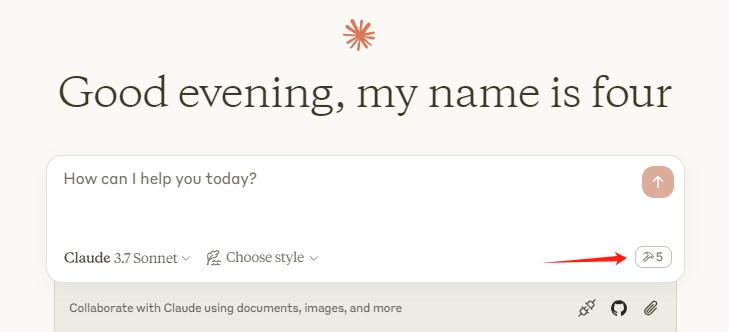
Reinicia el cliente Claude. Cuando veas el ícono de martillo, significa que la conexión al servicio MCP es normal.
Marco de trabajo
flowchart LR
	CladueDesktop --> revit-mcp --> SocketService--commandName-->CommandlSet--command-->CommandExecute
	CommandManager --> CommandlSet
	CommandExecute --executeResult--> SocketService
	CommandProject1 --> CommandManager
	CommandProject2 --> CommandManager
	CommandProject... --> CommandManager
	subgraph ide1 [MCPClient]
	CladueDesktop
	end
	subgraph ide2 [MCPServer]
	revit-mcp
	end
	subgraph ide3 [Revit]
			subgraph ide3.1 [revit-mcp-plugin]
				SocketService
				CommandlSet
				CommandManager
				CommandExecute
			end
	end
Herramientas compatibles
| Nombre | Descripción |
|---|---|
| get_current_view_info | Obtener información de la vista actual |
| get_current_view_elements | Obtener elementos de la vista actual |
| get_available_family_types | Obtener tipos de familia disponibles en el proyecto actual |
| get_selected_elements | Obtener elementos seleccionados |
| create_point_based_element | Crear elemento basado en punto (puerta, ventana, mobiliario) |
| create_line_based_element | Crear elemento basado en línea (muro, viga, tubería) |
| create_surface_based_element | Crear elemento basado en superficie (piso, techo) |
| delete_elements | Eliminar elementos |
| reset_model | Restablecer modelo (eliminar modelo de proceso al ejecutar diálogo continuo) |
| modify_element | Modificar propiedades del elemento (parámetros de instancia) |
| search_modules | Buscar módulos disponibles |
| use_module | Usar módulo |
| send_code_to_revit | Enviar código a Revit para ejecutar |
| color_splash | Colorear elementos según un valor de parámetro |
| tag_walls | Etiquetar todos los muros en la vista |