O'RLY Book Cover Generator
Genera portadas de libros al estilo O'RLY? (parodia de O'Reilly).
Documentación
orly-mcp


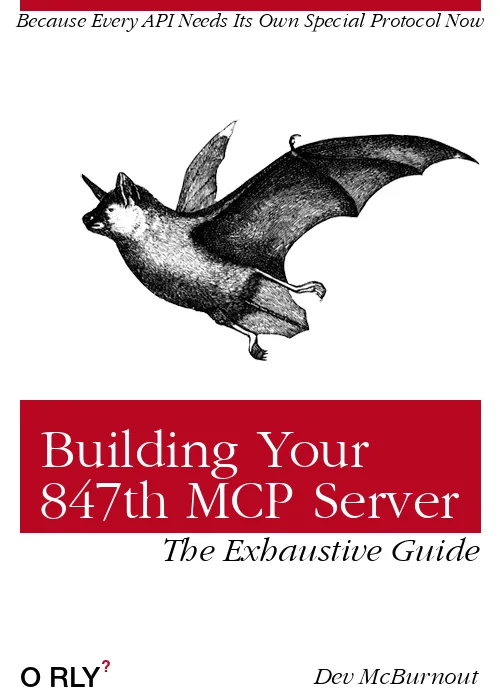
Un servidor MCP (Protocolo de Contexto de Modelo) para generar portadas de libros O'RLY? (parodia de O'Reilly) que se muestran directamente en la aplicación Claude Desktop.
Inicio Rápido
Instalar en el Servidor MCP
simplemente añade lo siguiente a tu configuración de mcp:
// ... other MCP servers ...
"mcp-orly": {
    "command": "uvx",
    "args": [
        "orly-mcp@latest"
    ]
}
// ... other MCP servers ...
Desarrollo Local
# Clone the repository
git clone [your-repo-url]
cd orly-mcp

# Create a virtual environment and install dependencies
uv venv .venv
uv pip install -r requirements.txt

# Test a sample image generation
uv run python test_mcp.py

# Run comprehensive tests
uv run python test_comprehensive.py

# Start the MCP server for development
python start_server.py
Configuración de Claude Desktop
Añade este servidor MCP a tu archivo de configuración de Claude Desktop (claude_desktop_config.json):
Configuración Recomendada
{
  "mcpServers": {
    "orly-local": {
      "command": "uv",
      "args": [
        "run",
        "--with", "fastmcp",
        "--with", "pillow",
        "--with", "fonttools",
        "--with", "requests",
        "python",
        "/path/to/your/orly-mcp/orly_mcp/server.py"
      ],
      "cwd": "/path/to/your/orly-mcp"
    }
  }
}
Importante: Reemplaza /path/to/your/orly-mcp con la ruta real de tu proyecto.
Alternativa: Instalación de Paquete
# Install in editable mode
uv pip install -e .

# Claude Desktop config
{
  "mcpServers": {
    "orly-local": {
      "command": "uvx",
      "args": ["--from", "/your/path/to/orly-mcp", "orly-mcp"]
    }
  }
}
Solución de Problemas
Error "ModuleNotFoundError: No module named 'mcp'"
Si ves este error, las dependencias de MCP no están disponibles:
cd /path/to/your/orly-mcp
uv pip install -r requirements.txt
Asegúrate de que tu configuración de Claude Desktop incluya todas las dependencias requeridas con las banderas --with.
Error "ModuleNotFoundError: No module named 'fontTools'"
Asegúrate de que todas las dependencias estén especificadas en tu configuración de Claude Desktop:
"args": [
  "run",
  "--with", "fastmcp",
  "--with", "pillow",
  "--with", "fonttools",
  "--with", "requests",
  "python",
  "/your/path/to/orly_mcp/server.py"
]
Probando tu Configuración
Ejecuta la prueba integral para verificar que todo funciona:
uv run python test_comprehensive.py
Usando la Herramienta ORLY en Claude
Una vez configurado, puedes pedirle a Claude que genere portadas de libros O'RLY de esta manera:
- "Crea una portada de libro O'RLY con el título 'Advanced Debugging' y autor 'Jane Developer'"
- "Genera una portada de libro titulada 'Machine Learning Mistakes' con subtítulo 'What Could Go Wrong?' por 'AI Enthusiast'"
- "Haz una portada O'RLY para 'CSS Grid Mastery' con tema 7 e imagen 15"
✨ ¡Las imágenes de portadas de libros generadas se mostrarán directamente en el chat!
La herramienta admite estos parámetros:
- title (obligatorio): Título principal del libro
- subtitle (opcional): Texto en la parte superior de la portada
- author (opcional): Nombre del autor (abajo a la derecha)
- image_code (opcional): Imagen de animal/objeto 1-40 (aleatoria si no se especifica)
- theme (opcional): Tema de color 0-16 (aleatorio si no se especifica)
- guide_text_placement (opcional): Posición del texto guía - 'top_left', 'top_right', 'bottom_left', 'bottom_right'
- guide_text (opcional): Texto guía personalizado (por defecto "The Definitive Guide")
Licencia
Este proyecto está licenciado bajo la Licencia MIT - consulta el archivo LICENSE.txt para más detalles.
El código original de generación de portadas de libros O'RLY en el directorio orly_generator/ está basado en el trabajo de Charles Berlin (2016) y también está licenciado bajo la Licencia MIT - consulta orly_generator/LICENSE.txt para más detalles.
Agradecimientos
Este proyecto se basa en el excelente trabajo de Charles Berlin. El código central de generación de imágenes en el directorio orly_generator/ está adaptado de su repositorio original O-RLY-Book-Generator, actualizado para funcionar con Python 3 e integrado en una herramienta MCP para su uso con clientes MCP como Claude Desktop.
Publicación
(Más para Chris, el Autor, ya que nunca usa Python y olvidará esto)
Puedes publicar rápidamente una nueva versión usando twine:
uv run twine upload dist/*
You'll be prompted to enter your PyPI API token.
You can quickly publish a new version using twine:
# Install dev dependencies (includes build and twine)
uv sync --group dev

# Build the package
uv run python -m build

# Check the built package
uv run twine check dist/*

# Publish to TestPyPI first for testing (optional)
uv run twine upload --repository testpypi dist/*

# Publish to PyPI
uv run twine upload dist/*
Asegúrate de:
- Actualizar el número de versión en
pyproject.toml - Probar el paquete localmente con
uv run python test_comprehensive.py - Compilar y publicar
Para la autenticación, necesitarás tokens de API de PyPI configurados en tu archivo ~/.pypirc o establecidos como variables de entorno.ons/orly-mcp.svg)](https://pypi.org/project/orly-mcp/)