MCP Light Memory
Memoria persistente local-first para agentes de codificación que preserva el contexto relevante del proyecto entre sesiones y reduce el uso innecesario de tokens.
Documentación
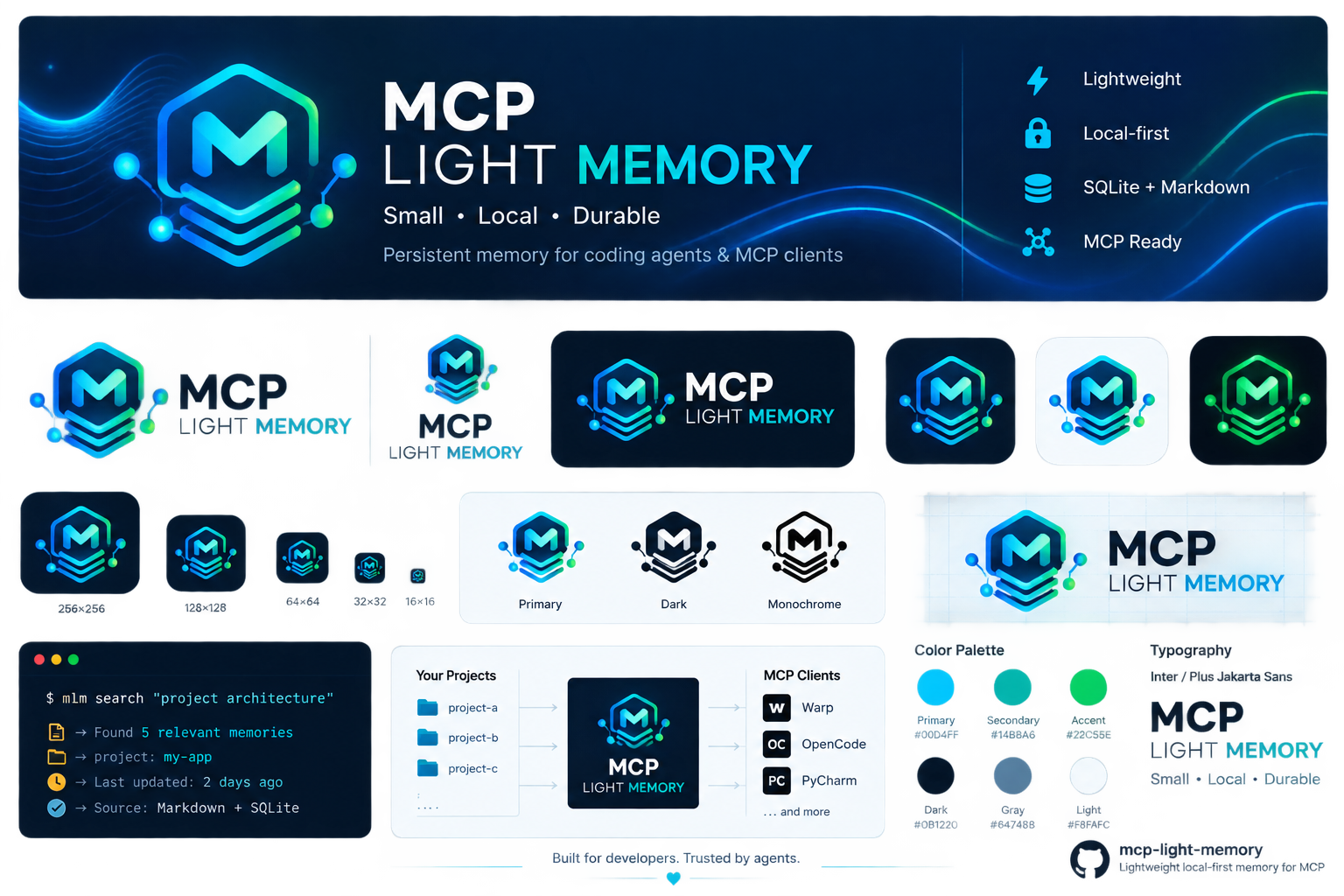

MCP Light Memory
Memoria persistente ligera, local-first para agentes de codificación y clientes MCP.
anteriormente internal-rag




¿Qué es esto?
MCP Light Memory es un sistema de memoria persistente ligero, local-first para agentes de codificación y clientes MCP (Warp, OpenCode, JetBrains AI Assistant / PyCharm, Claude Code, Cursor). Actúa como una capa de checkpoint + recuperación — almacena el estado durable mínimo necesario para reanudar trabajo complejo entre sesiones, sin mantener la conversación completa en la ventana de contexto del modelo.
Cuando tu agente inicia una tarea, llama a context y obtiene decisiones pasadas relevantes, errores, restricciones e hipótesis — clasificadas, deduplicadas y limitadas por confianza. Cuando termina, guarda el estado de trabajo. En la próxima sesión, incluso después de un reinicio, la memoria está ahí.
¿Por qué usarlo?
| Problema | Cómo lo resuelve MCP Light Memory |
|---|---|
| Los agentes olvidan todo entre sesiones | Los archivos Markdown persisten en disco; el agente los recupera vía BM25 + embeddings opcionales |
| El historial completo de la sesión es demasiado grande para el contexto | Solo se recuperan memorias relevantes (con presupuesto de tokens, diversificadas con MMR) |
| Dependencia de la nube / preocupaciones de privacidad | 100% local, sin conexión, cero llamadas de red, sin demonio |
| Configuración pesada / dependencias | Cero dependencias de runtime requeridas (stdlib puro de Python 3.8+); sentence-transformers opcional para mejor recuperación semántica |
| Inyección de prompts vía memoria almacenada | Cada memoria recuperada es explícitamente trust: untrusted evidencia con una heurística de advertencia de inyección (ADR-015) |
| Aislamiento multi-proyecto | Router con lista de permitidos del registro, write:false límite estricto, aislamiento de subproceso por llamada |
| Deriva del protocolo MCP | Soporte de doble era: 2026-07-28 moderno + 2024-11-05…2025-11-25 legado |
Cómo funciona (mecanismos)
- Markdown es la fuente de verdad. Cada memoria es un archivo
.mdcon frontmatter YAML (id,type,status,tags,sources,links,valid_from,valid_to,supersedes). Legible por humanos, difenciable, durable. - SQLite es una caché reconstruible. Índice BM25/FTS5 + vectores de embedding opcionales + seguimiento de uso. Bórralo y todo se reconstruye desde Markdown.
- Recuperación: BM25 puro en Python + embeddings densos opcionales → fusión RRF → diversificación MMR → refuerzos de política (tipo/estado/temporal) → corte por presupuesto de tokens. Modo adaptativo: disperso primero, denso solo si es débil.
- Ciclo de vida:
remember→update→supersede(enlaza en ambas direcciones, nunca elimina historial) →forget(archiva, nunca elimina) →timeline(vista temporal).search --at YYYY-MM-DDpara consultas históricas. - Límite de confianza: el contenido recuperado se envuelve en
=== BEGIN/END INTERNAL_RAG MEMORY ===con un encabezadoSECURITY NOTICE. El JSON/MCP estructurado llevatrust: untrusted+security_flags: ["instruction_like_content"]opcional. - Frescura de evidencia: cada resultado incluye
evidence_state(present/missing/unverifiable) para evidencia similar a rutas locales — derivado en el momento de la recuperación, nunca persistido. - Router multi-proyecto: un servidor MCP stdio frente a muchos proyectos vía un registro JSON.
write:falsebloquea herramientas de mutación antes de lanzar un hijo. Aislamiento de subproceso por llamada (sin estado compartido).
Configuración
Requisitos previos
- Python 3.8+ (usa el lanzador
py,pythonopython3— el instalador detecta automáticamente el intérprete real y rechaza el stub de WindowsApps) - Git (el proyecto objetivo debe ser un repositorio git)
- Opcional:
pip install sentence-transformers numpypara mejor recuperación semántica
La versión actual está definida por el archivo VERSION — verifícalo (o ejecuta mlm.py --version) en lugar de codificar un número esperado.
Inicio rápido
Clona este repositorio una vez, luego instala en cualquier proyecto:
# Windows (PowerShell)
git clone https://github.com/PeterPirog/mcp-light-memory.git ~/mcp-light-memory
python ~/mcp-light-memory/install.py . --client warp
# Linux/macOS
git clone https://github.com/PeterPirog/mcp-light-memory.git ~/mcp-light-memory
python3 ~/mcp-light-memory/install.py . --client warp
El instalador:
- copia los archivos de skill + crea
INTERNAL_RAG/+AGENTS.md - ejecuta
init+checkpoint+validate(para queguardestéOKinmediatamente) - registra automáticamente el servidor MCP en la configuración del cliente cuando puede hacerlo de forma segura (o informa
MANUAL_REQUIRED/ imprime instrucciones de JetBrains) - escribe la ruta absoluta al intérprete de Python verificado (sobrevive problemas de PATH de Windows)
python .agents\skills\internal-rag\mlm.py --version   # reports the installed version
python .agents\skills\internal-rag\mlm.py status       # expect: INTERNAL_RAG ready
python .agents\skills\internal-rag\mlm.py guard        # expect: GUARD OK
Matriz de instalación
Un instalador, cuatro clientes, dos ámbitos de configuración. Guía completa: docs/INSTALLATION.md.
| Cliente | Ámbito de proyecto | Ámbito global |
|---|---|---|
| Warp (escritura de configuración automática; la activación del proyecto puede requerir aprobación) | install.py . --client warp | install.py . --client warp --global |
| OpenCode stable (V1) (automático para escrituras seguras de configuración JSON) | install.py . --client opencode | install.py . --client opencode --global |
| OpenCode 2 (V2, beta) (automático para escrituras seguras de configuración JSON) | install.py . --client opencode2 | install.py . --client opencode2 --global |
| JetBrains AI / PyCharm (manual en la interfaz del IDE) | install.py . --client jetbrains | install.py . --client jetbrains --global |
--globalcambia el ámbito de la CONFIGURACIÓN DEL CLIENTE (~/.warp/.mcp.jsonvs{repo}/.warp/.mcp.json,~/.config/opencode/opencode.jsonvs proyectoopencode.json). El servidor sigue apuntando al proyecto objetivo donde instalaste.- ¿Necesitas un endpoint MCP global para muchos repositorios? Usa el router multi-proyecto — docs/MCP-MULTI-PROJECT.md.
- JetBrains/PyCharm es asistido, no totalmente automático: el instalador prepara el JSON + Directorio de trabajo; tú agregas el servidor en Settings → Tools → AI Assistant → MCP y eliges Server level = Project o Global.
- Configuración manual (sin instalador) por cliente: docs/INSTALLATION.md + páginas de clientes (Warp · OpenCode).
Zero-shot: prompts de copiar y pegar para Warp y OpenCode
Puedes pegar uno de estos directamente en el agente del cliente. Reemplaza C:\Projects\App con la ruta real del repositorio objetivo.
Warp — instalar para un proyecto:
Install and configure MCP Light Memory (mcp-light-memory) as an MCP server for project C:\Projects\App in Warp, using project scope. Use the repository https://github.com/PeterPirog/mcp-light-memory. If the tool is not cloned yet, clone it to a stable location outside the project; if it already exists, update it with git pull --ff-only. Apply the canonical installation contract from the repository and run install.py with TARGET_PROJECT=C:\Projects\App and --client warp without --global. Do not force-overwrite an existing configuration. After installation, verify from cwd=C:\Projects\App: mlm.py --version, mlm.py status, and mlm.py guard, and confirm that the Warp configuration contains mcp-light-memory and the C:\Projects\App path. Report success only after MCP REGISTRATION: REGISTERED and successful verification. If Warp requires an additional project activation/toggle/approval, state the exact client-side step and do not claim the server is active before it is completed.
Warp — configuración global del cliente para un proyecto:
Install and configure MCP Light Memory (mcp-light-memory) in Warp globally for project C:\Projects\App. Use the repository https://github.com/PeterPirog/mcp-light-memory. If the tool is not cloned yet, clone it to a stable location outside the project; if it already exists, run git pull --ff-only. Apply the canonical installation contract and run install.py with TARGET_PROJECT=C:\Projects\App, --client warp, and --global. Remember: --global means the global Warp client configuration, while the server must still be bound to C:\Projects\App; do not use the multi-project router. After installation, verify from cwd=C:\Projects\App: mlm.py --version, mlm.py status, and mlm.py guard, and confirm that the global Warp configuration contains mcp-light-memory and the C:\Projects\App path. Report success only after MCP REGISTRATION: REGISTERED and successful verification.
OpenCode — instalar para un proyecto (stable/V1):
Install and configure MCP Light Memory (mcp-light-memory) as an MCP server for project C:\Projects\App in OpenCode. By "OpenCode" I mean stable/V1, so use --client opencode, not opencode2. Use the repository https://github.com/PeterPirog/mcp-light-memory. If the tool is not cloned yet, clone it to a stable location outside the project; if it already exists, run git pull --ff-only. Run install.py with TARGET_PROJECT=C:\Projects\App and --client opencode without --global. Do not force-overwrite an existing configuration. If the installer returns MCP REGISTRATION: MANUAL_REQUIRED (for example because opencode.jsonc exists), do not report success: safely edit the JSONC while preserving comments and unrelated settings if you have appropriate file-editing tools; otherwise report the exact manual action required. After real registration, verify from cwd=C:\Projects\App: mlm.py --version, mlm.py status, and mlm.py guard, and confirm that the OpenCode configuration contains mcp-light-memory and C:\Projects\App.
OpenCode — configuración global del cliente para un proyecto (stable/V1):
Install and configure MCP Light Memory (mcp-light-memory) globally in OpenCode for project C:\Projects\App. By "OpenCode" I mean stable/V1, so use --client opencode. Use the repository https://github.com/PeterPirog/mcp-light-memory. If the tool is not cloned yet, clone it to a stable location outside the project; if it already exists, run git pull --ff-only. Run install.py with TARGET_PROJECT=C:\Projects\App, --client opencode, and --global. --global means the global OpenCode client configuration, while the server must still be bound only to C:\Projects\App; do not use the multi-project router. If the installer returns MCP REGISTRATION: MANUAL_REQUIRED, do not report success and follow the safe JSONC instructions. After real registration, verify from cwd=C:\Projects\App: mlm.py --version, mlm.py status, and mlm.py guard, and confirm that the global OpenCode configuration contains mcp-light-memory and the C:\Projects\App path.
Para OpenCode 2 / V2, usa los mismos prompts pero di explícitamente OpenCode 2 / V2 y requiere --client opencode2. Más variantes: docs/ZERO-SHOT-SETUP-PROMPTS.md.
Detalles de configuración
Warp
Warp lee las configuraciones del servidor MCP desde ~/.warp/.mcp.json (global, auto-lanzamiento) o
{repo}/.warp/.mcp.json (proyecto, requiere un toggle manual según documentación de Warp).
Forma: mcpServers.<name> con command, args, working_directory (siempre configúralo — el almacén de memoria se resuelve desde ahí). Ver examples/warp.example.json y docs/WARP-SETUP.md.
OpenCode stable (V1)
OpenCode lee opencode.json/.jsonc en la raíz del proyecto, o
~/.config/opencode/opencode.json globalmente. Los servidores V1 son planos bajo
mcp.<name> (sin sub-clave servers) con enabled: true y command como un
array — ver examples/opencode-legacy.example.json y docs/OPENCODE.md.
OpenCode 2 (V2, beta)
Mismos archivos de configuración, diferente forma: mcp.servers.<name>, command como un
array, y sin campo enabled (V2 desactiva vía disabled: true) — ver
examples/opencode-v2.example.jsonc y docs/OPENCODE.md.
JetBrains AI Assistant / PyCharm
PyCharm NO lee automáticamente ningún archivo de configuración MCP. El instalador imprime
JSON listo para pegar + Directorio de trabajo; tú agregas el servidor en
Settings → Tools → AI Assistant → MCP (STDIO) y eliges Server level =
Project o Global. Ver examples/jetbrains.example.json.
Router multi-proyecto
Una conexión MCP frente a muchos proyectos — lista de permitidos del registro, write:false límite estricto, aislamiento de subproceso por llamada.
Archivo de registro (projects.json)
{
  "projects": {
    "backend": { "root": "/abs/path/backend", "write": true },
    "shared-lib": { "root": "/abs/path/shared-lib", "write": false }
  }
}
Configuración de Warp para el router
{
  "mcpServers": {
    "mcp-light-memory-router": {
      "command": "python3",
      "args": ["/abs/path/mcp-light-memory/.agents/skills/internal-rag/irag_mcp_router.py", "--registry", "/abs/path/projects.json"],
      "working_directory": "/abs/path/mcp-light-memory"
    }
  }
}
Ver docs/MCP-MULTI-PROJECT.md para detalles.
Flujo de trabajo
context --task "current task"
  ↓
recovery, if required (RECOVERY REQUIRED)
  ↓
checkpoint before first change
  ↓
implementation
  ↓
checkpoint after each milestone
  ↓
guard before finishing
Comandos principales (alias CLI: mlm.py o irag.py legado):
mlm.py context --task "..."
mlm.py checkpoint --reason "..."
mlm.py search --query "..." --limit 8
mlm.py remember --type decision --title "..." --body "..."
mlm.py show <ref>
mlm.py update <ref> --status superseded
mlm.py status
mlm.py guard
mlm.py validate
mlm.py doctor
Mapeo de rutas (rebranding: internal-rag → MCP Light Memory)
| Nuevo nombre | Ruta legada (mantenida por compatibilidad) |
|---|---|
MCP Light Memory (producto) | internal-rag (nombre de producto obsoleto) |
mlm / mlm.py (CLI principal) | irag.py (alias legado, aún funciona) |
mcp-light-memory (nombre del servidor MCP) | internal-rag (legado, aún funciona en configuraciones) |
mcp-light-memory-router (nombre del router) | internal-rag-router (legado) |
INTERNAL_RAG/ (carpeta de almacenamiento — sin cambios) | — |
.agents/skills/internal-rag/ (directorio de skills — sin cambios) | — |
La carpeta en disco INTERNAL_RAG/ y el directorio de skills .agents/skills/internal-rag/ se mantienen intencionalmente bajo sus nombres legados para compatibilidad de cero migración. Ver docs/MIGRATION-TO-MCP-LIGHT-MEMORY.md.
Memoria durable (CRUD)
remember --type decision --title "..." --body "..." --tags "a,b" --evidence "src/x.py:42" --links "decisions/other.md"
show <path-or-id>
show <ref> --section Knowledge
update <ref> --add-tags "new" --append "New evidence: ..."
supersede <ref> --by <new> --reason "..."
forget <ref>              # archives, does not delete
link --from <ref> --to <ref>
timeline --limit 20
status
history
Tipos: decision, knowledge, constraint, gotcha, failure, hypothesis, session.
Pila de tareas (interrupciones)
mlm.py push --task "interrupted work" --reason "user-priority"
mlm.py tasks
mlm.py resume
mlm.py forget-task <id>   # drop a specific task
mlm.py forget-task         # clear the whole stack
Configuración (.irag.yml, opcional)
retrieval:
  limit: 10
  mmr_lambda: 0.4
  min_score: 0.3
  embeddings: auto        # auto | on | off
  profile: english-fast   # english-fast (default) | multilingual (PL/EN projects)
  embeddings_model: null  # explicit model overrides the profile
tokens:
  context_budget: 5000
checkpoints:
  auto_archive_sessions: true
  max_task_stack: 24
mlm.py config muestra la configuración efectiva. mlm.py config --init escribe una plantilla.
Embeddings opcionales (mejor recuperación)
pip install -r requirements-optional.txt
Cuando el paquete está disponible y .irag.yml tiene embeddings: auto (predeterminado), la recuperación usa embeddings con respaldo a BM25. Anula en tiempo de ejecución con --embeddings on|off|auto.
Dos perfiles de recuperación (ver docs/EMBEDDINGS.md):
english-fast(predeterminado,all-MiniLM-L6-v2)multilingual(intfloat/multilingual-e5-small) — para proyectos polaco-inglés
Sin conexión / aire aislado
python pack.py --with-embeddings --profile english-fast
# -> internal-rag-offline-1.8.1.zip   (name from pack.py; 1.8.1 = VERSION file)
# On the air-gapped machine:
unzip internal-rag-offline-*.zip -d internal-rag-offline
pip install --no-index --find-links wheels/ -r requirements-optional.txt
python install.py "/path/to/project" --client <warp|opencode|opencode2|jetbrains>
Ver docs/OFFLINE.md para detalles.
Privacidad y Git
El modo de instalación predeterminado es solo local. El instalador usa .git/info/exclude, no el .gitignore del proyecto, para que la memoria local y los archivos de integración no se confirmen accidentalmente.
Antes de publicar un proyecto:
python .\privacy_check.py "D:\path\to\project"
Esperado: RESULT: PASS
Eliminación completa de un proyecto
python .\uninstall.py "D:\path\to\project"
El desinstalador crea una copia de seguridad fuera del repositorio, luego elimina INTERNAL_RAG y sus integraciones. Usa --keep-memory para preservar los datos de memoria.
Documentación
- Instalación · Uso diario · Referencia CLI
- Arquitectura · Ciclo de vida de memoria · Recuperación
- MCP · MCP multi-proyecto
- Decisiones de arquitectura (ADR) · Configuración
- Embeddings · Sin conexión · Hooks de Git
- Privacidad y Git · Desinstalación · Solución de problemas
- Prompts de configuración zero-shot · Migración · Marca
Estructura en un proyecto objetivo
project/
├── AGENTS.md
├── .irag.yml                    # optional config
├── INTERNAL_RAG/
│   ├── WORKING_STATE.md
│   ├── INDEX.md
│   ├── .checkpoint.json
│   ├── decisions/  knowledge/  gotchas/  failures/  hypotheses/  sessions/  archive/
│   └── exports/
├── .agents/skills/internal-rag/
│   ├── SKILL.md
│   ├── mlm.py                   # primary CLI (forwards to irag.py)
│   ├── irag.py                  # core (legacy alias, still the canonical module)
│   ├── irag_embeddings.py       # optional plugin
│   └── irag_hooks.py            # optional git hooks
└── .opencode/                   # OpenCode integration (optional)
Fuente de verdad
- instrucciones actuales del usuario, 2. código/pruebas/configuración actuales, 3. especificaciones/ADRs, 4. memoria verificada, 5. notas de sesión, 6. hipótesis.
La memoria puede estar desactualizada. El código tiene prioridad.
Licencia
MIT.
Registro de cambios
1.8.0 — Configuración manual de JetBrains
--client jetbrainsya no escribe un archivo de configuración falso (PyCharm ignora los archivos de configuración MCP). Imprime JSON listo para pegar + instrucciones del menú del IDE en su lugar.--unregister --client jetbrainsimprime un recordatorio para eliminar en la interfaz del IDE.
1.7.2 — cwd de JetBrains + mensajes específicos del cliente
- JetBrains: escribe
working_directorycomo sugerencia e imprimeWARNINGcon la ruta exacta para configurar enSettings → Tools → AI Assistant → MCP. - Mensajes de reinicio específicos del cliente (Reiniciar PyCharm / Reiniciar Warp / Reiniciar OpenCode).
Memory store: <path>impreso en la salida de instalación para verificación inmediata.
1.7.1 — Corrección del stub de Python en Windows
detect_python()rechaza el stub de 0 bytes de WindowsApps; prefierepy -0p; verifica cada candidato con--version.- Verificación posterior al registro: ejecuta
--versioninmediatamente después de escribir la configuración e informaPASS/FAIL. --unregisterelimina archivos de configuración vacíos y directorios padre (corrige el esqueleto muerto de.warp/.mcp.json→GUARD STALE).
1.7.0 — Rebranding a MCP Light Memory
- Rebranding total de
internal-raga MCP Light Memory (mcp-light-memory). Nuevo alias CLImlm(mlm.py). Recursos de logotipo/icono. Documento de migración. Lista de verificación de rebranding en GitHub. - Compatible hacia atrás:
irag.py,INTERNAL_RAG/, nombres antiguos del servidor MCP conservados como alias obsoletos. - 18 pruebas de consistencia del rebranding.
1.6.1 — Endurecimiento posterior a v1.6
- Benchmark de mutación/ciclo de vida (11 escenarios). Límite de confianza (ADR-015):
trust: untrusted+security_flags. Frescura de evidencia (ADR-016):evidence_state. Benchmark de escala (100/1k/10k). Regresiones de seguridad del router (+12 pruebas). Prueba de consistencia de documentación. 249 pruebas pasan.
1.6.0 — Calidad de recuperación + MCP 2026-07-28
- Benchmark de calidad de memoria (37 casos). MCP
2026-07-28de doble era (server/discover,_meta,structuredContent,outputSchema). Registro estrictowrite. Fuentes en prefijo de fragmento. Recuperación adaptativa. Contexto consciente de enlaces.consolidate --prepare. Benchmark de latencia del router. ADR-010…016.
1.5.0 — Puerta de abstención + router multiproyecto
- Puerta de relevancia/abstención (
--meta). Prefiltro de candidatos FTS5. Router MCP multiproyecto. Endurecimiento del protocolo MCP (stdout puro, verificado por SDK). 168 pruebas.
1.4.0 — Fragmentación + deduplicación + ciclo de vida temporal
- Fragmentación consciente de secciones (esquema v3). Deduplicación SimHash. Perfil multilingüe PL/EN. Ciclo de vida temporal (
valid_from/valid_to/supersedes/--at).consolidate --dry-run.
1.3.0 — Caché de incrustaciones persistente
- BLOBs float32 a nivel de fragmento en SQLite. Múltiples modelos coexisten.
index --vacuum/--embed-missing.
1.0.2 — Presupuesto de tokens + privacidad
- Aplicación del presupuesto de tokens. Detección de memoria obsoleta. Detección de duplicados. Escaneo de privacidad al momento de escritura. Temporizador de punto de control automático. Paquete sin conexión/aislado.
1.0.0 — Lanzamiento inicial
- Recuperación BM25 + MMR. CRUD completo de memoria. Pila de tareas. Servidor MCP (JSON-RPC stdio). Hooks de Git. Diagnósticos. Exportar/importar. Presupuesto de tokens.