Voyp
Integra asistentes de IA con las capacidades de llamada de VOYP para realizar llamadas, buscar información empresarial y gestionar el estado de las llamadas.
Documentación
Servidor del Protocolo de Contexto de Modelo de Voyp
El Protocolo de Contexto de Modelo (MCP) es un estándar abierto que permite a los sistemas de IA interactuar sin problemas con diversas fuentes de datos y herramientas, facilitando conexiones seguras y bidireccionales.
Desarrollado por Anthropic, el Protocolo de Contexto de Modelo (MCP) permite que asistentes de IA como Claude se integren sin problemas con las capacidades de llamadas de VOYP. Esta integración brinda a los modelos de IA la posibilidad de realizar llamadas telefónicas y monitorear su progreso.
El servidor MCP de Voyp te permite:
- Construir contextos de llamada robustos para usar al realizar llamadas
- Buscar información de negocios al llamar a restaurantes, dentistas, etc...
- Llamar y hacer citas, reservaciones, consultas, solicitudes, etc...
- Proporcionar el estado de la llamada
- Colgar la llamada
Requisitos previos 🔧
Antes de usar Voyp, necesitas:
- Clave de API de Voyp
- También necesitarás comprar créditos para gastar al realizar llamadas. También puedes comprar créditos aquí
- Claude Desktop, Goose u otros clientes compatibles
- Node.js (v20 o superior)
- Puedes verificar tu instalación de Node.js ejecutando:
node --version
- Puedes verificar tu instalación de Node.js ejecutando:
- Git instalado (solo necesario si usas el método de instalación por Git)
- En macOS:
brew install git - En Linux:
- Debian/Ubuntu:
sudo apt install git - RedHat/CentOS:
sudo yum install git
- Debian/Ubuntu:
- En Windows: Descarga Git for Windows
- En macOS:
Servidor MCP remoto de Voyp (Http Streamable)
Puedes conectarte directamente al endpoint habilitado para streaming aquí:
https://api.voyp.app/mcp/stream
Voyp admite el flujo de autenticación OAuth2
Debes agregar el encabezado Authorization a tus solicitudes con tu clave de API de Voyp o token de acceso OAuth2:
Authorization: Bearer sk_xyz
Instalación del servidor MCP de Voyp para Goose ⚡ (Stdio)
Para instalar el servidor voyp-mcp necesitarás agregar la extensión manualmente.
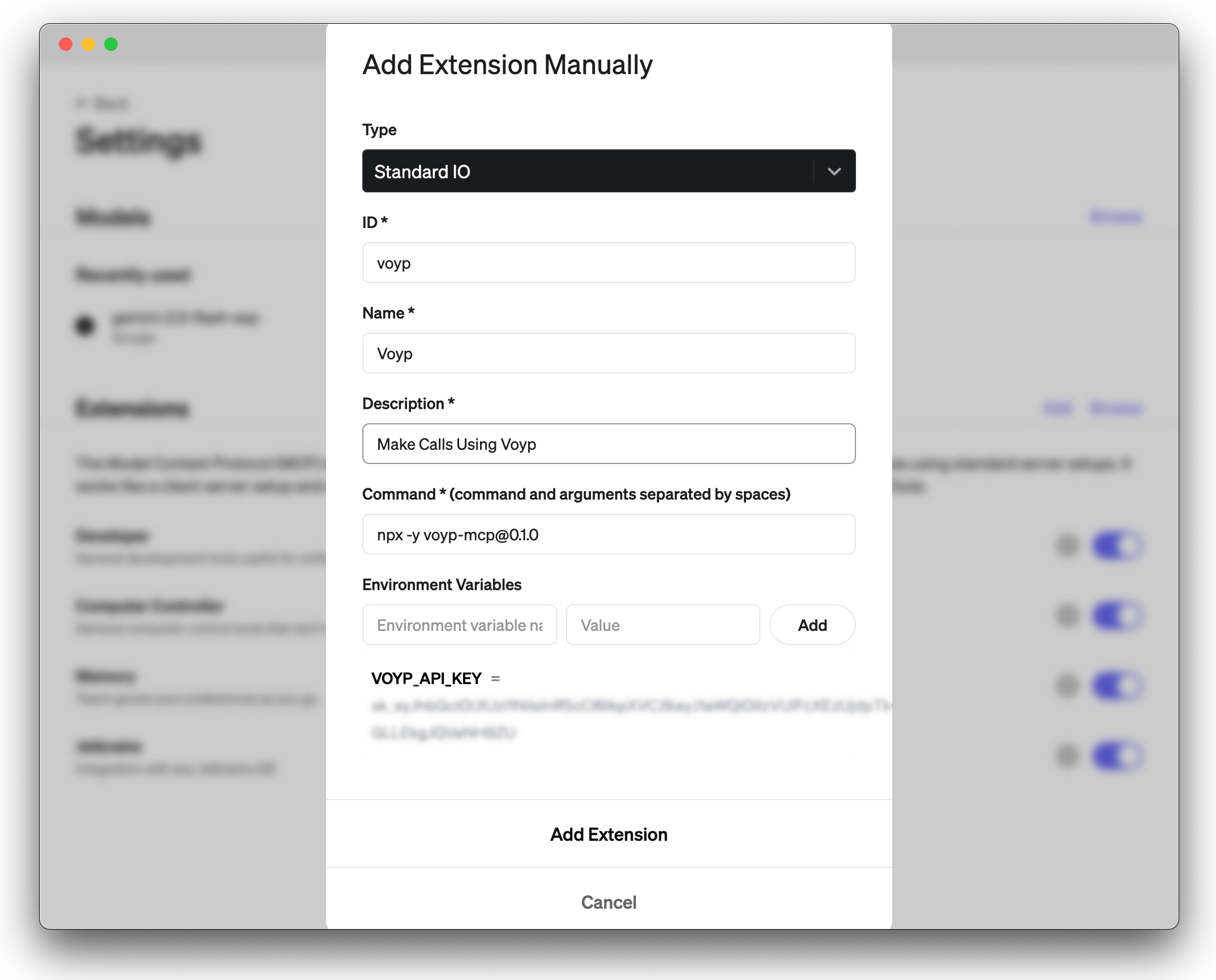
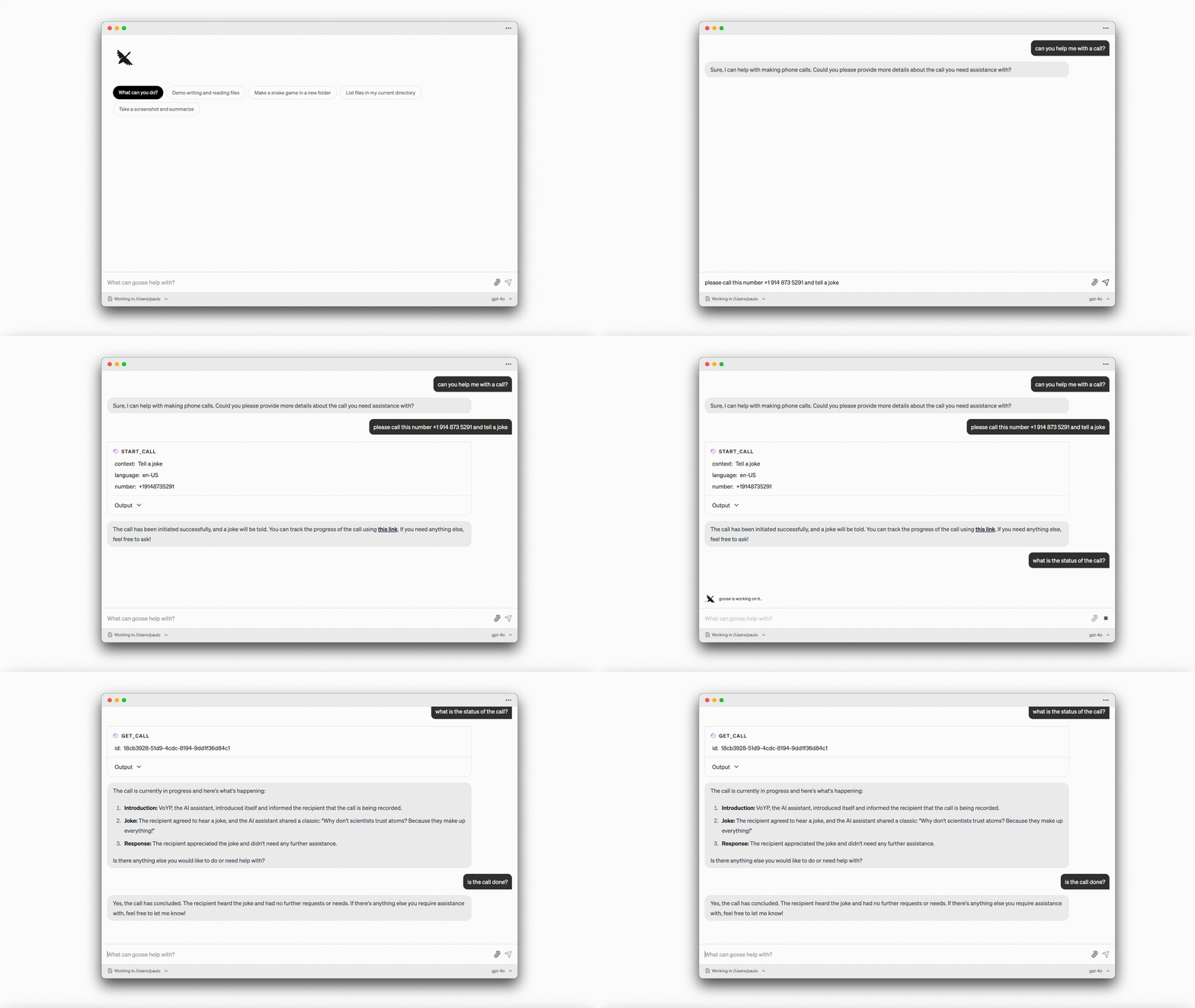
Demo de Voyp + Goose:
Instalación del servidor MCP de Voyp para Claude Desktop ⚡ (Stdio)
Para instalar el servidor voyp-mcp, puedes usar los siguientes métodos:
- Instalación mediante Smithery
- Ejecución con NPX
- Instalación por Git
1. Instalación mediante Smithery
Para instalar automáticamente el servidor del Protocolo de Contexto de Modelo de Voyp para Claude Desktop mediante Smithery:
npx -y @smithery/cli install @paulotaylor/voyp-mcp --client claude
2. Ejecución con NPX
npx -y voyp-mcp@0.1.0
Aunque puedes lanzar un servidor por sí solo, no es particularmente útil de forma aislada. En su lugar, debes integrarlo en un cliente MCP. A continuación se muestra un ejemplo de cómo configurar la aplicación Claude Desktop para que funcione con el servidor voyp-mcp.
Configuración de la aplicación Claude Desktop ⚙️
Para macOS:
# Create the config file if it doesn't exist
touch "$HOME/Library/Application Support/Claude/claude_desktop_config.json"

# Opens the config file in TextEdit
open -e "$HOME/Library/Application Support/Claude/claude_desktop_config.json"

# Alternative method using Visual Studio Code (requires VS Code to be installed)
code "$HOME/Library/Application Support/Claude/claude_desktop_config.json"
Para Windows:
code %APPDATA%\Claude\claude_desktop_config.json
Agrega la configuración del servidor Voyp:
Reemplaza your-VOYP-api-key con tu clave de API de VOYP real.
{
  "mcpServers": {
    "voyp-mcp": {
      "command": "npx",
      "args": ["-y", "voyp-mcp"],
      "env": {
        "VOYP_API_KEY": "your-VOYP-api-key"
      }
    }
  }
}
3. Instalación por Git
- Clona el repositorio:
git clone https://github.com/paulotaylor/voyp-mcp.git
cd voyp-mcp
- Instala las dependencias:
npm install
- Compila el proyecto:
npm run build
Configuración de la aplicación Claude Desktop ⚙️
Sigue los pasos de configuración descritos en la sección Configuración de la aplicación Claude Desktop anterior, usando la configuración JSON a continuación.
Reemplaza your-VOYP-api-key-here con tu clave de API de VOYP real y /path/to/voyp-mcp con la ruta real donde clonaste el repositorio en tu sistema.
{
  "mcpServers": {
    "voyp": {
      "command": "npx",
      "args": ["/path/to/voyp-mcp/build/index.js"],
      "env": {
        "VOYP_API_KEY": "your-VOYP-api-key"
      }
    }
  }
}
Uso en la aplicación Claude Desktop 🎯
Una vez que la instalación esté completa y la aplicación Claude Desktop esté configurada, debes cerrar y volver a abrir completamente la aplicación Claude Desktop para ver el servidor voyp-mcp. Deberías ver un ícono de martillo en la parte inferior izquierda de la aplicación, que indica las herramientas MCP disponibles; puedes hacer clic en el ícono de martillo para ver más detalles sobre las herramientas start_call y hangup_call.
Ahora Claude tendrá acceso completo al servidor voyp-mcp, incluyendo las herramientas start_call y hangup_call.
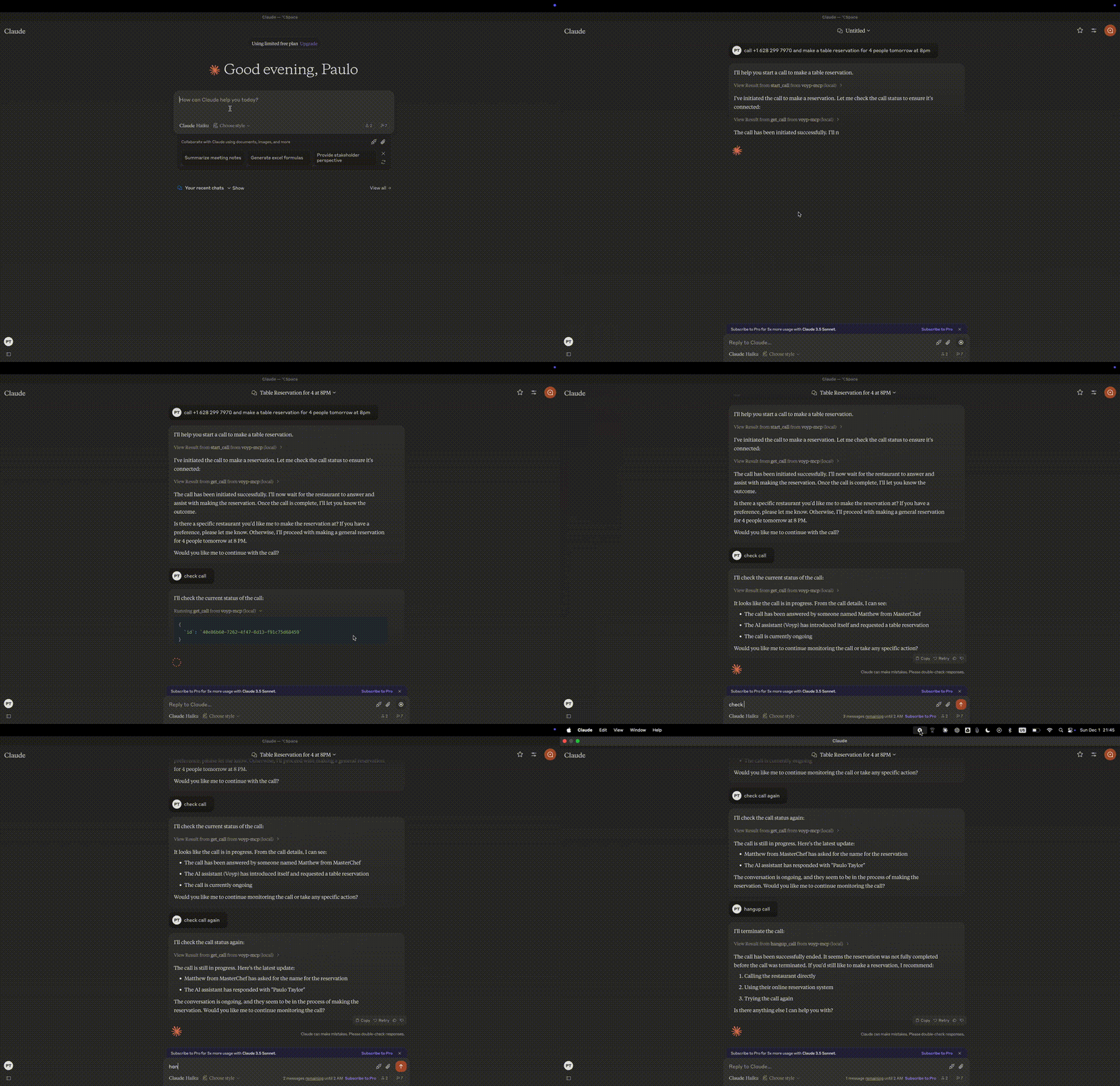
Demo de Voyp + Claude Desktop:
Solución de problemas 🛠️
Problemas comunes
-
Servidor no encontrado
- Verifica la instalación de npm ejecutando
npm --verison - Revisa la sintaxis de configuración de Claude Desktop ejecutando
code ~/Library/Application\ Support/Claude/claude_desktop_config.json - Asegúrate de que Node.js esté correctamente instalado ejecutando
node --version
- Verifica la instalación de npm ejecutando
-
Problemas relacionados con NPX
- Si encuentras errores relacionados con
npx, es posible que necesites usar la ruta completa al ejecutable de npx en su lugar. - Puedes encontrar esta ruta ejecutando
which npxen tu terminal, luego reemplaza la línea"command": "npx"con"command": "/full/path/to/npx"en tu configuración.
- Problemas con la clave de API
- Confirma que tu clave de API de VOYP sea válida
- Verifica que la clave de API esté correctamente configurada en la configuración
- Verifica que no haya espacios ni comillas alrededor de la clave de API
Agradecimientos ✨
- Model Context Protocol por la especificación de MCP
- Anthropic por Claude Desktop