OpenTabs
Servidor MCP basado en plugins que otorga a agentes de IA acceso a aplicaciones web a través de la sesión autenticada del navegador del usuario. Extensión de Chrome con más de 100 plugins para Slack, Discord, GitHub, Reddit y más.
Documentación


Tu IA llama a APIs web reales a través de tu sesión de navegador — sin capturas de pantalla, sin scraping del DOM.
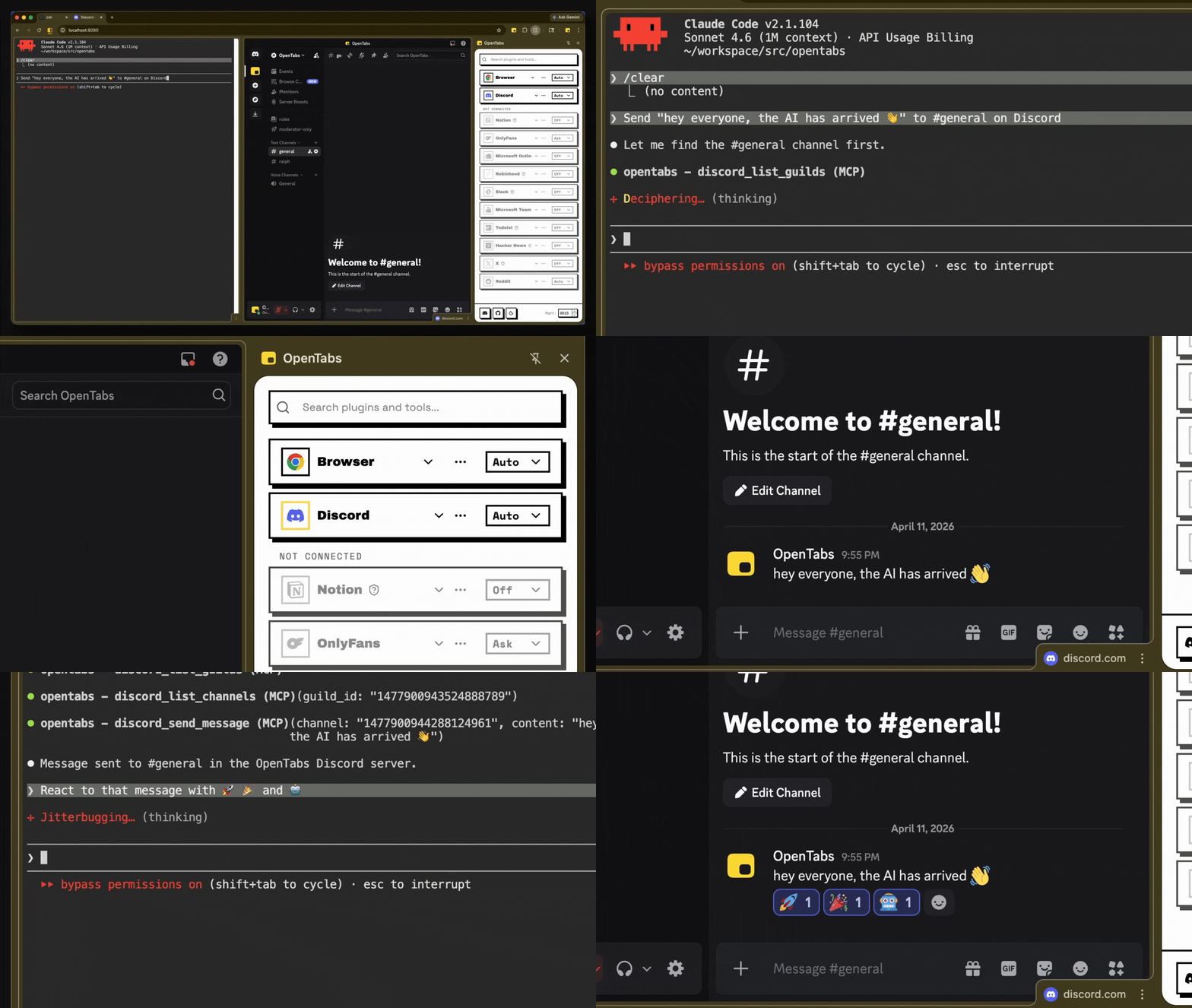
IA enviando un mensaje de Discord y añadiendo reacciones — llamadas API reales, no automatización del navegador
Cómo funciona
- Instala la CLI y carga la extensión de Chrome
- Conecta — la extensión conecta tu navegador con un servidor local
- Usa — tu IA llama a APIs web a través de tu sesión autenticada
Sin claves de API. Sin configuración de OAuth. Si has iniciado sesión, tu IA puede usarlo.
Funciona con cualquier cliente MCP. ¿No quieres MCP? Usa el modo CLI en su lugar.
Inicio rápido
Requiere Node.js 22+ y Chrome.
npm install -g @opentabs-dev/cli
opentabs start
Carga la extensión desde ~/.opentabs/extension en chrome://extensions/ (Modo desarrollador → Cargar descomprimida).
opentabs plugin install <plugin-name>
Guía completa: Guía de inicio rápido
Lo que obtienes
-
Más de 100 complementos, ~2,000 herramientas. Slack, Discord, GitHub, Jira, Notion, Figma, AWS, Stripe y muchos más. Un comando para instalar, funciona de inmediato.
-
Herramientas de navegador integradas. Capturas de pantalla, clics, escritura, captura de red — funciona en cualquier pestaña, sin necesidad de complementos.
-
Crea los tuyos. Genera un complemento con un comando, publícalo en npm, cualquiera puede instalarlo. O apunta tu IA a cualquier sitio web — descubre las APIs y crea el complemento por ti. Guía de desarrollo de complementos
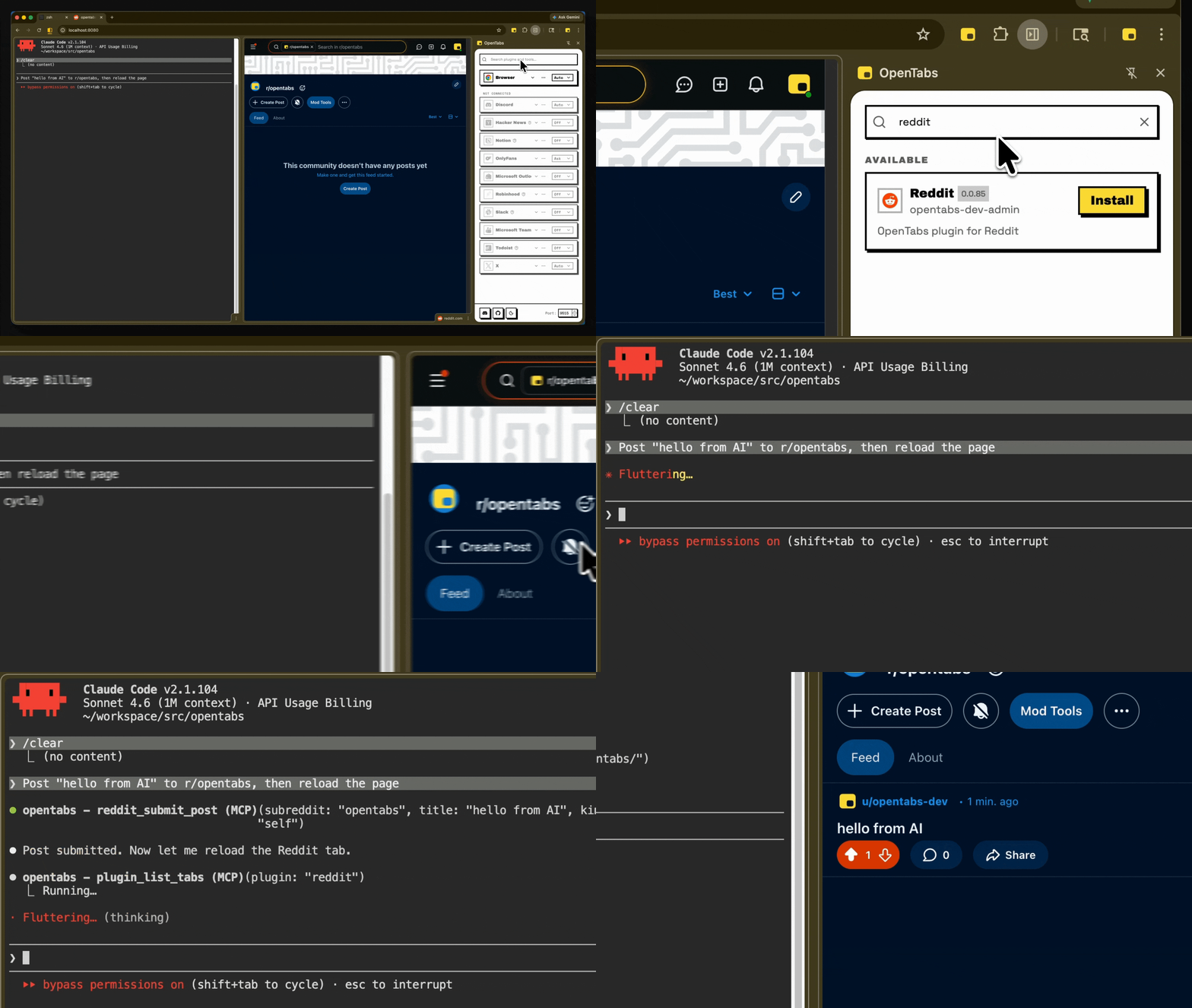
Instala un complemento, úsalo de inmediato — sin necesidad de reiniciar
Seguridad
- Todo comienza desactivado. Ninguna herramienta se ejecuta hasta que la habilitas explícitamente.
- Revisión de código integrada. Tu IA revisa el código fuente del complemento antes de que lo habilites.
- Consciente de versiones. Los permisos se restablecen cuando un complemento se actualiza.
- Tres niveles de permisos. Desactivado, Preguntar (diálogo de confirmación) o Automático — por complemento o por herramienta.
- Se ejecuta localmente. Sin nube. Registro de auditoría completo. Telemetría anónima (con opción de exclusión).
Contribuciones
git clone https://github.com/opentabs-dev/opentabs.git
cd opentabs && npm install && npm run build
npm run dev       # tsc watch + MCP server + extension
npm run check     # build + type-check + lint + knip + test
Guía de configuración de desarrollo · Discord
Licencia
MIT — No afiliado ni respaldado por ningún servicio de terceros. Aviso legal completo.
Documentación · Inicio rápido · Desarrollo de complementos · Referencia del SDK · Herramientas de navegador · Referencia de CLI
Construido con Claude Code, OpenCode, Ralph y RetroUI.