notify-mcp
Un servidor MCP ligero basado en Bash para enviar notificaciones de escritorio mediante notify-send.
Documentación
notify-mcp
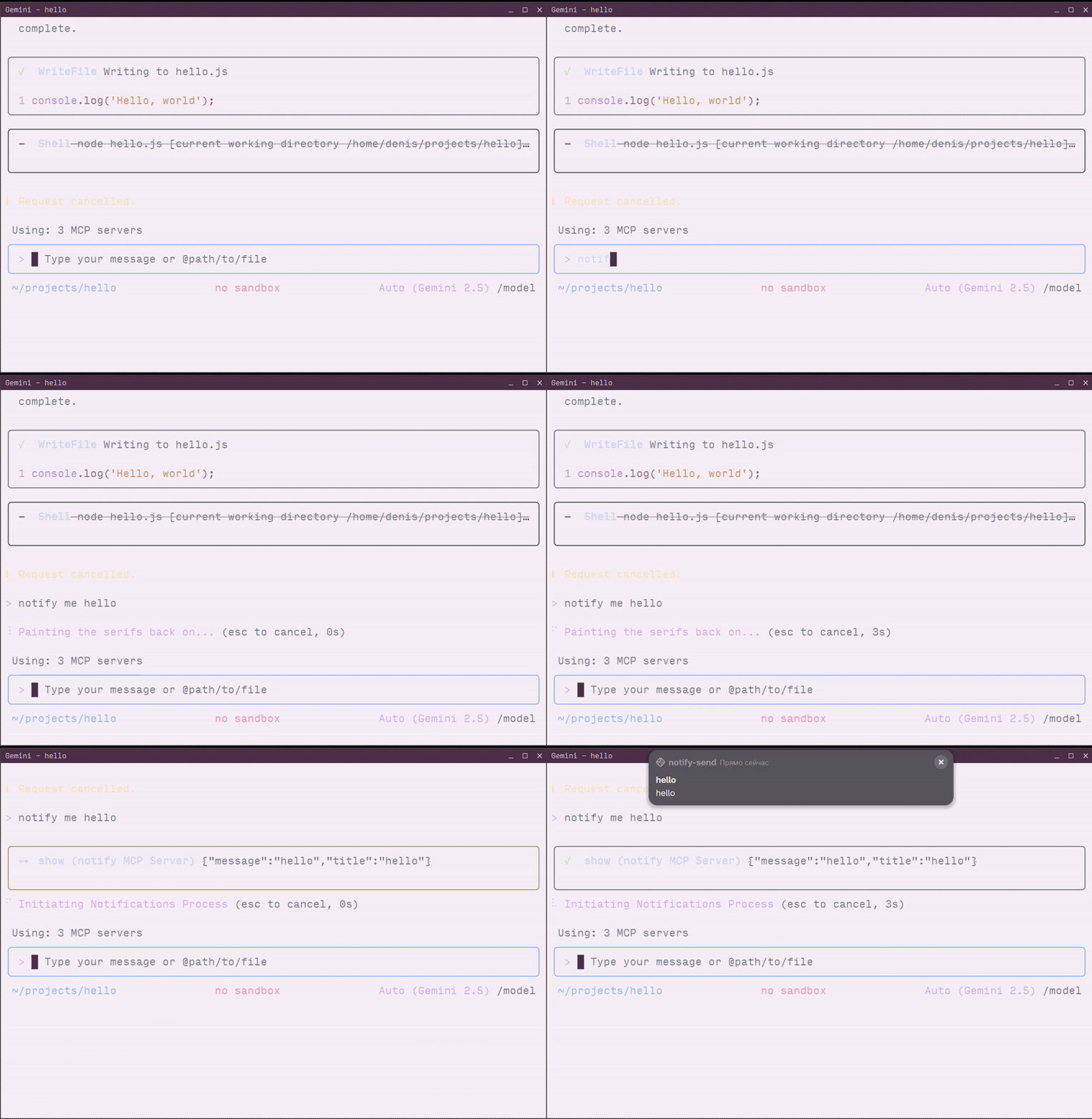
Un servidor ligero del Protocolo de Contexto de Modelos (MCP) basado en Bash para enviar notificaciones de escritorio mediante notify-send. Este servidor sin dependencias permite que asistentes de IA como Claude, Cursor y VS Code envíen notificaciones del sistema directamente a tu escritorio Linux y MacOS.
Requisitos previos
- Sistema Linux con soporte de notificaciones o MacOS
- Comando
notify-sendpara Linux (normalmente proporcionado por el paquetelibnotify) - Herramienta
jq
Instalación de notify-send
Si notify-send no está instalado en tu sistema:
Ubuntu/Debian:
sudo apt-get install libnotify-bin
Fedora/RHEL:
sudo dnf install libnotify
Arch Linux:
sudo pacman -S libnotify
Alt Linux:
sudo apt-get install notify-send
Instalación
- Clona el repositorio:
git clone https://github.com/longdog/notify-mcp.git
cd notify-mcp
- Haz ejecutable el script:
chmod +x notify-mcp.sh
- (Opcional) Añádelo a tu PATH para un acceso más fácil:
sudo ln -s $(pwd)/notify-mcp.sh /usr/local/bin/notify-mcp
Configuración
Claude Desktop
Claude Desktop utiliza un archivo de configuración JSON para definir servidores MCP.
-
Abre la configuración de Claude Desktop:
- Haz clic en el menú Claude → Configuración → pestaña Desarrollador
- Haz clic en Editar configuración para abrir
claude_desktop_config.json
-
Añade la configuración del servidor notify-mcp:
{
  "mcpServers": {
    "notify": {
      "command": "/absolute/path/to/notify-mcp.sh",
      "args": []
    }
  }
}
Ejemplo con ruta completa:
{
  "mcpServers": {
    "notify": {
      "command": "/home/username/notify-mcp/notify-mcp.sh",
      "args": []
    }
  }
}
-
Guarda el archivo y reinicia Claude Desktop
-
Verifica la conexión buscando el indicador del servidor MCP (icono 🔌) en la interfaz de Claude Desktop
Cursor
El IDE Cursor admite servidores MCP a través de su configuración de ajustes.
-
Abre la configuración de Cursor:
- Pulsa
Ctrl+Shift+P(Linux/Windows) oCmd+Shift+P(macOS) - Busca "MCP: Add MCP Server"
- Selecciona Command (stdio)
- Pulsa
-
Configura el servidor:
- Nombre:
notify - Comando:
/absolute/path/to/notify-mcp.sh - Argumentos: (déjalo vacío)
- Nombre:
Alternativa: Configuración manual
Edita tu archivo de configuración de Cursor (.cursor/mcp.json en tu espacio de trabajo):
{
  "mcpServers": {
    "notify": {
      "command": "/home/username/notify-mcp/notify-mcp.sh",
      "args": []
    }
  }
}
- Reinicia Cursor para aplicar los cambios
VS Code
VS Code admite servidores MCP a través de la extensión GitHub Copilot.
-
Mediante la Paleta de Comandos:
- Pulsa
Ctrl+Shift+P(Linux/Windows) oCmd+Shift+P(macOS) - Ejecuta "MCP: Add Server"
- Selecciona Command (stdio)
- Introduce la información del servidor:
- Nombre:
notify - Comando:
/absolute/path/to/notify-mcp.sh
- Nombre:
- Pulsa
-
Mediante el Archivo de Configuración:
Añade a tu configuración de usuario (
.vscode/mcp.json) o configuración del espacio de trabajo:
{
  "servers": {
    "notify": {
      "command": "/home/username/notify-mcp/notify-mcp.sh",
      "args": []
    }
  }
}
-
Reinicia VS Code para cargar el servidor MCP
-
Verifica ejecutando "MCP: List Servers" desde la Paleta de Comandos
Gemini CLI
La CLI de Gemini admite servidores MCP a través de su archivo de configuración de ajustes.
- Localiza tu archivo de configuración de Gemini CLI:
~/.gemini/settings.json
- Añade el servidor notify-mcp a la sección
mcpServers:
{
  "mcpServers": {
    "notify": {
      "command": "/home/username/notify-mcp/notify-mcp.sh",
      "args": []
    }
  }
}
Ejemplo completo:
{
  "apiKey": "your-api-key",
  "mcpServers": {
    "notify": {
      "command": "/home/username/notify-mcp/notify-mcp.sh",
      "args": []
    }
  },
  "mcp": {
    "allowed": ["notify"]
  }
}
- Reinicia Gemini CLI o inicia una nueva sesión:
gemini-cli
- Verifica que el servidor está cargado:
/mcp
Esto listará todos los servidores MCP conectados, incluido notify.
Alternativa: Uso directo del transporte STDIO
Para pruebas o casos de uso avanzados, puedes interactuar con el servidor MCP directamente mediante stdio:
echo '{"jsonrpc":"2.0","id":"2","method":"tools/call","params": {"arguments":{"title":"Hello","message":"World"}}}' | ./notify-mcp.sh