Yahoo Finance
Accede a datos financieros y herramientas de visualización de Yahoo Finance.
Documentación
MCP Yahoo Finance
Un servidor Model Context Protocol (MCP) para la interacción con Yahoo Finance. Este servidor proporciona herramientas para obtener precios, información de la empresa y generar visualizaciones financieras.
Este proyecto es un fork y extensión de maxscheijen/mcp-yahoo-finance, con capacidades de visualización añadidas.
Características
- Datos financieros: Obtenga precios actuales de acciones, precios históricos, dividendos, estados de resultados y más.
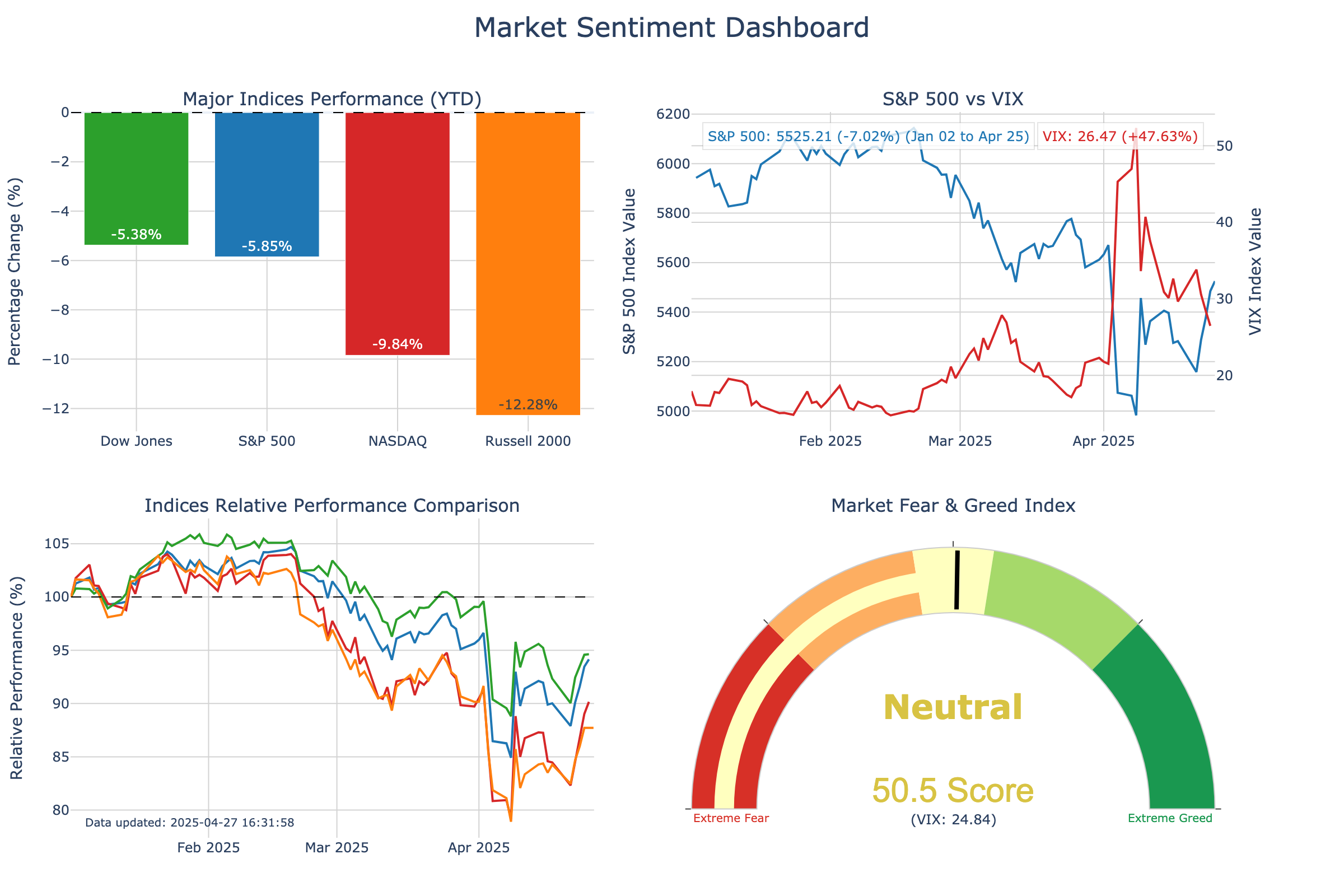
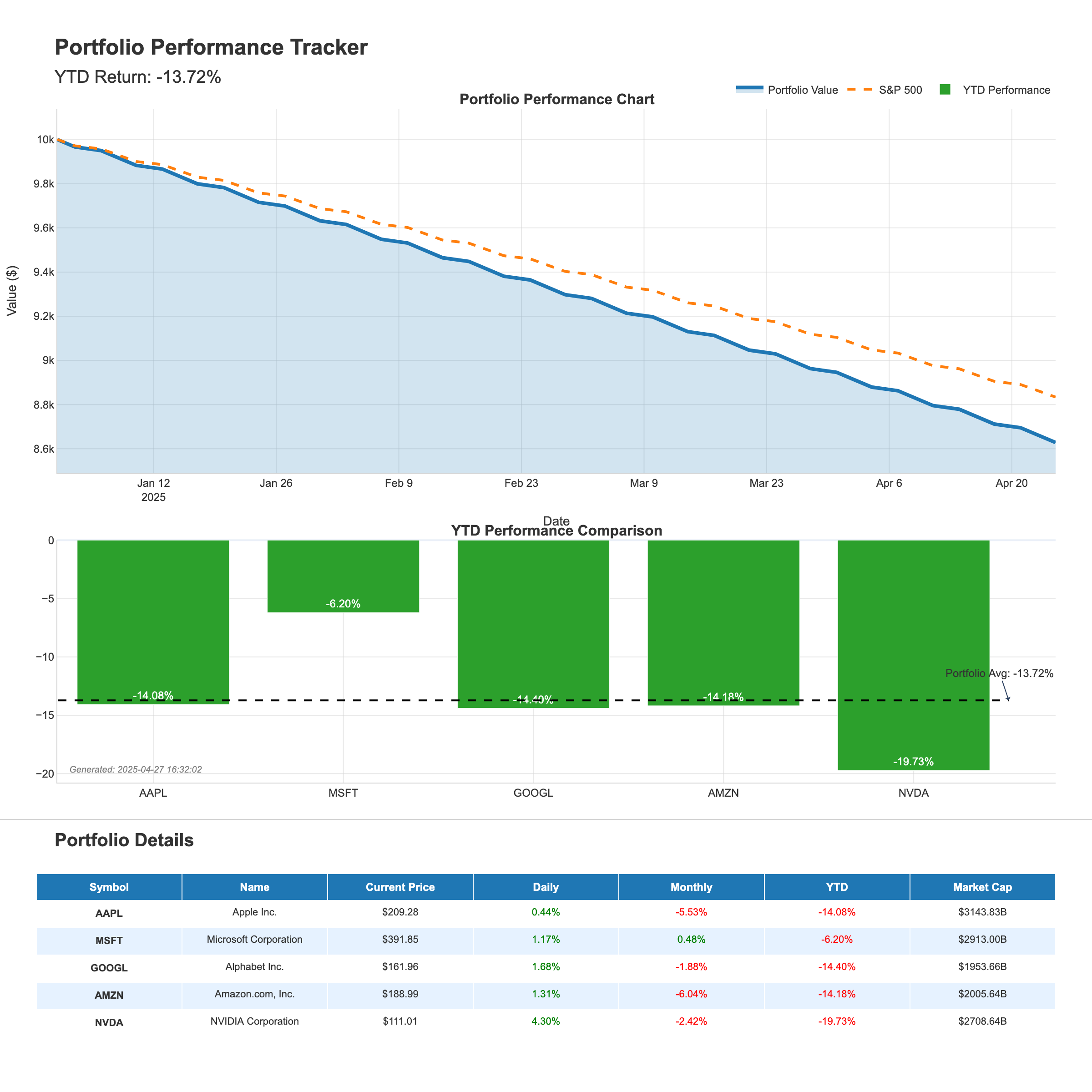
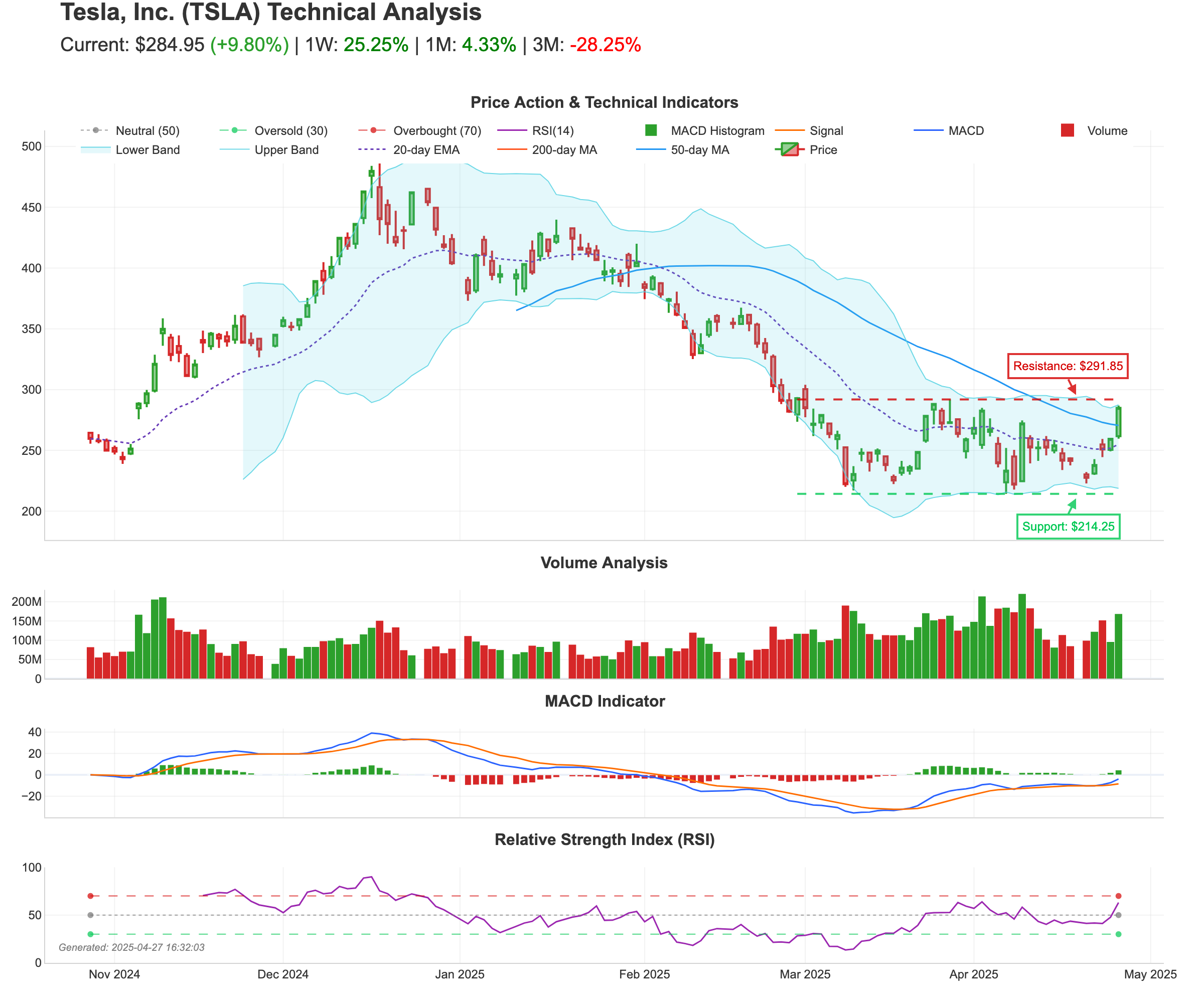
- Analítica visual: Genere visualizaciones atractivas para el sentimiento del mercado, el seguimiento de carteras y el análisis técnico.
- Integración fácil: Funciona con Claude Desktop, VS Code, Cursor y otros clientes MCP.
Instrucciones de configuración
1. Clonar el repositorio
Clona este repositorio en tu máquina local:
git clone https://github.com/leoncuhk/mcp-yahoo-finance.git
cd mcp-yahoo-finance
2. Instalar dependencias
Instala las dependencias requeridas usando pip:
pip install -r requirements.txt
Si el archivo requirements.txt no existe, puedes instalar las dependencias directamente:
pip install mcp yfinance pandas matplotlib seaborn plotly kaleido numpy pillow base64io
3. Configurar el cliente MCP
Claude Desktop
Añade esto a tu claude_desktop_config.json (créalo si no existe):
- macOS/Linux:
~/Library/Application Support/Claude/claude_desktop_config.json - Windows:
%APPDATA%\Claude\claude_desktop_config.json
{
    "mcpServers": {
        "yahoo-finance": {
            "command": "uvx",
            "args": ["mcp-yahoo-finance"]
        }
    }
}
También puedes usar docker:
{
    "mcpServers": {
        "yahoo-finance": {
            "command": "docker",
            "args": ["run", "-i", "--rm", "IMAGE"]
        }
    }
}
VSCode
Añade esto a tu .vscode/mcp.json:
{
    "servers": {
        "yahoo-finance": {
            "command": "uvx",
            "args": ["mcp-yahoo-finance"]
        }
    }
}
Cursor
Añade esto a tu configuración MCP de Cursor:
{
    "mcp-servers": {
        "yahoo-finance": {
            "command": "uvx",
            "args": ["mcp-yahoo-finance"]
        }
    }
}
4. Reinicia tu cliente MCP
Después de configurar, reinicia Claude Desktop o tu cliente MCP preferido para cargar el servidor.
Herramientas disponibles
Datos financieros básicos
- get_current_stock_price: Obtén el precio actual de la acción para un símbolo.
- get_stock_price_by_date: Obtén el precio de la acción para una fecha específica.
- get_stock_price_date_range: Obtén precios de acciones para un rango de fechas.
- get_historical_stock_prices: Obtén datos históricos de acciones con períodos personalizables.
- get_dividends: Obtén información de dividendos para una acción.
- get_income_statement: Obtén datos del estado de resultados.
- get_cashflow: Obtén datos del estado de flujo de efectivo.
- get_earning_dates: Obtén información de fechas de ganancias.
- get_news: Obtén noticias recientes para una acción.
Herramientas de visualización
- generate_market_dashboard: Crea un panel de sentimiento del mercado con rendimiento de índices en tiempo real.
- generate_portfolio_report: Genera un informe de seguimiento del rendimiento de la cartera.
- generate_stock_technical_analysis: Crea un informe de análisis técnico para una acción.
Ejemplos de visualización
Panel de sentimiento del mercado
Seguimiento de cartera
Análisis técnico de acciones
Ejemplos de indicaciones
Aquí hay algunos ejemplos de indicaciones para probar con Claude:
Datos financieros básicos
- "¿Cuál es el precio actual de la acción de Apple?"
- "¿Cuál es la diferencia en el precio de las acciones entre Apple y Google?"
- "¿Cuánto cambió el precio de la acción de Apple entre 2025-01-01 y 2025-03-31?"
Solicitudes de visualización
- "Genera un panel de sentimiento del mercado que muestre el rendimiento de los principales índices."
- "Crea un informe de seguimiento de cartera para las acciones tecnológicas AAPL, MSFT, GOOGL, AMZN y NVDA."
- "Muéstrame un gráfico de análisis técnico para la acción de Tesla con medias móviles y niveles de soporte/resistencia."
- "Genera un panel de sentimiento del mercado con S&P 500, Dow Jones y NASDAQ."
- "¿Puedes crear un informe de cartera para mis acciones de energía: XOM, CVX, BP, COP y SLB?"
- "Necesito un análisis técnico detallado para la acción de NVDA que muestre patrones de RSI y volumen."
Pruebas
Para probar las capacidades de visualización:
cd tests
python test_visualization.py
Esto generará imágenes de ejemplo de visualización en el directorio examples.
Licencia
Este proyecto está licenciado bajo la Licencia MIT: consulte el archivo LICENSE para más detalles.
Agradecimientos
- Proyecto original de Max Scheijen
- Extendido con capacidades de visualización inspiradas en tooyipjee