Image Tools MCP
Obtén dimensiones de imágenes y comprime imágenes desde URLs o archivos locales usando las APIs de Tinify y Figma.
GitHub
8
Prueba este MCPPatrocinadoDocumentación
Image Tools MCP
Un servicio de Model Context Protocol (MCP) para obtener dimensiones de imágenes y comprimirlas, compatible con fuentes de URL y archivos locales.
Características
- Obtener dimensiones de imágenes desde URL
- Obtener dimensiones de imágenes desde archivos locales
- Comprimir imágenes desde URL usando la API de TinyPNG
- Comprimir imágenes locales usando la API de TinyPNG
- Convertir imágenes a diferentes formatos (webp, jpeg/jpg, png)
- Devuelve ancho, alto, tipo, tipo MIME e información de compresión
Ejemplos de resultados
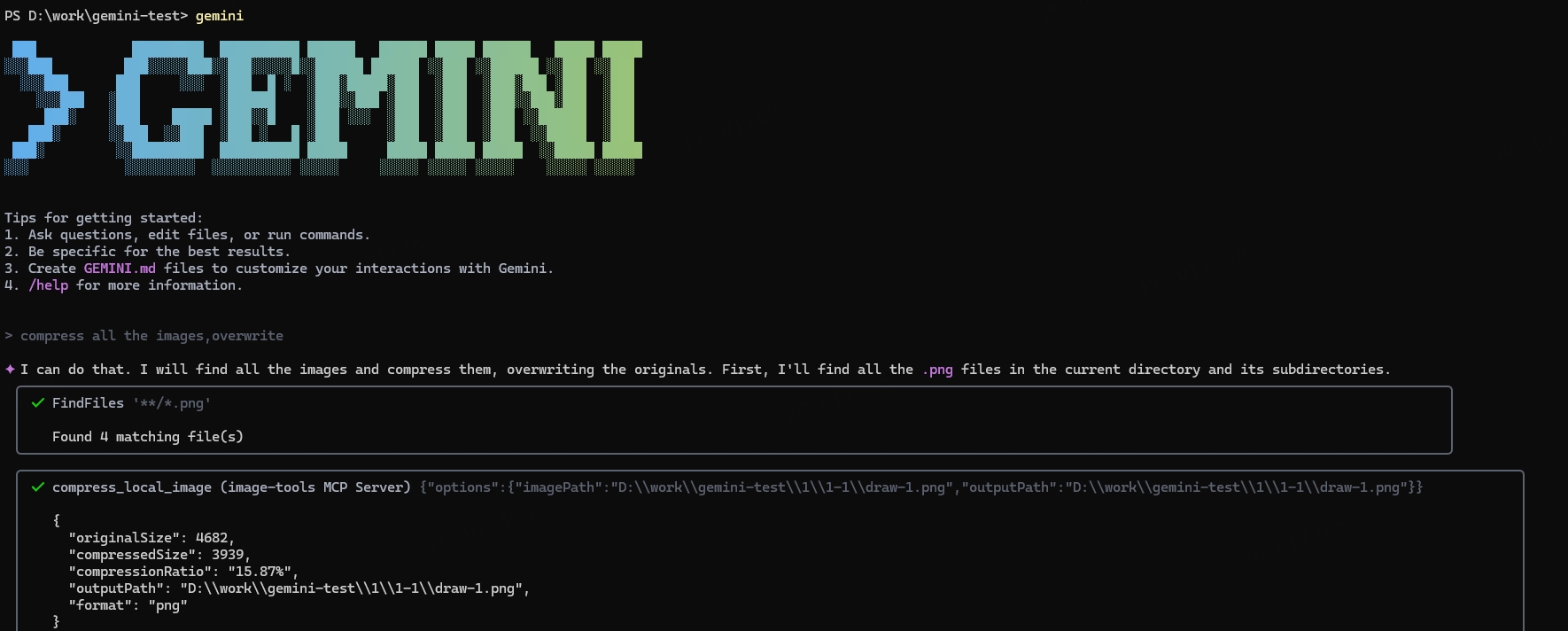
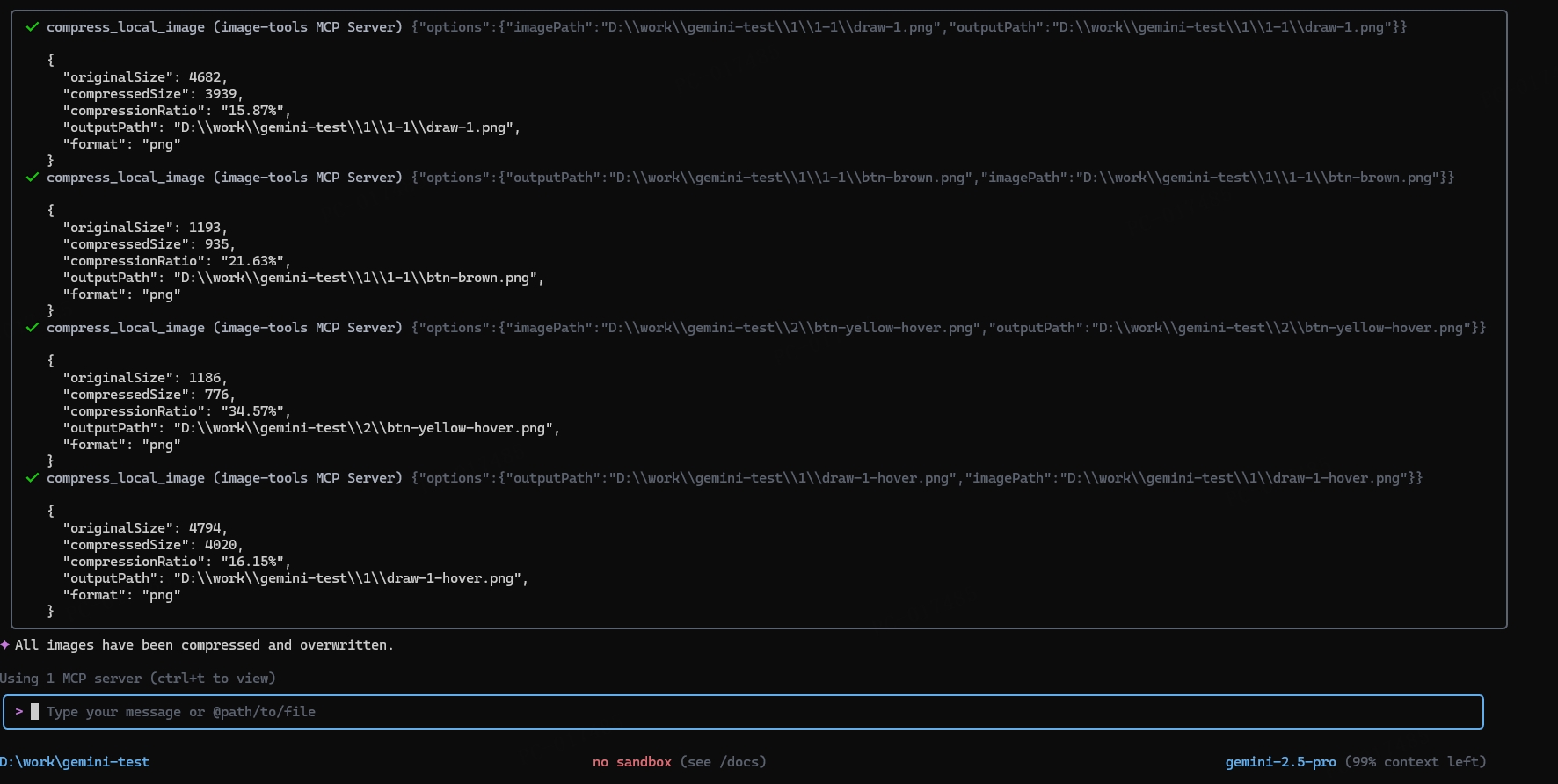
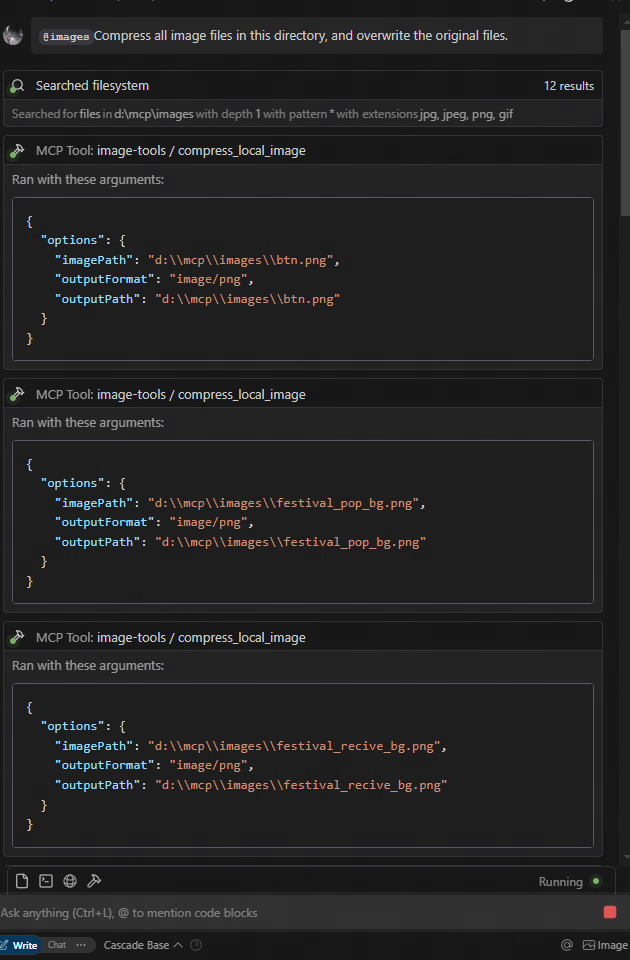
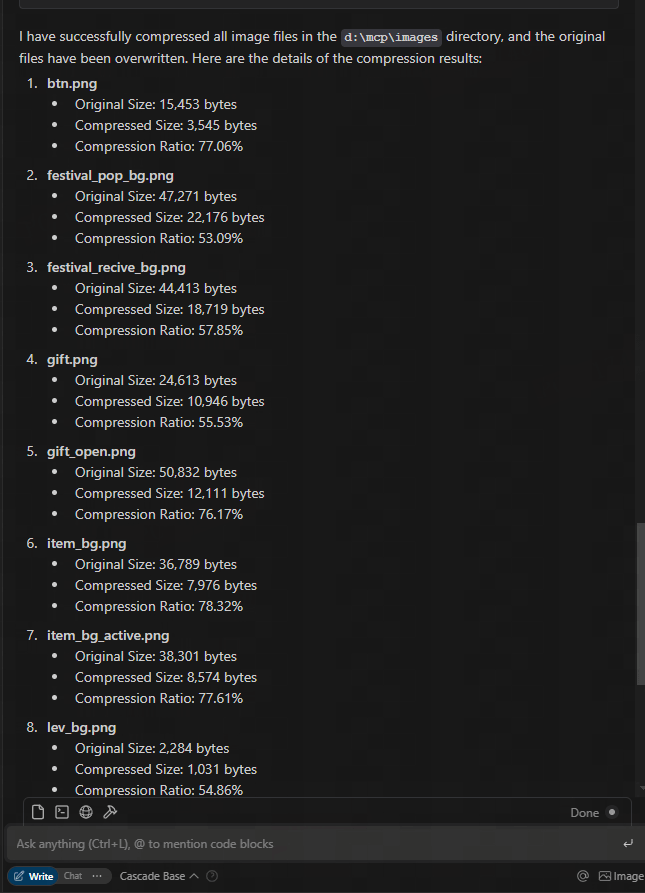
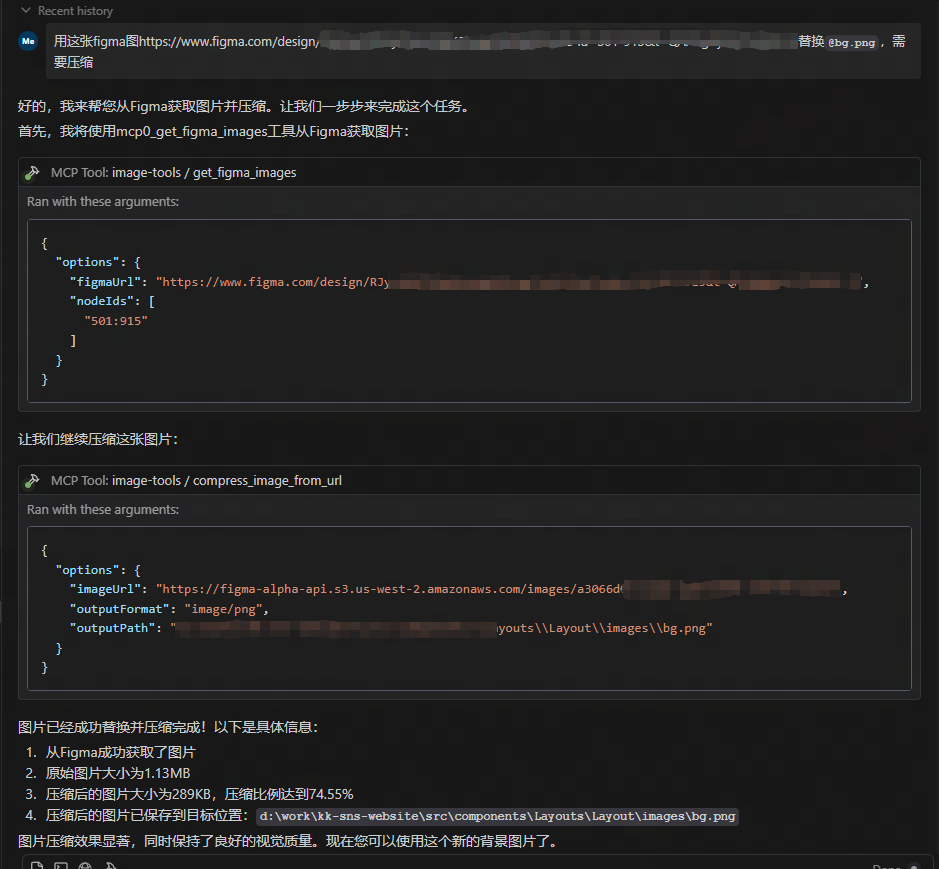
descargar desde URL de Figma y comprimir
Uso
Uso como servicio MCP
Este servicio proporciona cinco funciones de herramienta:
get_image_size- Obtener dimensiones de imágenes remotasget_local_image_size- Obtener dimensiones de imágenes localescompress_image_from_url- Comprimir imágenes remotas usando la API de TinyPNGcompress_local_image- Comprimir imágenes locales usando la API de TinyPNGfigma- Obtener enlaces de imágenes desde la API de Figma y comprimirlos usando la API de TinyPNG
Integración con clientes
Para usar este servicio MCP, debe conectarse desde un cliente MCP. Aquí hay ejemplos de cómo integrarlo con diferentes clientes:
Uso
{
  "mcpServers": {
    "image-tools": {
      "command": "npx",
      "args": ["image-tools-mcp"],
      "env": {
        "TINIFY_API_KEY": "<YOUR_TINIFY_API_KEY>",
        "FIGMA_API_TOKEN": "<YOUR_FIGMA_API_TOKEN>"
      }
    }
  }
}
Uso con la biblioteca de cliente MCP
import { McpClient } from "@modelcontextprotocol/client";

// Initialize the client
const client = new McpClient({
  transport: "stdio" // or other transport options
});

// Connect to the server
await client.connect();

// Get image dimensions from URL
const urlResult = await client.callTool("get_image_size", {
  options: {
    imageUrl: "https://example.com/image.jpg"
  }
});
console.log(JSON.parse(urlResult.content[0].text));
// Output: { width: 800, height: 600, type: "jpg", mime: "image/jpeg" }

// Get image dimensions from local file
const localResult = await client.callTool("get_local_image_size", {
  options: {
    imagePath: "D:/path/to/image.png"
  }
});
console.log(JSON.parse(localResult.content[0].text));
// Output: { width: 1024, height: 768, type: "png", mime: "image/png", path: "D:/path/to/image.png" }

// Compress image from URL
const compressUrlResult = await client.callTool("compress_image_from_url", {
  options: {
    imageUrl: "https://example.com/image.jpg",
    outputFormat: "webp" // Optional: convert to webp, jpeg/jpg, or png
  }
});
console.log(JSON.parse(compressUrlResult.content[0].text));
// Output: { originalSize: 102400, compressedSize: 51200, compressionRatio: "50.00%", tempFilePath: "/tmp/compressed_1615456789.webp", format: "webp" }

// Compress local image
const compressLocalResult = await client.callTool("compress_local_image", {
  options: {
    imagePath: "D:/path/to/image.png",
    outputPath: "D:/path/to/compressed.webp", // Optional
    outputFormat: "image/webp" // Optional: convert to image/webp, image/jpeg, or image/png
  }
});
console.log(JSON.parse(compressLocalResult.content[0].text));
// Output: { originalSize: 102400, compressedSize: 51200, compressionRatio: "50.00%", outputPath: "D:/path/to/compressed.webp", format: "webp" }

// Fetch image links from Figma API

const figmaResult = await client.callTool("figma", {
  options: {
    figmaUrl: "https://www.figma.com/file/XXXXXXX"
  }
});
console.log(JSON.parse(figmaResult.content[0].text));
// Output: { imageLinks: ["https://example.com/image1.jpg", "https://example.com/image2.jpg"] }

### Tool Schemas

#### get_image_size

```typescript
{
  options: {
    imageUrl: string // URL of the image to retrieve dimensions for
  }
}
get_local_image_size
{
  options: {
    imagePath: string; // Absolute path to the local image file
  }
}
compress_image_from_url
{
  options: {
    imageUrl: string // URL of the image to compress
    outputFormat?: "image/webp" | "image/jpeg" | "image/jpg" | "image/png" // Optional output format
  }
}
compress_local_image
{
  options: {
    imagePath: string // Absolute path to the local image file
    outputPath?: string // Optional absolute path for the compressed output image
    outputFormat?: "image/webp" | "image/jpeg" | "image/jpg" | "image/png" // Optional output format
  }
}
figma
{
  options: {
    figmaUrl: string; // URL of the Figma file to fetch image links from
  }
}
Registro de cambios
- 2025-05-12: Se actualizó la API de Figma para admitir parámetros adicionales, incluido el escalado de imágenes 2x.
Implementación técnica
Este proyecto está construido sobre las siguientes bibliotecas:
- probe-image-size - Para la detección de dimensiones de imágenes
- tinify - Para la compresión de imágenes mediante la API de TinyPNG
- figma-api - Para obtener enlaces de imágenes desde la API de Figma
Variables de entorno
TINIFY_API_KEY- Requerida para la funcionalidad de compresión de imágenes. Obtenga su clave de API en TinyPNG- Cuando no se proporciona, las herramientas de compresión (
compress_image_from_urlycompress_local_image) no se registrarán
- Cuando no se proporciona, las herramientas de compresión (
FIGMA_API_TOKEN- Requerida para obtener enlaces de imágenes desde la API de Figma. Obtenga su token de API en Figma- Cuando no se proporciona, la herramienta de Figma (
figma) no se registrará
- Cuando no se proporciona, la herramienta de Figma (
Nota: Las herramientas básicas de dimensiones de imágenes (get_image_size y get_local_image_size) están siempre disponibles independientemente de las claves de API.
Licencia
MIT