Meme MCP Server
Genera memes usando la API de ImgFlip. Requiere credenciales de cuenta de ImgFlip.
Documentación
Meme MCP Server
Un servidor simple del Protocolo de Contexto de Modelos (MCP) para generar memes usando la API de ImgFlip. Este servidor permite que los modelos y herramientas de IA generen imágenes de memes a partir de indicaciones de los usuarios.
Herramientas
El servidor implementa una única herramienta llamada generateMeme.
La herramienta acepta los siguientes parámetros:
templateNumericId: El ID numérico de la plantilla de meme a utilizar.text0: El texto para el primer marcador de posición.text1: El texto para el segundo marcador de posición.
Uso
Puedes configurar el servidor generador de memes en tu cliente usando el paquete NPM meme-mcp. Aquí tienes un ejemplo de configuración para Claude Desktop (Configuración -> Desarrollador -> Editar configuración):
{
  "mcpServers": {
    "meme": {
      "command": "npx",
      "args": ["-y", "meme-mcp"],
      "env": {
        "IMGFLIP_USERNAME": "<IMGFLIP USERNAME>",
        "IMGFLIP_PASSWORD": "<IMGFLIP PASSWORD>"
      }
    }
  }
}
Nota: necesitas crear una cuenta gratuita en ImgFlip para obtener tu nombre de usuario y contraseña.
Solución de problemas
A veces Claude Desktop no encuentra la versión correcta de npx (especialmente si usas NVM, consulta este Issue para más detalles). En ese caso, puedes instalar meme-mcp manualmente de forma global y luego usarlo directamente.
npm install -g meme-mcp
Puedes encontrar la ruta de tu ejecutable node ejecutando which node en tu terminal. Después de eso, tu configuración debería verse así:
{
  "mcpServers": {
    "meme": {
      "command": "/Users/<USERNAME>/.nvm/versions/node/v20.18.2/bin/node",
      "args": ["/Users/<USERNAME>/.nvm/versions/node/v20.18.2/lib/node_modules/meme-mcp/dist/index.js"],
      "env": {
        "IMGFLIP_USERNAME": "<IMGFLIP USERNAME>",
        "IMGFLIP_PASSWORD": "<IMGFLIP PASSWORD>"
      }
    }
  }
}
Ejemplo
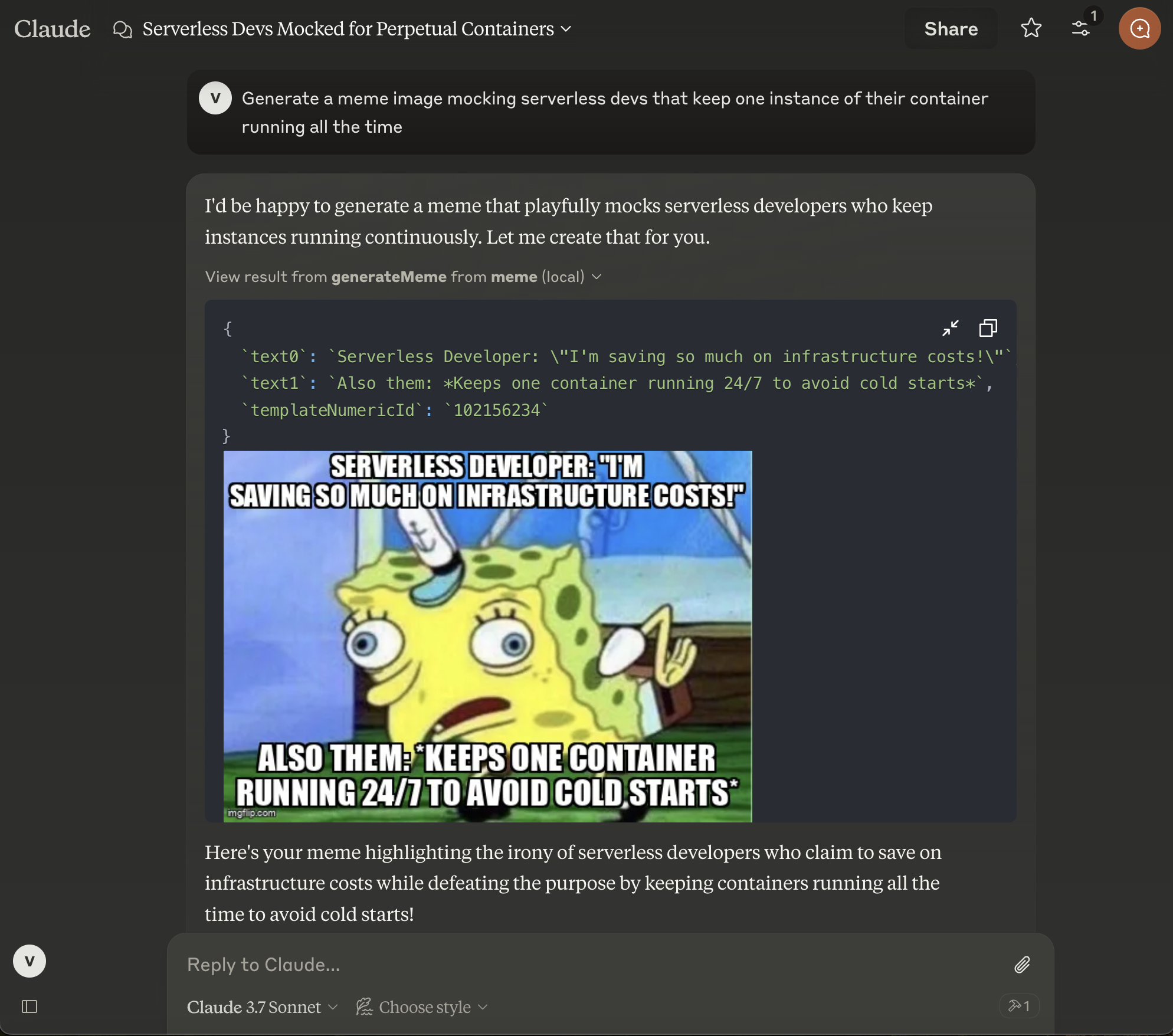
Después de configurar Claude Desktop, debes reiniciarlo y luego verás el pequeño icono de martillo en la parte inferior derecha del campo de chat. Luego puedes pedirle a Claude que genere un meme para ti.
Autor
Este proyecto fue creado por diversión por Vladimir Haltakov. Si te resulta interesante, puedes escribirme en X @haltakov.