IDA MCP Server
Un servidor del Protocolo de Contexto de Modelo para el desensamblador IDA Pro.
Documentación
Servidor IDA MCP
[!NOTA] El modo idalib está en desarrollo y no requerirá instalar el plugin de IDA ni ejecutar IDA (idalib está disponible desde IDA Pro 9.0+).
Resumen
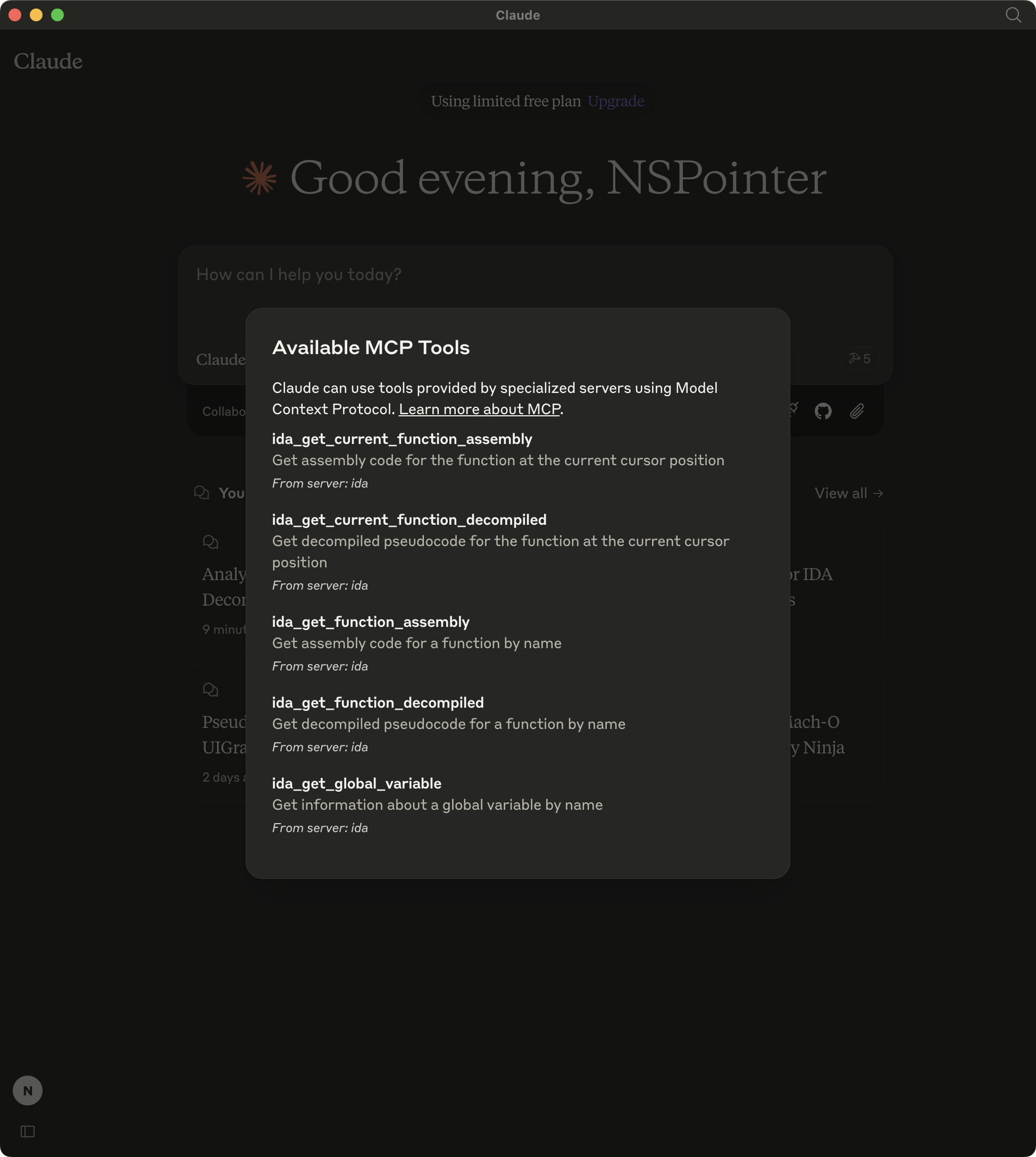
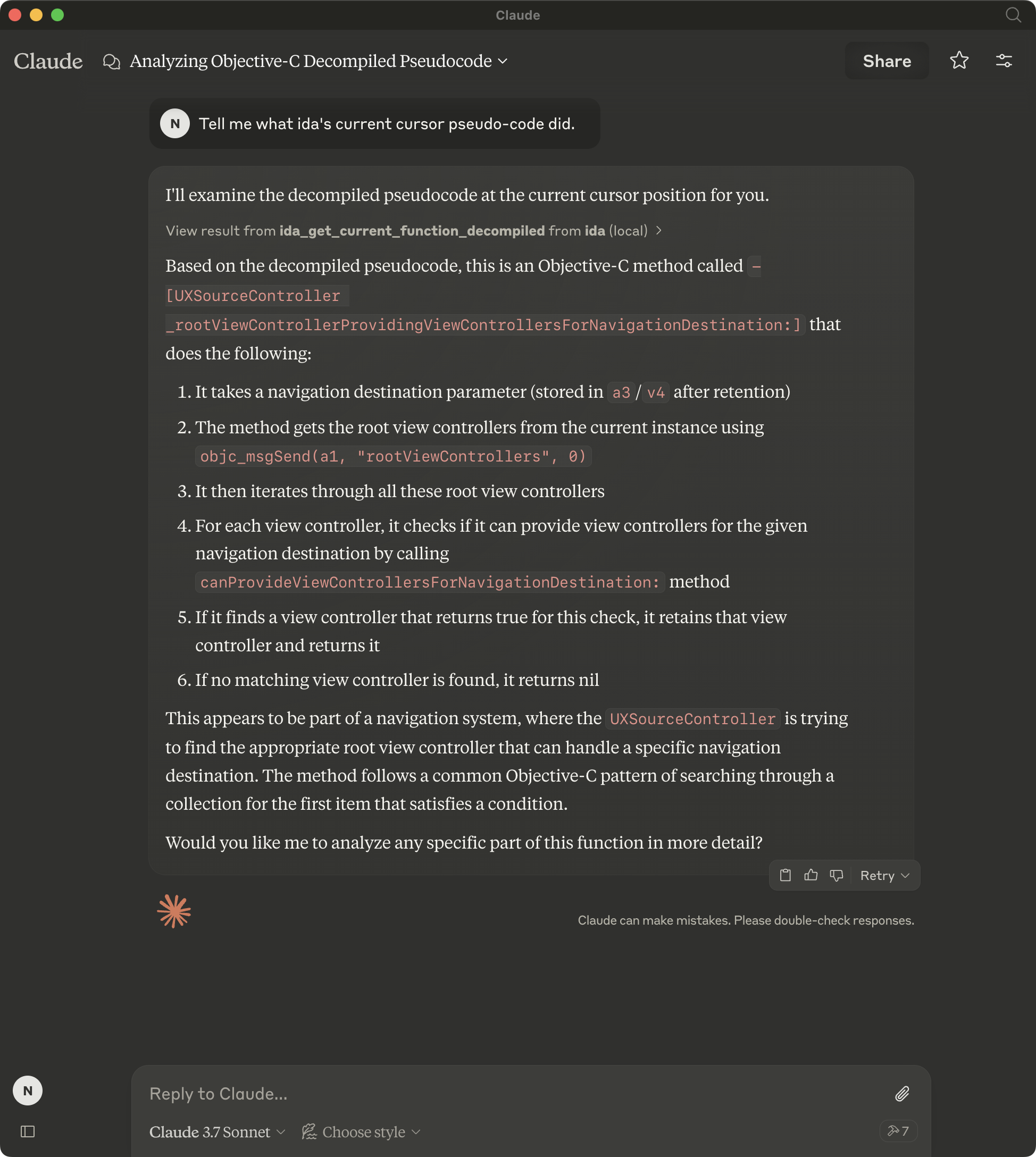
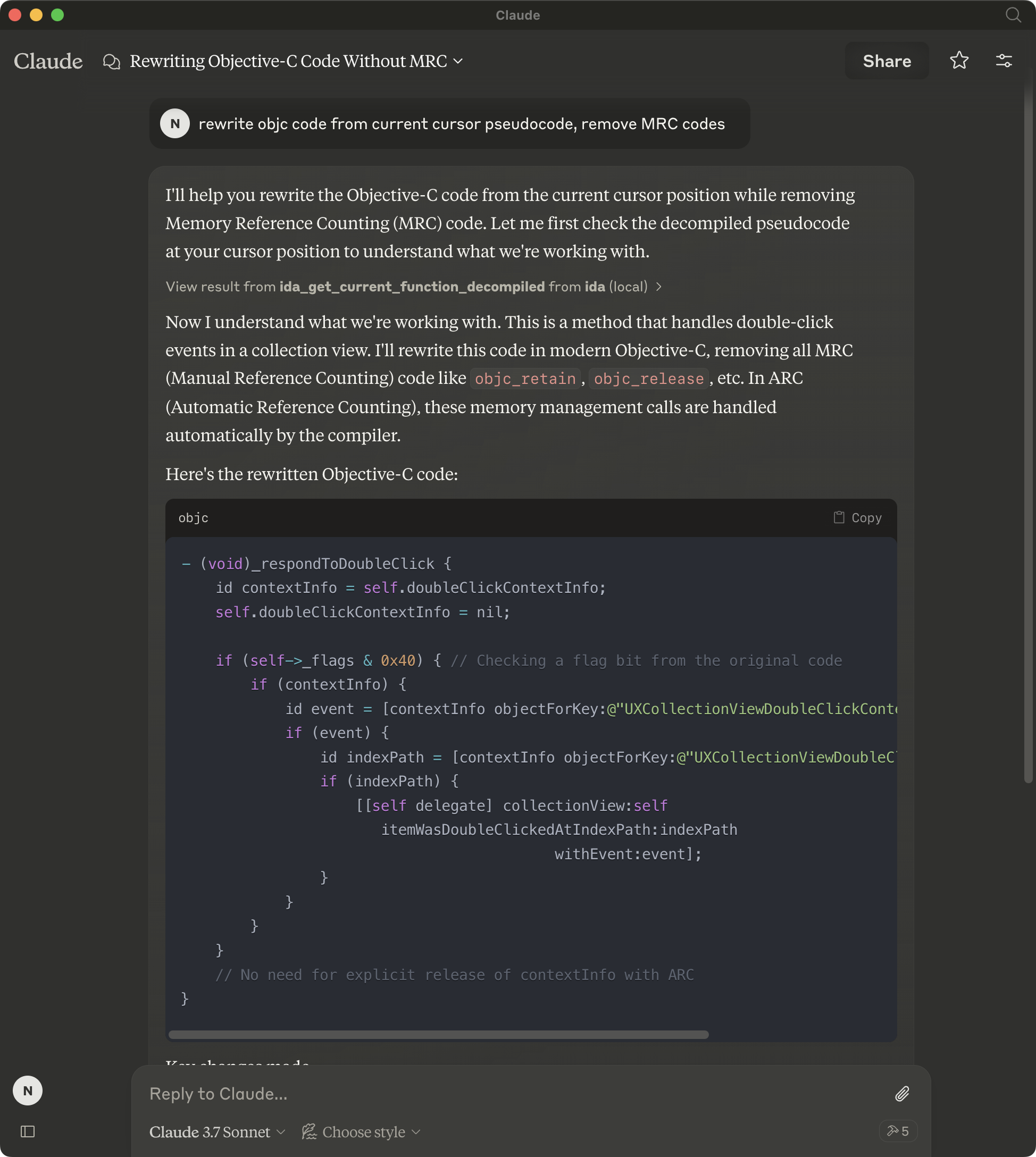
Un servidor de Protocolo de Contexto de Modelo para la interacción y automatización de IDA. Este servidor proporciona herramientas para leer la base de datos de IDA a través de Modelos de Lenguaje de Gran Tamaño.
Tenga en cuenta que mcp-server-ida se encuentra actualmente en desarrollo temprano. La funcionalidad y las herramientas disponibles están sujetas a cambios y expansión a medida que continuamos desarrollando y mejorando el servidor.
Instalación
Usando uv (recomendado)
Cuando se usa uv no se necesita una instalación específica. Usaremos uvx para ejecutar directamente mcp-server-ida.
Usando PIP
Alternativamente, puede instalar mcp-server-ida vía pip:
pip install mcp-server-ida
Después de la instalación, puede ejecutarlo como un script usando:
python -m mcp_server_ida
Lado de IDA
Copie repository/plugin/ida_mcp_server_plugin.py y el directorio repository/plugin/ida_mcp_server_plugin en el directorio de plugins de IDA
Windows: %APPDATA%\Hex-Rays\IDA Pro\plugins
Linux/macOS: $HOME/.idapro/plugins por ejemplo: ~/.idapro/plugins
igors-tip-of-the-week-103-sharing-plugins-between-ida-installs
Configuración
Uso con Claude Desktop
Agregue esto a su claude_desktop_config.json:
Usando uvx
"mcpServers": {
  "ida": {
    "command": "uvx",
    "args": [
        "mcp-server-ida"
    ]
  }
}
Usando instalación pip
"mcpServers": {
  "ida": {
    "command": "python",
    "args": [
        "-m",
        "mcp_server_ida"
    ]
  }
}
Depuración
Puede usar el inspector de MCP para depurar el servidor. Para instalaciones con uvx:
npx @modelcontextprotocol/inspector uvx mcp-server-ida
O si ha instalado el paquete en un directorio específico o está desarrollando en él:
cd path/to/mcp-server-ida/src
npx @modelcontextprotocol/inspector uv run mcp-server-ida
Ejecutar tail -n 20 -f ~/Library/Logs/Claude/mcp*.log mostrará los registros del servidor y puede ayudarle a depurar cualquier problema.
Desarrollo
Si está realizando desarrollo local, hay dos formas de probar sus cambios:
-
Ejecute el inspector de MCP para probar sus cambios. Consulte Depuración para las instrucciones de ejecución.
-
Pruebe usando la aplicación de escritorio de Claude. Agregue lo siguiente a su
claude_desktop_config.json:
UVX
{
"mcpServers": {
  "ida": {
    "command": "uv",
    "args": [
      "--directory",
      "/<path to mcp-server-ida>",
      "run",
      "mcp-server-ida"
    ]
  }
}
Alternativas
Capturas de pantalla