PAPI
Gestión de proyectos dentro de cada herramienta de codificación de IA: planifica lo que sigue, rastrea cada decisión, evita desviaciones.
Documentación
Vibe code
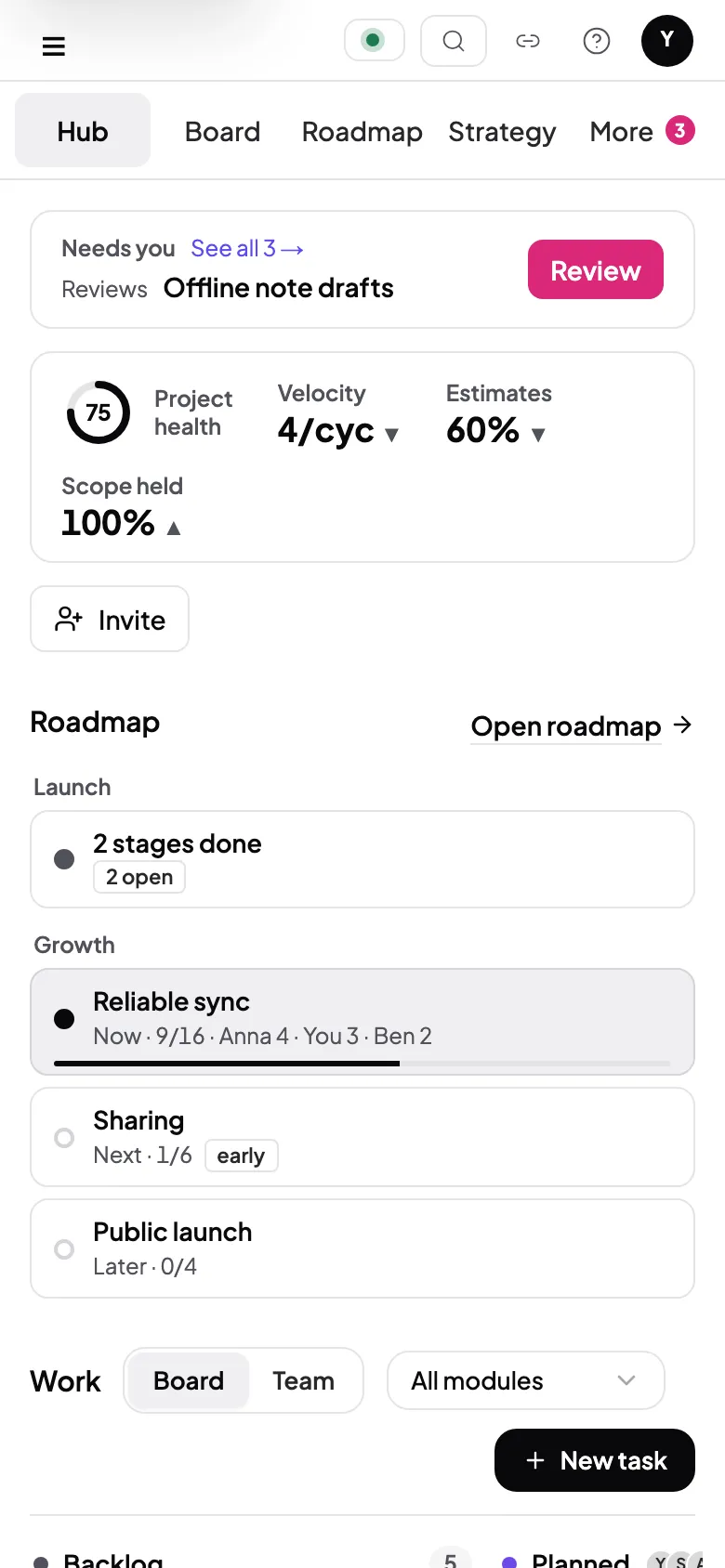
Your whole team builds with the AI they like, from one shared plan. The board updates in real time, so nobody writes a status update.
Read https://getpapi.ai/llms.txt and set up PAPI
Four steps. Zero chaos.
Everyone works through the same four steps in their own AI. A cycle is one person's batch of tasks, and every cycle lands on one shared board.
01Plan
Pick what to build next.
Your AI breaks the to-do list into small tasks, each with clear instructions, so anyone can pick one up and start.
Turn on what you need
Health checkBacklog triageBuild order
Backlog Picked for Ben's cycle 10
| Task ID | Task name | Priority |
|---|---|---|
| 41 | ✓ Sync conflict banner | High |
| 53 | ✓ Conflict history view | Medium |
| 50 | Export notes as Markdown | Low |
Task
#41Planned
 Cycle 10 Module Sync Priority High
OverviewHandoffReport
02Build
Your AI builds it. PAPI keeps the record.
Build in any AI and never lose track. Your AI builds one task at a time and reports what it changed and what it found.
Turn on what you need
Auto branchAuto commitAuto push & PR
Task
#41Building
Branch feat/task-41
OverviewHandoffReport
- Planned Sun 10:00
- Building Wed 09:40
- In review
- Release ready
PR #121 Open Checks ✓ Passing Files 4
Build report
Effort
Small est. Small
Scope
Accurate
Bugs found
1 filed as #47
03Review
A second look before anything ships.
Your AI checks the change against your team's rules and your tests. A person signs off or sends it back.
Turn on what you need
Auto PR reviewerSecurity scan
Task
#38In review
Offline note drafts

Claude Code
Reviewer Sam
Acceptance criteria
- ✓ Drafts survive a restart
- ✓ Drafts sync once online
- ✓ Tests pass, 10 of 10
Conventions
- ✓ Never log note text
- ✕ Ask before adding a dependency
Your review
Accept PRRequest changesReject
04Release
A track record of who built what, and when.
Ship with a clear record. Every released version lists who built each change, with which AI, and when.
Turn on what you need
Release quality gatePost-release deploy
Activity Released v0.9
| When | Name | Model | Task name | Module | Version |
|---|---|---|---|---|---|
| Tue | Sam |  | Offline settings toggle | Settings | v0.9 |
| Tue | Ben | | Sync conflict banner | Sync | v0.9 |
| Mon | Anna | | Offline note drafts | Offline | v0.9 |
Cycle 14 report Released v0.9
Shipped
3 of 3
Estimates
67%
Learnings
4
Simple pricing.
Start free. PAPI runs no AI of its own, so you never pay us for models.
Free
€0no card
Start in the AI tool you already use.
- 3 projects
- Unlimited cycles
- Plan, handoffs, review and release
- Works with any AI tool you use
- No extra AI costs. Uses the AI you already have
Or paste “Read https://getpapi.ai/llms.txt and set up PAPI” into your AI tool.
Pro
Price shown at checkout.
- Everything in Free
- Unlimited projects
- Replay how every decision got made
- Your real pace, and where it slips
- Off-plan build alerts
- On-course checks, any time
- Lessons carried across projects
- You plus one collaborator on every project
Pro free for 14 days. No card needed. Then Free keeps 3 projects and unlimited cycles.
Pro is you plus one collaborator. For shared projects, roles and one task pool across a team, see the Team plan. Contact cathal@getpapi.ai.
Comparing project workflows? See PAPI alongside Linear, Plane, monday.com and more
Questions
How does the free trial work?
Every new account gets Pro free for 14 days. No card. Try a full cycle: plan, build, review and release. Then you stay on Free unless you upgrade.
What does Free include?
3 projects. Unlimited cycles. Plan, build, review and release, with handoffs any MCP client can pick up. Your plan, decisions and history stay yours either way.
Who pays for the AI?
You do, through the AI tool you already use. PAPI runs no AI of its own, so there is nothing extra to pay us for models.
Can I get a refund?
Pro: cancel any time from Settings and keep Pro until the end of the period you paid for. The details are in the terms.
What happens to my data if I cancel?
Nothing is deleted. Your account moves to Free and every project, cycle and decision stays where it was. Projects beyond the Free limit stay open too; you cannot create new ones while you are over it.
Does PAPI see my code?
No. PAPI stores your tasks, decisions and build reports. Never your source code.
Which AI tools work?
Any MCP client: Claude Code, Codex, Cursor, ChatGPT and more. Everyone on a team can use a different one.
Can my team use it?
Yes. A Pro project is you plus one collaborator. For a larger team, email cathal@getpapi.ai about Team.
Something else? A person answers: cathal@getpapi.ai