Commands
Un servidor MCP para ejecutar comandos arbitrarios en la máquina local.
Documentación
runProcess herramienta
La herramienta runProcess ejecuta procesos en la máquina anfitriona. Hay dos formas mutuamente excluyentes de invocarla:
command_line(cadena) — Se ejecuta mediante el shell predeterminado del sistema (igual que escribir enbash/fish/pwsh/etc.). Las funciones del shell como tuberías, redirecciones y expansión de variables funcionan todas.argv(matriz de cadenas) — Invocación directa del ejecutable.argv[0]es el ejecutable, el resto son argumentos. Sin interpretación del shell.
No puedes pasar ambos. La herramienta deduce si usar un shell según el parámetro que proporciones.
Si quieres que tu modelo use shell(s) específicos en un sistema, los listaría en tu prompt de sistema. O quizás en las instrucciones de la herramienta, aunque los modelos tienden a prestar más atención a los ejemplos en un prompt de sistema.
¡Házmelo saber si encuentras problemas!
Herramientas
Las herramientas son para que los LLM las soliciten. Claude Sonnet 3.5 usa inteligentemente run_process. Y las pruebas iniciales muestran resultados prometedores con Groq Desktop with MCP y modelos llama4.
Actualmente, ¡solo un comando para dominarlos a todos!
run_process- ejecuta un comando, es decir,hostnameols -aloecho "hello world"etc.- Devuelve
STDOUTySTDERRcomo texto - El parámetro opcional
stdinsignifica que tu LLM puede- pasar scripts a través de
STDINa comandos comofish,bash,zsh,python - crear archivos con
cat >> foo/bar.txta partir del texto enstdin
- pasar scripts a través de
- Devuelve
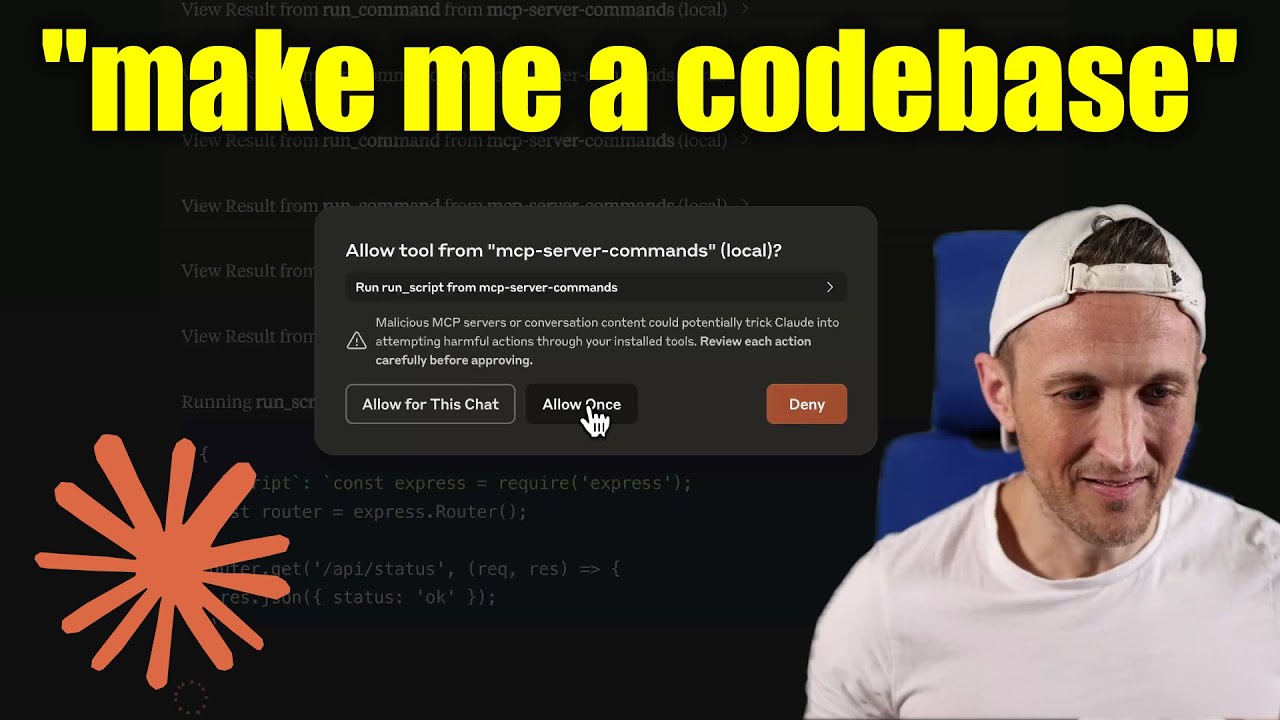
[!WARNING] ¡Ten cuidado con lo que le pides a este servidor que ejecute! En la aplicación Claude Desktop, usa
Approve Once(noAllow for This Chat) para que puedas revisar cada comando, usaDenysi no confías en el comando. Los permisos los dicta el usuario que ejecuta el servidor. NO ejecutes consudo.
Video tutorial
Indicaciones
Las indicaciones son para que los usuarios las incluyan en el historial de chat, es decir, mediante los comandos de barra de Zed (en su panel de Chat IA)
run_process- genera un mensaje de indicación con la salida del comando
- Para tu información, esto fue principalmente un ejercicio de aprendizaje... Lo veo como una llamada de herramienta solicitada por el usuario. Es una forma elegante de decir que es una plantilla para ejecutar un comando y pasar las salidas al modelo.
Desarrollo
Instalar dependencias:
npm install
Compilar el servidor:
npm run build
Para desarrollo con reconstrucción automática:
npm run watch
Instalación
Para usar con Claude Desktop, agrega la configuración del servidor:
En MacOS: ~/Library/Application Support/Claude/claude_desktop_config.json
En Windows: %APPDATA%/Claude/claude_desktop_config.json
Groq Desktop (beta, macOS) usa ~/Library/Application Support/groq-desktop-app/settings.json
Usar el paquete npm publicado
Publicado en npm como mcp-server-commands usando este workflow
{
  "mcpServers": {
    "mcp-server-commands": {
      "command": "npx",
      "args": ["mcp-server-commands"]
    }
  }
}
Usar una compilación local (checkout del repositorio)
Asegúrate de ejecutar npm run build
{
  "mcpServers": {
    "mcp-server-commands": {
      // works b/c of shebang in index.js
      "command": "/path/to/mcp-server-commands/build/index.js"
    }
  }
}
Modelos locales
- La mayoría de los modelos están entrenados de tal manera que no creen que pueden ejecutar comandos por ti.
- A veces, usan herramientas sin dudar... otras veces, tengo que persuadirlos.
- Usa un prompt de sistema o una plantilla de prompt para indicar que deben seguir las solicitudes del usuario. Incluyendo usar
run_processssin verificar dos veces.
- Ollama es una excelente manera de ejecutar un modelo localmente (con Open-WebUI)
# NOTE: make sure to review variants and sizes, so the model fits in your VRAM to perform well!

# Probably the best so far is [OpenHands LM](https://www.all-hands.dev/blog/introducing-openhands-lm-32b----a-strong-open-coding-agent-model)
ollama pull https://huggingface.co/lmstudio-community/openhands-lm-32b-v0.1-GGUF

# https://ollama.com/library/devstral
ollama pull devstral

# Qwen2.5-Coder has tool use but you have to coax it
ollama pull qwen2.5-coder
HTTP / OpenAPI
El servidor está implementado con el transporte STDIO.
Para HTTP, usa mcpo para una interfaz de servidor web compatible con OpenAPI.
Esto funciona con Open-WebUI
uvx mcpo --port 3010 --api-key "supersecret" -- npx mcp-server-commands

# uvx runs mcpo => mcpo run npx => npx runs mcp-server-commands
# then, mcpo bridges STDIO <=> HTTP
[!WARNING] Usé brevemente
mcpoconopen-webui, asegúrate de examinarlo por problemas de seguridad.
Registro
La aplicación Claude Desktop escribe registros en ~/Library/Logs/Claude/mcp-server-mcp-server-commands.log
Por defecto, solo se registran mensajes importantes (es decir, errores).
Si quieres ver más mensajes, agrega --verbose al args al configurar el servidor.
Por cierto, los registros se escriben en STDERR porque eso es lo que Claude Desktop enruta a los archivos de registro.
En el futuro, espero que los mensajes de registro bien formateados se escriban a través del transporte STDIO al cliente MCP (nota: no la aplicación Claude Desktop).
Depuración
Dado que los servidores MCP se comunican a través de stdio, la depuración puede ser desafiante. Recomendamos usar el MCP Inspector, que está disponible como script de paquete:
npm run inspector
El Inspector proporcionará una URL para acceder a las herramientas de depuración en tu navegador.