Android Preference Editor
Edita las preferencias de Android usando adb y Node.js.
Documentación
Android Preference Editor MCP Server
Descripción general
Desbloquea el poder del lenguaje natural para el desarrollo de aplicaciones Android con el Android Preference Editor MCP Server. Edita sin esfuerzo las preferencias de usuario en tiempo real usando comandos conversacionales simples: ¡no se requiere edición manual de archivos! Construido sobre la robusta librería Android Preference Editor, este servidor se conecta sin problemas con clientes MCP (Model Context Protocol) para potenciar tus flujos de trabajo impulsados por IA.
Solo dile al servidor MCP lo que quieres hacer, por ejemplo:
- "Alterna la preferencia de usuario isVisited"
- "Desactiva la guía de incorporación"
- "Lista todos los valores de preferencias de usuario"
- "Crea una preferencia de marca de tiempo con la hora epoch actual"
Experimenta una forma más inteligente y rápida de gestionar las preferencias de Android: ¡solo pregunta!
Herramientas disponibles
| Nombre | Descripción |
|---|---|
| change_preference | Cambia el valor de una preferencia existente |
| delete_preference | Elimina una preferencia existente |
| add_preference | Añade una nueva preferencia dado el nombre, valor y tipo |
| read_preferences | Lee todas las preferencias de usuario en un archivo |
| devices | Lista los dispositivos Android conectados |
| list_apps | Lista las aplicaciones instaladas en el dispositivo |
| list_files | Lista los archivos de preferencias de una aplicación |
Demo
| Alternar una preferencia de usuario | Herramientas disponibles | Añadir una preferencia |
|---|---|---|
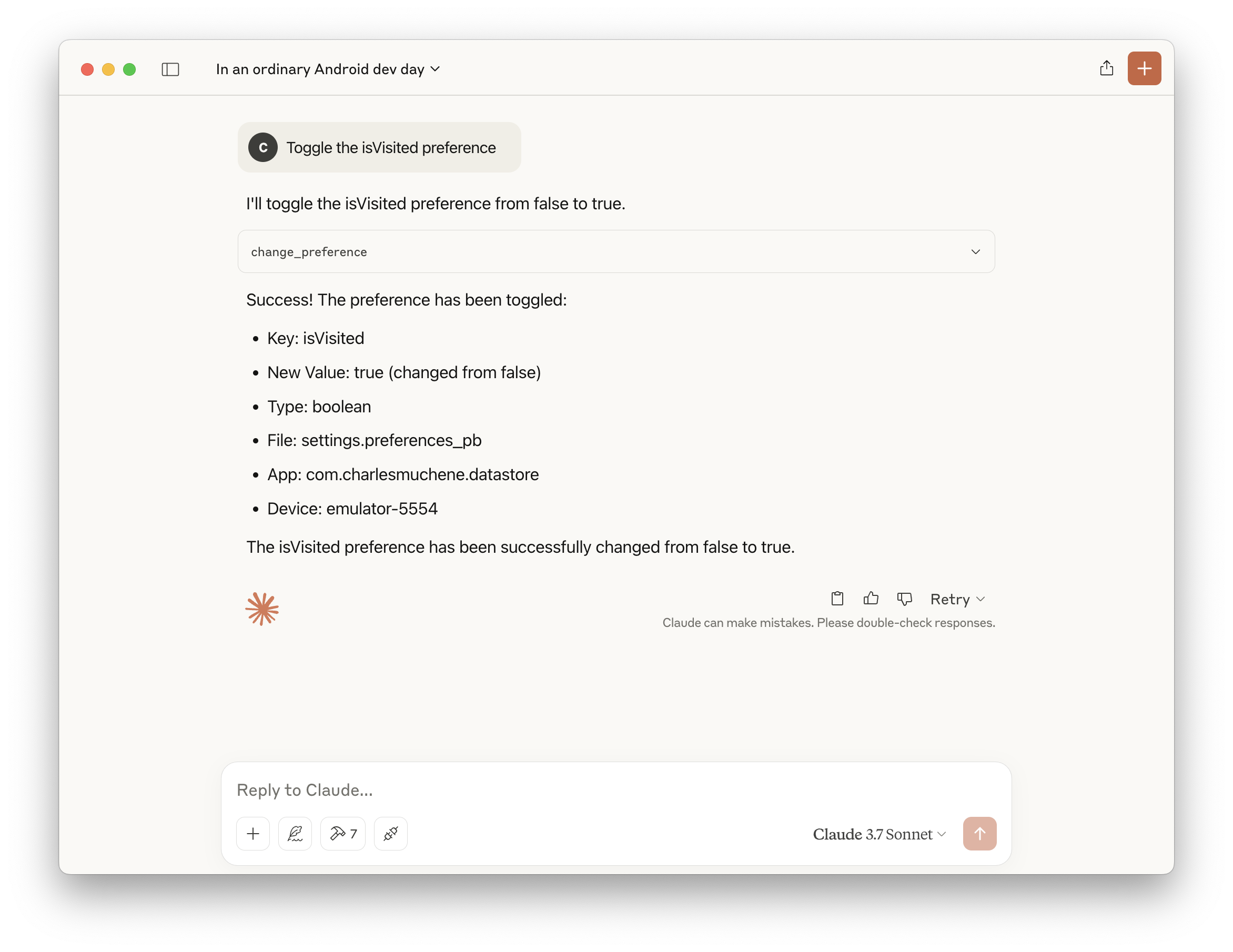 | 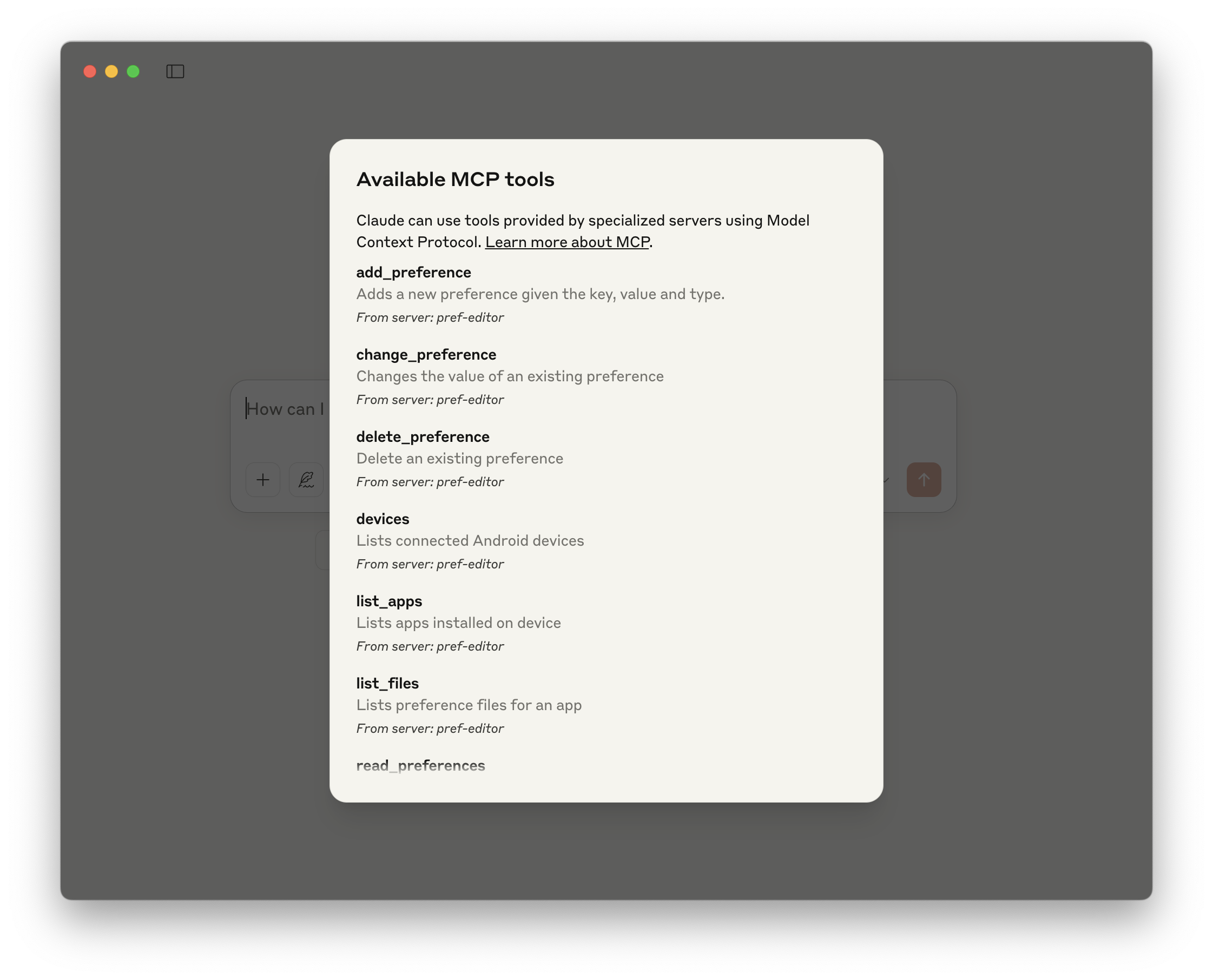 | 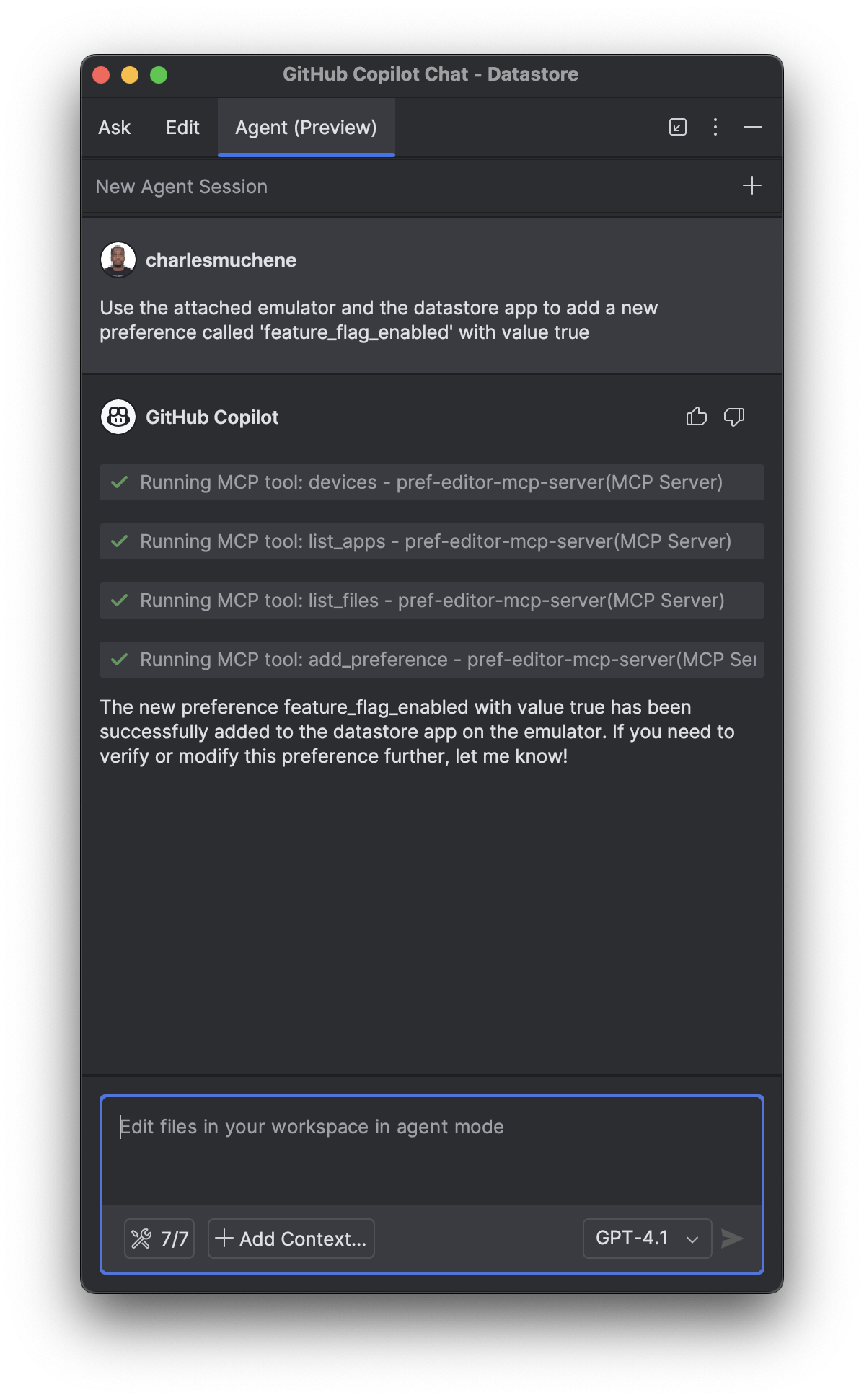 |
Consulta más demos en el directorio de capturas de pantalla de demostración
Requisitos
- Android adb (
v1.0.41+) - Node.js 14+ o Docker
Integraciones
Este servidor está disponible en el Catálogo MCP de Docker. Habilita el servidor Pref Editor en el toolkit MCP de Docker Desktop y tendrás acceso a todas las herramientas disponibles.
Android Studio
Asume que hay un cliente compatible con MCP instalado.
Añade la siguiente configuración al archivo de configuración del servidor MCP. Por ejemplo, para el plugin GitHub Copilot IntelliJ, el archivo de configuración es ~/.config/github-copilot/intellij/mcp.json.
Docker
{
  "servers": {
    "pref-editor": {
      "command": "docker",
      "args": ["run", "-i", "--rm", "charlesmuchene/pref-editor-mcp-server"]
    }
  }
}
npx
{
  "servers": {
    "pref-editor": {
      "type": "stdio",
      "command": "npx",
      "args": ["-y", "@charlesmuchene/pref-editor-mcp-server"]
    }
  }
}
Claude Desktop
Añade este servidor al archivo de configuración /Users/<username>/Library/Application Support/Claude/claude_desktop_config.json.
Docker
{
  "mcpServers": {
    "pref-editor": {
      "command": "docker",
      "args": ["run", "-i", "--rm", "charlesmuchene/pref-editor-mcp-server"]
    }
  }
}
npx
{
  "mcpServers": {
    "pref-editor": {
      "command": "npx",
      "args": ["-y", "@charlesmuchene/pref-editor-mcp-server"]
    }
  }
}
Puedes solucionar problemas siguiendo el archivo de registro:
tail -f ~/Library/Logs/Claude/mcp-server-pref-editor.log
VS Code
Para usar el servidor con VS Code, necesitas:
- Añade la configuración del servidor MCP a tu
mcp.jsonosettings.json:
.vscode/mcp.json
{
  "servers": {
    "pref-editor": {
      "type": "stdio",
      "command": "npx",
      "args": ["-y", "@charlesmuchene/pref-editor-mcp-server"]
    }
  }
}
~/Library/Application Support/Code/User/settings.json
{
  "mcp": {
    "pref-editor": {
      "type": "stdio",
      "command": "npx",
      "args": ["-y", "@charlesmuchene/pref-editor-mcp-server"]
    }
  }
}
Para más información, consulta la documentación de VS Code.
Compilación local
Consulta DEV.md para instrucciones sobre cómo compilar este proyecto.
Pruebas
Puedes usar el MCP Inspector para la depuración visual de este servidor MCP.
npx @modelcontextprotocol/inspector npm run start
Licencia
Consulta LICENSE
Contacto
Para preguntas o soporte, contacta a través de GitHub Issues.
Contribuciones
¡Damos la bienvenida a las contribuciones de la comunidad! 🎉
Contribuyentes por primera vez: Por favor, comienza leyendo nuestra guía CONTRIBUTING.md, que cubre:
- Requisitos de PR y formato del título
- Configuración de desarrollo y flujo de trabajo
- Estándares de calidad de código
- Información de licencia
Para instrucciones detalladas de desarrollo, consulta DEV.md.
