Jakarta Migration MCP
Herramientas especializadas para analizar y migrar aplicaciones Java de Java EE 8 (javax.*) a Jakarta EE 9+ (jakarta.*).
Documentación
🚀 Migración de Jakarta (javax → jakarta)
Analiza, planifica y automatiza tu migración de Java EE → Jakarta EE — directamente dentro de IntelliJ.
Migra desde Java EE 8 (javax.*) a Jakarta EE 9+ con confianza.
Este plugin detecta bloqueadores de migración, analiza dependencias y te ayuda a refactorizar de forma segura usando OpenRewrite.
⚠️ Prueba gratuita temporalmente no disponible
La prueba gratuita se ha pausado. Queremos restaurarla, pero necesitamos tu ayuda para hacer sostenible este proyecto.
Patrocina este proyecto en GitHub para ayudar a cubrir el tiempo y esfuerzo del desarrollo continuo. Si este plugin te ha ahorrado horas de trabajo de migración, considera contribuir para que podamos seguir construyendo funciones y restaurar el acceso a la prueba gratuita para la comunidad Java en general.
Las funciones premium (Refactor Avanzado, detección de plataformas, escaneos avanzados, informes PDF y migración asistida por IA) están disponibles con una suscripción de pago. El nivel gratuito sigue incluyendo análisis de riesgo de migración, escaneos de dependencias, recomendaciones de versiones e información sobre estrategias.
Nota: La prueba gratuita aún se puede acceder instalando la v1.0 de este plugin.
⚠️ Por Qué Esto Importa
La transición de javax.* a jakarta.* no es un simple cambio de nombre.
- Las dependencias se rompen
- Los frameworks requieren actualizaciones
- Los servidores de aplicaciones deben cambiar
- Las referencias ocultas causan fallos en tiempo de ejecución
Este plugin te ayuda a identificar riesgos temprano y migrar de forma sistemática.
🔒 Privacidad y Analítica
Recopilación de Datos Anónimos
Este plugin recopila estadísticas de uso anónimas e informes de errores para ayudar a mejorar el producto:
Lo que recopilamos:
- ID de usuario anónimo (UUID generado aleatoriamente)
- Versión del plugin y entorno
- Eventos de uso (uso de créditos, clics de actualización)
- Informes de errores con trazas de pila (cuando ocurren errores)
- Pestaña de interfaz actual y contexto de acción
Lo que NO recopilamos:
- Información personal o datos identificativos
- Código fuente o contenido del proyecto
- Direcciones IP o datos de ubicación
- Nombres de usuario o direcciones de correo electrónico
Cómo lo usamos:
- Mejorar la precisión de la detección de migración
- Corregir errores y fallos más rápido
- Entender qué funciones son más útiles
- Planificar mejoras futuras
Almacenamiento de Datos:
- Todos los datos se almacenan de forma segura en Supabase (cumple con el RGPD)
- Los IDs de usuario anónimos se almacenan localmente en la configuración de tu IDE
Opciones de Exclusión
Puedes desactivar la recopilación de datos en cualquier momento:
A través de la pestaña Acerca de:
- Abre Archivo → Configuración → Plugins → Migración de Jakarta
- Haz clic en la pestaña Acerca de
- Desactiva "Analítica de uso" y/o "Informes de errores"
- Los cambios se guardan automáticamente
Qué sucede cuando te excluyes:
- No se recopilarán nuevos eventos de uso
- No se enviarán nuevos informes de errores
- Los datos anónimos previamente recopilados permanecen en Supabase
- La funcionalidad del plugin no se ve afectada — todas las funciones funcionan con normalidad
🧩 Plugin para IntelliJ IDEA
Descarga
Consíguelo en JetBrains Marketplace →
🔍 Lo Que Puedes Hacer
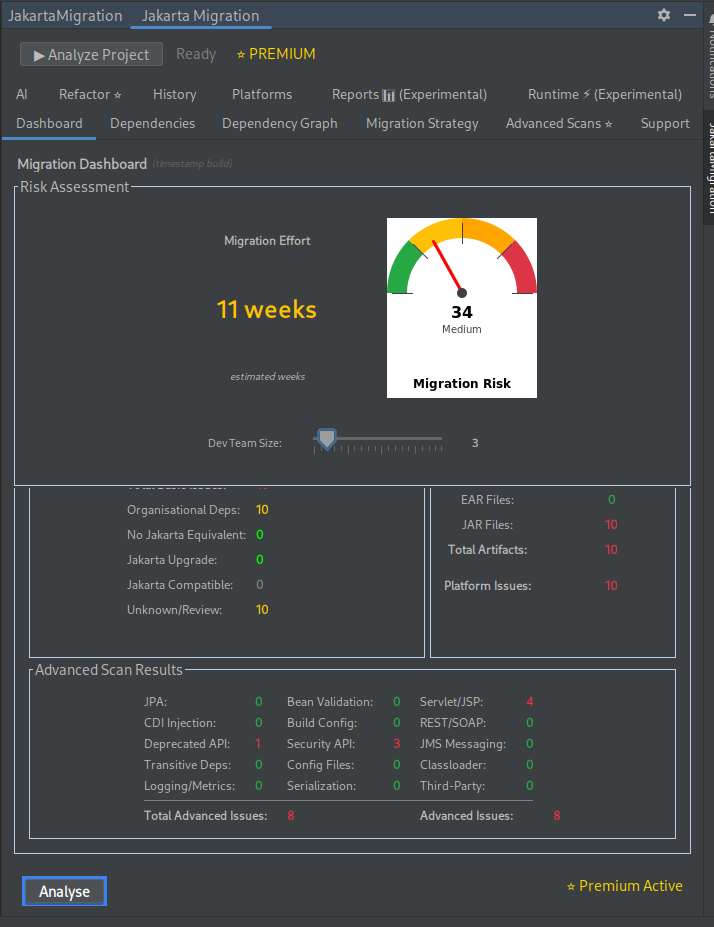
📊 Analiza Tu Proyecto
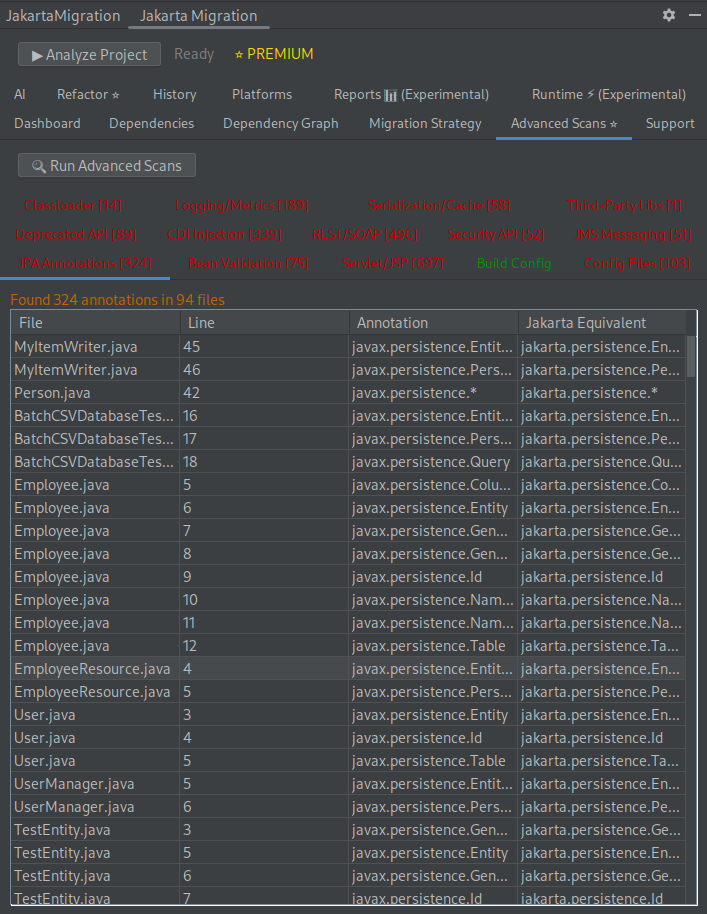
- Escanea todo tu código en busca de uso de
javax.* - Identifica bloqueadores de migración y problemas de compatibilidad
- Estima el esfuerzo y riesgo de migración
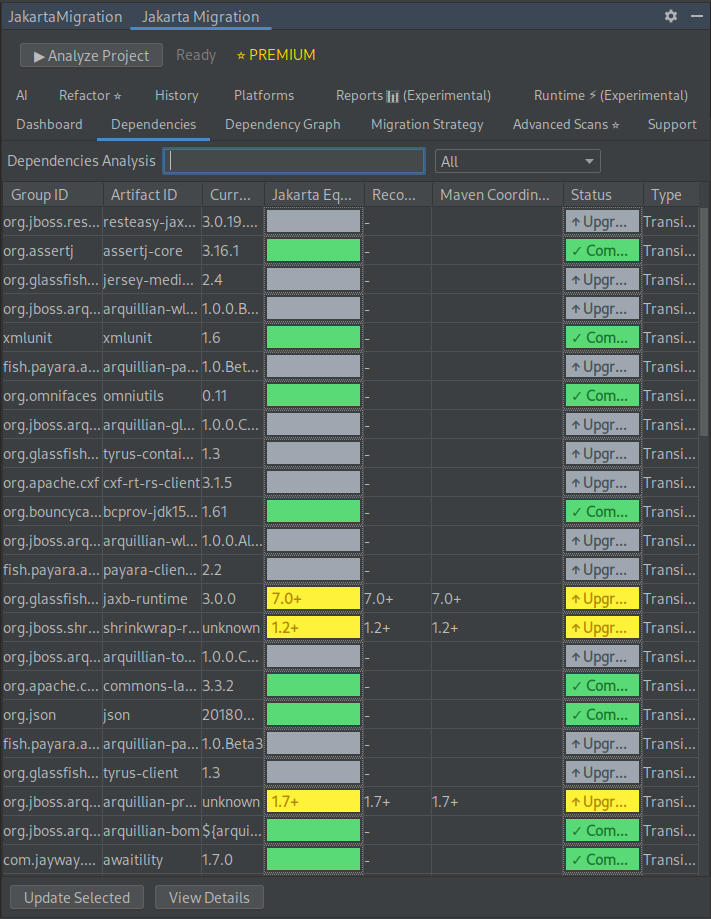
📦 Comprende las Dependencias
- Detecta qué dependencias son compatibles con Jakarta
- Escaneo transitorio profundo — encuentra referencias ocultas de
javax.*en todo tu árbol de dependencias - Obtén recomendaciones de versiones compatibles
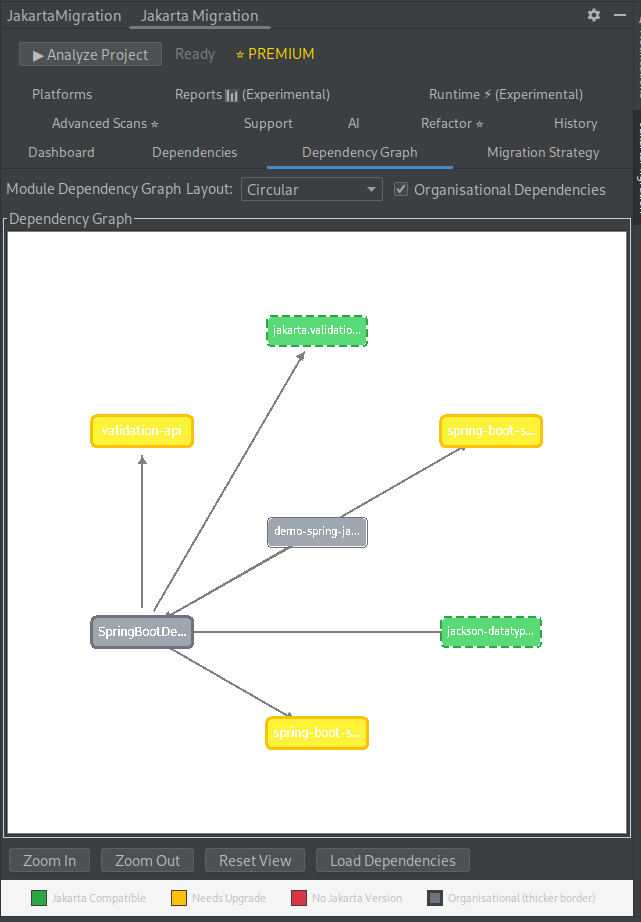
- Visualiza las relaciones entre módulos con gráficos de dependencias
🧠 Planifica Tu Migración
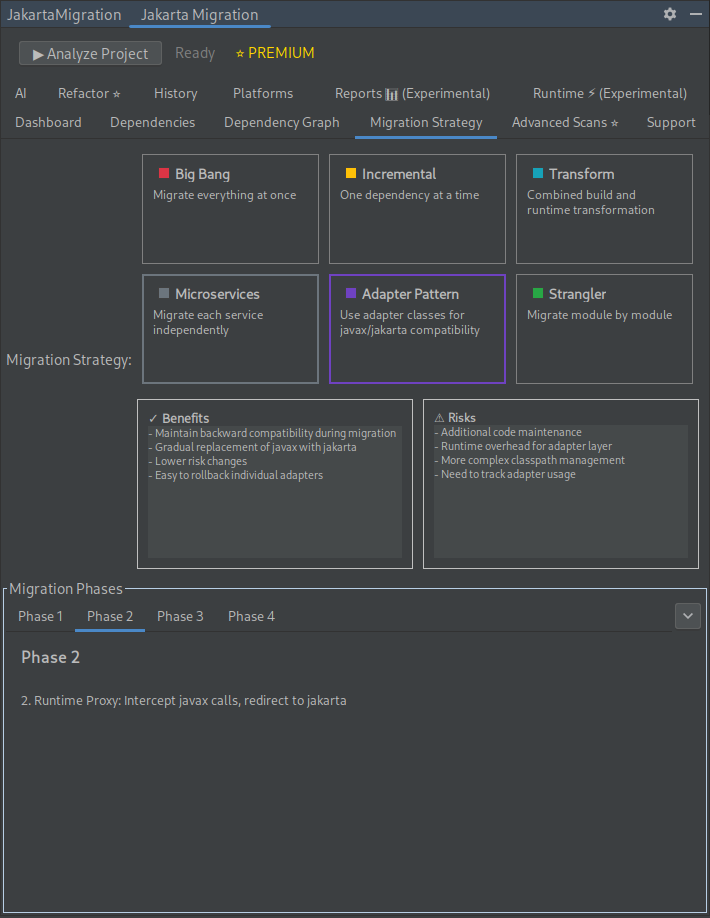
- Compara estrategias de migración
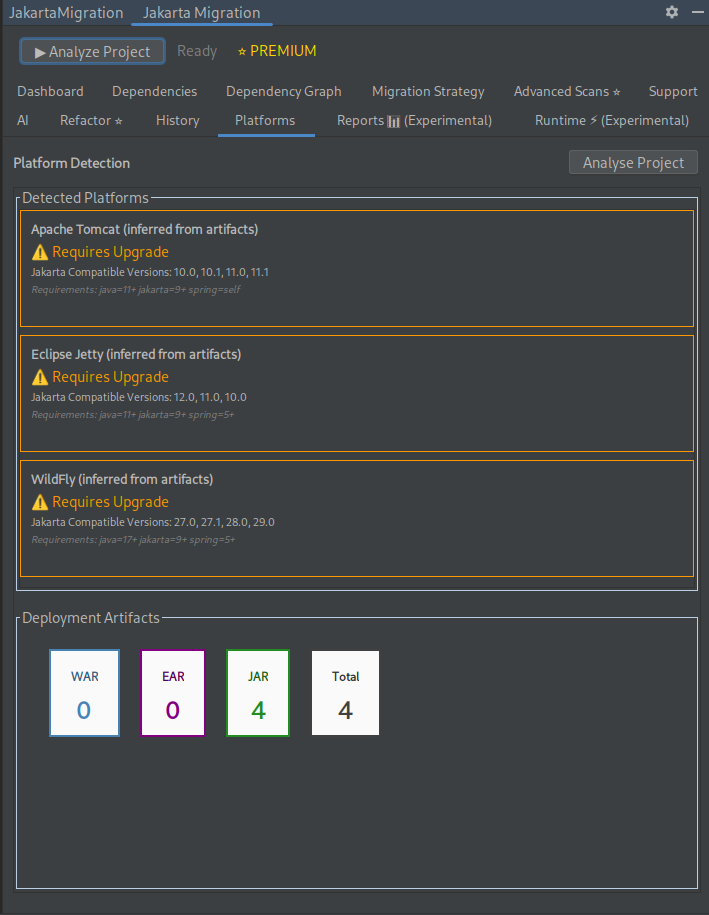
- Identifica actualizaciones de plataforma requeridas (Spring, servidores de aplicaciones, etc.)
✅ Valida la Preparación para la Migración
- Análisis Mejorado de Cobertura de Pruebas: Detecta pruebas de integración que realmente validan la compatibilidad javax/jakarta
- Detección de Zonas de Riesgo Crítico: Identifica módulos con problemas de migración Y cobertura de pruebas insuficiente
- Puntuación de Confianza Consciente de la Migración: Prioriza pruebas que detectan problemas reales de migración sobre pruebas unitarias simuladas
📄 Genera Informes Profesionales
- Informes HTML a PDF: Informes hermosos y profesionales con resúmenes ejecutivos
- Múltiples Plantillas: Estilos de informe Profesional, Técnico y Mínimo
- Análisis Integral: Dependencias, plataformas, escaneo avanzado y recomendaciones
- Toma decisiones informadas antes de cambiar el código
⚡ Refactoriza con Confianza
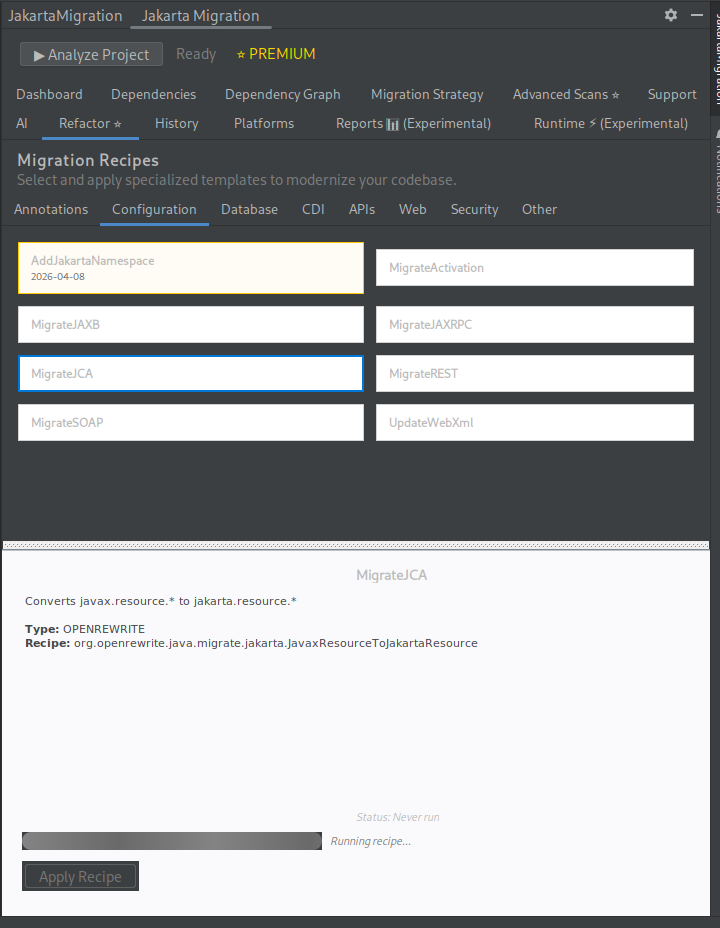
- Aplica recetas de refactorización impulsadas por OpenRewrite
- Transforma automáticamente
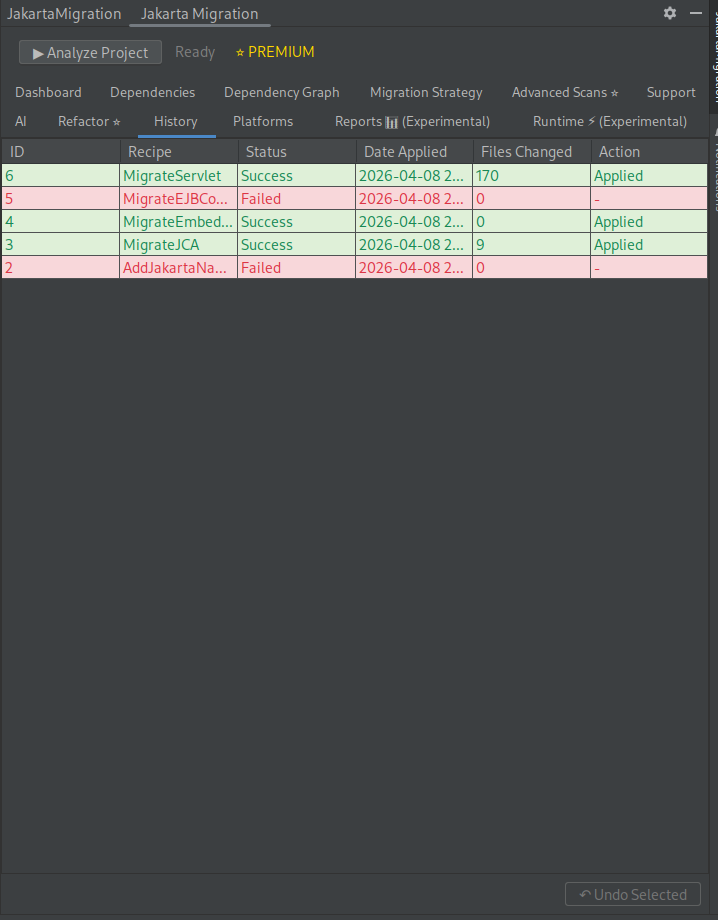
javax.*→jakarta.* - Deshaz cambios con el historial integrado
🧪 Refactor Avanzado (Premium)
- Construye secuencias de refactorización complejas de múltiples pasos
- Prueba refactorizaciones en testcontainers aislados en sandbox antes de aplicarlas
- Historial de experimentos — compara resultados, vuelve a ejecutar y clona experimentos pasados
- Valida de forma segura que las refactorizaciones no rompan tu compilación
🤖 Capacidades Impulsadas por IA
- Herramientas MCP integradas con el Asistente de IA de JetBrains
- Asistencia con decisiones de migración y cambios de código
🧪 Funciones Experimentales
- Análisis en Tiempo de Ejecución – Detecta problemas en tiempo de ejecución y sugiere correcciones
- Informes – Exporta el análisis de migración como PDF
🧰 Tecnologías Compatibles
- Java: 11, 17, 21, 25
- Herramientas de Compilación: Maven, Gradle
- Frameworks: Spring Boot 3+, Spring Framework 6+, Jakarta EE 9+
- Servidores de Aplicaciones: Tomcat 10+, WildFly 27+, Jetty 12+, Open Liberty 23+, Payara 7+, JBoss EAP 8+, WebSphere, WebLogic
- APIs de Jakarta: Servlet, JSP, JPA, CDI, Bean Validation, JAX-RS, JAX-WS, JMS, WebSocket, JSON-B, JSON-P
🚀 Primeros Pasos
- Ejecuta el Análisis – Escanea tu proyecto en busca de uso de
javax.* - Revisa los Resultados – Comprende los riesgos y el esfuerzo de migración
- Planifica la Estrategia – Elige el mejor enfoque de migración
- Refactoriza – Aplica recetas automatizadas de OpenRewrite
- Verifica – Vuelve a ejecutar el análisis para confirmar el éxito de la migración
⚙️ Detalles Técnicos
- Construido sobre la plataforma IntelliJ
- Usa OpenRewrite para transformaciones seguras y automatizadas
- Realiza análisis estático en código fuente, dependencias y configuraciones
- Compatible con IntelliJ IDEA 2023.3+ (Community y Ultimate)
💡 Gratis vs Premium
Gratis
- Análisis de riesgo de migración
- Escaneos de dependencias
- Recomendaciones de versiones
- Información sobre estrategias de migración
Premium
- Refactorización con un clic
- Refactor Avanzado — prueba secuencias de refactorización en testcontainers en sandbox
- Detección de plataformas (frameworks, servidores de aplicaciones)
- Escaneos y análisis avanzados
- Informes PDF
- Herramientas de migración asistidas por IA
🎯 Para Quién Es Esto
- Equipos Java empresariales que actualizan a Jakarta EE
- Desarrolladores que mantienen sistemas Java EE heredados
- Equipos que migran a Spring Boot 3+ o servidores de aplicaciones modernos
Documentación Técnica
Capturas de Pantalla
.gallery { display: flex; flex-wrap: wrap; gap: 10px; justify-content: center; } .gallery-item { width: 25%; /* Adjust based on desired columns */ box-sizing: border-box; } .gallery-item img { width: 100%; height: auto; object-fit: cover; border-radius: 8px; } @media (max-width: 768px) { .gallery-item { width: 50%; } } @media (max-width: 480px) { .gallery-item { width: 100%; } }