FinMCP
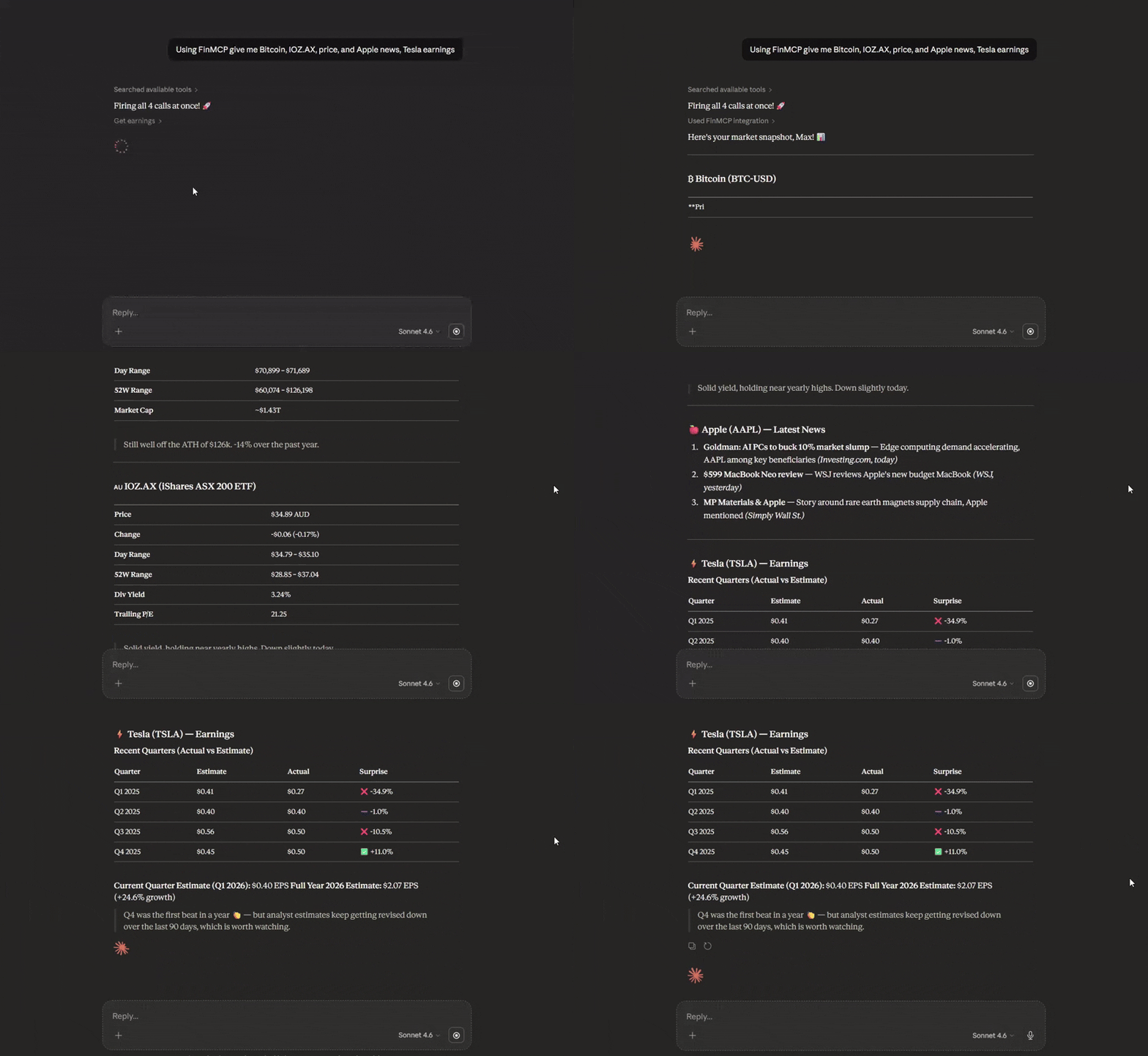
Lightweight TypeScript Finance MCP server wrapping Yahoo Finance APIs. Plug real-time financial data — stocks, options, crypto, earnings — into any AI assistant. No API key. Works via stdio, Docker, or HTTP.
Yahoo Finance MCP Server (Cloud)
Production-grade (Cloud) financial data infrastructure for AI assistants with enterprise-grade resilience, comprehensive data quality validation, and production-ready monitoring.
Deploy to the Cloud (Docker-based)
FinMCP ships with a Dockerfile and is fully Docker-based, so it runs on any platform that supports containers — Railway, Render, Fly.io, DigitalOcean App Platform, a VPS, or anything else.
Easiest option — Railway (recommended for beginners):
- Sign up at railway.com (referral link — gives you free credits)
- New Project → Deploy from GitHub repo → paste
https://github.com/Steve-sy/finmcp - Railway auto-detects the
Dockerfileand builds + deploys automatically - (Optional) Add
YF_MCP_API_KEYin Railway's Variables tab to protect your endpoint - Go to Settings → Networking → Generate Domain to get your public URL
- Your MCP endpoint is live at:
https://<your-app>.up.railway.app/mcp
Other platforms (Render, Fly.io, VPS, etc.):
Any platform that can run a Docker container works. Point it at this repo, and set the start command to node dist/http.js. The server listens on the PORT environment variable (automatically injected by most platforms) and defaults to 3333.
Optional: protect public deployments with YF_MCP_API_KEY and connect using ...?key=YOUR_SECRET.
Claude Desktop Integration (Cloud)
Customize -> Connectors -> Add custom connector: Name: FinMCP Remote MCP Server URL: your cloud https url: https:///mcp
Local Installation
npm install -g @mustafa.ramx/finmcp
Quick Start
Start Server
finmcp
Claude Desktop Integration (Local — npm)
Add to your claude_desktop_config.json:
{
  "mcpServers": {
    "finmcp": {
      "command": "finmcp"
    }
  }
}
Claude Desktop Integration (Local — Docker)
If you prefer Docker over installing Node.js, first build the image:
docker build -t finmcp .
Then add to your claude_desktop_config.json:
{
  "mcpServers": {
    "finmcp": {
      "command": "docker",
      "args": ["run", "-i", "--rm", "finmcp", "node", "dist/index.js"]
    }
  }
}
Note: ChatGPT Desktop MCP support may vary — check its documentation for custom connector configuration.
Other AI Tools
Cursor AI / Cline AI:
{
  "mcpServers": {
    "finmcp": {
      "command": "finmcp"
    }
  }
}
Features
- 15 Financial Data Tools: Stocks, options, crypto, forex, company intelligence, market sentiment
- Circuit Breaker Pattern: Automatic recovery from API failures
- Multi-Strategy Rate Limiting: Token bucket + adaptive + per-endpoint limiting
- Data Quality Scoring: Completeness and integrity validation
- Comprehensive Caching: Graceful fallback with high cache hit ratio (70-90%)
- Streaming HTTP Transport: Run locally or deploy to the cloud (Docker/Railway) for HTTPS access
- Optional API Key Auth: Protect public deployments with
YF_MCP_API_KEY - Enterprise Testing: Unit, integration, e2e, and chaos tests
Available Tools
Market Data
get_quote- Real-time quotes with quality reportingget_historical_prices- OHLCV data with date rangesget_historical_prices_multi- Batch historical data
Company Intelligence
get_quote_summary- Comprehensive company overviewget_balance_sheet- Assets, liabilities, equityget_income_statement- Revenue, expenses, net incomeget_cash_flow_statement- Operating, investing, financing cash flowsget_earnings- Quarterly earnings with estimatesget_analysis- Analyst recommendations and price targetsget_major_holders- Institutional and insider ownership
Market Sentiment
get_news- Latest articles with relevance scoringget_options- Options chains with Greeksget_trending_symbols- Top movers with volume metricsscreener- Filter stocks by 12+ criteria
Cross-Asset
get_crypto_quote- Cryptocurrency pricesget_forex_quote- Currency pair exchange rates
Documentation
For complete documentation including configuration, usage examples, architecture details, and best practices:
View Full Documentation on GitHub
Documentation includes:
- Complete Tool Reference
- Usage Guide with Examples
- Configuration Guide
- Architecture Details
- Data Verification Status
Configuration
Create a config.json file:
{
  "rateLimit": {
    "requestsPerMinute": 60,
    "requestsPerHour": 1500
  },
  "cache": {
    "ttlQuotes": 60000,
    "maxCacheSize": 1000
  },
  "circuitBreaker": {
    "failureThreshold": 5,
    "monitoringWindow": 60000,
    "successThreshold": 3
  }
}
For detailed configuration options, see Configuration Guide.
Performance
| Metric | Value |
|---|---|
| Quote queries | 60 requests/minute (configurable) |
| Batch operations | Up to 100 symbols per request |
| Cache hit ratio | 70-90% for frequently accessed symbols |
| Cold start time | <500ms |
| Test coverage | 95%+ for core middleware |
License
MIT
Links
Related Servers
mcp-atomictoolkit
An MCP-compatible server providing atomistic simulation capabilities through ASE, pymatgen, etc.
Drand
An MCP server for fetching verifiable random numbers from the drand network.
WoWok
A server for the WoWok platform, designed for co-creation, transactions, and empowering potential.
Data Wallets MCP
It connects Agents to data wallet with DID and verifiable credentials
Time
Get the current time and perform timezone conversions using IANA timezone names.
Airplane.Live MCP Server
MCP server that connects to the Airplanes.live API to provide real-time flight and aircraft data for analysis or visualization.
Kalshi MCP Server
A simple MCP server to interact with prediction market Kalshi
Vigil
System Scanner for Vulnerabilities
CTFd MCP Server
Connect to CTFd instance, download tasks and submit flags
httpay x402 MCP Server
MCP server exposing 90+ crypto API tools with automatic x402 USDC micropayment handling — gas oracle, token lookup, wallet risk analysis, market mood, and more on Base.