Iris
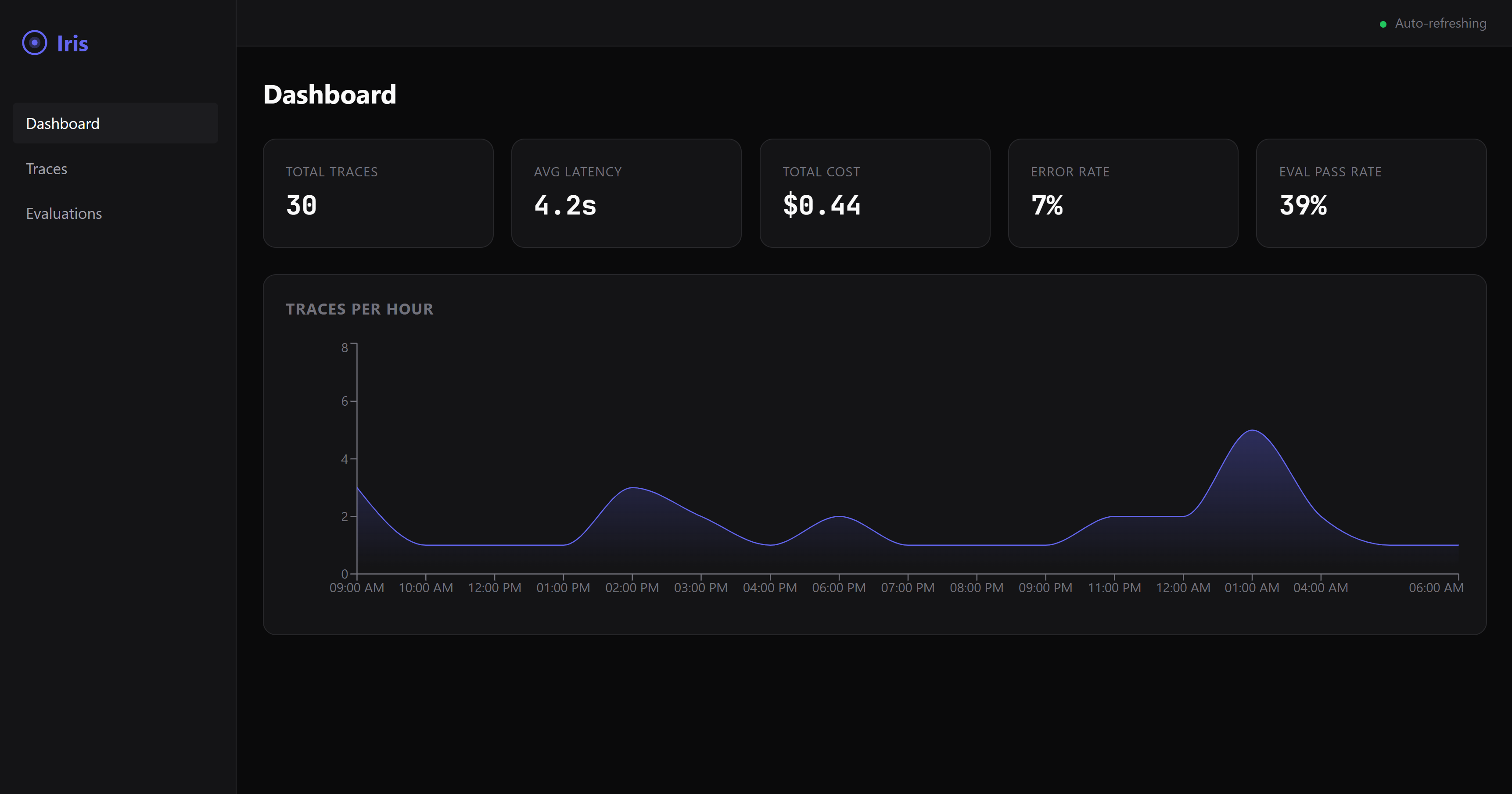
MCP-native agent evaluation and observability server — log traces, evaluate output quality, and track agent costs with 12 built-in eval rules and a real-time dashboard.
Iris — MCP-Native Agent Eval & Observability


Iris is an open-source Model Context Protocol (MCP) server that provides trace logging, quality evaluation, and cost tracking for AI agents. Any MCP-compatible agent framework can discover and invoke Iris tools.

Quickstart
npm install -g @iris-eval/mcp-server
iris-mcp
Or run directly:
npx @iris-eval/mcp-server
Docker
docker run -p 3000:3000 -v iris-data:/data ghcr.io/iris-eval/mcp-server
Configuration
Iris looks for config in this order (later overrides earlier):
- Built-in defaults
~/.iris/config.json- Environment variables (
IRIS_*) - CLI arguments
CLI Arguments
| Flag | Default | Description |
|---|---|---|
--transport | stdio | Transport type: stdio or http |
--port | 3000 | HTTP transport port |
--db-path | ~/.iris/iris.db | SQLite database path |
--config | ~/.iris/config.json | Config file path |
--api-key | — | API key for HTTP authentication |
--dashboard | false | Enable web dashboard |
--dashboard-port | 6920 | Dashboard port |
Environment Variables
| Variable | Description |
|---|---|
IRIS_TRANSPORT | Transport type |
IRIS_PORT | HTTP port |
IRIS_DB_PATH | Database path |
IRIS_LOG_LEVEL | Log level: debug, info, warn, error |
IRIS_DASHBOARD | Enable dashboard (true/false) |
IRIS_API_KEY | API key for HTTP authentication |
IRIS_ALLOWED_ORIGINS | Comma-separated allowed CORS origins |
Security
When using the HTTP transport, Iris includes production-grade security:
- Authentication — Set
IRIS_API_KEYor--api-keyto requireAuthorization: Bearer <key>on all endpoints (except/health). Recommended for any network-exposed deployment. - CORS — Restricted to
http://localhost:*by default. Configure withIRIS_ALLOWED_ORIGINS. - Rate limiting — 100 requests/minute for dashboard API, 20 requests/minute for MCP endpoints. Configurable via
~/.iris/config.json. - Security headers — Helmet middleware applies CSP, X-Frame-Options, X-Content-Type-Options, and other standard headers.
- Input validation — All query parameters validated with Zod schemas. Malformed requests return 400.
- Request size limits — Body payloads limited to 1MB by default.
- Safe regex — User-supplied regex patterns in custom eval rules are validated against ReDoS attacks.
- Structured logging — JSON logs to stderr via pino. Never writes to stdout (reserved for stdio transport).
# Production deployment example
iris-mcp --transport http --port 3000 --api-key "$(openssl rand -hex 32)" --dashboard
MCP Tools
log_trace
Log an agent execution trace with spans, tool calls, and metrics.
Input:
agent_name(required) — Name of the agentinput— Agent input textoutput— Agent output texttool_calls— Array of tool call recordslatency_ms— Execution time in millisecondstoken_usage—{ prompt_tokens, completion_tokens, total_tokens }cost_usd— Total cost in USDmetadata— Arbitrary key-value metadataspans— Array of span objects for detailed tracing
evaluate_output
Evaluate agent output quality using configurable rules.
Input:
output(required) — The text to evaluateeval_type— Type:completeness,relevance,safety,cost,customexpected— Expected output for comparisontrace_id— Link evaluation to a tracecustom_rules— Array of custom rule definitions
get_traces
Query stored traces with filters and pagination.
Input:
agent_name— Filter by agent nameframework— Filter by frameworksince— ISO timestamp lower bounduntil— ISO timestamp upper boundmin_score/max_score— Score range filterlimit— Results per page (default 50)offset— Pagination offset
MCP Resources
iris://dashboard/summary— Dashboard summary statisticsiris://traces/{trace_id}— Full trace detail with spans and evals
Claude Desktop
Add Iris to your Claude Desktop MCP config:
{
  "mcpServers": {
    "iris-eval": {
      "command": "npx",
      "args": ["@iris-eval/mcp-server"]
    }
  }
}
Then ask Claude to "log a trace" or "evaluate this output" — Iris tools are automatically available.
See examples/claude-desktop/ for more configuration options.
Web Dashboard
Start with --dashboard flag to enable the web UI at http://localhost:6920.
Examples
- Claude Desktop setup — MCP config for stdio and HTTP modes
- TypeScript — MCP SDK client usage
- LangChain — Agent instrumentation
- CrewAI — Crew observability
Community
- GitHub Issues — Bug reports and feature requests
- GitHub Discussions — Questions and ideas
- Contributing Guide — How to contribute
- Roadmap — What's coming next
License
MIT
Related Servers
Scout Monitoring MCP
sponsorPut performance and error data directly in the hands of your AI assistant.
Alpha Vantage MCP Server
sponsorAccess financial market data: realtime & historical stock, ETF, options, forex, crypto, commodities, fundamentals, technical indicators, & more
iOS Device Control
An MCP server to control iOS simulators and real devices, enabling AI assistant integration on macOS.
OSSInsight
Analyze GitHub repositories, developers, and organizations with data from OSSInsight.io.
mcp4eda
A collection of MCP servers for Electronic Design Automation (EDA) workflows, including tools for die yield calculation and Verilog/SystemVerilog analysis.
Biel.ai MCP Server
Connect AI tools like Cursor and VS Code to your product documentation using the Biel.ai platform.
MCP Expr Lang
MCP Expr-Lang provides a seamless integration between Claude AI and the powerful expr-lang expression evaluation engine.
Gemini Image MCP Server
Image generation using Google's Gemini API.
Remote MCP Server on Cloudflare
An example of a remote MCP server deployable on Cloudflare Workers, without authentication.
Argo CD
Interact with Argo CD applications through natural language.
MCP Android Agent
Automate Android devices using the uiautomator2 library, requiring adb and a connected device.
mybacklinks-mcp
Backlinks tracker and management tools for MyBacklinks.app.